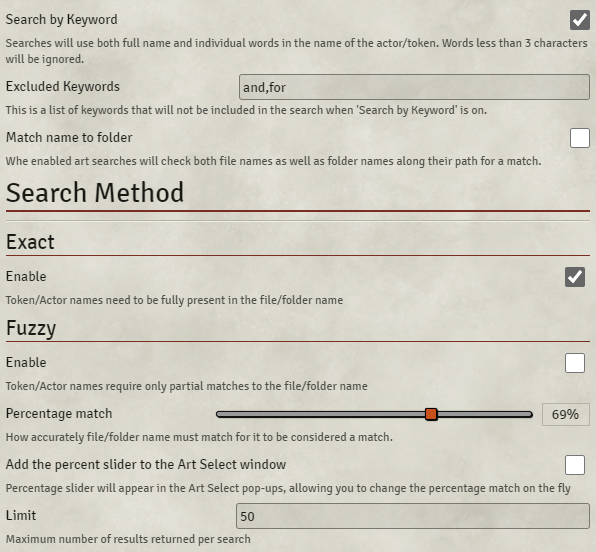
Search Algorithm
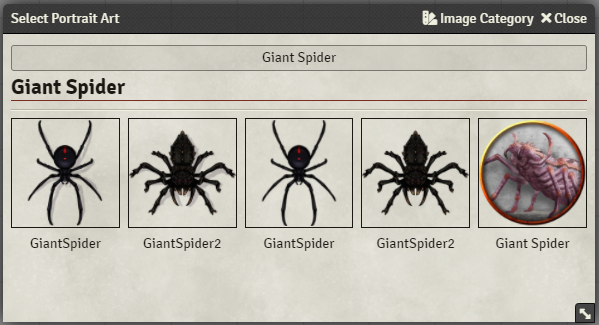
Without this setting enabled searches performed by the module will be returned as a single result set using the full name of the acotor/token:
Enabling this setting will make the module perform multiple separate searches, using the full name, as well as the individual words within the name.
e.g. 'Giant Spider' will be returned as 3 searches:
- Giant Spider
- Spider
- Giant
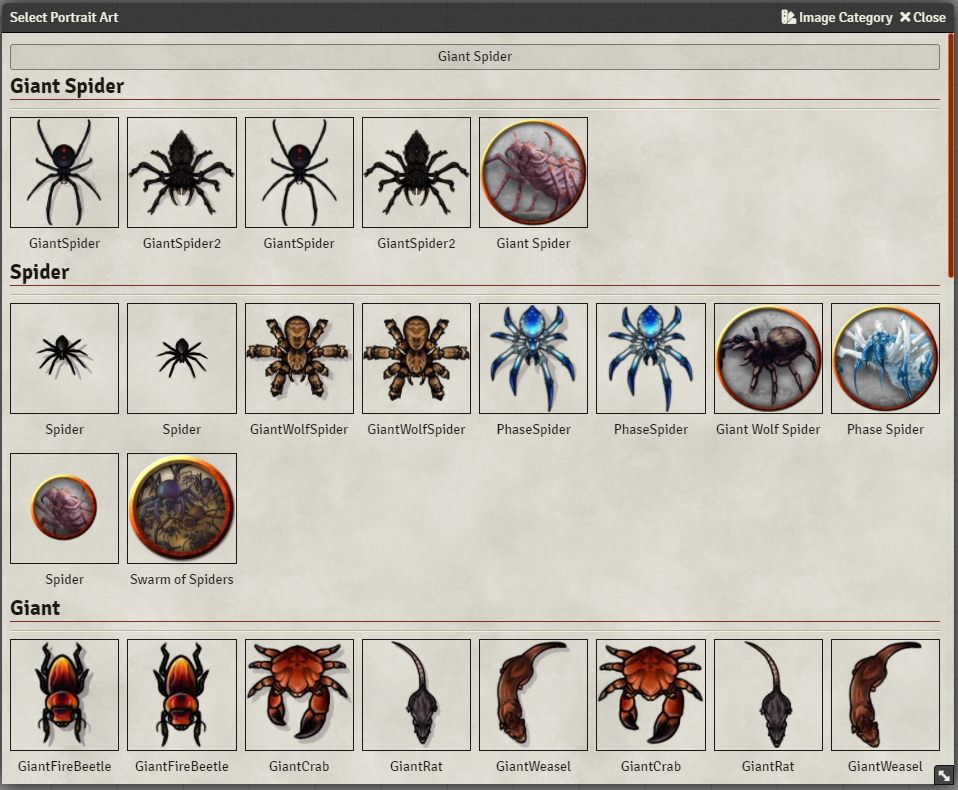
Images found in the previous searches will not be included in the follow-up searches.
Here you can define a list of keywords that will be removed from Keyword searches. For example adjectives such as colours Red, Blue, Green, etc. might not return useful results and you may wish for them to not have searches performed on them.
When enabled the module will match searches against the full image path.
With the setting disabled a search for a 'Dragon' would only match 2 of the following images:
- tokens/monsters/AncientRedDragon.jpg => AncientRedDragon
- tokens/dragons/ancient_red.jpg => ancient_red
- tokens/dragons/MalformedDragon.webp => MalformedDragon
With the setting enabled the search for a 'Dragon' would now match all 3 as the module will consider the folder names as well:
- tokens/monsters/AncientRedDragon.jpg
- tokens/dragons/ancient_red.jpg
- tokens/dragons/MalformedDragon.webp
Allows to change the search algorithm used by the module. By default the module will use approximate searches (fuzzy search), but can also be configured to perform exact searches which will only accept images that fully contain the Token/Actor name.
Exact search algorithm will require every alphanumeric character in the search to exist in the path or file name. Special characters such as \@{}[]£"$ will be removed before the comparison being made.
For example a search using Dragon (Puff) will be simplified to dragonpuff and then compared to simplified file names:
-
Dragon Puff.jpg->dragonpuff -
Dragon_puff.webm->dragonpuff -
DragonPuff_2.png->dragonpuff2
All of the above would match the search since they all contain dragonpuff. Some examples of file names that would not match:
-
Dragon Spuff->dragonspuff -
Puff Dragon->puffdragon
The above while in some ways similar will not be matched as they do not contain an exact match to dragonpuff
Fuzzy (Fuse.js)
Fuzzy search algorithm will perform approximate searches. Unlike exact algorithm slight mismatches between the search term and the file names will be tolerated according to the the tolerance defined in the Percentage match setting.
Depending on the Percentage match the following would match given the search term Dragon (Puff):
Dragon (Puff).pngDragon Spuff.webmPuff Dragon.png
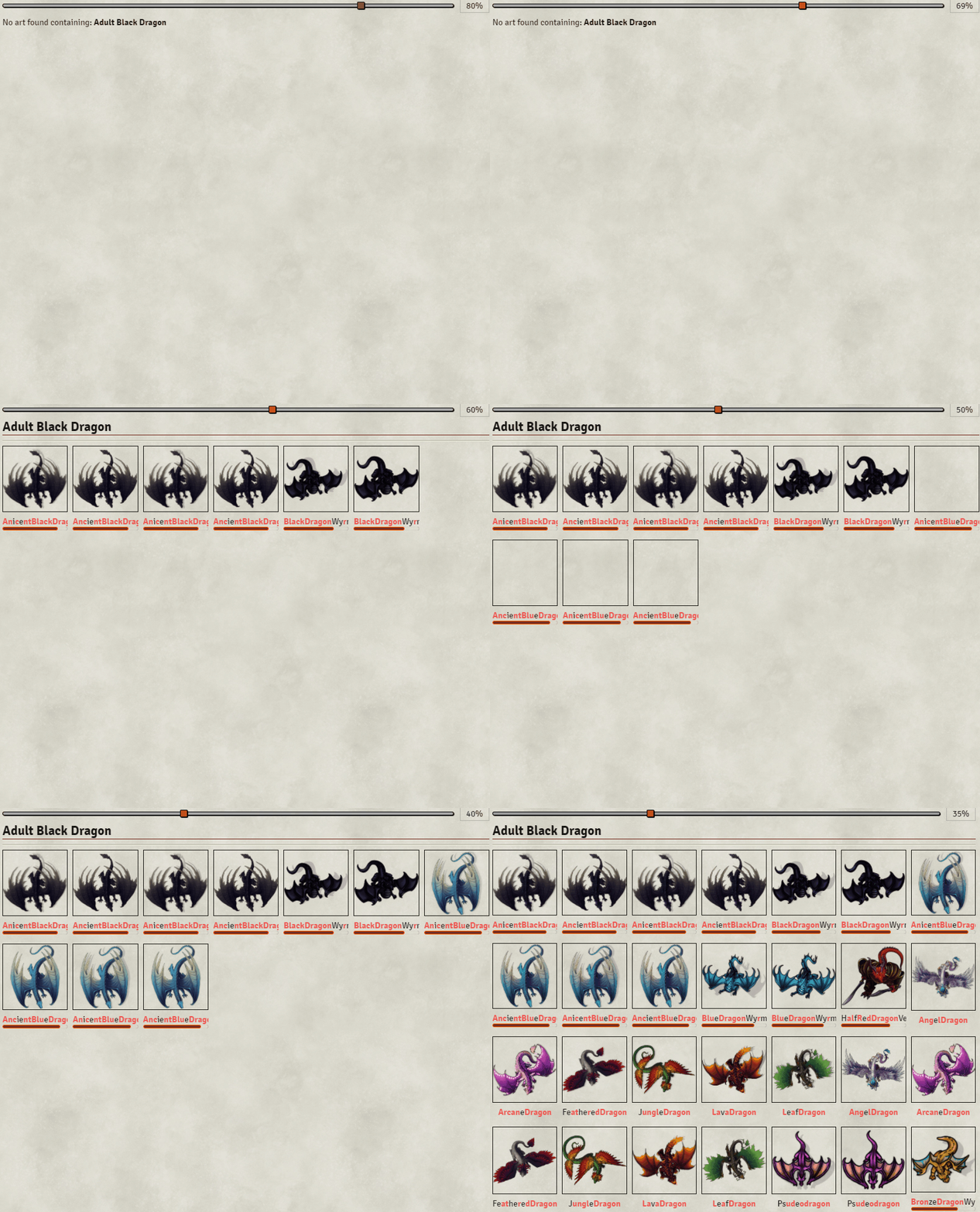
The most precise matches will come earlier in the search results. A thing to note is that the lower the Percentage match is the likelier it is that unrelated files going to be returned in the search results. If the percentage is low file names such as these could get returned:
Gragon.pngRon Dranae.jpg
Limits the number of results to this number. Fuzzy searches with a low enough Percentage match could in theory return ALL the images in your library. This setting is a way to limit the number of results returned to the most relevant. Staying between 25-100 should serve most people well and keep the responsiveness of the searches high (rendering thousands of images could have some performance impact).
A rather vague value indicating how close of a match there should be between the search term and the image file name. A value of about 75%~ should be nough to capture most of the close matches, but if you want to adjust this value on the fly you can attach this slider to the 'Art Select' via (TODO) setting.
Here's an example of how percentage match impacts the results returned by searches: