Compendium Mapper
Auto-updates or queues up Art Select windows for all documents within a compendium.
Currently supported documents: Actor, Item, Macro, (and partially: Cards, JournalEntry, RollTable)
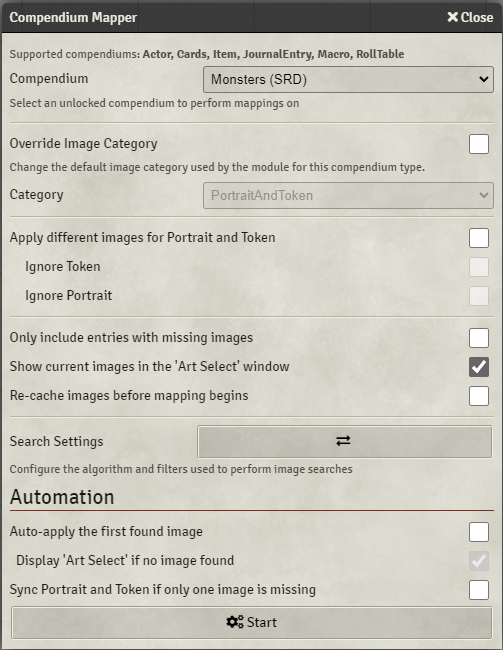
Each document has its own category which images can be assigned to (Search-Paths#Category), this setting allows you to override the category that the mapper will use.
An Actor compendium specific setting. When enabled the mapper will either automatically (Automation) or give an option to manually apply different images to the Actor portrait and the prototype token.
Ignore Token and Ignore Portrait will prevent the respective images from being included in the mapping operation and is effectively a means to map just the portrait or actor images for the selected compendium.
Will not include documents that have images already assigned to them. A document will be considered to have a missing image if it either has no image at all or is assigned a default, whatever the default may be for that document type.
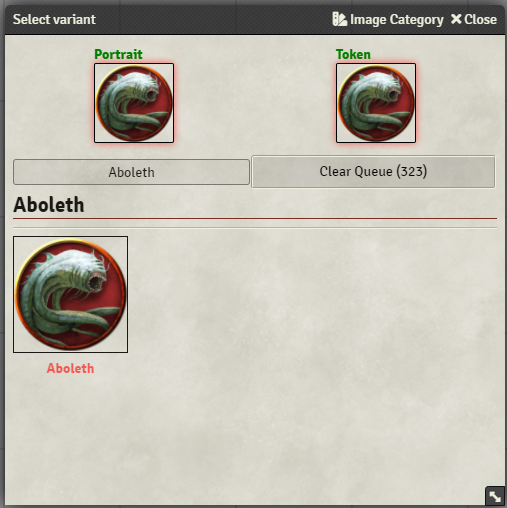
When enabled the currently assigned images will be shown at the top of the 'Art Select' window:
Search Paths will be re-scanned when before the mapping operation is begun.
Equivalent to running game.modules.get("token-variants").api.cacheImages() or clicking Cache Images button under Misc settings.
A private instance of Search Filters and Search Algorithm settings to be used specifically for this mapping operation. Changes here will not affect the rest of the module.
WARNING enabling these settings will result in some or all documents within the selected compendium to be automatically changed by the module. I'd recommend to first run the mapper without automation to get a feel for whether the compendium will be modified in a manner you expect.
Will automatically apply the first found image (the first image you'd see in the Art Select) to the documents in the selected compendium.
Display 'Art Select' if no image found will queue up Art Select windows for any document for which the module was unable to find any image letting you to try and find one via a different manual search.
An Actor compendium specific setting. If the Actor is assigned just the Portrait on the prototype Token image, instead of performing a search for the missing image the mapper will instead re-use one of the images and apply it to the other.