Updated an FAQ #879
Updated an FAQ #879
Conversation


WalkthroughDocumentation updates across FAQ and installation guides: API URL parameters and example added to Excel upload FAQ, installation steps renumbered in Linux and Windows guides, and image file paths updated in the terminal installation guide. Changes
Estimated code review effort🎯 1 (Trivial) | ⏱️ ~3 minutes
Possibly related PRs
Suggested reviewers
Poem
Pre-merge checks and finishing touches❌ Failed checks (1 inconclusive)
✅ Passed checks (2 passed)
✨ Finishing touches🧪 Generate unit tests (beta)
Thanks for using CodeRabbit! It's free for OSS, and your support helps us grow. If you like it, consider giving us a shout-out. Comment |
![coderabbitai[bot]](https://avatars.githubusercontent.com/in/347564?s=60&v=4)

There was a problem hiding this comment.
Actionable comments posted: 0
🧹 Nitpick comments (1)
src/pages/docs/live-editor/installing-testsigma-terminal-on-linux.md (1)
47-47: Align text formatting with other guides.Line 47 has split bold formatting:
**Open the desktop** appinstead of**Open the desktop app**. The Windows guide (line 36) uses unified bold formatting. Update for consistency:-9. Click **Open the desktop** app. The **Testsigma Terminal** opens. +9. Click **Open the desktop app**. The **Testsigma Terminal** opens.Also applies to: 47-47
📜 Review details
Configuration used: defaults
Review profile: CHILL
Plan: Pro
📒 Files selected for processing (4)
src/pages/docs/FAQs/general/how-to-update-an-excel-file-in-testsigma-uploads.md(1 hunks)src/pages/docs/live-editor/installing-testsigma-terminal-on-linux.md(1 hunks)src/pages/docs/live-editor/installing-testsigma-terminal-on-windows.md(1 hunks)src/pages/docs/live-editor/installing-testsigma-terminal.md(1 hunks)
🧰 Additional context used
🪛 LanguageTool
src/pages/docs/FAQs/general/how-to-update-an-excel-file-in-testsigma-uploads.md
[style] ~77-~77: Using many exclamation marks might seem excessive (in this case: 6 exclamation marks for a text that’s 3973 characters long)
Context: ...pi key in the testdata placeholder. 
🔇 Additional comments (4)
src/pages/docs/FAQs/general/how-to-update-an-excel-file-in-testsigma-uploads.md (2)
76-76: API URL parameterization improves clarity with concrete example.The update from a static URL to a parameterized format with placeholder
{ID}and a concrete example (e.g.,https://app.testsigma.com/api/v1/uploads/8) significantly clarifies how users should construct the API endpoint. The markdown link syntax is correct, and the instructions to replace the placeholder are explicit.Verify that the example URL
https://app.testsigma.com/api/v1/uploads/8is syntactically correct and that the image reference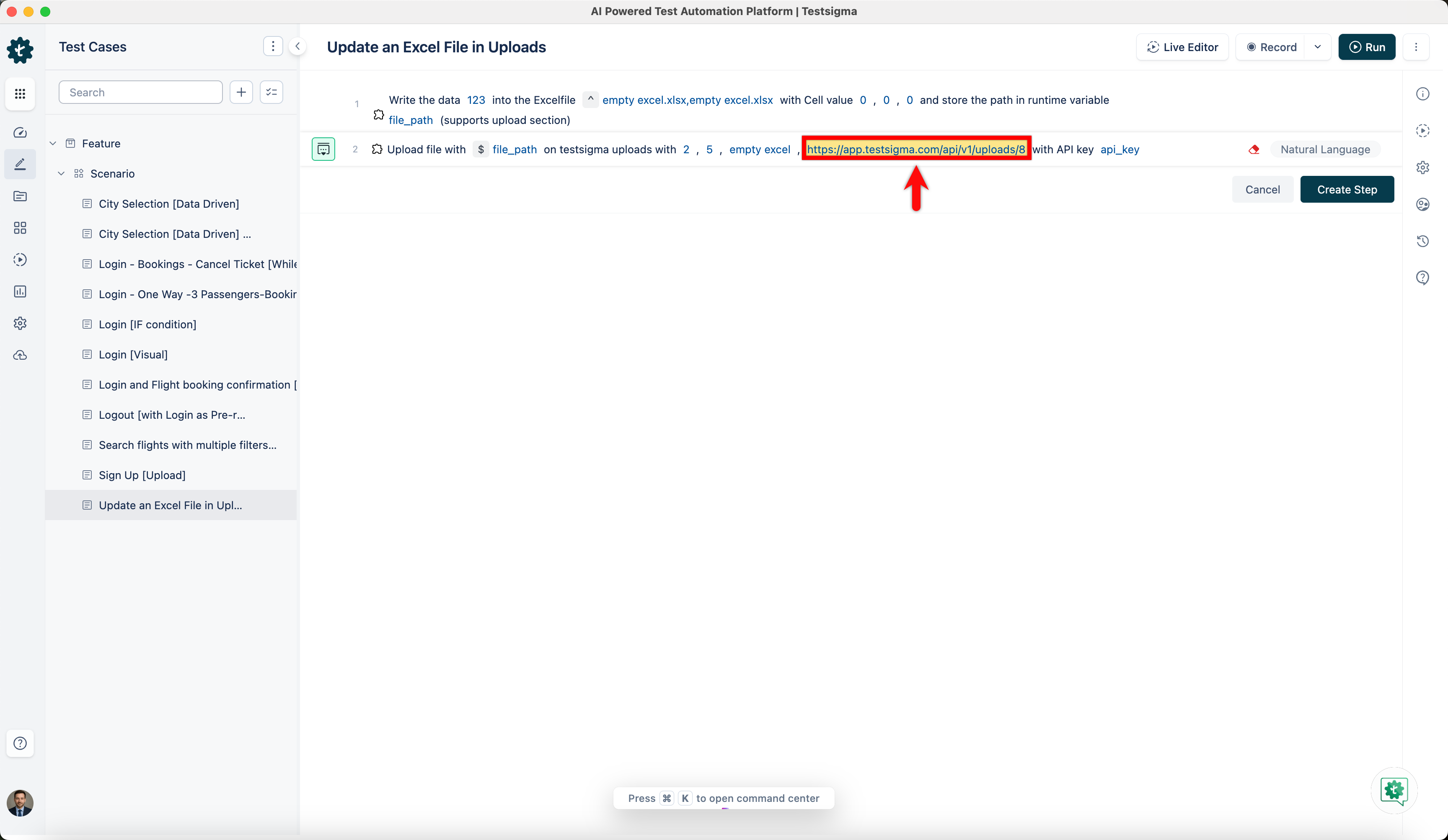points to an accessible asset.
82-83: New visual documentation section enhances user experience.Adding the "After you execute it, here's how it looks:" section with a Run Result screenshot provides concrete visual feedback and sets proper expectations for users following the steps. The section integrates naturally into the workflow documentation.
Verify that the image reference
https://s3.amazonaws.com/static-docs.testsigma.com/new_images/projects/faq/uploads_28.pngpoints to an accessible asset.src/pages/docs/live-editor/installing-testsigma-terminal-on-windows.md (1)
36-36: Step numbering and formatting look good.Steps 5-6 are correctly aligned with the main installation guide, and the text formatting is consistent. The renumbering ensures proper sequential flow for the Windows platform guide.
Also applies to: 38-38
src/pages/docs/live-editor/installing-testsigma-terminal.md (1)
83-83: No issues detected. Both S3 image URLs are publicly accessible (HTTP 200) and resolve correctly. The filenameterminal_n_1.1.pngon line 89, while unconventional in naming, is confirmed to be the intended asset and poses no risk of broken links.


Updated an FAQ as per the ticket https://testsigma.atlassian.net/browse/DOC-432
Summary by CodeRabbit
✏️ Tip: You can customize this high-level summary in your review settings.