Updated the Installing Testsigma Terminal and the FAQ on Testsigma Terminal docs #723
Conversation


Updated the Installing Testsigma Terminal and the FAQ on Testsigma Terminal docs


WalkthroughThe documentation for Testsigma Terminal was updated by streamlining the installation guide, replacing outdated screenshots, removing redundant steps, and adding clarifying notes. Additionally, a new FAQ entry was introduced to address issues with launching the Terminal on Linux using the .appimage file, including troubleshooting guidance. Changes
Sequence Diagram(s)sequenceDiagram
participant User
participant Docs
participant Testsigma Terminal
User->>Docs: Reads installation guide
Docs->>User: Provides updated steps and screenshots
User->>Testsigma Terminal: Installs and opens app
Testsigma Terminal-->>User: Prompts for login
User->>Testsigma Terminal: Logs in
Testsigma Terminal-->>User: Registers agent, session valid for 24 hours
User->>Docs: Reads FAQ if app fails to launch
Docs->>User: Suggests checking dependencies and retrying
Suggested reviewers
Poem
Thanks for using CodeRabbit! It's free for OSS, and your support helps us grow. If you like it, consider giving us a shout-out. 🪧 TipsChatThere are 3 ways to chat with CodeRabbit:
SupportNeed help? Create a ticket on our support page for assistance with any issues or questions. Note: Be mindful of the bot's finite context window. It's strongly recommended to break down tasks such as reading entire modules into smaller chunks. For a focused discussion, use review comments to chat about specific files and their changes, instead of using the PR comments. CodeRabbit Commands (Invoked using PR comments)
Other keywords and placeholders
CodeRabbit Configuration File (
|
![coderabbitai[bot]](https://avatars.githubusercontent.com/in/347564?s=60&v=4)

There was a problem hiding this comment.
Actionable comments posted: 0
🧹 Nitpick comments (5)
src/pages/docs/live-editor/faqs-on-testsigma-terminal.md (1)
155-160: Tighten grammar & spacing in new FAQ entryMinor editorial fixes improve readability and align with house style (single space after punctuation, consistent pronoun usage, actionable workaround).
-### **14. Why is the Testsigma Terminal not launching on Linux (.appimage file not opening)?**
-
-**Answer:** The issue occurs because Linux users receive the **Testsigma Terminal** in **.appimage** format, which requires all necessary dependencies to be available on the system. If dependencies are missing, the **.appimage** may not run and become unclickable.
-
-**Workaround:** A quick way to fix is to install the missing dependencies and try again.
+### **14. Why doesn’t the Testsigma Terminal launch on Linux (.appimage file)?**
+
+**Answer:** This issue occurs because the **Testsigma Terminal** is distributed as an **.appimage**, which relies on system-level dependencies being present. If any are missing, the file may fail to launch and appear unresponsive.
+
+**Workaround:** Install the missing dependencies (e.g., `libfuse2` on Ubuntu) and then retry launching the file.
src/pages/docs/live-editor/installing-testsigma-terminal.md (4)
69-74: Improve accessibility & clarity for Steps 1–2
- Provide descriptive alt-text so screen-reader users understand the images.
- “Select the machine configuration” could explicitly mention OS/architecture to avoid ambiguity.
-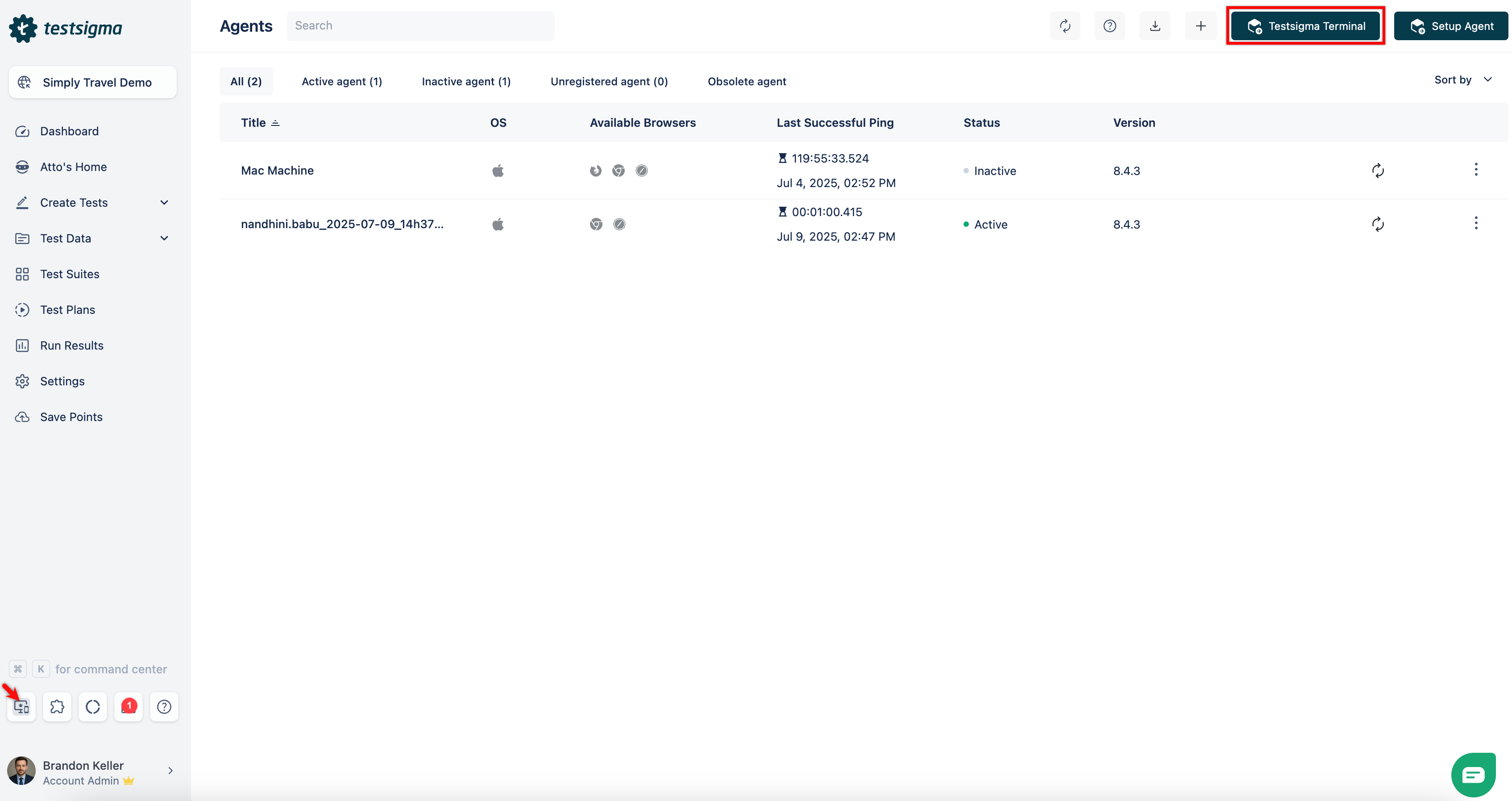 + -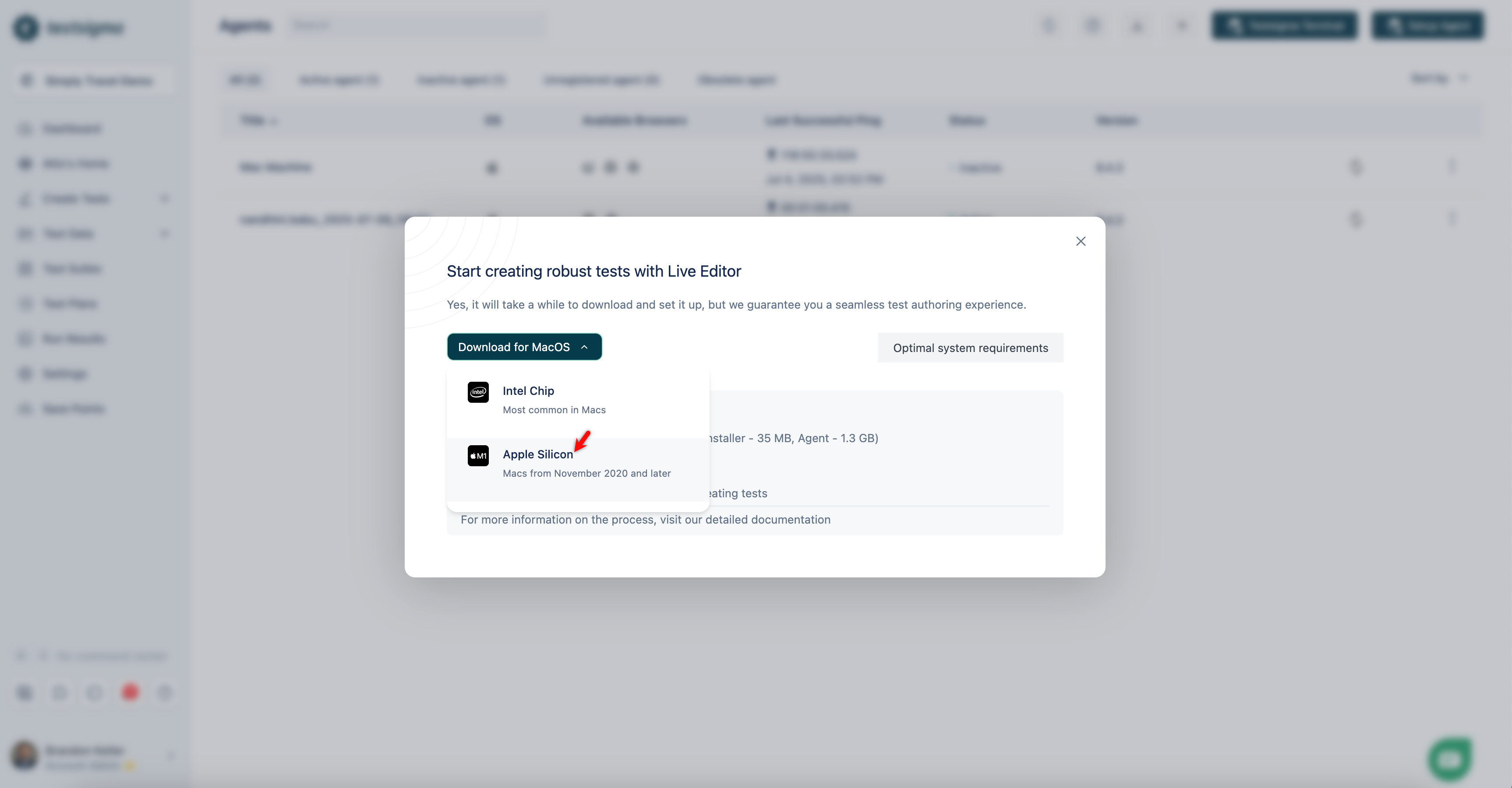 +
77-82: Reduce confusion between agent vs. Terminal login wording“Once you log in to your agent” reads as though the agent, not the web session, is being authenticated. Consider rephrasing and tightening the note.
-[[info | **NOTE**:]]
-| Once you log in to your agent, the session stays valid for 24 hours. Even if you close and reopen the application during this time, the agent will register automatically. After 24 hours, you'll need to log in manually, after which the agent will be registered automatically.
+[[info | **NOTE**:]]
+| After you authenticate with Testsigma, the session remains valid for 24 hours. Closing and reopening the application during this window automatically re-registers the agent. Beyond 24 hours, sign in again to resume automatic registration.
83-90: Streamline step ordering & wordingStep 3 already tells users to open the application; Step 5 then repeats “Open the desktop app.” Merging avoids redundancy and shortens the flow.
-3. Install and open the **Testsigma Terminal** application.
-
-4. Click **Login to Testsigma**. You will be redirected to Testsigma.
+3. Install the **Testsigma Terminal** application and open it.
+4. In the desktop window, click **Login to Testsigma** to authenticate in your browser.

 ...

-5. Click **Open the desktop app**. The **Testsigma Terminal** opens.
+5. After successful login, return to the desktop window; the **Testsigma Terminal** will reopen automatically.
88-90: Add example dependency names to aid troubleshootingUsers often don’t know which logs to attach. Mentioning the default log folder path and an example of required details speeds up support.
-| If you encounter any issues with the **Testsigma Terminal**, click **Report Issue** from the left panel. Provide a description of the problem, upload the agent log, and make sure to include the **App Session ID** and **Debugging ID**. To obtain the Debugging ID, ensure the agent was started through Testsigma.
+| If you encounter issues, click **Report Issue** (left panel). Add a short description, attach the latest file from **Logs** (see FAQ #11 for paths), and include both **App Session ID** and **Debugging ID** (visible when the agent starts through Testsigma).
📜 Review details
Configuration used: CodeRabbit UI
Review profile: CHILL
Plan: Pro
📒 Files selected for processing (2)
src/pages/docs/live-editor/faqs-on-testsigma-terminal.md(1 hunks)src/pages/docs/live-editor/installing-testsigma-terminal.md(1 hunks)
🧰 Additional context used
🪛 LanguageTool
src/pages/docs/live-editor/faqs-on-testsigma-terminal.md
[grammar] ~155-~155: Use correct spacing
Context: ... launching on Linux (.appimage file not opening)?** Answer: The issue occurs because Linu...
(QB_NEW_EN_OTHER_ERROR_IDS_5)
[grammar] ~157-~157: Use correct spacing
Context: ...he .appimage may not run and become unclickable. Workaround: A quick way to fix is to ...
(QB_NEW_EN_OTHER_ERROR_IDS_5)
[grammar] ~159-~159: Use the right pronoun
Context: ...kable. Workaround: A quick way to fix is to install the missing dependencies ...
(QB_NEW_EN_OTHER_ERROR_IDS_9)
[grammar] ~159-~159: Use correct spacing
Context: ...nstall the missing dependencies and try again. ---
(QB_NEW_EN_OTHER_ERROR_IDS_5)
⏰ Context from checks skipped due to timeout of 90000ms. You can increase the timeout in your CodeRabbit configuration to a maximum of 15 minutes (900000ms). (1)
- GitHub Check: CI


Updated the Installing Testsigma Terminal and the FAQ on the Testsigma Terminal docs as per the ticket https://testsigma.atlassian.net/browse/IDEA-2389
Summary by CodeRabbit