Add test for TestBot in Functional Tests project #97
Conversation
This file contains hidden or bidirectional Unicode text that may be interpreted or compiled differently than what appears below. To review, open the file in an editor that reveals hidden Unicode characters.
Learn more about bidirectional Unicode characters


 ceciliaavila
changed the title
ceciliaavila
changed the title


|
|


|
Replaced by #1807 |


Sign up for free
to join this conversation on GitHub.
Already have an account?
Sign in to comment


Add this suggestion to a batch that can be applied as a single commit.
This suggestion is invalid because no changes were made to the code.
Suggestions cannot be applied while the pull request is closed.
Suggestions cannot be applied while viewing a subset of changes.
Only one suggestion per line can be applied in a batch.
Add this suggestion to a batch that can be applied as a single commit.
Applying suggestions on deleted lines is not supported.
You must change the existing code in this line in order to create a valid suggestion.
Outdated suggestions cannot be applied.
This suggestion has been applied or marked resolved.
Suggestions cannot be applied from pending reviews.
Suggestions cannot be applied on multi-line comments.
Suggestions cannot be applied while the pull request is queued to merge.
Suggestion cannot be applied right now. Please check back later.
Proposed Changes
Steps to configure the Pipeline:
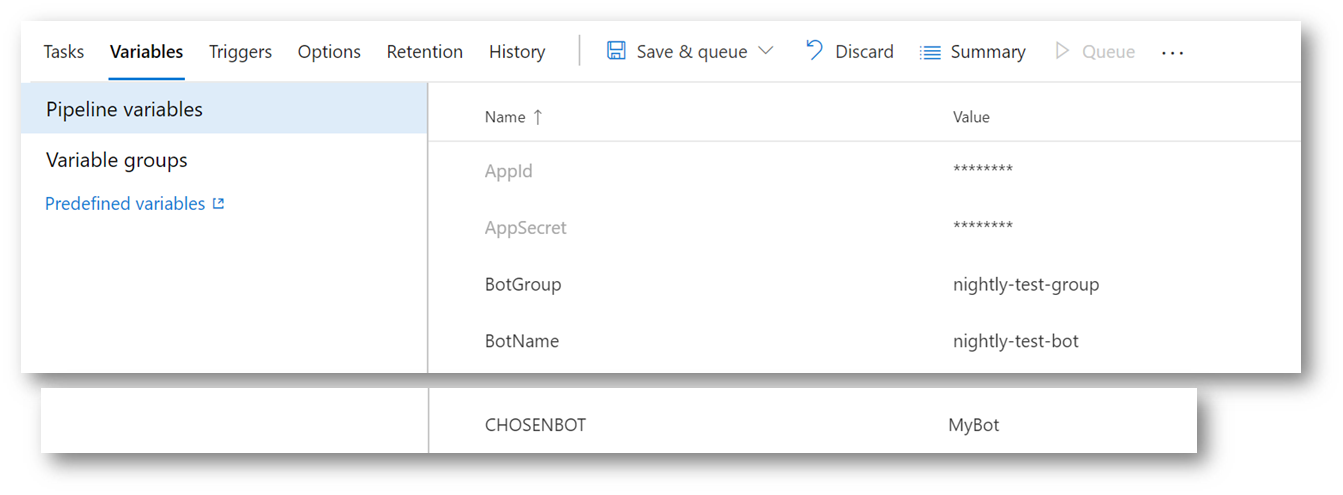
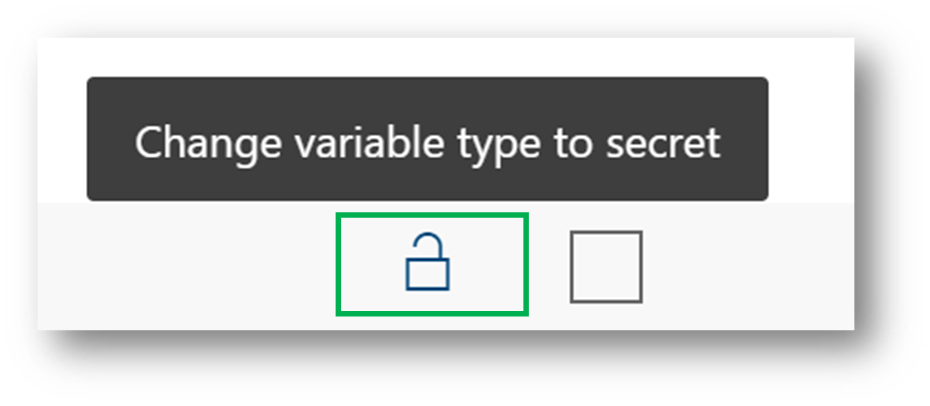
1- Define five environment variables: AppId, AppSecret, BotName, BotGroup and CHOSENBOT and mark the first two as Secrets.
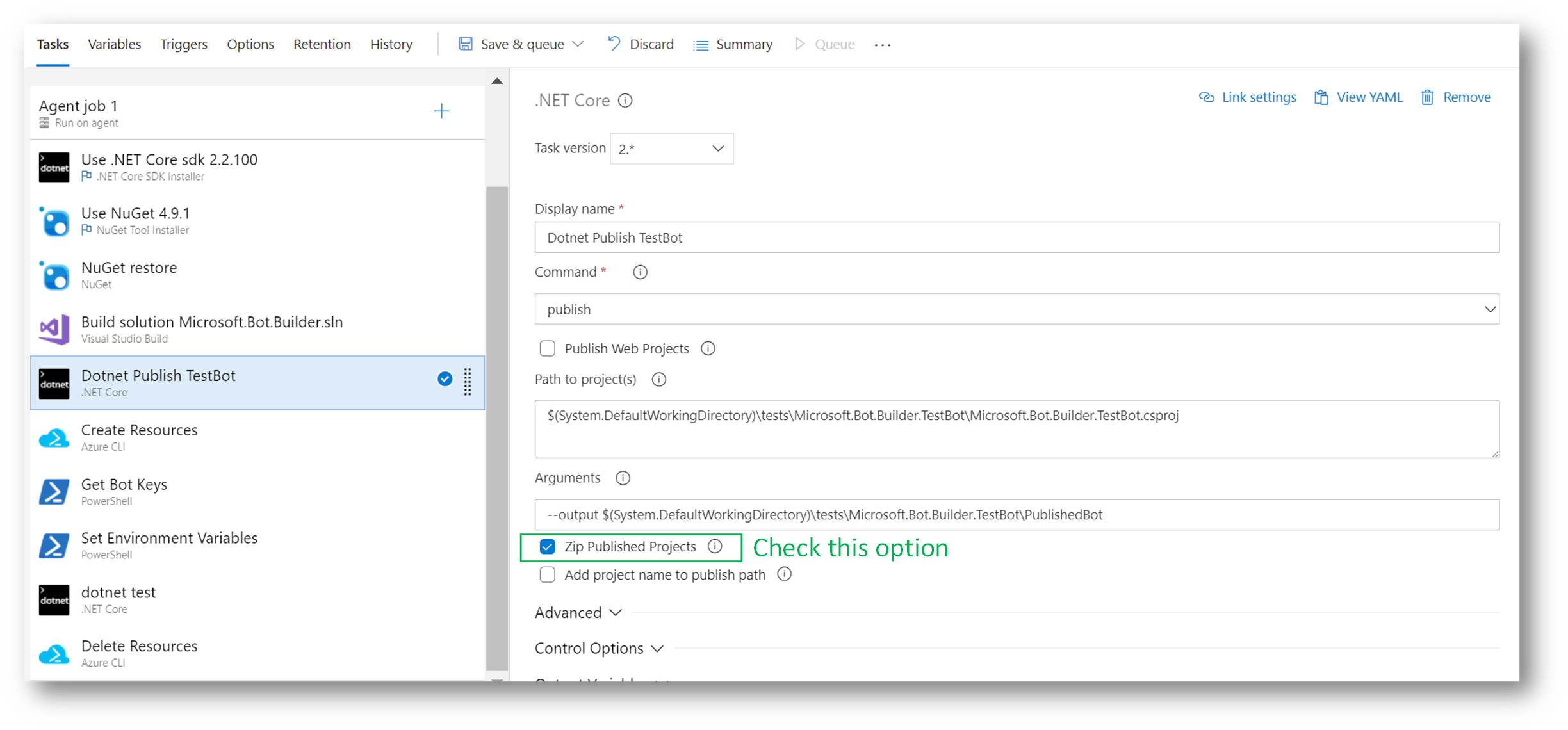
2- Add a Dotnet Task to publish the Test Bot project and leave it as a zip in a folder named PublishedBot.
In Arguments we need to set:
3- Configure one Azure CLI Task to:
The output goes into a json file from where we will recover the channel key later.
The script is:
4- Add a new PowerShell Script Task to read the json file generated in the previous step and get the secret key to connect to the bot. It also sets an environment variable with this value.
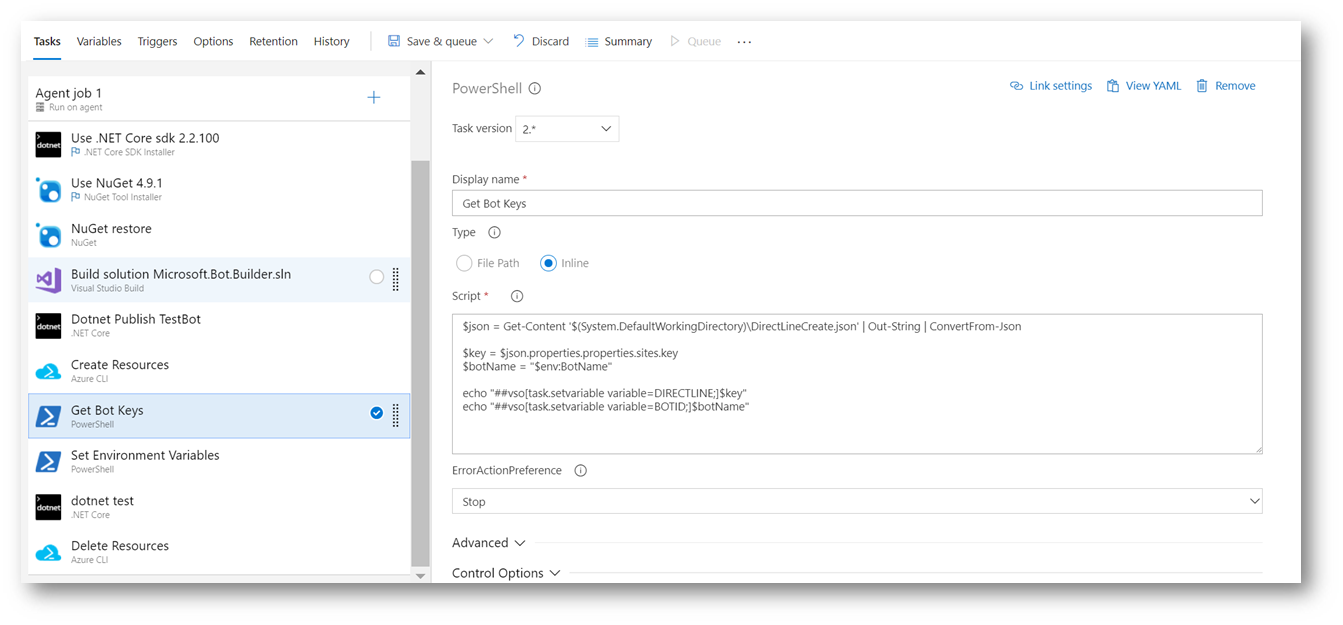
The script is:
5- After the Tests run, add a new Azure CLI Task to delete the resource group we've created in the third step.
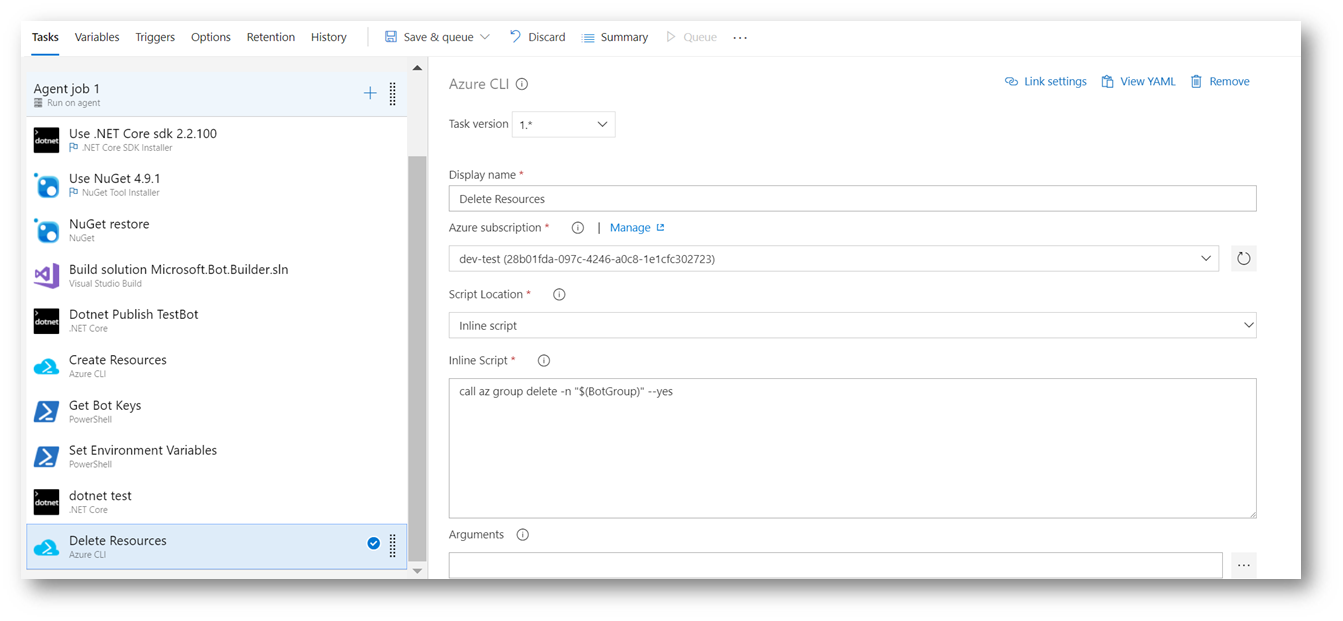
The script is:
We strongly recommend setting this task to run Even if a previous task has failed, even if the build was canceled. With this setting, we will assure that the resources will be deleted from Azure even if the build fails at any step.
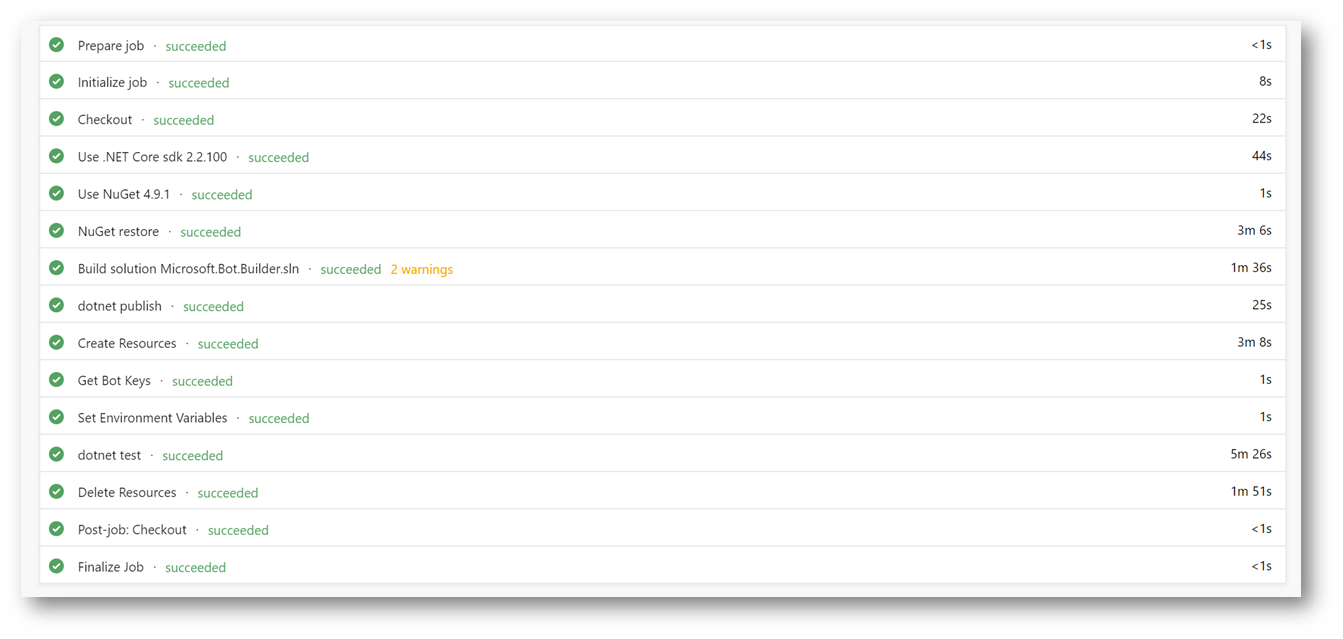
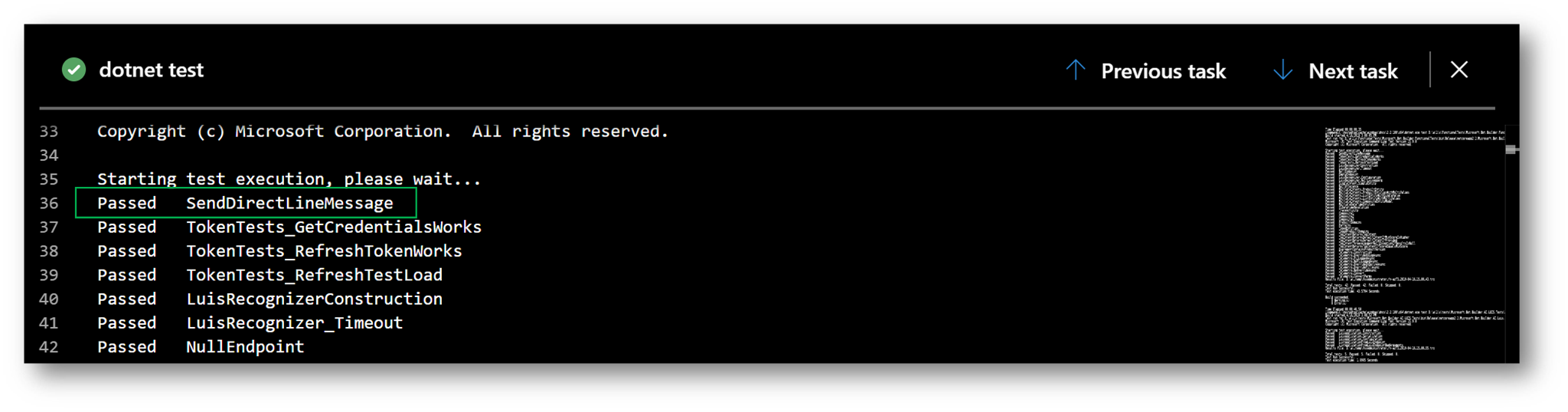
After running these steps, the Bot is deployed, tested and deleted.