Skip to content
This repository was archived by the owner on Jan 5, 2026. It is now read-only.

Conversation

@ceciliaavila
Copy link
Collaborator

@ceciliaavila ceciliaavila commented Apr 17, 2019

Proposed Changes

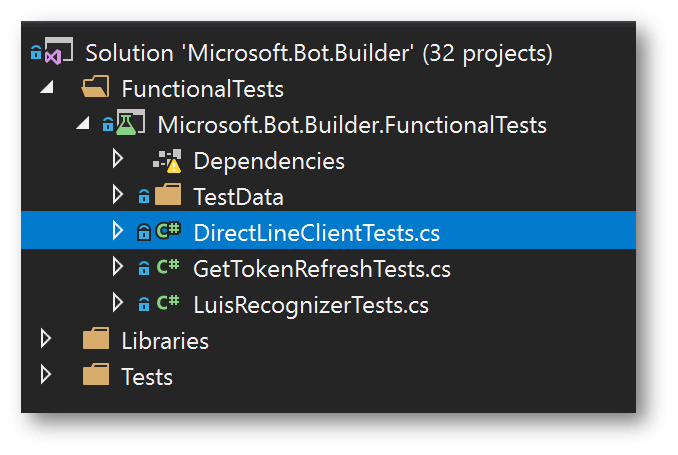
Add new DirectLineClientTests to FunctionalTests project to test sending a message to an echo bot deployed in Azure with ARM Templates and check its response.
image

Steps to configure the Pipeline:

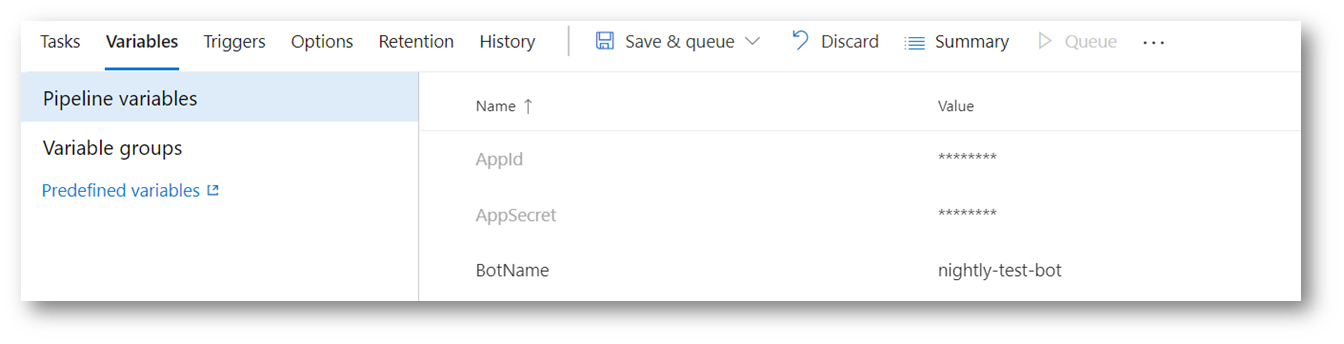
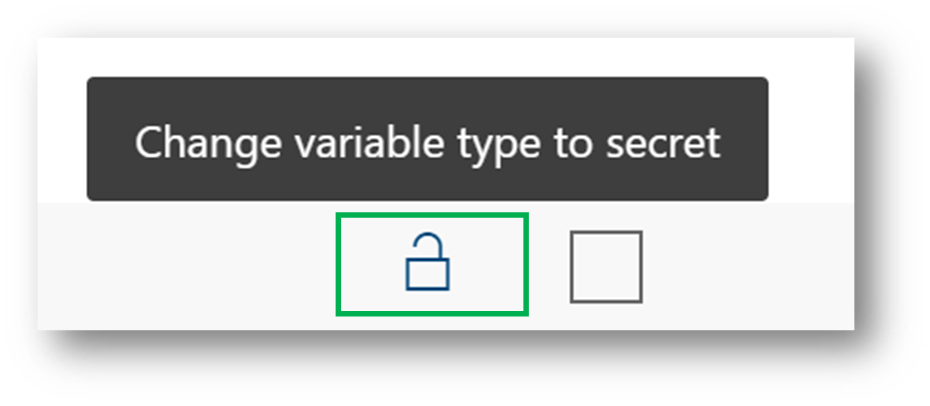
1- Define three environment variables: AppId, AppSecret and BotName and mark the first two as Secrets.
image
image
2- Add a PowerShell Script Task to download the .zip that contains the latest version of the EchoBot Sample.

image

The script is:

$url = "https://dev.botframework.com/api/misc/bottemplateroot"
$output = "$(System.DefaultWorkingDirectory)\FunctionalTests\echoBot.zip"

$partialUrl = Invoke-WebRequest -Uri $url

$cleanUrl = $partialUrl -replace'["]'

$completeUrl = "$($cleanUrl)csharp-abs-webapp-v4_echobot_precompiled.zip"

$wc = New-Object System.Net.WebClient
$wc.DownloadFile($completeUrl, $output)

Expand-Archive $output -DestinationPath $(System.DefaultWorkingDirectory)\FunctionalTests\echoBot\

$slnPath = Get-ChildItem -Path $(System.DefaultWorkingDirectory)\FunctionalTests\echoBot\ -Filter EchoBot.sln -Recurse -Force -ErrorAction SilentlyContinue| select FullName

$folder = Split-Path $slnPath.FullName

Compress-Archive -Path $folder\* -DestinationPath $(System.DefaultWorkingDirectory)\FunctionalTests\SampleEchoBot.zip

3- Configure one Azure CLI Task to:

  • Run az deployment create command to create the resources in Azure.
  • Run az webapp deployment command to deploy the EchoBot sample.
  • Run az bot direcline create command to connect the bot to the DirectLine channel

image

The output goes into a json file from where we will recover the channel key later.

The script is:

call az deployment create --name "nightly-test-bot" --template-file "$(System.DefaultWorkingDirectory)\FunctionalTests\ExportedTemplate\template.json" --location "westus" --parameters appId=$(AppId) appSecret="$(AppSecret)" botId="$(BotName)" botSku=F0 newAppServicePlanName="$(BotName)" newWebAppName="$(BotName)" groupName="nightly-test-bot" groupLocation="westus" newAppServicePlanLocation="westus"

call az webapp deployment source config-zip --resource-group "nightly-test-bot" --name "$(BotName)" --src "$(System.DefaultWorkingDirectory)\FunctionalTests\SampleEchoBot.zip" 

call az bot directline create -n "$(BotName)" -g "nightly-test-bot" > "$(System.DefaultWorkingDirectory)\DirectLineCreate.json"

4- Add a new PowerShell Script Task to read the json file generated in the previous step and get the secret key to connect to the bot. It also sets an environment variable with this value.

image

The script is:

$json = Get-Content '$(System.DefaultWorkingDirectory)\DirectLineCreate.json' | Out-String | ConvertFrom-Json

$key = $json.properties.properties.sites.key
$botName = $(BotName)

echo "##vso[task.setvariable variable=DIRECTLINE;]$key"
echo "##vso[task.setvariable variable=BOTID;]$botName"

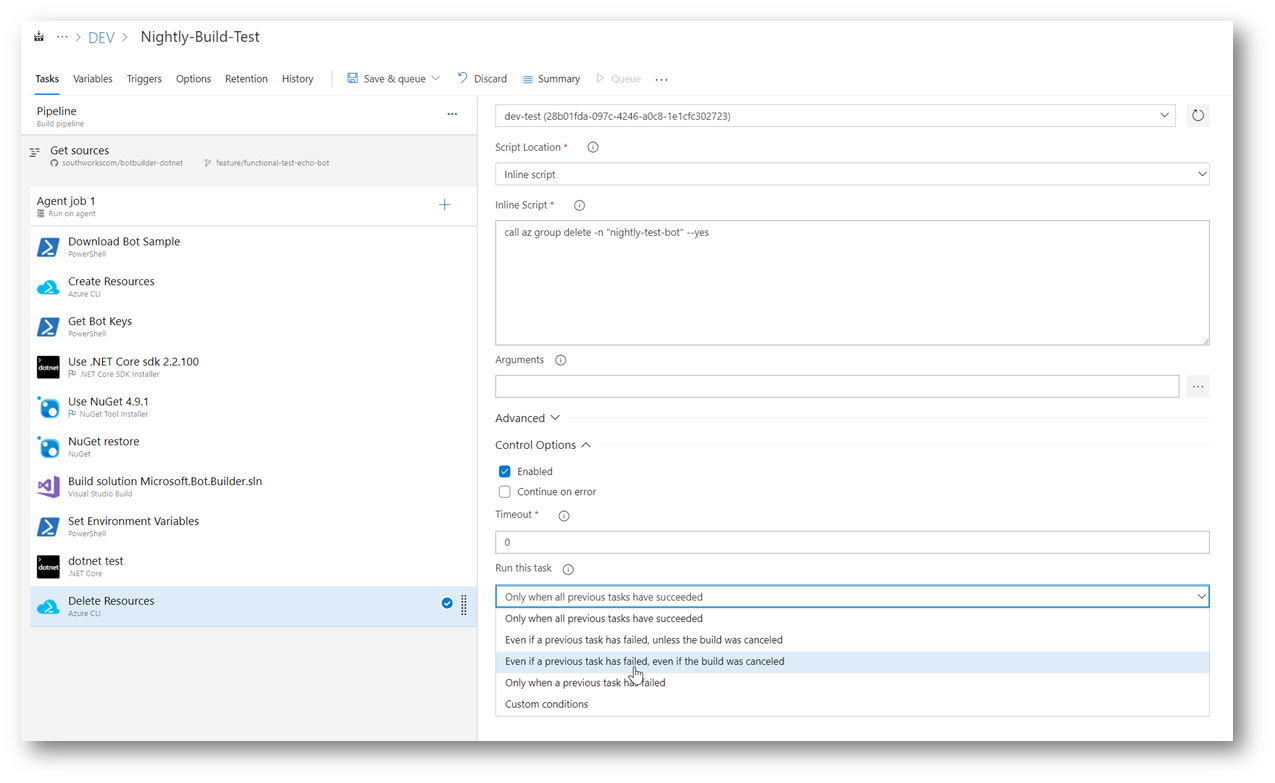
5- After the Tests run, add a new Azure CLI Task to delete the resource group we've created in the first step.
image
The script is:

call az group delete -n "nightly-test-bot" --yes

We strongly recommend setting this task to run Even if a previous task has failed, even if the build was canceled. With this setting, we will assure that the resources will be deleted from Azure even if the build fails at any step.

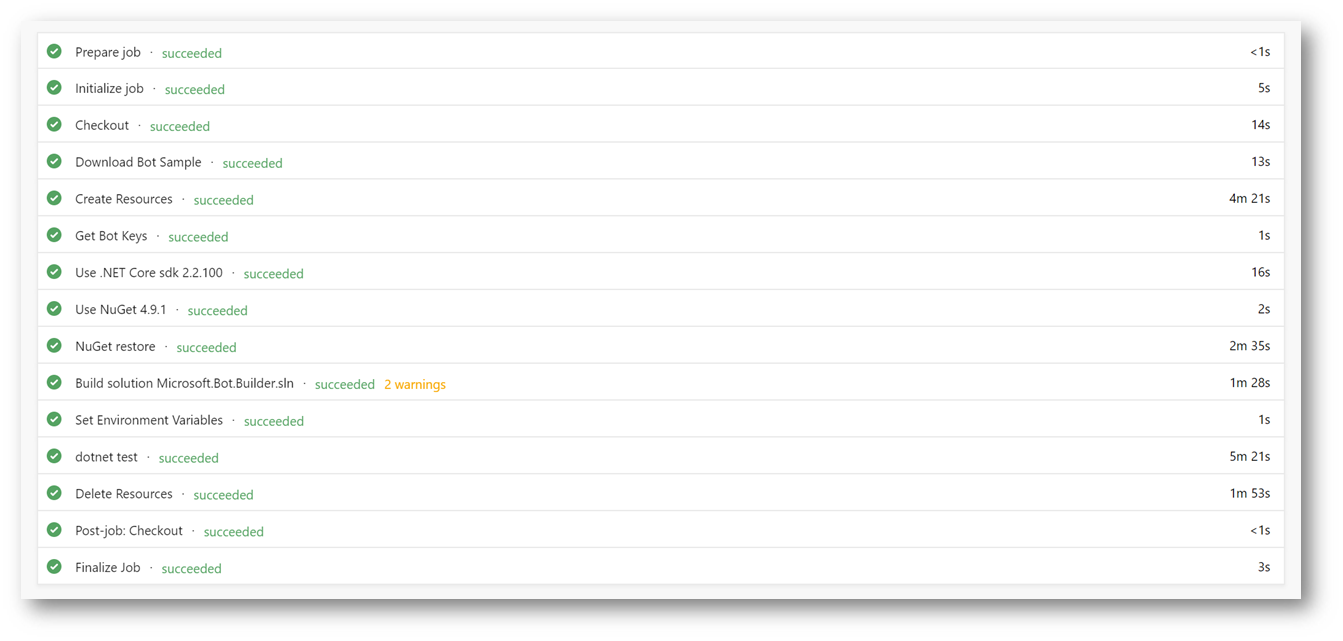
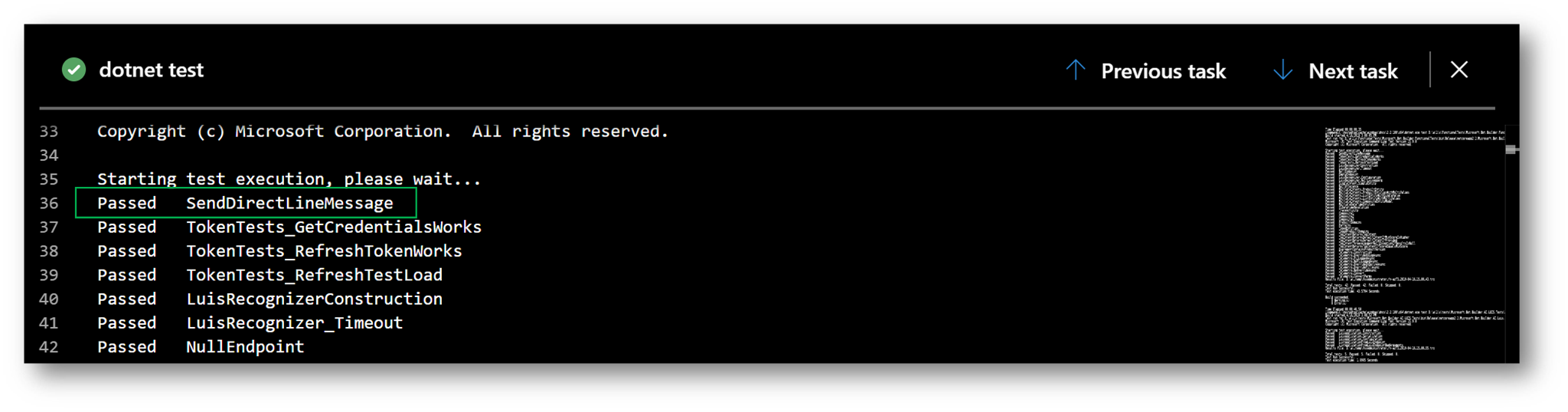
After running these steps, the Bot is deployed, tested and deleted.
image
image

@ceciliaavila ceciliaavila changed the title Add DirectLineClientTests to FunctionalTest project Add DirectLineClientTests to FunctionalTest project using ARM Apr 17, 2019
@cleemullins
Copy link
Contributor

No issues found in Microsoft.Bot.Builder.dll
No issues found in Microsoft.Bot.Builder.AI.Luis.dll
No issues found in Microsoft.Bot.Builder.AI.QnA.dll
No issues found in Microsoft.Bot.Builder.ApplicationInsights.dll
No issues found in Microsoft.Bot.Builder.Azure.dll
No issues found in Microsoft.Bot.Builder.Dialogs.dll
No issues found in Microsoft.Bot.Builder.TemplateManager.dll
No issues found in Microsoft.Bot.Configuration.dll
No issues found in Microsoft.Bot.Connector.dll
No issues found in Microsoft.Bot.Schema.dll

1 similar comment
@cleemullins
Copy link
Contributor

No issues found in Microsoft.Bot.Builder.dll
No issues found in Microsoft.Bot.Builder.AI.Luis.dll
No issues found in Microsoft.Bot.Builder.AI.QnA.dll
No issues found in Microsoft.Bot.Builder.ApplicationInsights.dll
No issues found in Microsoft.Bot.Builder.Azure.dll
No issues found in Microsoft.Bot.Builder.Dialogs.dll
No issues found in Microsoft.Bot.Builder.TemplateManager.dll
No issues found in Microsoft.Bot.Configuration.dll
No issues found in Microsoft.Bot.Connector.dll
No issues found in Microsoft.Bot.Schema.dll

@cleemullins cleemullins self-assigned this Apr 18, 2019
@sgellock sgellock requested a review from cleemullins April 19, 2019 13:35
@cleemullins
Copy link
Contributor

No issues found in Microsoft.Bot.Builder.dll
No issues found in Microsoft.Bot.Builder.AI.Luis.dll
No issues found in Microsoft.Bot.Builder.AI.QnA.dll
No issues found in Microsoft.Bot.Builder.ApplicationInsights.dll
No issues found in Microsoft.Bot.Builder.Azure.dll
No issues found in Microsoft.Bot.Builder.Dialogs.dll
No issues found in Microsoft.Bot.Builder.TemplateManager.dll
No issues found in Microsoft.Bot.Configuration.dll
No issues found in Microsoft.Bot.Connector.dll
No issues found in Microsoft.Bot.Schema.dll

@ceciliaavila ceciliaavila force-pushed the feature/functional-test-echo-sample branch from 9450d93 to 77d9d8b Compare April 24, 2019 12:56
@cleemullins cleemullins added the 4.5 4.5 release label Apr 24, 2019
@ceciliaavila ceciliaavila force-pushed the feature/functional-test-echo-sample branch from 77d9d8b to ae48f23 Compare April 25, 2019 12:14
@fuselabs
Copy link
Collaborator

No issues found in Microsoft.Bot.Builder.dll
No issues found in Microsoft.Bot.Builder.AI.Luis.dll
No issues found in Microsoft.Bot.Builder.AI.QnA.dll
No issues found in Microsoft.Bot.Builder.ApplicationInsights.dll
No issues found in Microsoft.Bot.Builder.Azure.dll
No issues found in Microsoft.Bot.Builder.Dialogs.dll
No issues found in Microsoft.Bot.Builder.TemplateManager.dll
No issues found in Microsoft.Bot.Configuration.dll
No issues found in Microsoft.Bot.Connector.dll
No issues found in Microsoft.Bot.Schema.dll

@ceciliaavila
Copy link
Collaborator Author

Replaced by PR #1807

@cleemullins cleemullins deleted the feature/functional-test-echo-sample branch September 12, 2019 22:49
Sign up for free to subscribe to this conversation on GitHub. Already have an account? Sign in.

Labels

4.5 4.5 release

Projects

None yet

Development

Successfully merging this pull request may close these issues.

4 participants