This is a tool for Unity Editor to look for missing references in assets.
- GameObject (with any components inside)
- Scene (with objects inside)
- Material
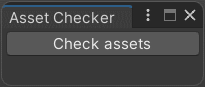
- Open the Window menu and press "Asset Checker" and you'll see this window
-
Press "Check assets" button to run check
-
Since the check is finished you see a new window with two collapsed lists
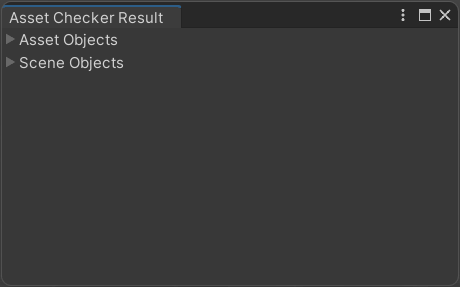

Structure of list elements:
- for asset object list - Object name | Component type
- for scene object list - Scene name | Object name | Component type
- Press a button next to any object in the lists to go to the object
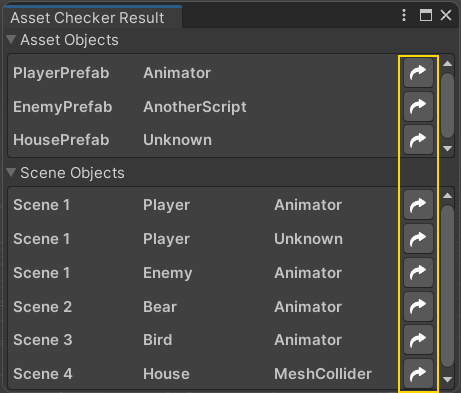
- Object will be opened in Prefab editor if it's missing its script
- Object will be opened in Inspector if its compponent missing any reference value
- If the object is on a scene that isn't loaded then it asks you to load this scene
-
Gets an array of asset paths through
AssetDatabase.GetAllAssetPaths() -
Retrieves
GameObjectfrom each path usingAssetDatabase.LoadAssetAtPath<GameObject>(path)and checks for null -
Then checks each
GameObjectand its children for:
- missing components via
!operator (in this case the operator showsObjectexistance what is described here https://docs.unity3d.com/ScriptReference/Object- operator_Object.html). - component internal references that are missing via
new SerializedObject(component)that makes us able to iterateSerializedProperty's and check them for:serializedProperty.propertyType == SerializedPropertyType.ObjectReference(property derives fromUnityEngine.Object)serializedProperty.objectReferenceInstanceIDValue != 0(property has value)serializedProperty.objectReferenceValue == null(has no or missed reference)