This is a tool for Unity Editor to look for missing references in assets.
- GameObject (with any components inside)
- Scene (with objects inside)
- Material
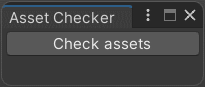
- Open the Window menu and press "Asset Checker" and you'll see this window
-
Press "Check assets" button to run check
-
Since the check is finished you see a new window with two collapsed lists
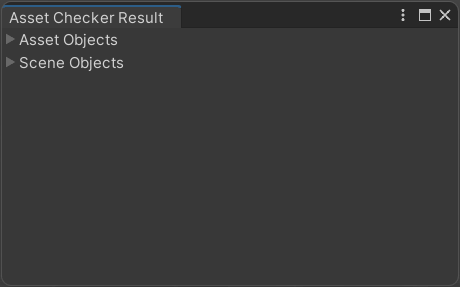

Structure of list elements:
- for asset object list - Object name | Component type
- for scene object list - Scene name | Object name | Component type
- Press a button next to any object in the lists to go to the object
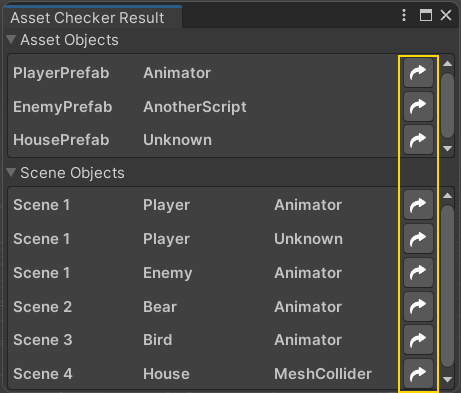
- Object will be opened in Prefab editor if it's missing its script
- Object will be opened in Inspector if its compponent missing any reference value
- If the object is on a scene that isn't loaded then it asks you to load this scene