[NEW] full PDF preview rendering in modal (browser), in window (app) #13163
Conversation


| const dataUrl = URL.createObjectURL(filePdfBlob); | ||
| modal.open({ | ||
| showConfirmButton: false, | ||
| text: Blaze.toHTMLWithData(Template.pdfViewer, { dataUrl }), |

There was a problem hiding this comment.
Can't you pass the PDF url instead of loading the file in memory to pass a object url?
There was a problem hiding this comment.
as soon as I pass the direct absolute link in the web browser, the file is downloaded and the document is not displayed in the modal window
There was a problem hiding this comment.
You may change here to accept parameters when requesting the file, that way you could pass like ?disposition=inline and replace the attachment by inline
There was a problem hiding this comment.
@rodrigok tell me pls, how exactly, i can get into this place from 'click .pdf-open-in-modal'(event) function to overwrite Content-Disposition header? i find some places where in my code have simple access this and this, perhaps maybe there are more places that need processing. I understand what it is not very beautiful, because should be manage headers from one place, but now i can't access to here.
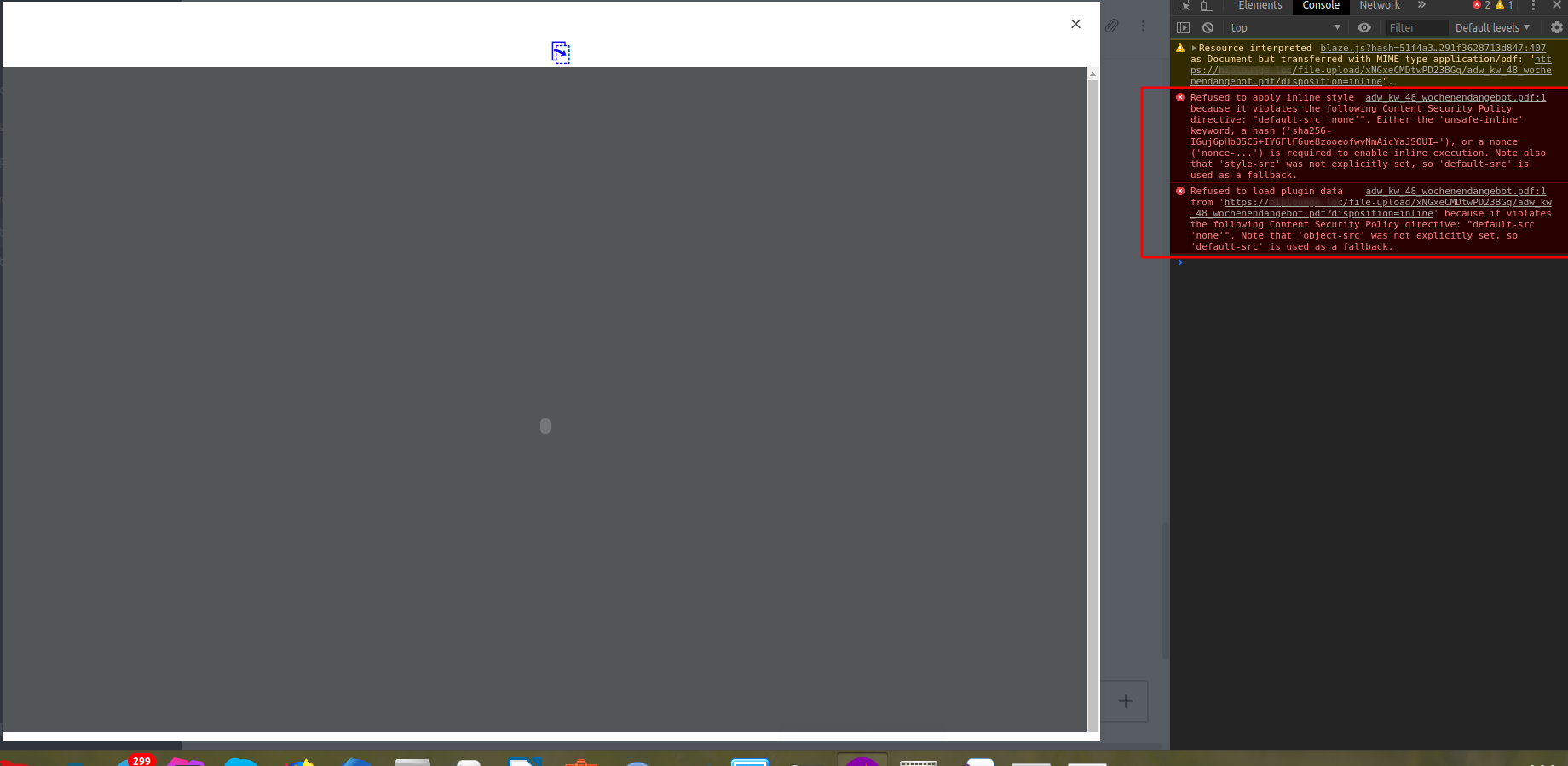
Moreover, using this workaround, I achieved that I was loading into a modal window in the browser, but not until the end. There are problems with CSP:

Edit: Solved CSP problem in current processing res.removeHeader('Content-Security-Policy');
updated pr - commit
There was a problem hiding this comment.
The only place you need to change is this I guess, this is the final part where the file pass before end up at client side, there the content-disposition is defined for every file.
There was a problem hiding this comment.
Thanks! well, I will continue to look at how to improve this situation in order to remove the server method that is not needed at all (I have already deleted it)
One more question. Is this a solution that will allow working with pdf from a web browser and an electron application to be on a par with rendering pdf, which is now or instead of it?
…stem/GridFS for display file instead domwloading
 alonelion1987
changed the title
alonelion1987
changed the title
alonelion1987
changed the title
alonelion1987
changed the title


| if (stat && stat.isFile()) { | ||
| file = FileUpload.addExtensionTo(file); | ||
| res.setHeader('Content-Disposition', `attachment; filename*=UTF-8''${ encodeURIComponent(file.name) }`); | ||
| if (req.query && req.query.hasOwnProperty('disposition')) { |
There was a problem hiding this comment.
Why not?
const disposition = req.query && req.query.hasOwnProperty('disposition') ? req.query.disposition : 'attachment';
if (disposition) {
	res.removeHeader('Content-Security-Policy');
}
res.setHeader('Content-Disposition', `${ req.query.disposition }; filename*=UTF-8''${ encodeURIComponent(file.name) }`);
And why need to remove the Content-Security-Policy?
There was a problem hiding this comment.
And why need to remove the Content-Security-Policy?
because i get error:
and probably rude fix:
if (disposition === 'inline') {
	res.removeHeader('Content-Security-Policy');
}
| <span class="collapse-switch icon-down-dir" data-index="{{index}}" data-collapsed="{{collapsed}}"></span> | ||
| {{/if}} | ||
| </div> | ||
| <div class="attachment-title"> |

|
What happens for files stored at S3 or GS? |


I need help verifying these services. But in the code of these components, I did not find the set of the |


6 participants


Hello!
closes #13162
For more convenient viewing of pdf files in a frame in the browser and for viewing in a new window in a desktop application (Electron) using a special library (related RocketChat/Rocket.Chat.Electron#1062 => as it should work along with it) with the ability to view all pages pdf, print, zoom and more