Conversation


|
We found a Contributor License Agreement for you (the sender of this pull request), but were unable to find agreements for all the commit author(s) or Co-authors. If you authored these, maybe you used a different email address in the git commits than was used to sign the CLA (login here to double check)? If these were authored by someone else, then they will need to sign a CLA as well, and confirm that they're okay with these being contributed to Google. |

| */ | ||
| Blockly.Variables.deleteVariableButtonHandler = function(workspace) { | ||
| var promptAndCheckWithAlert = function(defaultName) { | ||
| Blockly.Variables.promptName(Blockly.Msg['DELETE_VARIABLE_PROMPT'], defaultName, |

There was a problem hiding this comment.
Instead of using the existing text field prompt can you make one with a dropdown with all existing variables?

| }; | ||
|
|
||
| /** | ||
| * Helper function to create a button for the flyout window. |

There was a problem hiding this comment.
Note that this creates the XML for the button, not the button itself. That's because the XML then gets passed into the flyout code, which creates the button onscreen.

|
Just throwing this out in case you find this helpful, but another way to achieve this without having another button in the flyout could be to use the variables_get context menu and have a delete option there. So a user could open the variables flyout and right click on the variable they're trying to delete and delete it. You already have the list of variables visible to the user to select which they're trying to delete. |

|
@samelhusseini I like that plan, and I think it also matches what Scratch does. @alschmiedt, @RoboErikG, thoughts? It seems more elegant than the alternatives. |
|
Yep. I've added both the option to rename and delete. Not sure about @scratch |
|
This sounds good to me as well. Thanks for the suggestion. |

|
SGTM. Thanks, Sam. =) |


|
While the context menus work in touch, I see very few people perform the long press to activate them. I think there is a solid use case for a more visible deletion mechanism in the variables UI. |
|
Some thoughts for a more visible delete buttons. |
6 participants


The basics
The details
Resolves
#1105
Proposed Changes
Adds a delete button to the default variables toolbox category.
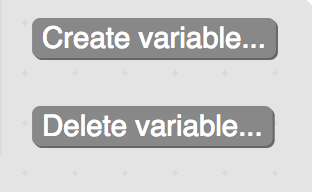
Reason for Changes
There was no way before to delete a variable without dragging it into the workspace.
Test Coverage
Tested on:
Additional Information