
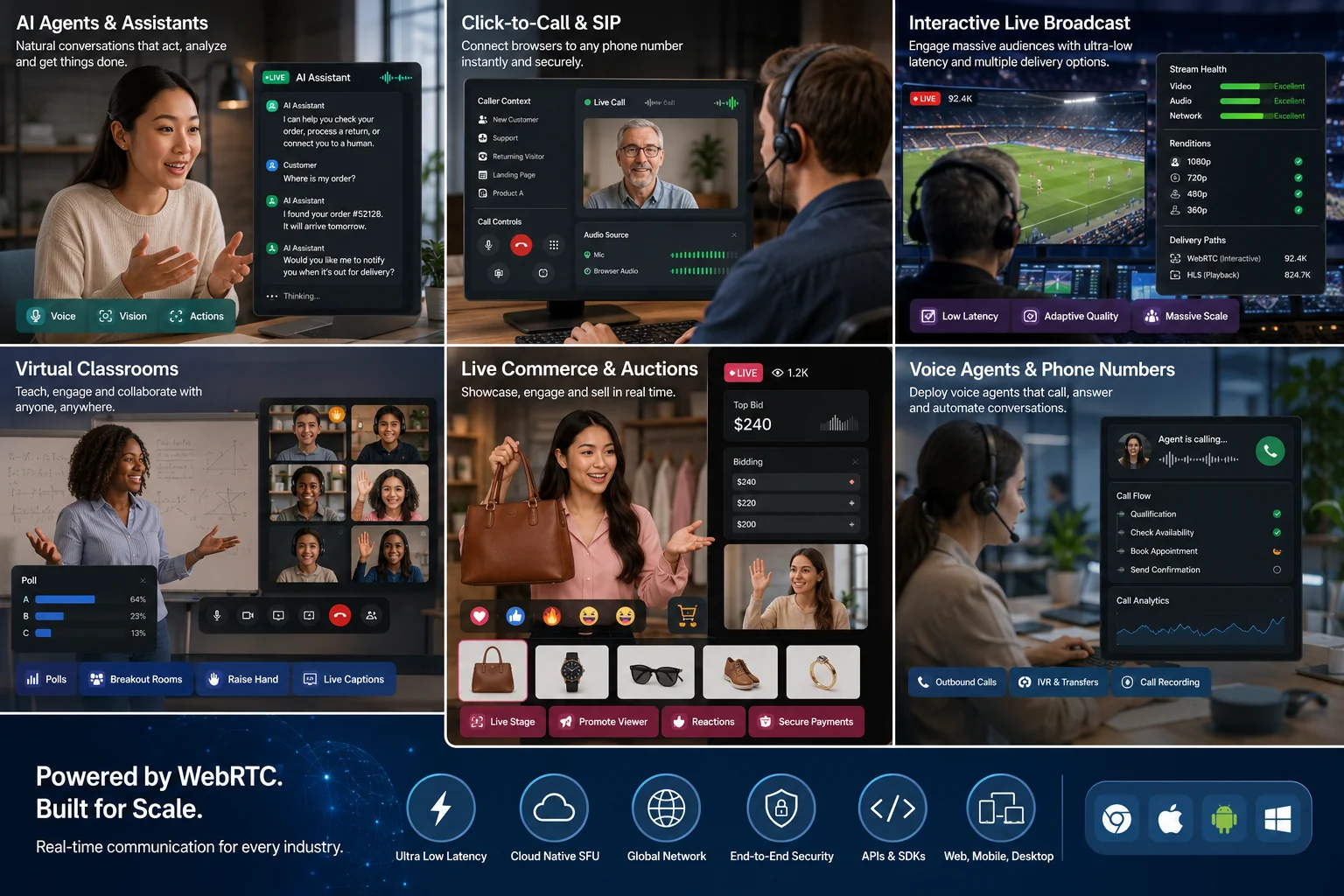
Build native meetings, webinars, broadcasts, chat rooms, live classrooms, commerce streams, podcasts, and other real-time products on iOS and Android. MediaSFU manages signaling, WebRTC transports, room state, and media lifecycle; you choose how much of the interface to keep.
mediasfu-reactnative is a React Native WebRTC SDK for video conferencing,
video calls, webinars, interactive live streaming, screen sharing, recording,
whiteboards, chat, translation-aware rooms, AI-assisted experiences, prebuilt
UI, targeted customization, and fully headless custom UI.
Open the live ModernMediasfuGeneric preview →
npm install mediasfu-reactnative| Goal | Start with |
|---|---|
| Ship a complete room quickly | MediasfuGeneric, MediasfuConference, MediasfuWebinar, MediasfuBroadcast, or MediasfuChat |
| Use the premium themed shell | ModernMediasfuGeneric |
| Keep the room but brand selected surfaces | uiOverrides, customVideoCard, customAudioCard, and customMiniCard |
| Replace the whole room shell | customComponent |
| Render and control everything yourself | returnUI={false} with useMediasfuHeadless() |
| Move the standard UI around one headless engine | ModernMediasfuGenericHead |
The SDK includes microphone, camera, screen sharing, remote audio/video, participants, chat, waiting and request flows, moderation, recording, whiteboard, polls, breakout rooms, captions, and translation-aware room surfaces. Backend policy still determines which features a participant may use.
import { ModernMediasfuGeneric } from 'mediasfu-reactnative';

export default function App() {
  return (
    <ModernMediasfuGeneric
      credentials={{ apiUserName: 'your-api-username', apiKey: 'your-api-key' }}
      connectMediaSFU={true}
    />
  );
}
Use credentials only for fast local or private development. For MediaSFU Open,
pass a device-reachable localLink instead.
MediaSFU Open is your own running media server. You deploy and operate the
MediaSFU Open server, then point localLink at its reachable HTTPS/LAN URL.
Setting localLink does not start a server, and a physical phone's localhost
is the phone itself—not your development computer.
In a public app, pass syntactically valid placeholder credentials to satisfy the prejoin contract, then inject both room callbacks. The callbacks send only the room payload to your authenticated backend; they never forward the placeholder values. Your server substitutes the real MediaSFU credentials from private environment variables after it authorizes the user and requested role.
import type {
  CreateRoomOnMediaSFUType,
  JoinRoomOnMediaSFUType,
} from 'mediasfu-reactnative';

export const clientPlaceholderCredentials = {
  apiUserName: 'client00',
  apiKey: '0'.repeat(64),
};

type RoomResult = Awaited<ReturnType<CreateRoomOnMediaSFUType>>;

async function proxyRoom(path: 'create' | 'join', payload: unknown): Promise<RoomResult> {
  const response = await fetch(`https://api.example.test/rooms/${path}`, {
    method: 'POST',
    headers: {
      'Content-Type': 'application/json',
      Authorization: `Bearer ${await getYourAppSessionToken()}`,
    },
    body: JSON.stringify(payload),
  });
  const body = await response.json().catch(() => ({}));
  if (!response.ok || body.success === false) {
    return {
      success: false,
      data: { error: body.error ?? `Room ${path} failed (${response.status}).` },
    };
  }
  return { success: true, data: body.data };
}

export const createMediaSFURoom: CreateRoomOnMediaSFUType = ({ payload }) =>
  proxyRoom('create', payload);
export const joinMediaSFURoom: JoinRoomOnMediaSFUType = ({ payload }) =>
proxyRoom('join', payload);<ModernMediasfuGeneric
credentials={clientPlaceholderCredentials}
createMediaSFURoom={createMediaSFURoom}
joinMediaSFURoom={joinMediaSFURoom}
/>The placeholder is not authentication. The backend must authenticate the app
user, validate and allowlist the payload, enforce capacity/duration/role policy,
rate-limit requests, call the MediaSFU room API with server-only credentials,
and normalize its reply to { success, data }. Inject both callbacks so no
create or join path can fall back to the default credential-bearing request.
To embed the room inside a dashboard or split screen, give the host View an
explicit size. The generic measures that boundary through onLayout and uses
it consistently for orientation, controls, sidebars, MainContainer,
MainAspect, MainScreen, and override props. If the dimensions are already
known, pass containerDimensions={{ width, height }} to avoid waiting for the
first layout event. Do not derive native layout from browser viewport fractions.
Override only the pieces your product owns and keep the rest of the tested room:
import {
  MediasfuConference,
  type MediasfuUICustomOverrides,
} from 'mediasfu-reactnative';
import BrandedMessages from './BrandedMessages';
import ProductControls from './ProductControls';

const uiOverrides: MediasfuUICustomOverrides = {
  messagesModal: { component: BrandedMessages },
  controlButtons: { component: ProductControls },
};

export function BrandedRoom() {
  return <MediasfuConference uiOverrides={uiOverrides} localLink={MEDIA_SERVER} />;
}
Use customComponent when your app owns the entire visible workspace but still
wants the component-managed room lifecycle. Move to the headless adapter when
your UI also needs a clean state/action interface.
Headless mode can combine your application layout with exported SDK controls.
Keep the room engine mounted with returnUI={false}, receive its parameter
publications, and pass the latest room parameters to the panel you import.
Keep modal visibility connected to the room:
- Open the panel through the room's matching updater, such as
updateIsRecordingModalVisible(true). - Bind the component's
isRecordingModalVisibleprop to the current room value, and make itsonClosecallback callupdateIsRecordingModalVisible(false). - Pass the current room parameters and the component's required callbacks, including recording confirmation and start actions.
- Customize supported styles, wrappers, or overrides without replacing the underlying room callbacks.
Visibility props differ between components; use the exported component's
contract, not a generic isVisible prop for every panel. Do not maintain a
second independent visibility flag. With headless mode, built-in sidebar
navigation is not your application's navigation.
Opening a panel does not start recording or grant media permission. Keep confirmation, permission checks, and teardown under the room engine's control.
Use ModernMediasfuGenericHead when you want the complete standard native UI
in a different part of your component tree. The Head is only a renderer: the
original Generic remains the sole owner of sockets, transports, media, room
state, modal visibility, and sidebar navigation.
import { View } from 'react-native';
import {
  ModernMediasfuGeneric,
  ModernMediasfuGenericHead,
  useMediasfuHeadless,
} from 'mediasfu-reactnative';

export function RelocatedStandardRoom() {
  const room = useMediasfuHeadless();

  return (
    <View style={{ flex: 1 }}>
      <ModernMediasfuGeneric
        returnUI={false}
        renderUIExternally
        sourceParameters={room.sourceParameters}
        updateSourceParameters={room.updateSourceParameters}
        onMediaChanged={room.onMediaChanged}
      />
      <ModernMediasfuGenericHead parameters={room.parameters} />
    </View>
  );
}
Do not mount a second Generic for the visible surface. Keep
sourceParameters stable and let the Head call the engine's pure
getCurrentParams() reader; it never calls getUpdatedAllParams() during
render.
This example consumes the primary incoming stream, keeps every prepared remote audio component mounted, publishes microphone/camera changes, reports action failures, and leaves cleanly. It is the same foundation you can place beneath a classroom, auction, live-sales, support, or watch-party interface.
import React, { useState } from 'react';
import { Button, Text, View } from 'react-native';
import { RTCView } from 'react-native-webrtc';
import {
  AudioGrid,
  ModernMediasfuGeneric,
  useMediasfuHeadless,
} from 'mediasfu-reactnative';

export function HeadlessRoom() {
  const room = useMediasfuHeadless();
  const [notice, setNotice] = useState('');
  const primary =
    room.screenShare.stream ?? room.remoteVideos[0]?.stream ?? room.localVideo;

  const run = async (action: () => Promise<{ ok: boolean; error: string }>) => {
    const result = await action();
    setNotice(result.ok ? '' : result.error);
  };

  return (
    <View style={{ flex: 1 }}>
      <ModernMediasfuGeneric
        localLink="https://media.example.test"
        connectMediaSFU={true}
        returnUI={false}
        sourceParameters={room.sourceParameters}
        updateSourceParameters={room.updateSourceParameters}
        onMediaChanged={room.onMediaChanged}
      />

      <Text>{room.ready ? 'Room ready' : room.readiness.reason}</Text>
      <Text>{room.participants.length} participants</Text>
      {!!primary && (
        <RTCView
          streamURL={(primary as any).toURL()}
          objectFit="cover"
          style={{ flex: 1 }}
        />
      )}

      <Button
        disabled={!room.ready}
        title={room.micOn ? 'Mute' : 'Unmute'}
        onPress={() => void run(room.controls.toggleMic)}
      />
      <Button
        disabled={!room.ready}
        title={room.cameraOn ? 'Camera off' : 'Camera on'}
        onPress={() => void run(room.controls.toggleCamera)}
      />
      <Button
        disabled={!room.ready}
        title="Share screen"
        onPress={() => void run(room.controls.toggleScreenShare)}
      />
      <Button title="Leave" onPress={() => void run(room.controls.leave)} />
      {!!notice && <Text accessibilityRole="alert">{notice}</Text>}

      {/* Mount every entry; audio is independent of the visible video page. */}
      <View style={{ position: 'absolute', width: 1, height: 1, opacity: 0 }}>
        <AudioGrid componentsToRender={room.audioComponents} />
      </View>
    </View>
  );
}
room.remoteVideos and room.screenShare are the consumption projections.
room.controls publishes and switches normal device media. For app-created
media, use room.produce.media(stream, kind), replaceTrack(track), and
stop(kind). Browser-only canvas/element helpers are exported by the shared
contract but require platform-appropriate native media sources on iOS/Android.
The adapter also exposes:
room.moderation: mute/disable/remove participants, waiting-room decisions, request decisions, co-host assignment, and permission-aware UI state;room.session: recording, whiteboard, polls, and breakout state/actions;room.controls: chat, screen share, device selection, camera flip, and leave;room.parameters: the newest complete parameter bag for an advanced feature not yet wrapped by the adapter.
Every action returns { ok, error }; show error instead of leaving a control
that silently appears broken. Keep sourceParameters stable, accept every
publication, and bind onMediaChanged—no polling is required. Never call
getUpdatedAllParams() from render or a timer; it republishes. Pure reads use
getCurrentParams().
Keep ModernBackgroundModal mounted with the room and drive it from the latest
published parameters. Do not copy its camera-processing lifecycle into screen
state. Render self-view from useMediasfuHeadless().localVideo; the resolver
prefers the active virtual stream over the raw camera so local and remote views
agree.
For breakout rooms, pass the current room bag to
ModernBreakoutRoomsModal, save assignments before Start, and show validation
failures in your own native notice. A participant moves only through the SDK's
room transition; filtering cards locally cannot update membership or consumer
pause/resume state.
Hosts can choose Leave room or End for everyone. Leave room keeps the room running so the host can rejoin later; End for everyone closes it for all participants. Programmatic callers pass endRoomOnHostExit: false to leave without ending the room; the default is true.
- Configure Android/iOS microphone, camera, Bluetooth, and screen-capture permissions required by your product.
- Test on physical Android and iOS devices, including background/foreground, route changes, permission denial, network loss, and rejoin.
- Keep all prepared audio entries mounted, even when their video tile is on a different page.
- Hide moderation/session controls until the corresponding permission and room state allow them.
- Await Leave before dismissing the room screen; stop any app-created tracks.
- Never ship reusable Cloud credentials in a public application bundle.
| What you see | Likely cause | What to do |
|---|---|---|
| "Unable to connect. Check your credentials and try again." | The room service rejected the credentials, or your create/join backend returned an error. | Check the API username and key on your server, and make sure your create/join adapters pass the room service's response through. For MediaSFU Open, use an address the device can reach — on a physical phone, localhost is the phone itself. |
| The camera or microphone never starts | The platform permission is missing or was denied. | Declare the camera and microphone permissions your app needs (see Platform and release checklist), then grant access in the device settings. |
| "You must turn on your video before you can start recording" | The recording is set to capture video while your camera is off. | Turn the camera on first, or switch the recording to audio only. The same applies to audio recordings and the microphone. |
| "You can only re-configure recording after pausing it" | Recording settings are locked while a recording is running. | Pause the recording, change the settings, then resume. |
| "You cannot turn off your camera while recording video…" | Turning the camera off would interrupt the recording. | Pause or stop the recording first. |
| A message ending in "Access denied by host." | The host has restricted that action for participants. | Ask the host to change the participant's permissions. |
| "Screen share is not allowed when whiteboard is active" | Screen sharing and the whiteboard cannot run at the same time. | Close the whiteboard, then start screen sharing. |
- Detailed repository guide
- Changelog
- SDK guides and generated API references
- Complete headless guide
- REST API Sandbox — run GET/POST requests and copy code
- Create and manage MediaSFU API keys
- Developer Console and room API guide
- MediaSFU Open — deploy your own media server
- Expo SDK
- MediaSFU QuickStart Apps — runnable Cloud, MediaSFU Open, custom-prejoin, backend-proxy, and custom-UI examples across SDKs.
- SpacesTek Initial → Final → Advanced — a staged path from a starter room to a product-owned Spaces-style experience.
- MediaSFU Agents — multimodal voice/vision agent starters across supported frameworks.
- MediaSFU VOIP — telephony, dialer, room-lifecycle, and agent/human handoff reference clients.
MIT. See LICENSE.
Camera simulcast is disabled automatically for chat rooms and rooms with a configured capacity of exactly two. This uses the room's configured capacity, not the number of participants currently connected. Larger rooms retain simulcast unless simulcastOff: true is supplied.
Single-encoding mode uses the full-resolution camera layer and preserves its bitrate and frame-rate limits. Screen-sharing and audio encodings are unchanged. Enabling recording no longer adds a 20% camera bitrate or initial-bitrate uplift.
The server's join-response capacity takes precedence. For servers that omit it, supply roomCapacity: 2 as a client-side hint. Programmatic room creation also uses noUIPreJoinOptions.capacity as the hint. This option does not change server-side capacity or authorization.
<MediasfuGeneric simulcastOff={true} roomCapacity={2} />