



- chii:在
eruda中添加远程调试插件 - rrweb:在页面中添加录屏入口,记录用户操作路径
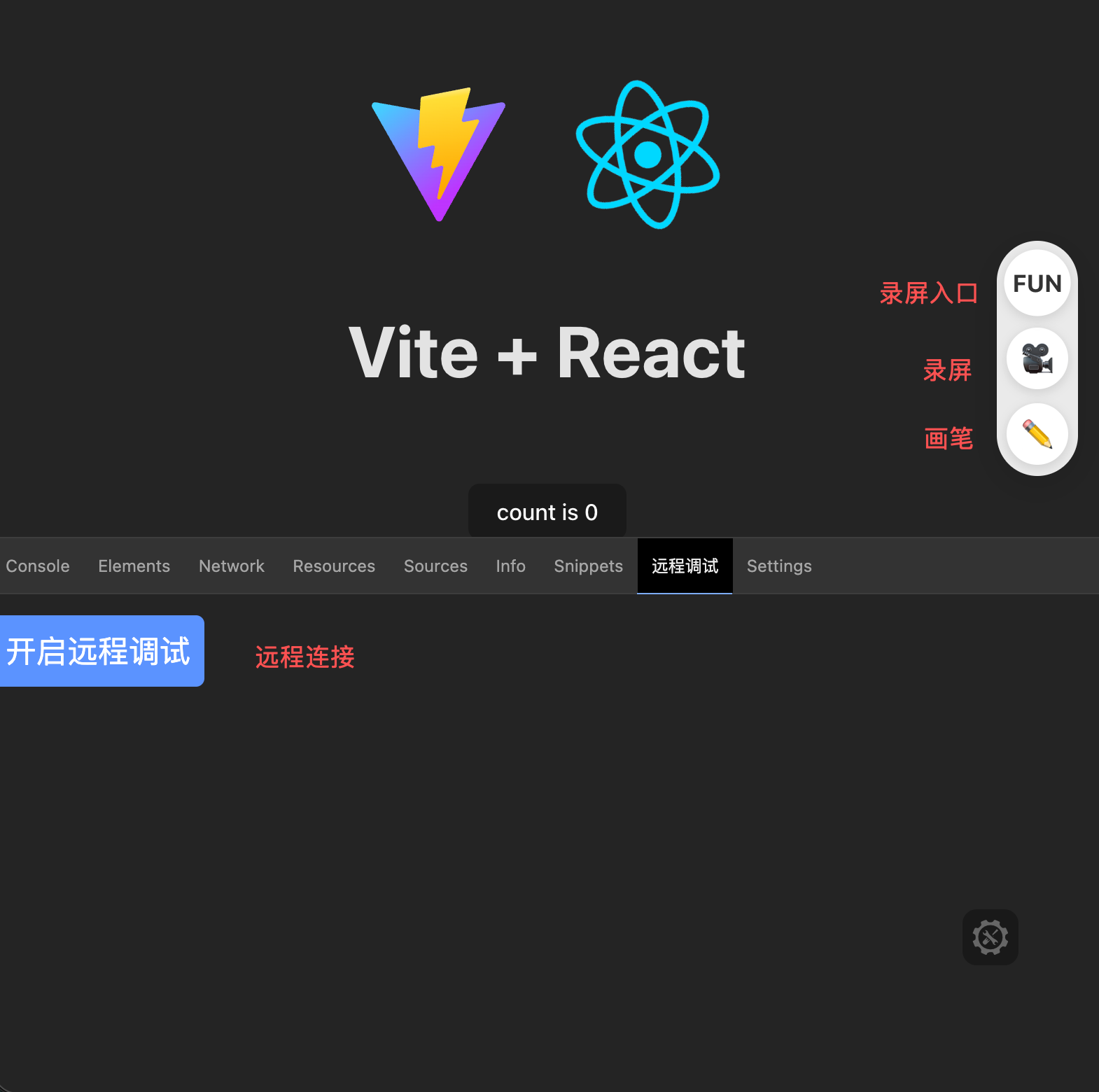
npm i eruda-plugin-inject -D- 如果不传
targetJs,则不会在eruda中添加远程调试插件 recordUploadUrl和replayUrl需要同时存在,否则不会渲染录屏入口
import erudaPluginInject from "eruda-plugin-inject";

erudaPluginInject({
  erudaJs: "https://xxx/eruda.js", // 非必传,可自定义:https://cdn.jsdelivr.net/npm/eruda@2.5.1/eruda.min.js
  targetJs: "https://xxx/target.js", // 非必传,填入特定的 target.js
  recordUploadUrl: "https://api.xxx/record", // 录屏上传接口
  replayUrl: "https://xxx/replay", // 录屏回放地址,自动拼接:https://xxx/replay?id=${recordId}
});-
插件暴露的上传录像接口 params:
{ "events": events, // 录屏数据 "timestamp": 1764339429798, "url": "当前页面 URL", "recordId": "ld59pqr6dmiiy4plv", "batchInfo": { // 批量上传信息,服务端可不接收该信息 "current": 1, "total": 1 }, "uaInfo": "Mozilla/5.0 (Macintosh; Intel Mac OS X 10_15_7) AppleWebKit/537.36 (KHTML, like Gecko) Chrome/142.0.0.0 Safari/537.36", // 其他信息,根据需求添加,如:用户信息等 } -
回放录屏数据
-
events数据 默认使用pack函数进行压缩,所以,在解析录屏数据时,请使用unpack函数进行解压 -
录屏数据会自动记录网络请求和控制台
console日志在 replay 事件中拦截对应的 event,根据实际需求进行渲染
import rrwebPlayer from "rrweb-player";
import { unpack } from "@rrweb/packer";
import { getReplayConsolePlugin } from "@rrweb/rrweb-plugin-console-replay";

const replayer = new rrwebPlayer({
  target: document.getElementById("replay_container"), // 容器元素,可选
  props: {
    events: events,
    unpackFn: unpack,
    plugins: [
      getReplayConsolePlugin({
        level: ["info", "log", "warn", "error"],
      }),
    ],
  },
});
replayer.addEventListener("custom-event", (event) => {
  if (event.data.tag === "network") {
    // 处理网络请求
  }
});

replayer.addEventListener("event-cast", (event) => {
  if (event.type === 6) {
    // 处理日志
  }
});
-
-
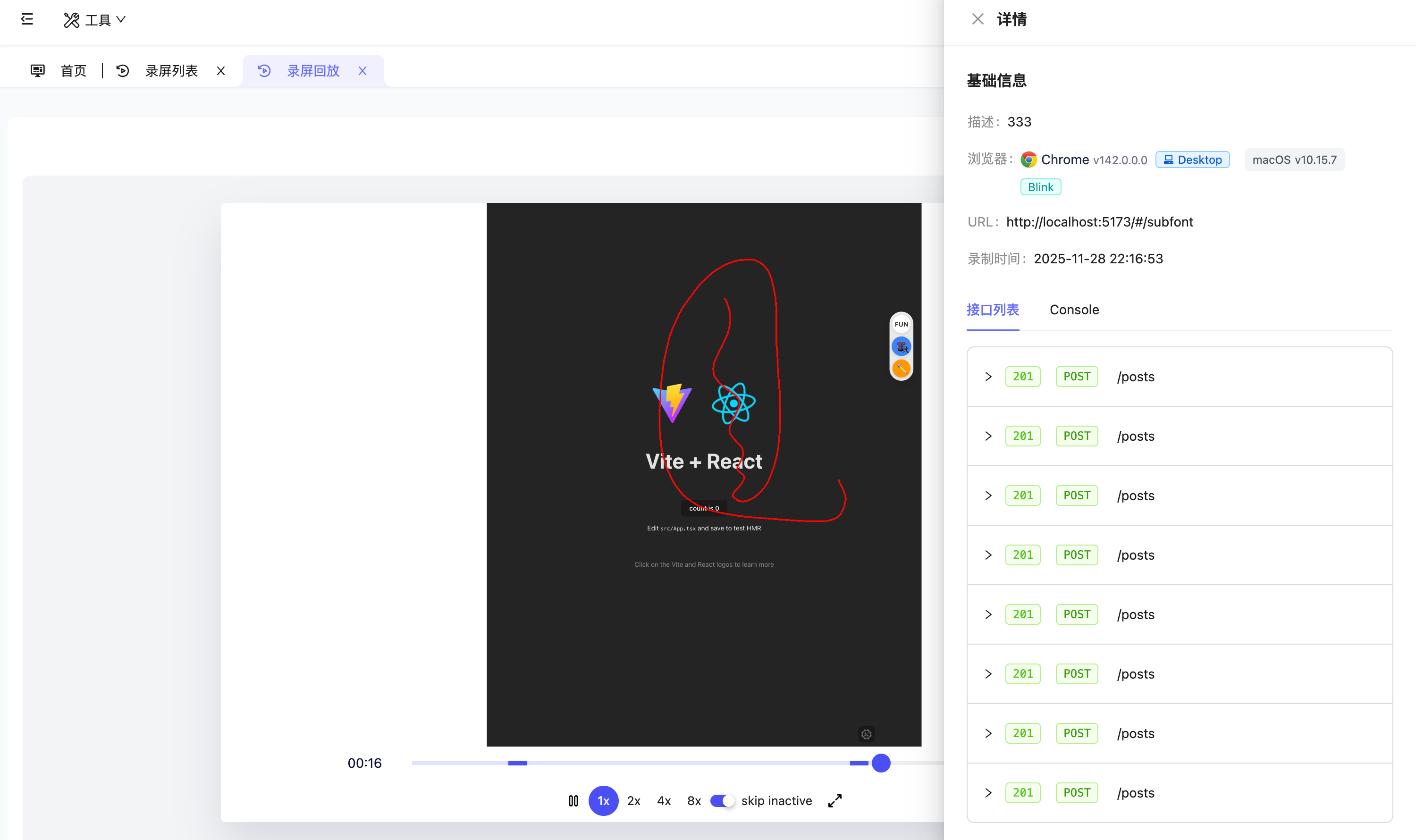
录屏回放
-
回放页面地址,必须符合如下格式: https://xxx?id=${recordId}
-
回放效果
-
Github issues: eruda-plugin-inject
Email: 2280314971@qq.com