ComfyUI custom nodes focused on small utility workflows.
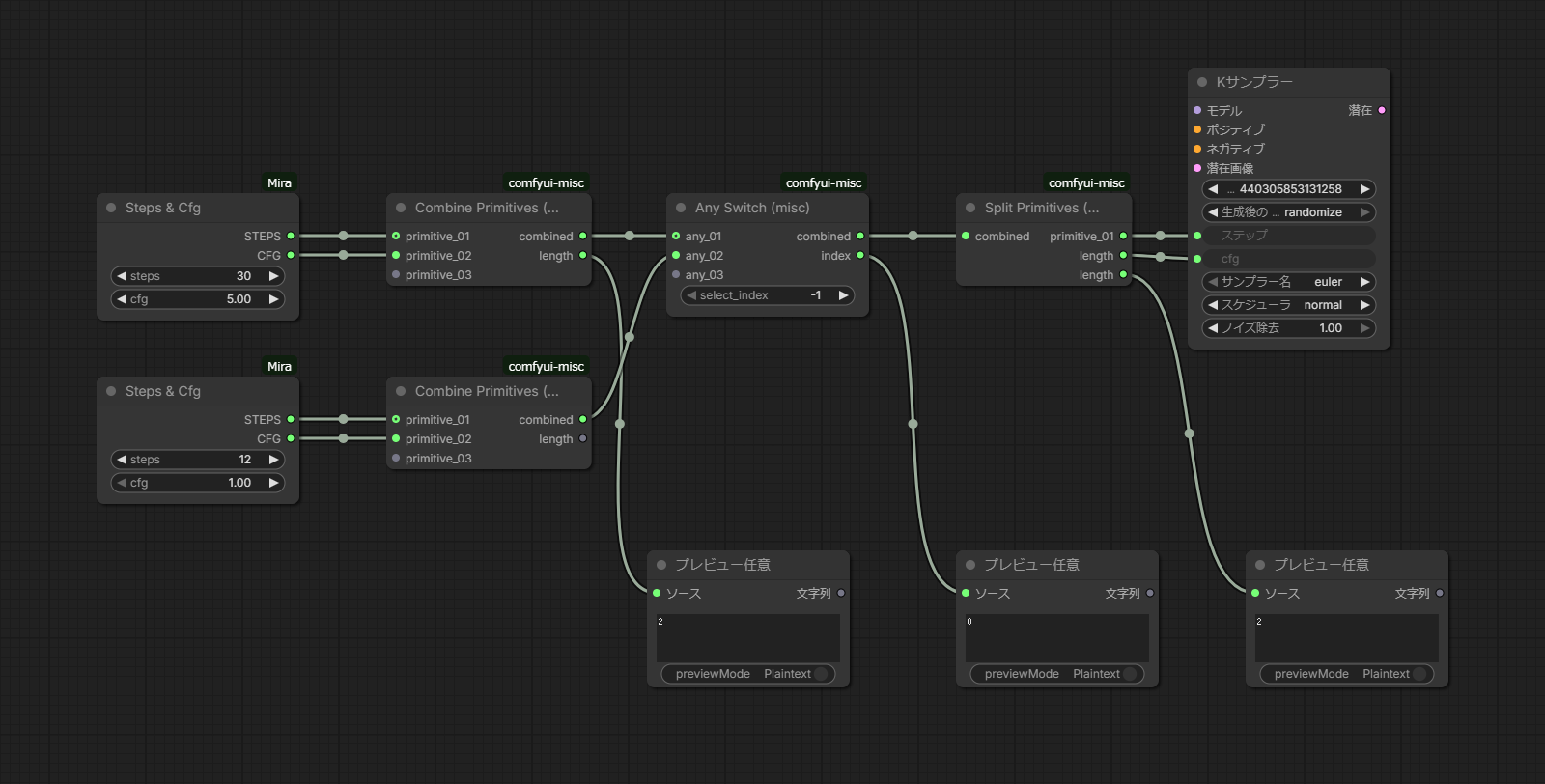
Selects one value from dynamic any_01, any_02, ... inputs.
- Input
select_index(INT):-1: automatically choose the first non-emptyany_*input0or higher: force selection ofany_{index+1}
any_01,any_02, ... (*): dynamic optional inputs
- Output
*: selected valueindex(INT): selected input index (0-based)
How to use
- Connect multiple candidates to
any_*inputs. - Keep
select_index=-1for auto mode, or set a number for fixed mode. - Use
indexwhen downstream nodes need to know which branch was chosen.
Routes one input to one of dynamic outputs any_01, any_02, ...
- Input
input(*): value to routeselect_index(INT):-1: route to the first connected output slot0or higher: force route toany_{index+1}
- Output
any_01,any_02, ... (*): dynamic outputs (only one is active)index(INT): selected output index (0-based)
How to use
- Connect
inputfrom an upstream node. - Connect each destination node to desired
any_*outputs. - Choose auto mode (
-1) or fixed mode (>=0) withselect_index.
Splits one LIST or BATCH input into dynamic outputs any_01, any_02, ...
- Input
*(*): list or batched value (no type check)Send to CPU(BOOLEAN, defaultfalse): when enabled, moves each split output to CPU via.to("cpu")
- Output
any_01,any_02, ... (*): one element per slot; output type follows upstreamlength(INT): number of elements after split
How to use
- Connect a LIST output (e.g. from a list node) or a BATCH value (e.g. batched IMAGE / MASK) to
*. - Wire each downstream consumer to
any_*outputs. - Use
lengthwhen the element count is needed downstream.
Notes
- LIST inputs are flattened; BATCH tensors are split along the leading batch dimension.
- MASK batches in
[B, 1, H, W]layout are normalized to[B, H, W]before split.
Combines primitive values into a single combined package.
- Supported primitive types
INT,FLOAT,STRING,BOOLEAN,COMBO
- Input
primitive_01,primitive_02, ... (PRIMITIVE) dynamic optional inputs
- Output
combined(PRIMITIVES)length(INT): number of packed primitive values
How to use
- Connect primitive-producing nodes to
primitive_*inputs. - Send
combinedtoSplit Primitives (misc)or another compatible node. - Use
lengthfor loops/validation.
Unpacks combined produced by Combine Primitives (misc).
- Input
combined(PRIMITIVES)
- Output
INT_01,FLOAT_02, ... (PRIMITIVE) dynamic outputs (typed names)length(INT)
How to use
- Connect
combinedfromCombine Primitives (misc)(creating Split from thecombinedoutput search also syncs correctly). - Connect downstream primitive consumers to typed outputs such as
INT_01. - Output slots auto-sync with upstream combine connections (even through relay nodes such as
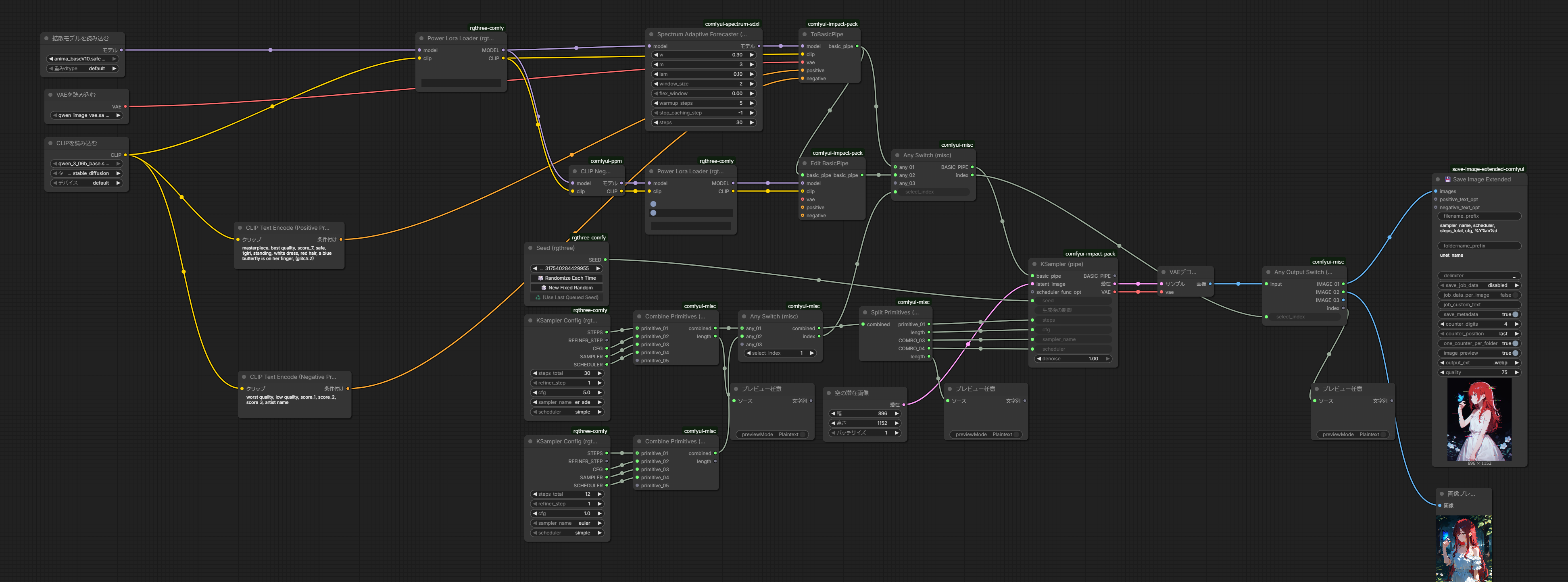
Any Switch (misc)andReroute). - On workflow load / copy-paste restore, output links are preserved first and type-specific sync is applied after graph restoration settles.
Unpacks combined and runs downstream nodes once per primitive value (ComfyUI list execution).
- Input
combined(PRIMITIVES)
- Output
*: current element; label/type stay*even when connected (no type check)
How to use
- Connect
combinedfromCombine Primitives (misc). - Wire the
*output through processing nodes toEnd ForEach (misc).
Collects per-iteration results from the loop body into combined again.
- Input
value(*): label/type stay*even when connected (no type check); usually wired from the last node in the loop body
- Output
combined(PRIMITIVES)
How to use
- Connect the loop body output to
value. - Connect
combinedtoSplit Primitives (misc)(output names such asSTRING_01,STRING_02, … sync from the original Combine).
-
From
ComfyUI/custom_nodes:git clone https://github.com/wraith-executioner-year-2/comfyui-misc/
-
Restart ComfyUI.
-
Node category:
misc.
- Dynamic slots are synchronized in
web/(attachStabilizeHooks/stabilize). - After load or copy-paste, slot removal is suppressed until links restore, then
stabilize()trims unused sockets. - See CHANGELOG.md for version history.
npm install
npm test        # unit tests (no ComfyUI)
npm run format # Prettier (JS only, no trailing commas)- Tests:
test/web/mirrorsweb/layout (e.g.test/web/utils/graph_context.test.js) - Copy-paste restore:
test/web/logic/paste_restore.test.js