




Smart Chart Maker is a free PHP chart builder for MySQL and MariaDB that allows you to create dynamic PHP charts and PHP graphs directly from your database using a visual wizard interface.
Build bar charts, grouped bar charts, line charts, multi-line charts, pie charts, and more without writing SQL queries.
Official Website: https://www.mysqlreports.com/
Charts Info Page: https://mysqlreports.com/php-charts/
Official Repository: https://github.com/webuccinoco/php-charts-for-mysql
- What is Smart Chart Maker
- Why Use MySQL Charts
- Build Charts from MySQL
- Main Features
- Benefits
- Who It's For
- Smart Chart Maker vs Other PHP Charting Tools
- Need More Features
- Getting Started
- Frequently Asked Questions
- Ownership
- Trademark
Smart Chart Maker is a free PHP chart builder for MySQL and MariaDB that helps you create dynamic PHP charts and PHP graphs directly from your database. Easily build MySQL charts and MySQL graphs such as bar charts, grouped bar charts, line charts, pie charts, and more.
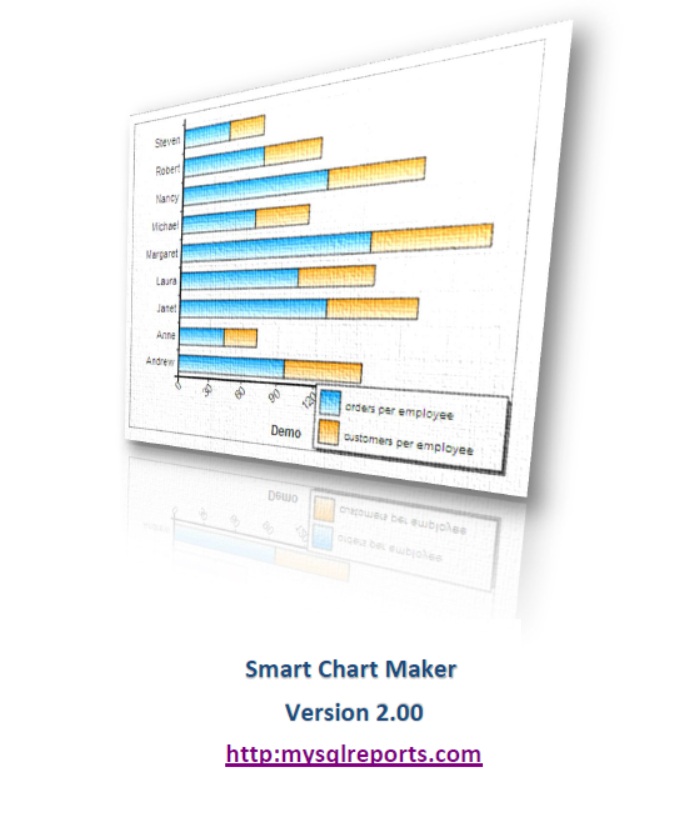
Data visualization is the most effective way to identify patterns, trends, and outliers that are hidden in raw database rows. Using MySQL charts allows team members, stakeholders, and developers to grasp the "big picture" of business performance at a glance.
Smart Chart Maker helps you move beyond static tables, providing a dynamic way to communicate data stories—whether you're tracking monthly sales growth, user demographics, or server performance metrics through high-quality MySQL graphs.
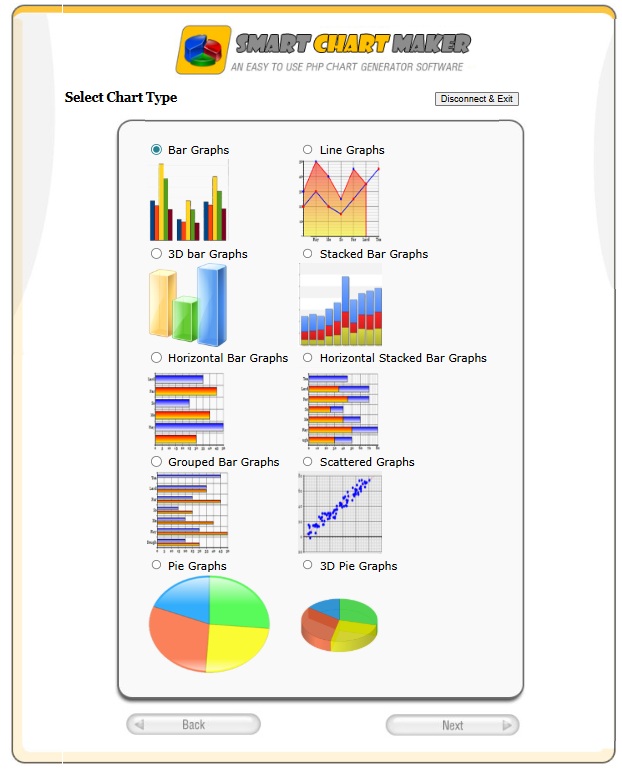
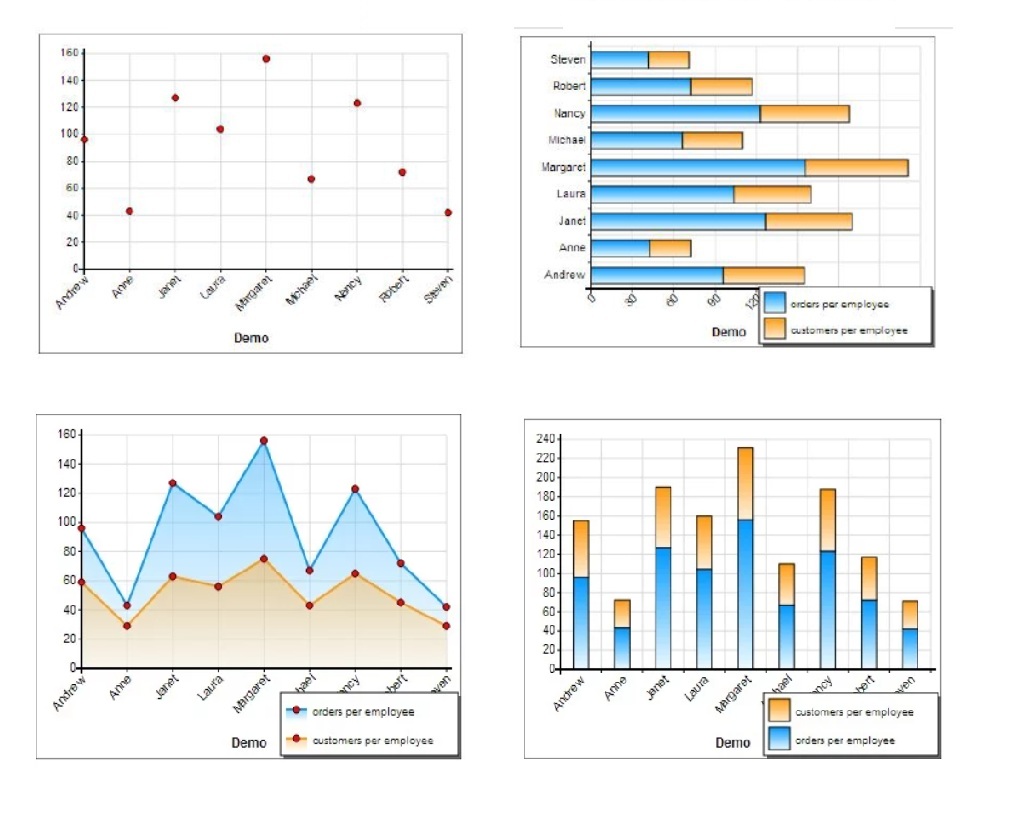
Diverse Chart Types: Choose from Bar charts, Line graphs, Pie charts, Area charts, and more to best represent your MYSQL data.
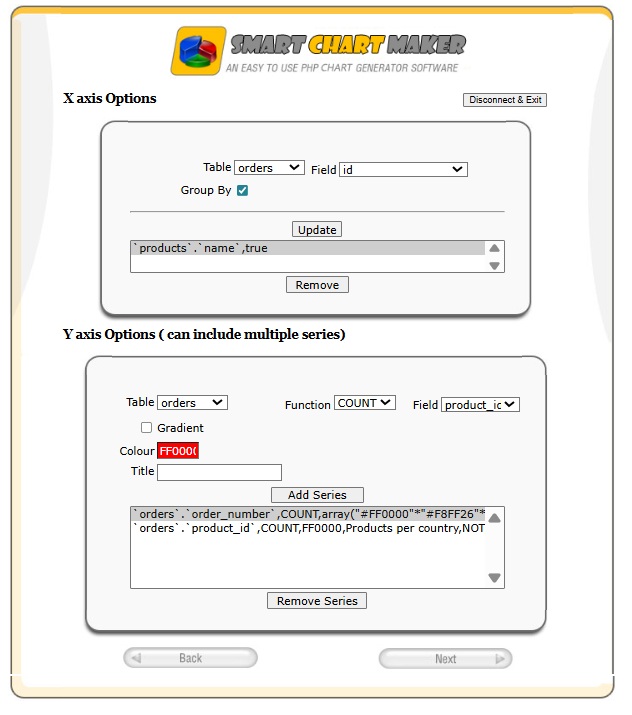
- Define which database column maps to each chart axis
- Create PHP graphs with multiple data series, such as grouped bar charts or multi-line charts, directly fed from your database for better comparison and analysis
- Choose the summary function you need (Count, Sum, Max, Min, Avg)
- Control the color of each bar, including single-color or multi-color gradient fills
- Add custom titles and labels to your chart legend
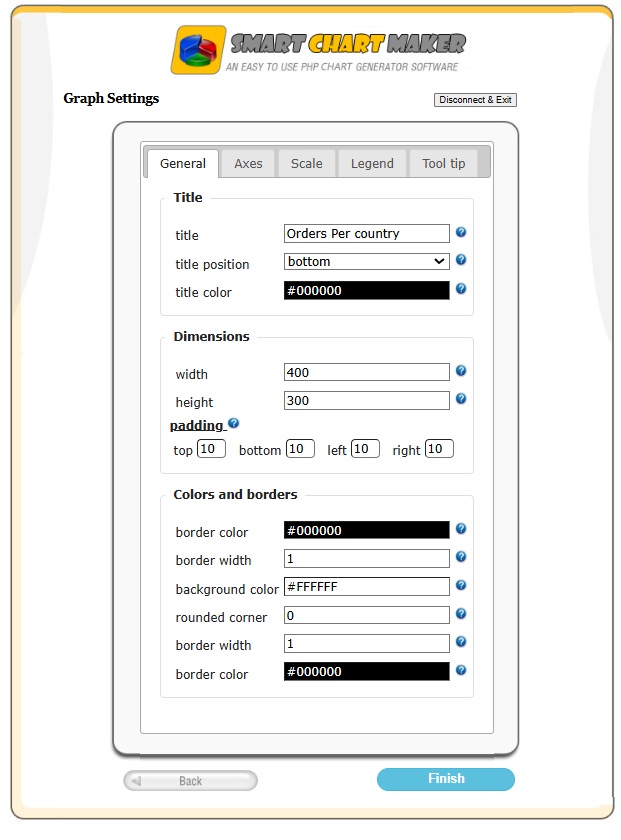
Customization options are organized into five main categories:
-
General Settings
- Control chart width and height
- Set chart title, title position, and title color
- Customize chart background color
- Configure chart border color, width, and style
-
Axis Settings
- Show or hide divisions and subdivisions
- Show or hide axis labels
- Set label text angle
- Control axis font family, size, and color
-
Scale Settings
- Define scale type
- Set minimum and maximum values for each axis
-
Legend Settings
- Show or hide the legend
- Control legend position
- Adjust padding and dimensions
- Set legend font and font color
-
Tooltip Settings
- Enable or disable tooltips
- Control whether tooltips appear on hover or click
- Customize tooltip appearance (background, text color, font, etc.)
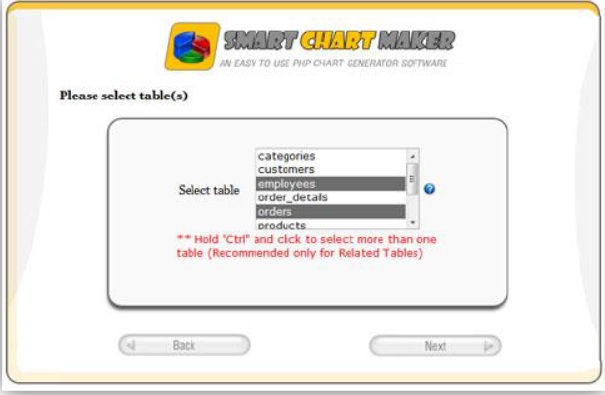
- Select one or more MySQL tables as data sources
- Visually define relationships between tables
- Apply filters to display only the exact data ranges you need, with filtering options based on each column’s data type
- Choose the specific columns to display on each chart axis
-
Developers
Speed up the development cycle by generating complex MySQL charts in minutes instead of hours of manual coding. -
Data Analysts
Quickly explore MySQL datasets visually to discover patterns, correlations, and trends. -
Project Managers
Create high-level dashboards to monitor project KPIs without requiring deep technical expertise.
-
PHP Chart and Graph Builder with Wizard-Style Interface
A step-by-step wizard that guides you through connecting to your database, selecting your data, and rendering your chart. -
No SQL Writing Required
Everything is done visually without writing SQL queries, saving time and effort. -
Native MySQL Integration
Built specifically for MySQL, ensuring fast query execution and reliable data mapping for all MySQL charts and graphs. -
Multi-Series Support
Compare multiple datasets on a single chart (for example, "Projected Revenue" vs. "Actual Revenue"), a critical feature for data comparison and analysis. -
Diverse Chart Types
Choose from Bar charts, Line graphs, Pie charts, Area charts, and more to best represent your data. -
Appearance Control
Fully customize colors, themes, and dimensions to match your project’s branding. -
Easy Installation
Lightweight and built with native PHP. Simply upload the files to your web server and start building charts. -
Developer Friendly
While the interface is no-code, the generated output is clean and easy for developers to integrate into existing PHP applications.
| Feature | Smart Chart Maker | Typical PHP Chart Libraries |
|---|---|---|
| Visual Builder | Yes | No |
| No SQL Required | Yes | No |
| MySQL Native | Yes | Partial |
| Multi-Series Charts | Yes | Partial |
| Appearance Wizard | Yes | No |
| Community Edition | Yes | Sometimes |
| Commercial Upgrade Path | Via Smart Report Maker | No |
Smart Chart Maker is a free PHP charting tool intended for personal, learning, and free open-source projects only. If you need more advanced features or plan to use PHP charts and charting in a commercial or SaaS project, you can consider Smart Report Maker.
Smart Report Maker not only creates PHP charts and graphs, but also full dashboards, pivot tables, reports, KPIs, and scheduled reports. In addition, you can easily and securely embed generated charts into your PHP application or WordPress website using the Embed Manager.
You can also explore available features and tutorials in the Video Gallery.

Follow the steps below to install Smart Chart Maker and create your first PHP chart in minutes.
git clone https://github.com/webuccinoco/php-charts-for-mysql.gitMake sure to assign 755 permissions to the following directories:
- SCM
- SCM/charts
http://your-server-name/path-to-SCM/index.php
Note: Be sure to replace your-server-name with your actual domain name (or
localhostif you’re installing SCM on your local machine), and replace path-to-SCM with the real directory path where SCM is installed.
Smart Chart Maker uses a wizard-style interface. Once you click the "New Chart" button, you will move through a multi-step wizard to create your first chart. The steps are as follows:
- A step to connect to your MySQL database.
- A step to select one or more tables that contain the data source you want to display in your chart.
- If you selected multiple tables in the previous step, you will get a step to define the table relations between the selected tables.
- A filter step to filter the selected columns in case you need your chart to display filtered data.
- A step to select the chart type you want to build.
- A step to define the columns you want to use for each axis of your chart, noting that you can define multiple data series on the Y-axis.
- A customization step to customize the chart appearance.
Note: If you need full details about each step, please refer to the User-Guide.pdf in this repository.
Smart Chart Maker is a free PHP chart builder that allows you to create dynamic PHP charts and PHP graphs directly from MySQL and MariaDB databases using a visual wizard interface.
Smart Chart Maker is a lightweight PHP chart builder designed only for creating PHP charts and PHP graphs from MySQL and MariaDB databases. It is provided as a free tool intended strictly for personal, learning, and free open-source projects.
Smart Report Maker is a complete reporting and analytics platform that can be used in all types of projects, including commercial and SaaS applications. It contains multiple modules, not just charting. In addition to PHP charts and graphs, Smart Report Maker allows you to create dashboards, pivot tables, reports, KPIs, scheduled reports, drill-down charts, and many other advanced analytic resources.
Smart Report Maker also includes the Embed Manager, which enables you to easily and securely embed generated charts and analytic resources into your PHP application or WordPress website.
In short: Smart Chart Maker focuses only on basic PHP charts for free projects, while Smart Report Maker is a full-featured analytics suite suitable for professional and commercial environments.
Yes. Smart Chart Maker Community Edition is free for personal use and free open-source projects.
No. Smart Chart Maker Community Edition is intended only for non-commercial projects. For commercial or SaaS projects, consider using Smart Report Maker.
Smart Chart Maker supports many graph types including bar graphs, grouped bar graphs, line graphs, multi-line graphs, and more.
No. All data selection and filtering is done visually. No SQL writing is required.
Yes. Smart Chart Maker is built specifically for MySQL and MariaDB.
Yes. A User-Guide.pdf file is included in the repository and provides a very detailed explanation of installation, configuration, and usage.
Yes. You can control colors, dimensions, axes, scales, legends, tooltips, and many other appearance settings.
Yes. You can create PHP graphs with multiple series such as grouped bar charts and multi-line charts.
Yes. You can apply filters based on column data types to display only the data ranges you want.
Yes. Smart Chart Maker can run on shared hosting, VPS, or cloud servers.
Smart Chart Maker is developed and maintained by Webuccino Inc.
The software is licensed, not sold. All intellectual property rights remain with Webuccino Inc.
Smart Chart Maker™ is a trademark of Webuccino Inc.