





Production-ready project generator for AI/LLM applications with 20+ enterprise integrations.
Built with FastAPI, Next.js 15, PydanticAI/LangChain, and everything you need for professional business applications.
Why This Template • Features • Demo • Quick Start • Architecture • AI Agent • Logfire • Documentation
Building advanced AI agents? Check out pydantic-deep - a deep agent framework built on pydantic-ai with planning, filesystem, and subagent capabilities.
Building AI/LLM applications requires more than just an API wrapper. You need:
- Type-safe AI agents with tool/function calling
- Real-time streaming responses via WebSocket
- Conversation persistence and history management
- Production infrastructure - auth, rate limiting, observability
- Enterprise integrations - background tasks, webhooks, admin panels
This template gives you all of that out of the box, with 20+ configurable integrations so you can focus on building your AI product, not boilerplate.
- 🤖 AI Chatbots & Assistants - PydanticAI or LangChain agents with streaming responses
- 📊 ML Applications - Background task processing with Celery/Taskiq
- 🏢 Enterprise SaaS - Full auth, admin panel, webhooks, and more
- 🚀 Startups - Ship fast with production-ready infrastructure
Generated projects include CLAUDE.md and AGENTS.md files optimized for AI coding assistants (Claude Code, Codex, Copilot, Cursor, Zed). Following progressive disclosure best practices - concise project overview with pointers to detailed docs when needed.
- PydanticAI or LangChain - Choose your preferred AI framework
- WebSocket Streaming - Real-time responses with full event access
- Conversation Persistence - Save chat history to database
- Custom Tools - Easily extend agent capabilities
- Multi-provider Support - OpenAI, Anthropic, OpenRouter
- Observability - Logfire for PydanticAI, LangSmith for LangChain
- FastAPI + Pydantic v2 - High-performance async API
- Multiple Databases - PostgreSQL (async), MongoDB (async), SQLite
- Authentication - JWT + Refresh tokens, API Keys, OAuth2 (Google)
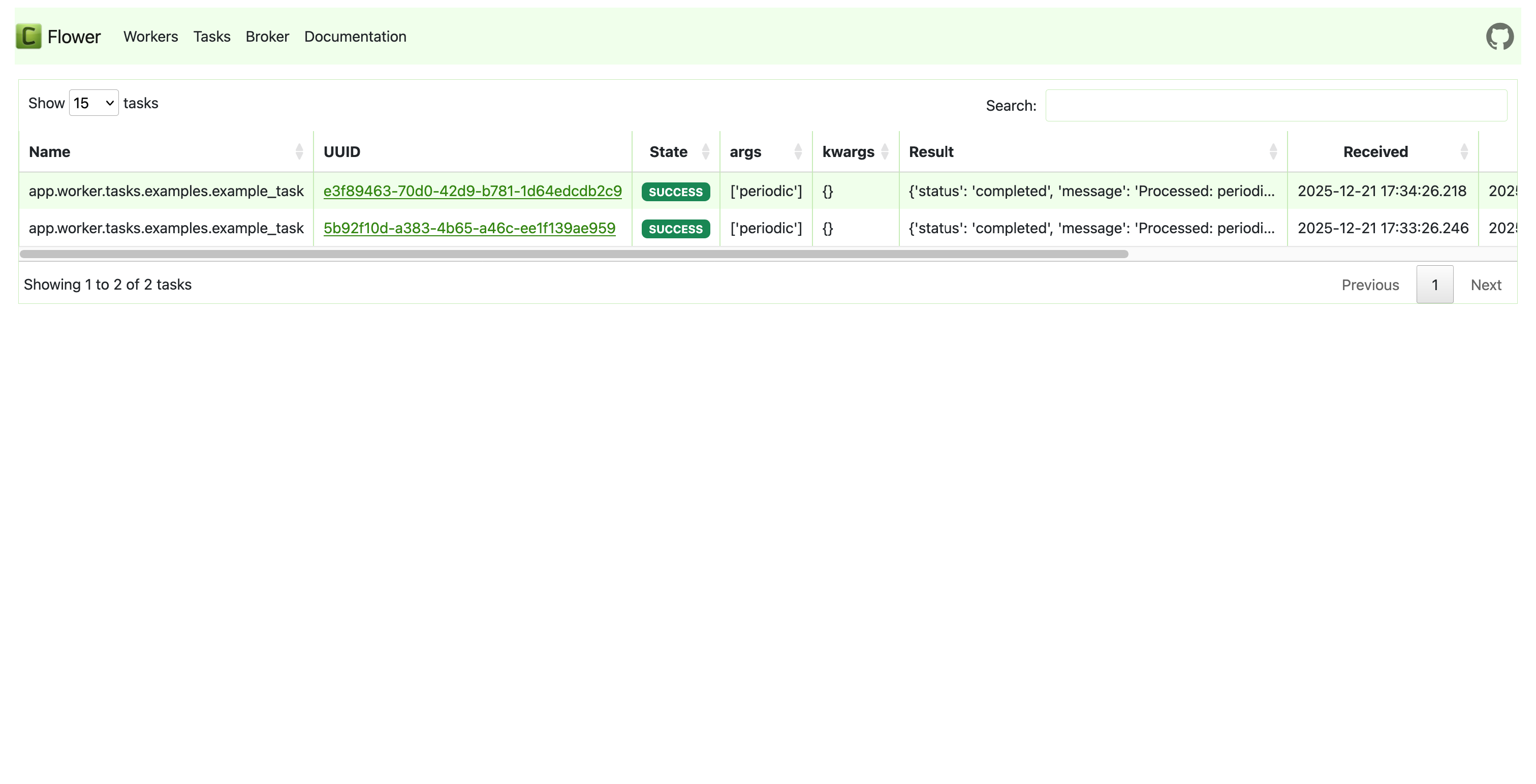
- Background Tasks - Celery, Taskiq, or ARQ
- Django-style CLI - Custom management commands with auto-discovery
- React 19 + TypeScript + Tailwind CSS v4
- AI Chat Interface - WebSocket streaming, tool call visualization
- Authentication - HTTP-only cookies, auto-refresh
- Dark Mode + i18n (optional)
| Category | Integrations |
|---|---|
| AI Frameworks | PydanticAI, LangChain |
| Caching & State | Redis, fastapi-cache2 |
| Security | Rate limiting, CORS, CSRF protection |
| Observability | Logfire, LangSmith, Sentry, Prometheus |
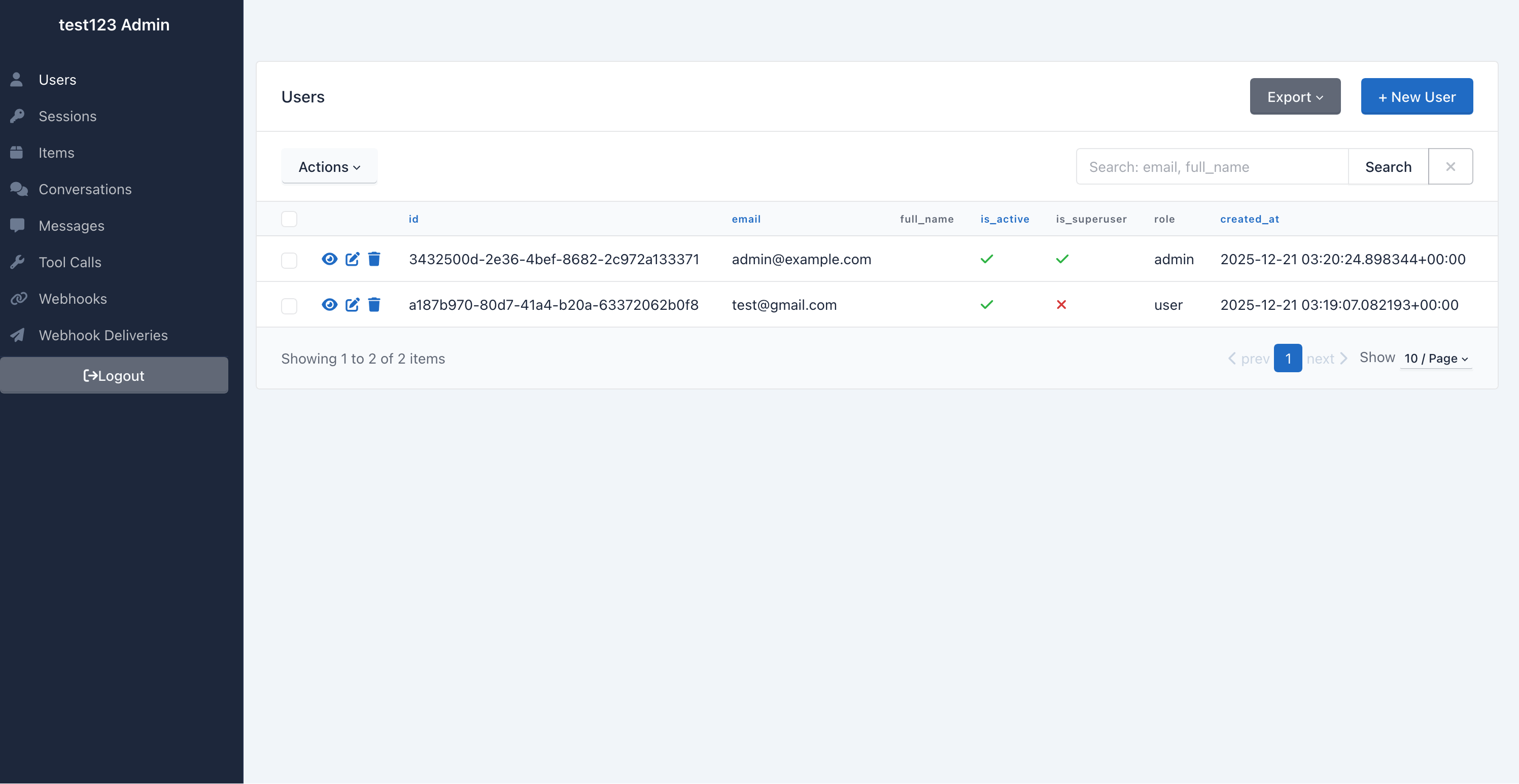
| Admin | SQLAdmin panel with auth |
| Events | Webhooks, WebSockets |
| DevOps | Docker, GitHub Actions, GitLab CI, Kubernetes |
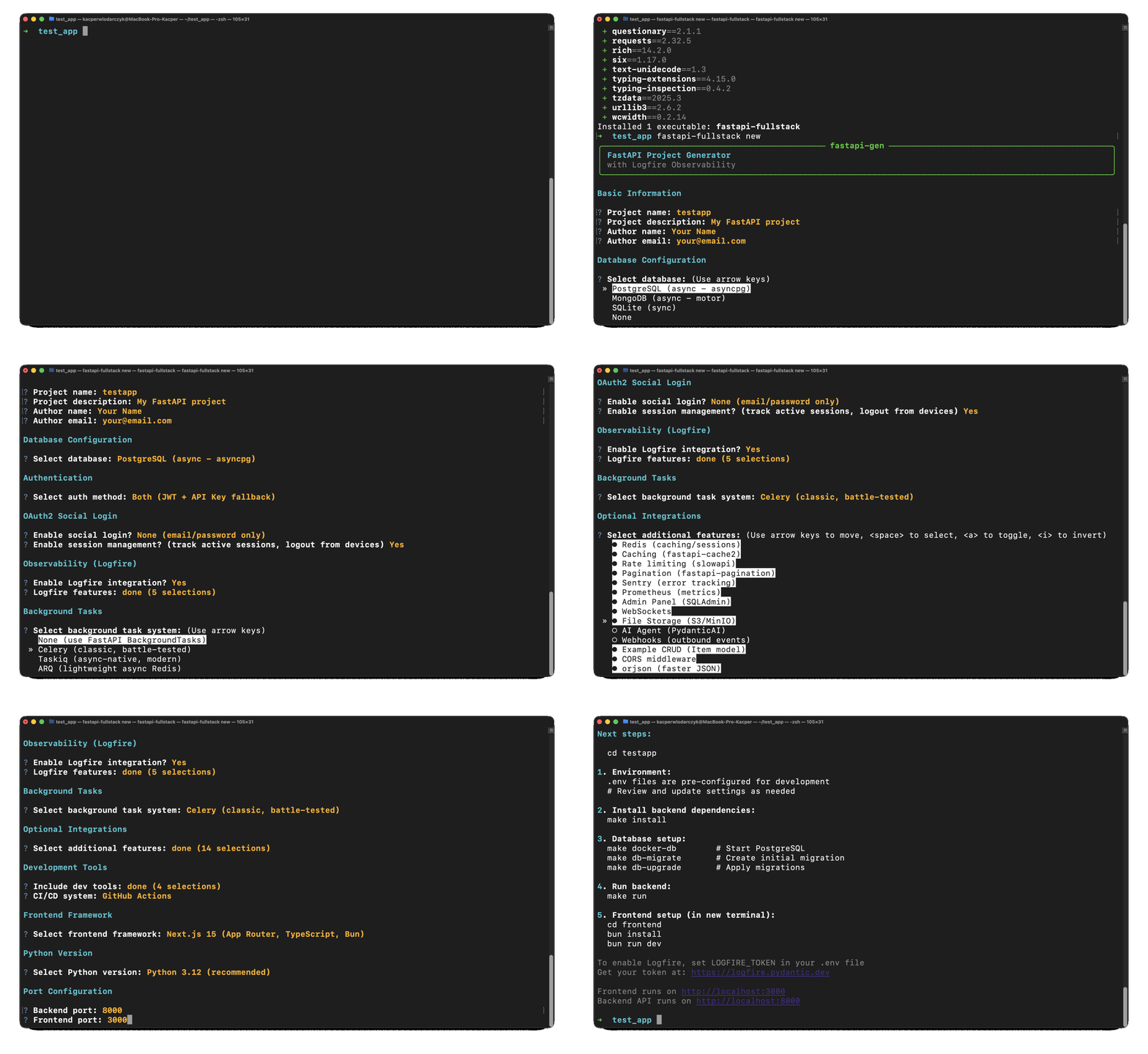
# pip
pip install fastapi-fullstack

# uv (recommended)
uv tool install fastapi-fullstack

# pipx
pipx install fastapi-fullstack# Interactive wizard (recommended)
fastapi-fullstack new
# Quick mode with options
fastapi-fullstack create my_ai_app \
--database postgresql \
--auth jwt \
--frontend nextjs
# Use presets for common setups
fastapi-fullstack create my_ai_app --preset production # Full production setup
fastapi-fullstack create my_ai_app --preset ai-agent # AI agent with streaming
# Minimal project (no extras)
fastapi-fullstack create my_ai_app --minimalAfter generating your project, follow these steps:
cd my_ai_app
make install
Windows Users: The
makecommand requires GNU Make which is not available by default on Windows. Install via Chocolatey (choco install make), use WSL, or run raw commands manually. Each generated project includes a "Manual Commands Reference" section in its README with all commands.
# PostgreSQL (with Docker)
make docker-db
⚠️ Important: Both commands are required!db-migratecreates the migration file,db-upgradeapplies it to the database.
# Create initial migration (REQUIRED first time)
make db-migrate
# Enter message: "Initial migration"

# Apply migrations to create tables
make db-upgrademake create-admin
# Enter email and password when promptedmake runcd frontend
bun install
bun devAccess:
- API: http://localhost:8000
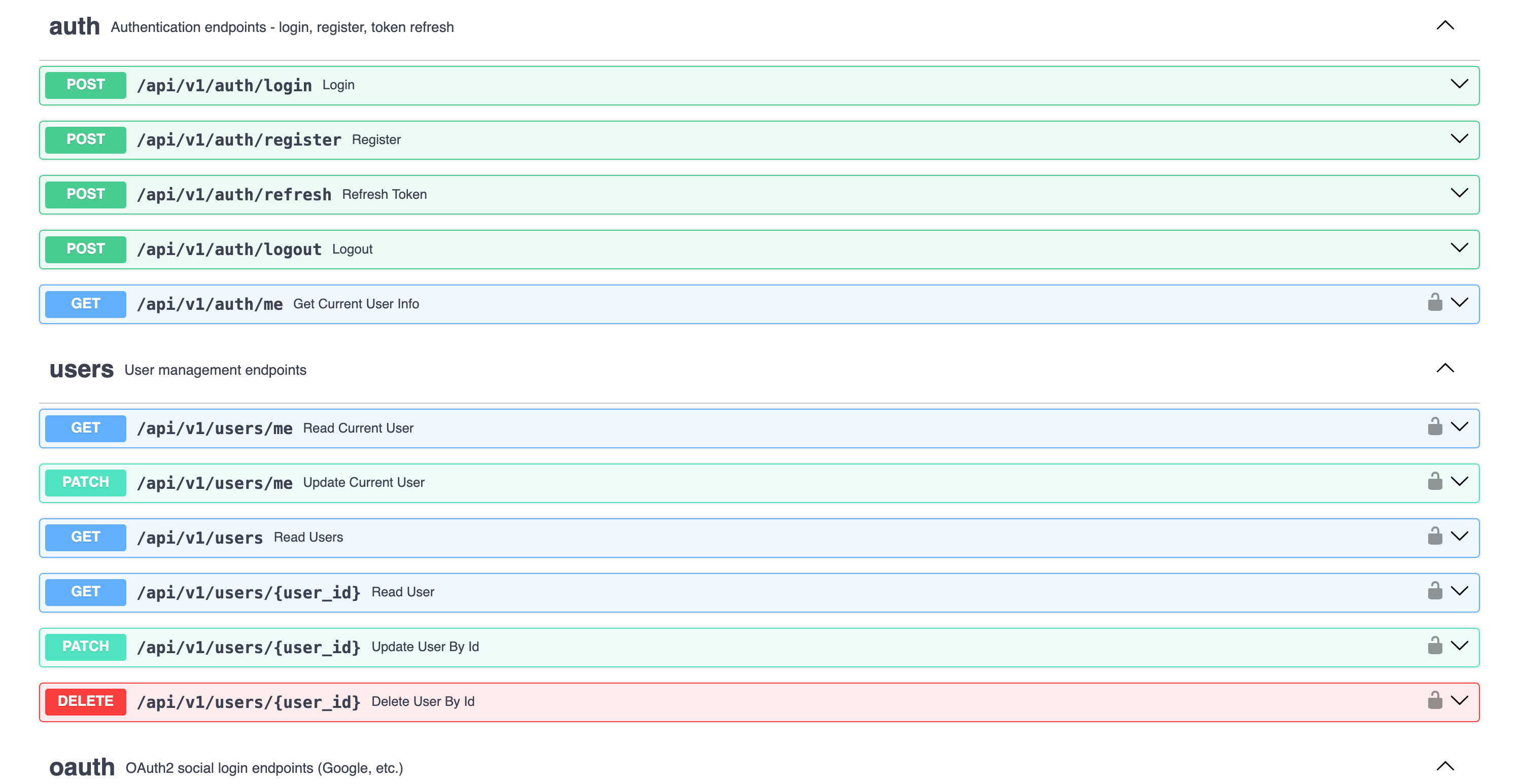
- Docs: http://localhost:8000/docs
- Admin Panel: http://localhost:8000/admin (login with admin user)
- Frontend: http://localhost:3000
Run everything in Docker:
make docker-up       # Start backend + database
make docker-frontend # Start frontendEach generated project has a CLI named after your project_slug. For example, if you created my_ai_app:
cd backend

# The CLI command is: uv run <project_slug> <command>
uv run my_ai_app server run --reload     # Start dev server
uv run my_ai_app db migrate -m "message" # Create migration
uv run my_ai_app db upgrade              # Apply migrations
uv run my_ai_app user create-admin       # Create admin user
Use make help to see all available Makefile shortcuts.
| Light Mode | Dark Mode |
|---|---|
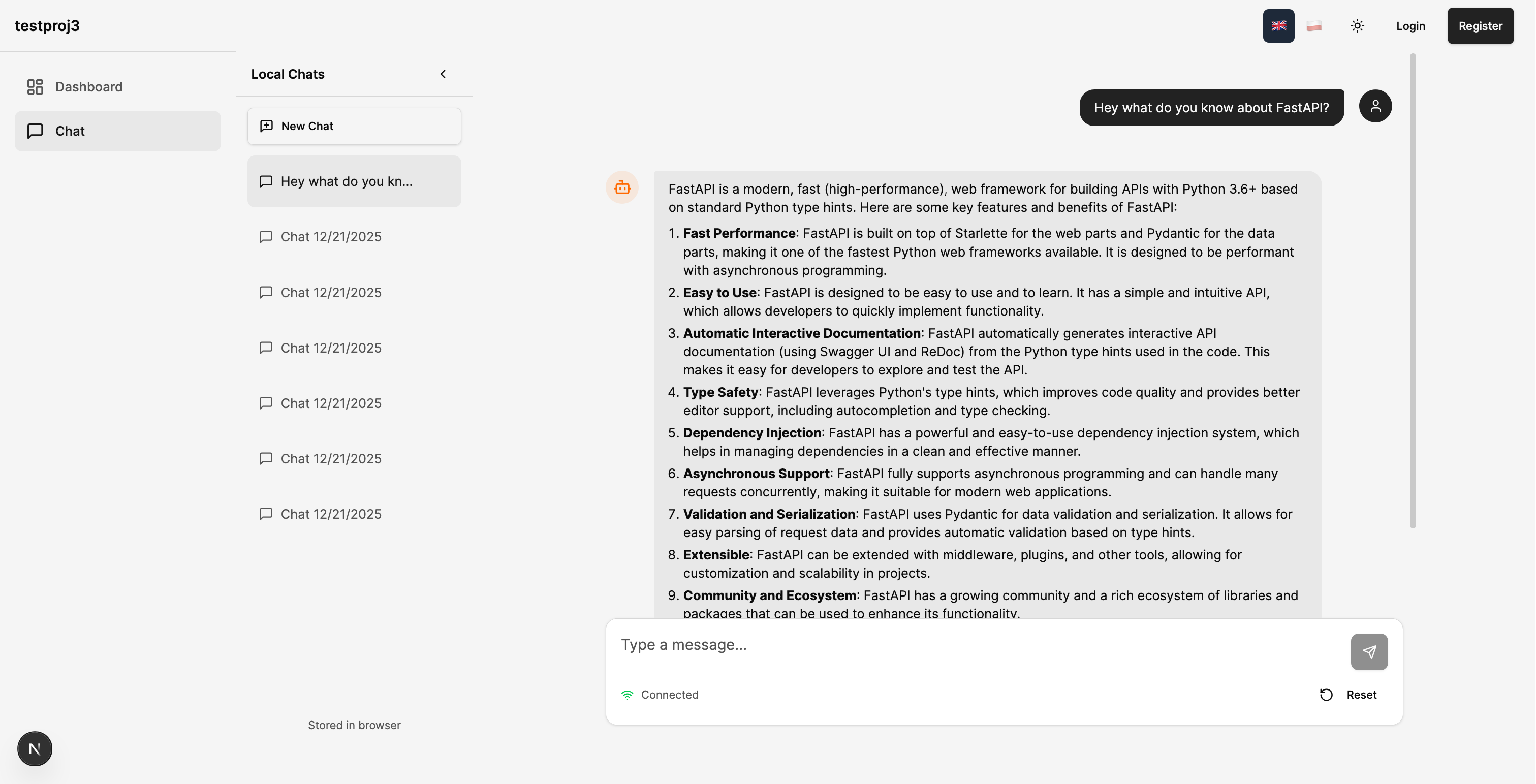 |
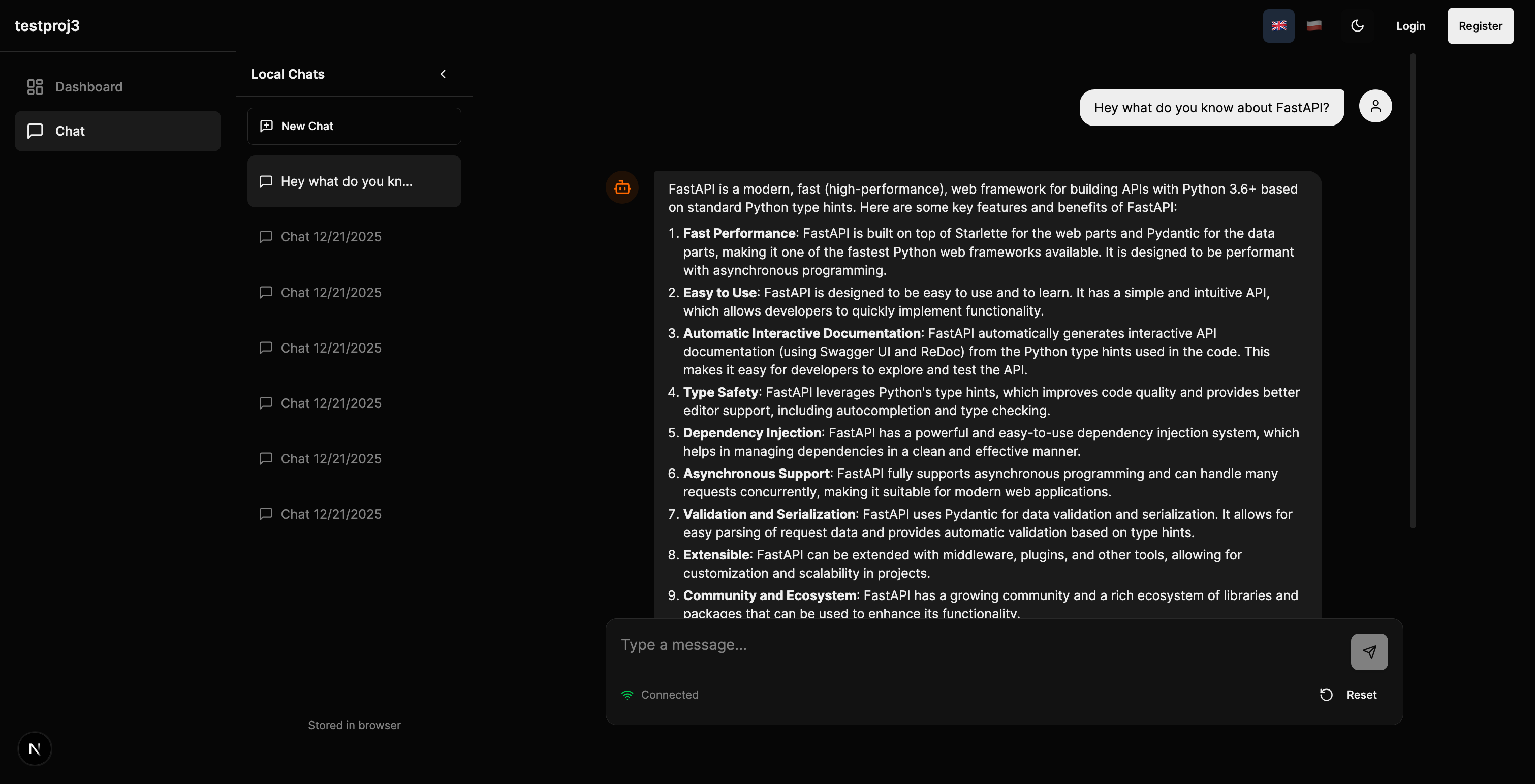 |
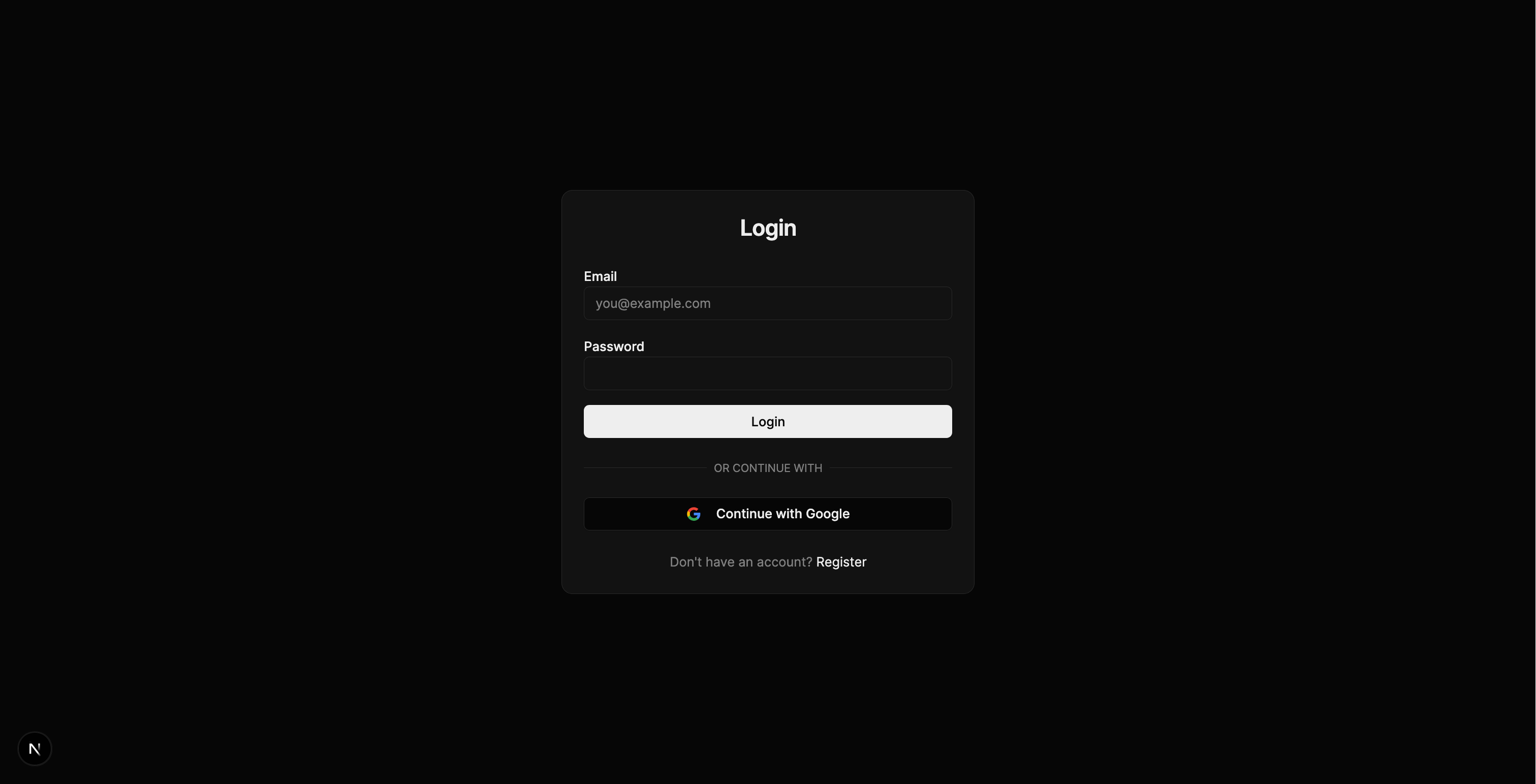
| Register | Login |
|---|---|
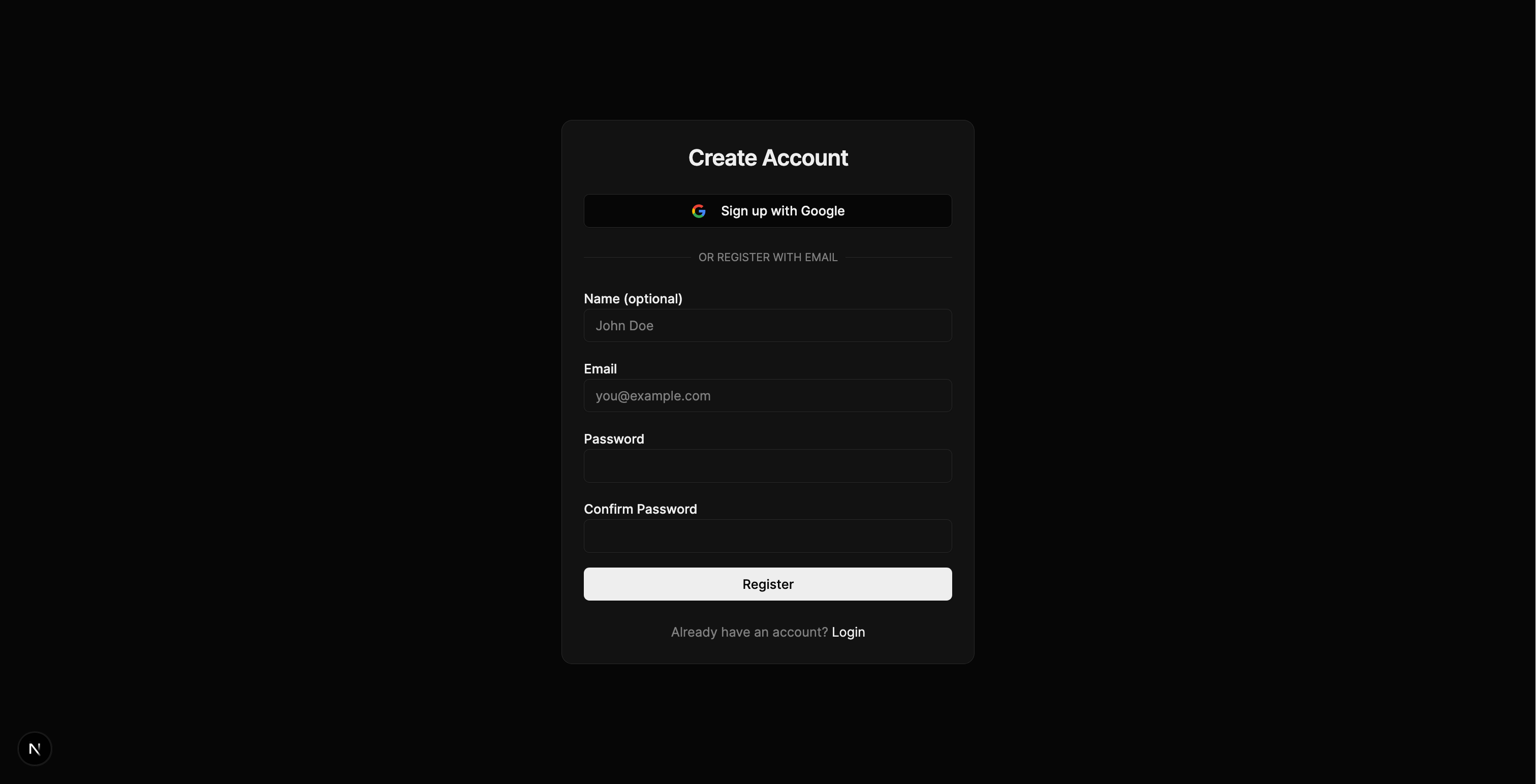 |
 |
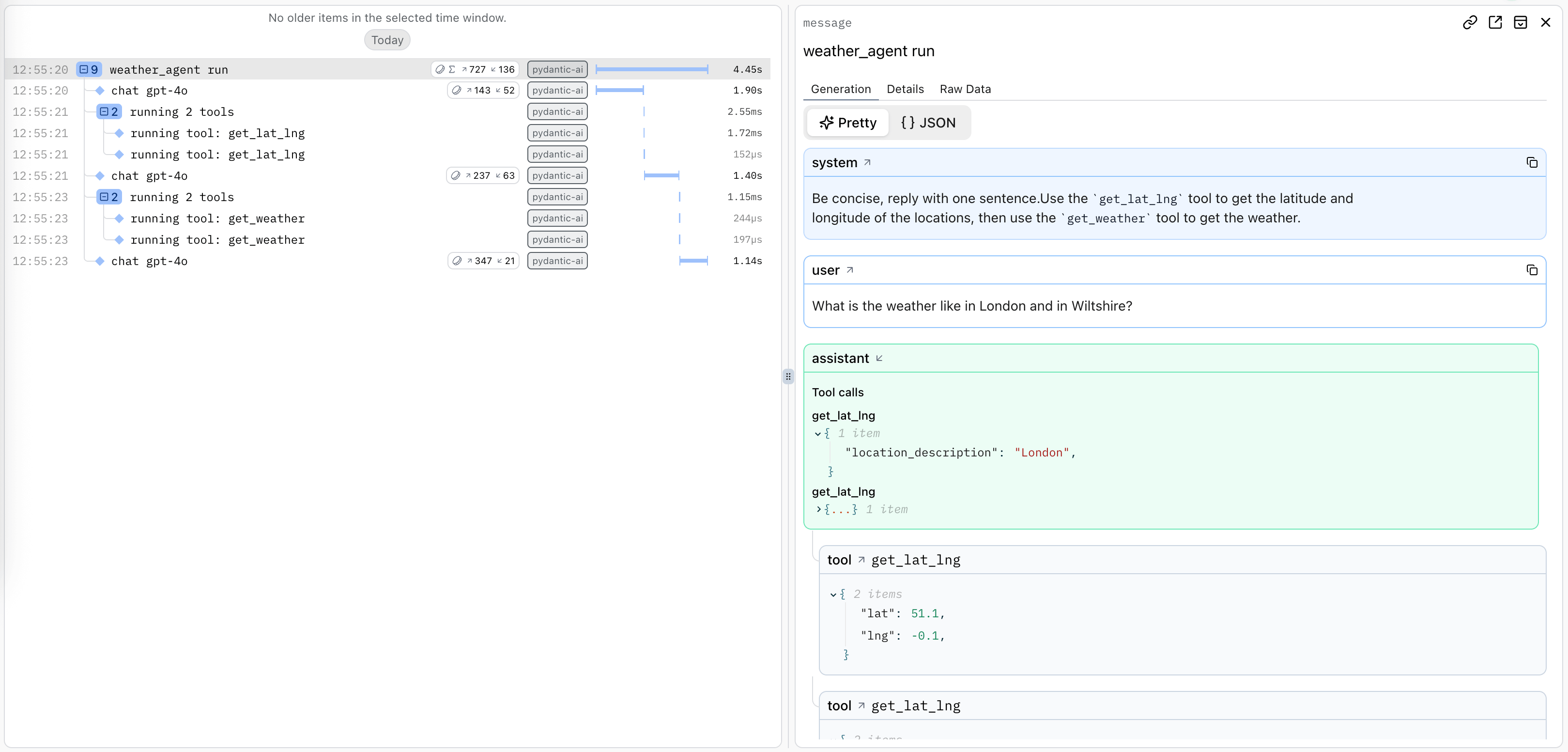
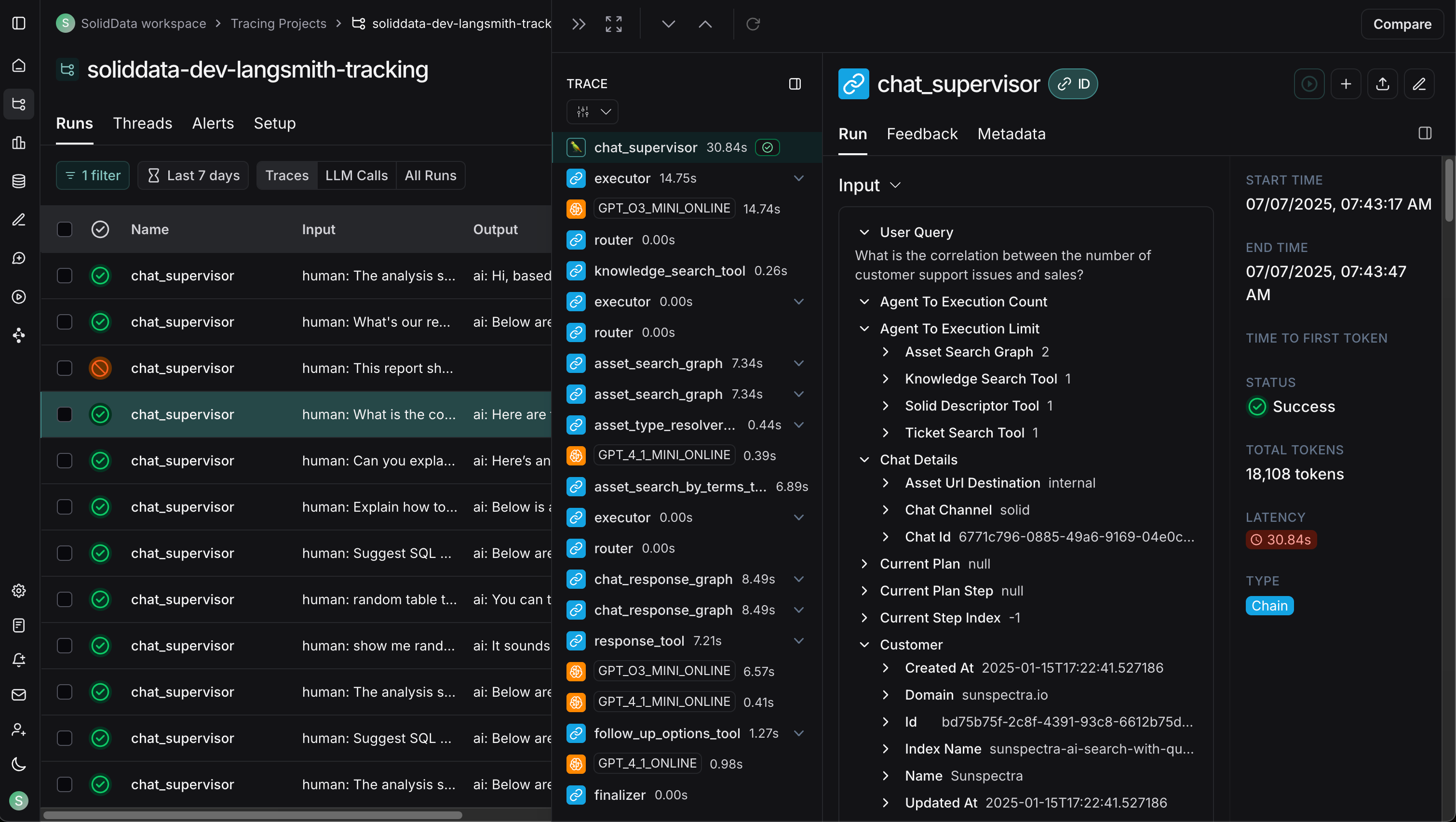
| Logfire (PydanticAI) | LangSmith (LangChain) |
|---|---|
 |
 |
| Celery Flower | SQLAdmin Panel |
|---|---|
 |
 |
| API Documentation |
|---|
 |
graph TB
    subgraph Frontend["Frontend (Next.js 15)"]
        UI[React Components]
        WS[WebSocket Client]
        Store[Zustand Stores]
    end

    subgraph Backend["Backend (FastAPI)"]
        API[API Routes]
        Services[Services Layer]
        Repos[Repositories]
        Agent[AI Agent]
    end

    subgraph Infrastructure
        DB[(PostgreSQL/MongoDB)]
        Redis[(Redis)]
        Queue[Celery/Taskiq]
    end

    subgraph External
        LLM[OpenAI/Anthropic]
        Webhook[Webhook Endpoints]
    end

    UI --> API
    WS <--> Agent
    API --> Services
    Services --> Repos
    Services --> Agent
    Repos --> DB
    Agent --> LLM
    Services --> Redis
    Services --> Queue
    Services --> Webhook
The backend follows a clean Repository + Service pattern:
graph LR
    A[API Routes] --> B[Services]
    B --> C[Repositories]
    C --> D[(Database)]

    B --> E[External APIs]
    B --> F[AI Agents]
| Layer | Responsibility |
|---|---|
| Routes | HTTP handling, validation, auth |
| Services | Business logic, orchestration |
| Repositories | Data access, queries |
See Architecture Documentation for details.
Choose between PydanticAI or LangChain when generating your project, with support for multiple LLM providers:
# PydanticAI with OpenAI (default)
fastapi-fullstack create my_app --ai-agent --ai-framework pydantic_ai

# PydanticAI with Anthropic
fastapi-fullstack create my_app --ai-agent --ai-framework pydantic_ai --llm-provider anthropic

# PydanticAI with OpenRouter
fastapi-fullstack create my_app --ai-agent --ai-framework pydantic_ai --llm-provider openrouter

# LangChain with OpenAI
fastapi-fullstack create my_app --ai-agent --ai-framework langchain

# LangChain with Anthropic
fastapi-fullstack create my_app --ai-agent --ai-framework langchain --llm-provider anthropic| Framework | OpenAI | Anthropic | OpenRouter |
|---|---|---|---|
| PydanticAI | ✓ | ✓ | ✓ |
| LangChain | ✓ | ✓ | - |
Type-safe agents with full dependency injection:
# app/agents/assistant.py
from pydantic_ai import Agent, RunContext

@dataclass
class Deps:
    user_id: str | None = None
    db: AsyncSession | None = None

agent = Agent[Deps, str](
    model="openai:gpt-4o-mini",
    system_prompt="You are a helpful assistant.",
)

@agent.tool
async def search_database(ctx: RunContext[Deps], query: str) -> list[dict]:
    """Search the database for relevant information."""
    # Access user context and database via ctx.deps
...Flexible agents with LangGraph:
# app/agents/langchain_assistant.py
from langchain.tools import tool
from langgraph.prebuilt import create_react_agent

@tool
def search_database(query: str) -> list[dict]:
    """Search the database for relevant information."""
    ...

agent = create_react_agent(
    model=ChatOpenAI(model="gpt-4o-mini"),
    tools=[search_database],
    prompt="You are a helpful assistant.",
)Both frameworks use the same WebSocket endpoint with real-time streaming:
@router.websocket("/ws")
async def agent_ws(websocket: WebSocket):
    await websocket.accept()

    # Works with both PydanticAI and LangChain
    async for event in agent.stream(user_input):
        await websocket.send_json({
            "type": "text_delta",
            "content": event.content
})Each framework has its own observability solution:
| Framework | Observability | Dashboard |
|---|---|---|
| PydanticAI | Logfire | Agent runs, tool calls, token usage |
| LangChain | LangSmith | Traces, feedback, datasets |
See AI Agent Documentation for more.
Logfire provides complete observability for your application - from AI agents to database queries. Built by the Pydantic team, it offers first-class support for the entire Python ecosystem.
graph LR
    subgraph Your App
        API[FastAPI]
        Agent[PydanticAI]
        DB[(Database)]
        Cache[(Redis)]
        Queue[Celery/Taskiq]
        HTTP[HTTPX]
    end

    subgraph Logfire
        Traces[Traces]
        Metrics[Metrics]
        Logs[Logs]
    end

    API --> Traces
    Agent --> Traces
    DB --> Traces
    Cache --> Traces
    Queue --> Traces
    HTTP --> Traces
| Component | What You See |
|---|---|
| PydanticAI | Agent runs, tool calls, LLM requests, token usage, streaming events |
| FastAPI | Request/response traces, latency, status codes, route performance |
| PostgreSQL/MongoDB | Query execution time, slow queries, connection pool stats |
| Redis | Cache hits/misses, command latency, key patterns |
| Celery/Taskiq | Task execution, queue depth, worker performance |
| HTTPX | External API calls, response times, error rates |
LangSmith provides observability specifically designed for LangChain applications:
| Feature | Description |
|---|---|
| Traces | Full execution traces for agent runs and chains |
| Feedback | Collect user feedback on agent responses |
| Datasets | Build evaluation datasets from production data |
| Monitoring | Track latency, errors, and token usage |
LangSmith is automatically configured when you choose LangChain:
# .env
LANGCHAIN_TRACING_V2=true
LANGCHAIN_API_KEY=your-api-key
LANGCHAIN_PROJECT=my_projectEnable Logfire and select which components to instrument:
fastapi-fullstack new
# ✓ Enable Logfire observability
#   ✓ Instrument FastAPI
#   ✓ Instrument Database
#   ✓ Instrument Redis
#   ✓ Instrument Celery
# ✓ Instrument HTTPX# Automatic instrumentation in app/main.py
import logfire
logfire.configure()
logfire.instrument_fastapi(app)
logfire.instrument_asyncpg()
logfire.instrument_redis()
logfire.instrument_httpx()# Manual spans for custom logic
with logfire.span("process_order", order_id=order.id):
await validate_order(order)
await charge_payment(order)
await send_confirmation(order)For more details, see Logfire Documentation.
Each generated project includes a powerful CLI inspired by Django's management commands:
# Server
my_app server run --reload
my_app server routes

# Database (Alembic wrapper)
my_app db init
my_app db migrate -m "Add users"
my_app db upgrade

# Users
my_app user create --email admin@example.com --superuser
my_app user listCreate your own commands with auto-discovery:
# app/commands/seed.py
from app.commands import command, success, error
import click

@command("seed", help="Seed database with test data")
@click.option("--count", "-c", default=10, type=int)
@click.option("--dry-run", is_flag=True)
def seed_database(count: int, dry_run: bool):
    """Seed the database with sample data."""
    if dry_run:
        info(f"[DRY RUN] Would create {count} records")
        return

    # Your logic here
    success(f"Created {count} records!")
Commands are automatically discovered from app/commands/ - just create a file and use the @command decorator.
my_app cmd seed --count 100
my_app cmd seed --dry-runmy_project/
├── backend/
│ ├── app/
│ │ ├── main.py # FastAPI app with lifespan
│ │ ├── api/
│ │ │ ├── routes/v1/ # Versioned API endpoints
│ │ │ ├── deps.py # Dependency injection
│ │ │ └── router.py # Route aggregation
│ │ ├── core/ # Config, security, middleware
│ │ ├── db/models/ # SQLAlchemy/MongoDB models
│ │ ├── schemas/ # Pydantic schemas
│ │ ├── repositories/ # Data access layer
│ │ ├── services/ # Business logic
│ │ ├── agents/ # AI agents with centralized prompts
│ │ ├── commands/ # Django-style CLI commands
│ │ └── worker/ # Background tasks
│ ├── cli/ # Project CLI
│ ├── tests/ # pytest test suite
│ └── alembic/ # Database migrations
├── frontend/
│ ├── src/
│ │ ├── app/ # Next.js App Router
│ │ ├── components/ # React components
│ │ ├── hooks/ # useChat, useWebSocket, etc.
│ │ └── stores/ # Zustand state management
│ └── e2e/ # Playwright tests
├── docker-compose.yml
├── Makefile
└── README.md
Generated projects include version metadata in pyproject.toml for tracking:
[tool.fastapi-fullstack]
generator_version = "0.1.5"
generated_at = "2024-12-21T10:30:00+00:00"| Option | Values | Description |
|---|---|---|
| Database | postgresql, mongodb, sqlite, none |
Async by default |
| ORM | sqlalchemy, sqlmodel |
SQLModel for simplified syntax |
| Auth | jwt, api_key, both, none |
JWT includes user management |
| OAuth | none, google |
Social login |
| AI Framework | pydantic_ai, langchain |
Choose your AI agent framework |
| LLM Provider | openai, anthropic, openrouter |
OpenRouter only with PydanticAI |
| Background Tasks | none, celery, taskiq, arq |
Distributed queues |
| Frontend | none, nextjs |
Next.js 15 + React 19 |
| Preset | Description |
|---|---|
--preset production |
Full production setup with Redis, Sentry, Kubernetes, Prometheus |
--preset ai-agent |
AI agent with WebSocket streaming and conversation persistence |
--minimal |
Minimal project with no extras |
Select what you need:
fastapi-fullstack new
# ✓ Redis (caching/sessions)
# ✓ Rate limiting (slowapi)
# ✓ Pagination (fastapi-pagination)
# ✓ Admin Panel (SQLAdmin)
# ✓ AI Agent (PydanticAI or LangChain)
# ✓ Webhooks
# ✓ Sentry
# ✓ Logfire / LangSmith
# ✓ Prometheus
# ... and more| Document | Description |
|---|---|
| Architecture | Repository + Service pattern, layered design |
| Frontend | Next.js setup, auth, state management |
| AI Agent | PydanticAI, tools, WebSocket streaming |
| Observability | Logfire integration, tracing, metrics |
| Deployment | Docker, Kubernetes, production setup |
| Development | Local setup, testing, debugging |
| Changelog | Version history and release notes |
This project is inspired by:
- full-stack-fastapi-template by @tiangolo
- fastapi-template by @s3rius
- FastAPI Best Practices by @zhanymkanov
- Django's management commands system
Contributions are welcome! Please read our Contributing Guide for details.
MIT License - see LICENSE for details.
Made with ❤️ by VStorm

![@dependabot[bot]](https://avatars.githubusercontent.com/in/29110?s=64&v=4)