


Improves readability of WordPress Gutenberg block markup in HTML and PHP files.
Install from VS Code Marketplace
Or search for "WP Block Highlighting" in the VS Code Extensions view (Cmd+Shift+X).
git clone https://github.com/tomjn/vscode-wpblock-highlighting
cd vscode-wpblock-highlighting
npm install
npm run compile
Then press F5 in VS Code to test, or package with vsce package.
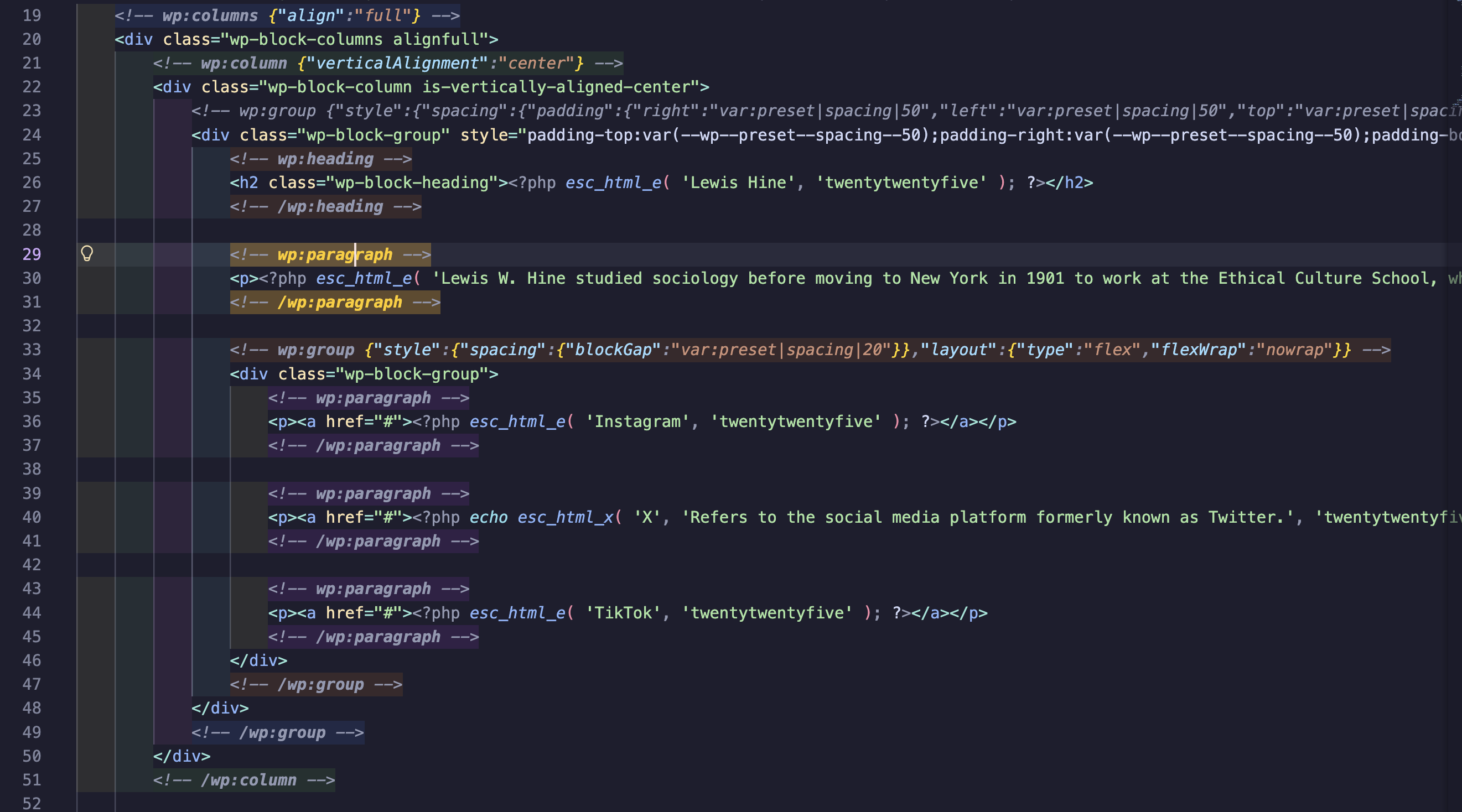
- Depth-based highlighting - Different background colors for each nesting level
- Pair matching - Opening and closing block comments highlight when cursor is on either
- JSON syntax highlighting - Block attributes display with proper JSON colors (keys, strings, numbers, brackets)
- Block folding - Collapse/expand WordPress block regions
- Jump to matching pair -
Cmd+Shift+M(Mac) /Ctrl+Shift+M(Windows/Linux) - Breadcrumb navigation - Shows block hierarchy in VS Code's breadcrumb bar and Outline view
- Status bar path - Shows current block path in status bar (e.g.,
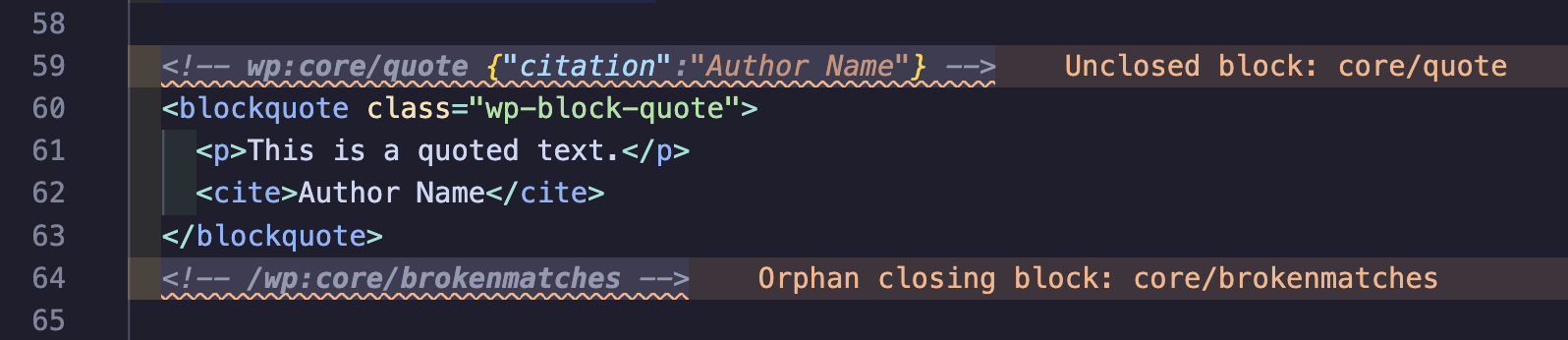
group > columns > column) - Block diagnostics - Warning squiggles for unclosed or orphan blocks
- Hover information - Hover over blocks to see name, depth, and attributes
| Setting | Default | Description |
|---|---|---|
wpBlockHighlighting.enabled |
true |
Enable/disable the extension |
wpBlockHighlighting.depthColors |
[blue, green, orange, purple, pink, teal] |
Background colors per nesting depth |
wpBlockHighlighting.matchHighlightColor |
rgba(255, 204, 0, 0.2) |
Background for matched pairs |
wpBlockHighlighting.matchNameHighlightColor |
#ffcc00 |
Text color for wp:block-name in matched pairs |
wpBlockHighlighting.jsonKeyColor |
#9cdcfe |
JSON property key color |
wpBlockHighlighting.jsonStringColor |
#ce9178 |
JSON string value color |
wpBlockHighlighting.jsonNumberColor |
#b5cea8 |
JSON number/boolean color |
wpBlockHighlighting.jsonBracketColor |
#ffd700 |
JSON bracket color |
wpBlockHighlighting.languages |
["html", "php"] |
Languages to activate for |
GPL-2.0