A local email sandbox that acts as both a Resend API mock and an SMTP server, with a modern web UI for inspecting captured emails.
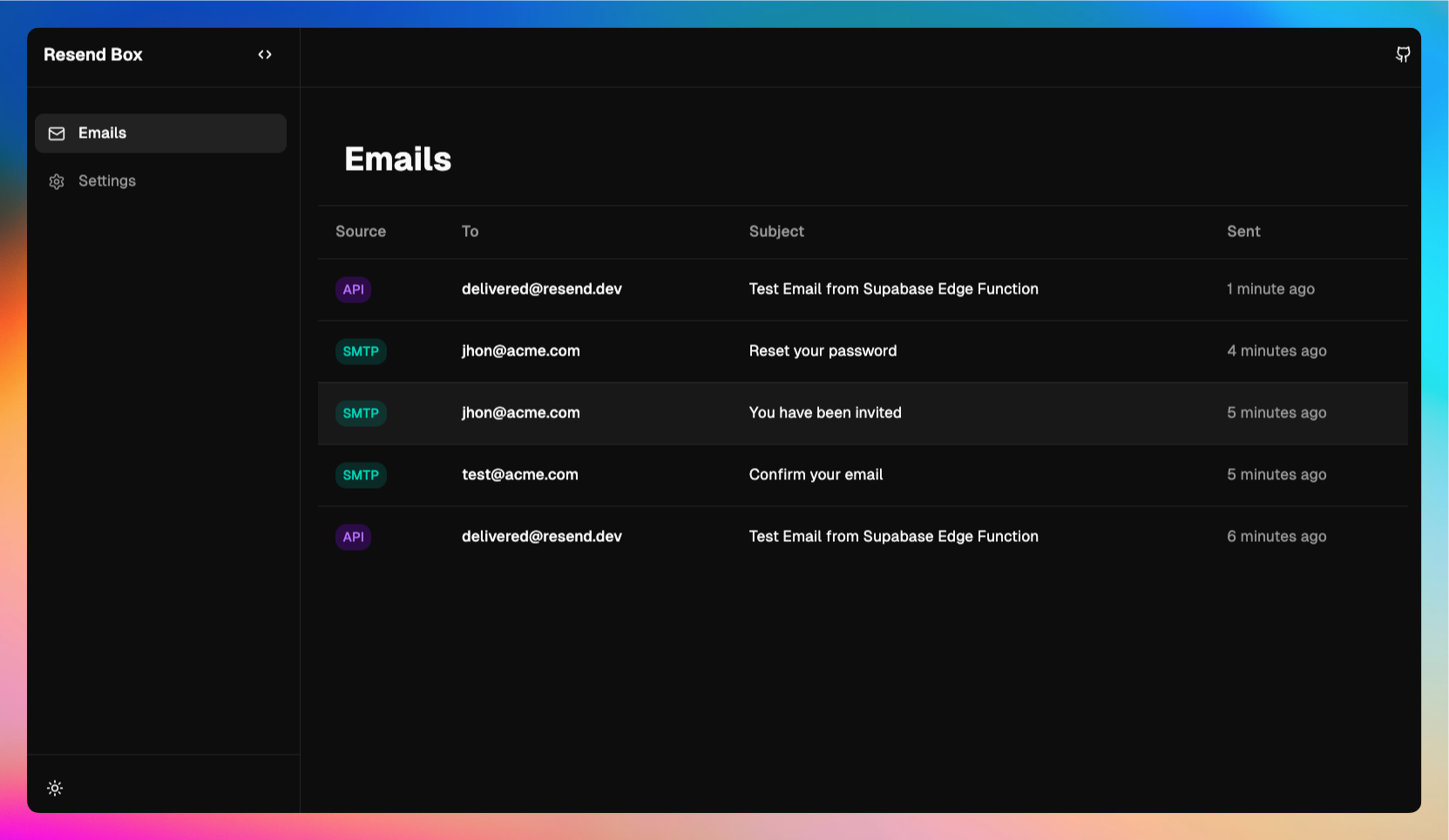
- 🎯 Resend API Compatible: Mock the Resend API for local development
- 🚀 Resend
emails.sendCompatible: Seamlessly send emails to your local sandbox using text, HTML, or React components via the Resend SDK. - 📧 SMTP Server: Accept emails via SMTP protocol
- 🔍 Email Inspection: View HTML, text, and raw MIME content
- The Resend API Mock only implements the
POST /emailsendpoint (resend.emails.send). Other Resend API endpoints are not supported.
npx resend-box-
Initialize your project (recommended):
npx resend-box init
-
Start the sandbox:
npx resend-box start
-
View captured emails: Open http://127.0.0.1:4657 in your browser.
RESEND_BASE_URL will be loaded by the Resend SDK automatically. No changes needed to your code.
import { Resend } from 'resend'

const resend = new Resend('re_test_...')

const { data } = await resend.emails.send({
  from: 'you@example.com',
  to: 'user@gmail.com',
  subject: 'Hello',
  html: '<p>Hello world!</p>',
})- HTTP port (serves API and UI):
4657 - SMTP port:
1025
You can override ports via CLI flags or environment variables:
# Using CLI flags
npx resend-box start --http-port 3000 --smtp-port 2525

# Using environment variables
RESENDBOX_HTTP_PORT=3000 RESENDBOX_SMTP_PORT=2525 npx resend-box# Start the sandbox
npx resend-box start
# Initialize configuration in your project
npx resend-box init
npx resend-box init --base-url http://127.0.0.1:3000
# Use custom ports for init
npx resend-box start --http-port 3000 --smtp-port 2525
# Show help
npx resend-box --helpThe init command automatically:
- Configures
.env.localor.envwith:RESEND_API_KEY(generates a demo key if missing)RESEND_BASE_URL(points to local sandbox)- SMTP settings (
SMTP_HOST,SMTP_PORT, etc.)
- Updates Supabase
config.tomlif a Supabase project is detected - Detects project context:
host.docker.internalfor Supabase/Docker projects127.0.0.1for local development
- Shows a summary and asks for confirmation before making changes
Don't forget to restart your supabase project after updating your config.toml
Resend Box consists of three main components:
- Resend API Mock (
/emails): Accepts POST requests matching the Resend API format and stores emails in memory - SMTP Server (port 1025): Accepts emails via SMTP protocol and normalizes them to the same format
- Web API & UI (
/sandbox/*): Provides REST endpoints for the UI and serves the React application
All emails are stored in an in-memory store that persists for the lifetime of the server process. The store normalizes emails from both sources (Resend API and SMTP) into a unified format which is accessible from the UI.
┌─────────────┐         ┌───────────────┐
│ Resend SDK  │────────▶│ Resend API    │
│             │         │ Mock (/emails)│
└─────────────┘         └───────┬───────┘
                                │
┌─────────────┐         ┌──────▼───────┐
│ SMTP Client │────────▶│ SMTP Server  │
│             │         │  (port 1025) │
└─────────────┘         └──────┬───────┘
                                │
                         ┌──────▼───────┐
                         │ Email Store  │
                         │  (in-memory) │
                         └──────┬───────┘
                                │
                         ┌──────▼───────┐
                         │  Web API     │
                         │ (/sandbox/*) │
                         └──────┬───────┘
                                │
                         ┌──────▼───────┐
                         │  React UI    │
                         │  (/ui/*)     │
                         └──────────────┘
POST /emails
- Accepts Resend-compatible email payloads
- Returns:
{ id: string, created_at: string, to: string[], from: string }
GET /sandbox/emails
- Returns:
{ emails: Email[] }(newest first)
GET /sandbox/emails/:id
- Returns:
{ email: Email }or404 { error: string }
DELETE /sandbox/emails
- Clears all emails
- Returns:
{ message: string }
DELETE /sandbox/emails/:id
- Deletes a specific email
- Returns:
{ message: string }or404 { error: string }
// supabase/functions/send-email/index.ts
import { Resend } from 'https://esm.sh/resend@3.0.0'
import { serve } from 'https://deno.land/std@0.168.0/http/server.ts'

serve(async (req) => {
  // After running 'resend-box init', RESEND_API_KEY and RESEND_BASE_URL are set
  const resend = new Resend(Deno.env.get('RESEND_API_KEY'))

  const { data, error } = await resend.emails.send({
    from: 'you@example.com',
    to: 'user@gmail.com',
    subject: 'Hello',
    html: '<p>Hello world!</p>',
  })

  if (error) {
    return new Response(JSON.stringify({ error }), {
      status: 400,
      headers: { 'Content-Type': 'application/json' },
    })
  }

  return new Response(JSON.stringify({ id: data?.id }), {
    status: 200,
    headers: { 'Content-Type': 'application/json' },
  })
})import nodemailer from 'nodemailer'
const transporter = nodemailer.createTransport({
host: process.env.SMTP_HOST || '127.0.0.1',
port: parseInt(process.env.SMTP_PORT || '1025', 10),
secure: false,
auth: {
user: process.env.SMTP_USER || 'admin',
pass: process.env.SMTP_PASSWORD || 'admin',
},
})
await transporter.sendMail({
from: 'sender@example.com',
to: 'recipient@example.com',
subject: 'Test Email',
text: 'Hello from SMTP!',
html: '<p>Hello from SMTP!</p>',
})import os
import smtplib
from email.mime.text import MIMEText
msg = MIMEText('Hello from Python!')
msg['Subject'] = 'Test Email'
msg['From'] = 'sender@example.com'
msg['To'] = 'recipient@example.com'
host = os.getenv('SMTP_HOST', '127.0.0.1')
port = int(os.getenv('SMTP_PORT', '1025'))
user = os.getenv('SMTP_USER', 'admin')
password = os.getenv('SMTP_PASSWORD', 'admin')
server = smtplib.SMTP(host, port)
server.login(user, password)
server.send_message(msg)
server.quit()# Send email via Resend API mock
curl -X POST http://127.0.0.1:4657/emails \
-H "Content-Type: application/json" \
-d '{
"from": "test@example.com",
"to": "user@example.com",
"subject": "Test Email",
"html": "<p>Hello!</p>"
}'
# List all emails
curl http://127.0.0.1:4657/sandbox/emails
# Get specific email
curl http://127.0.0.1:4657/sandbox/emails/{email-id}Built with coffee by Tomás Pozo