



Local Subtitle Editor is a powerful, standalone subtitle editor that runs entirely in your browser. It's a single HTML file and two js-libraries that requires no installation, no server, and no internet connection.
This tool is designed for videographers, translators, and anyone who needs a fast, private, and efficient way to create, edit, and sync subtitles for video or audio. Forget bulky software—just open the file and start working.
- Fully Local & Private: All your files (video, audio, subtitles) are processed exclusively on your machine. No data is ever sent anywhere.
- Zero Installation: Simply download a single HTML file and open it in your browser. That's it.
- Visual Editor with Audio Waveform: An interactive waveform lets you create, move, and adjust subtitle timings with incredible precision using your mouse. Zoom and pan are fully supported.
- Smart Text Automation: Includes built-in functions for automatic line wrapping (based on character limits) and splitting long subtitles, similar to professional-grade editors.
- Popular Format Support: Easily import and export files in SRT and VTT formats. You can also save the text content as plain TXT or CSV.
- Advanced Editing Tools:
- Undo/Redo history for all major actions.
- Find & Replace across all subtitles.
- Drag-and-drop to reorder cues.
- Hotkeys for a faster workflow.
- Modern UI: A comfortable dark theme, a responsive layout, and intuitive controls make for a pleasant editing experience.
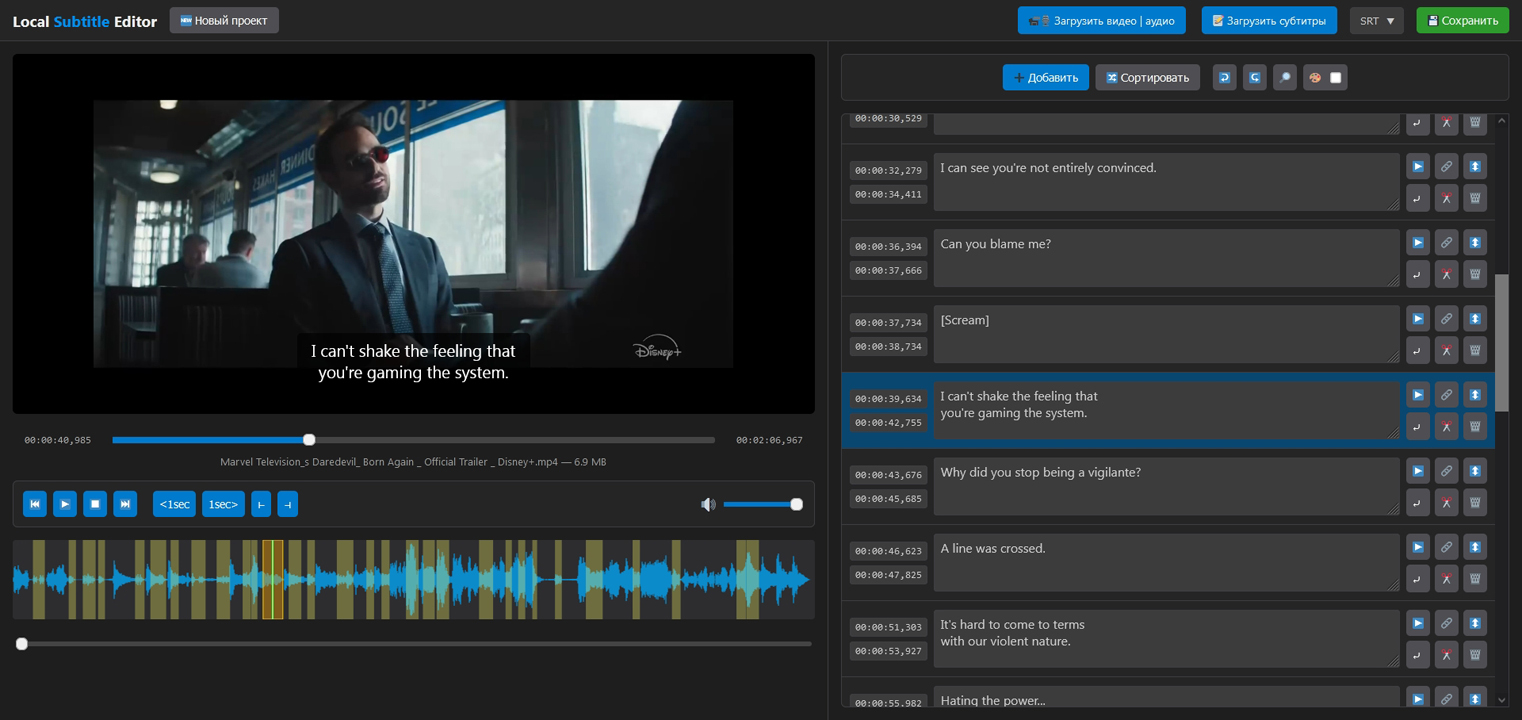
Main editor interface - Working with video
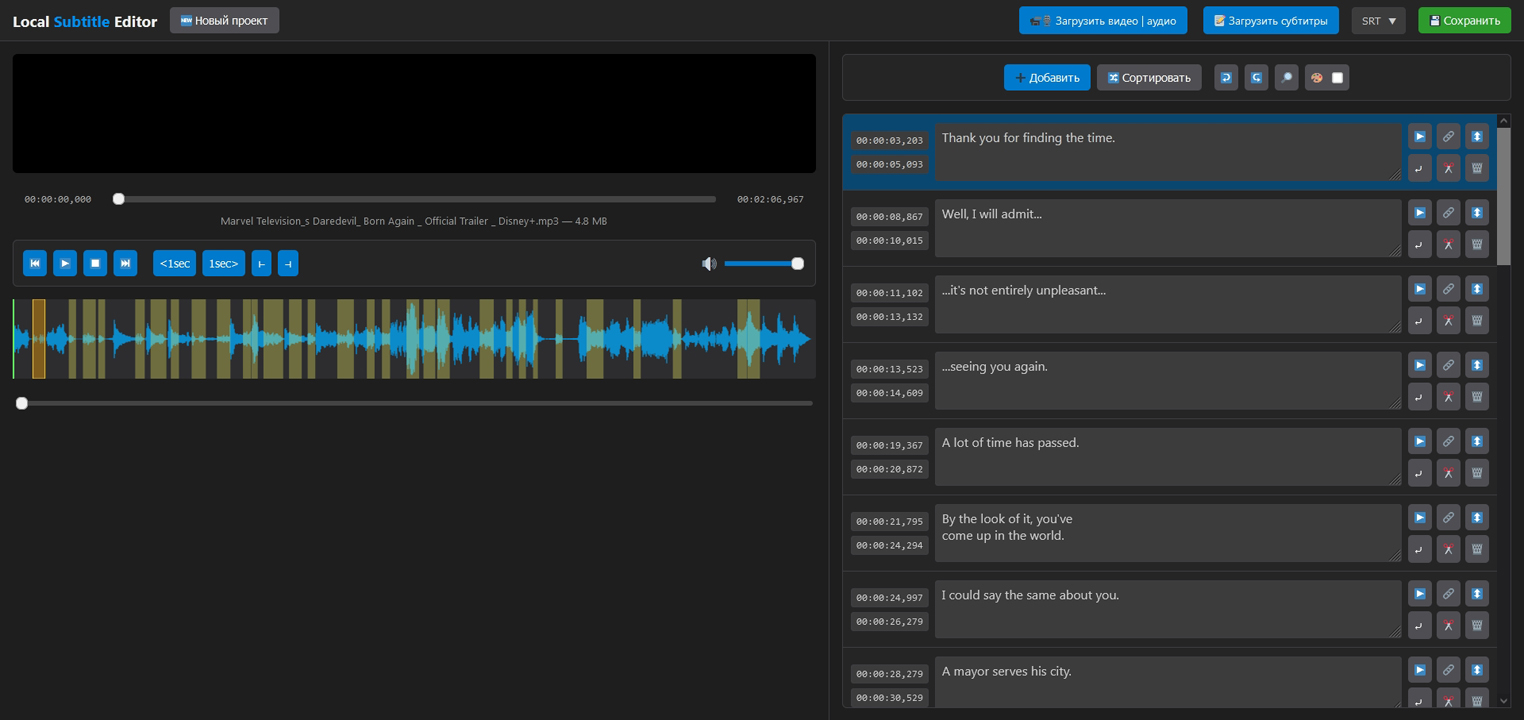 Main editor interface - Working with audio
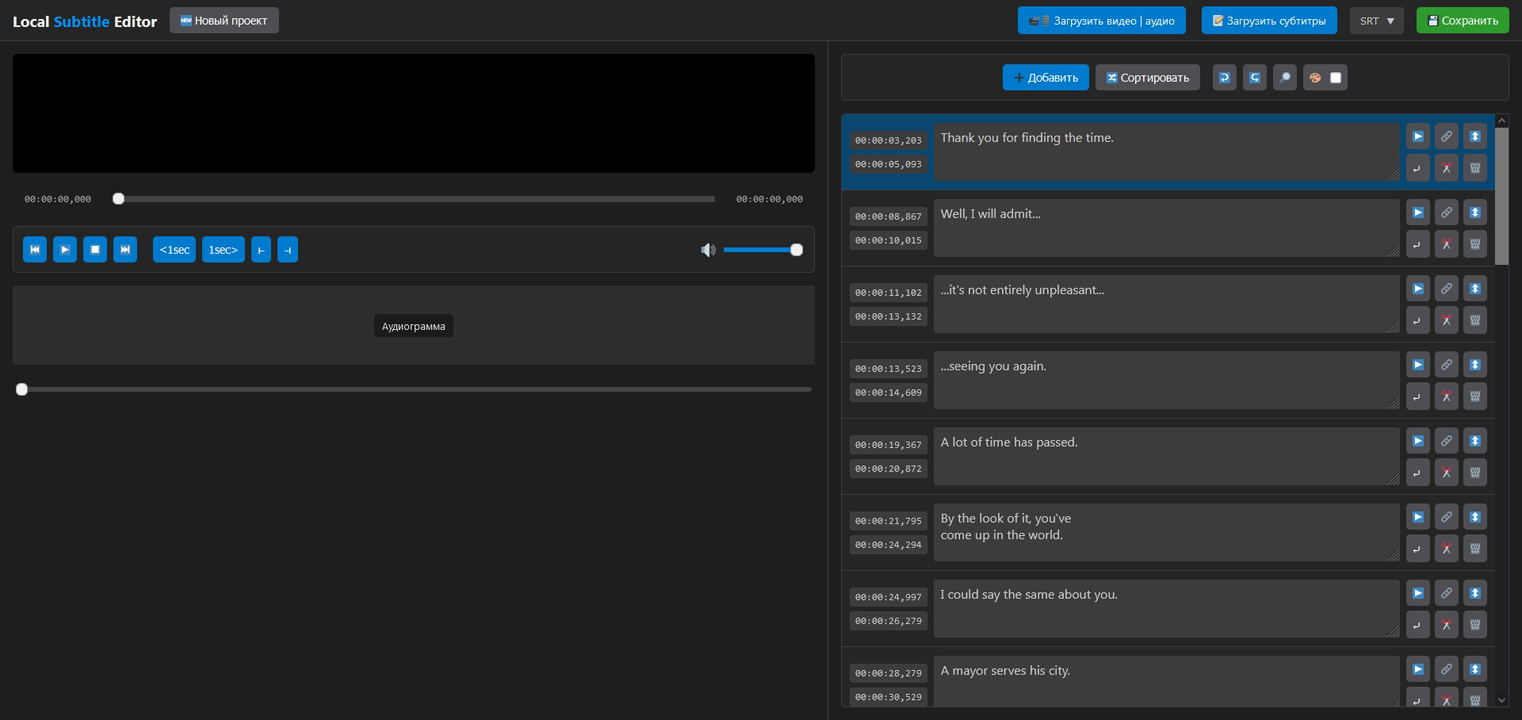 Main editor interface - Working with subtitles
- Download the html-file from the latest release (still in russian). (Right-click the link -> "Save Link As...").
- Drag and drop the downloaded
index.htmlfile into your browser window (works on Chrome, Firefox, Edge, etc.). - Use the "Load Video" and "Load Subtitles" buttons to begin your project.
Or just use it on github:

That's all! The application is ready to use.
Local Subtitle Editor is designed with your privacy as a top priority. The application is 100% client-side, meaning all code runs locally in your browser. None of your files, text, or any other information is ever uploaded, collected, or sent to any server. Your work stays yours, always.
This project is licensed under the GPL-3.0 License or higher. You are free to use, modify, and distribute it for personal and commercial purposes.
If you find this tool useful and want to support its future development, please consider making a donation.

