Debugging your negotiating agent
Rather than using System.out.println(someVariable) or logging variables to a text file, you can use the debug mode of your IDE.
Specifically in Intellij, you need to add a new run configuration to your project:
- Click
Select Run/Debug Configuration, thenEdit Configuration.

- Add a new
Applicationconfiguration.
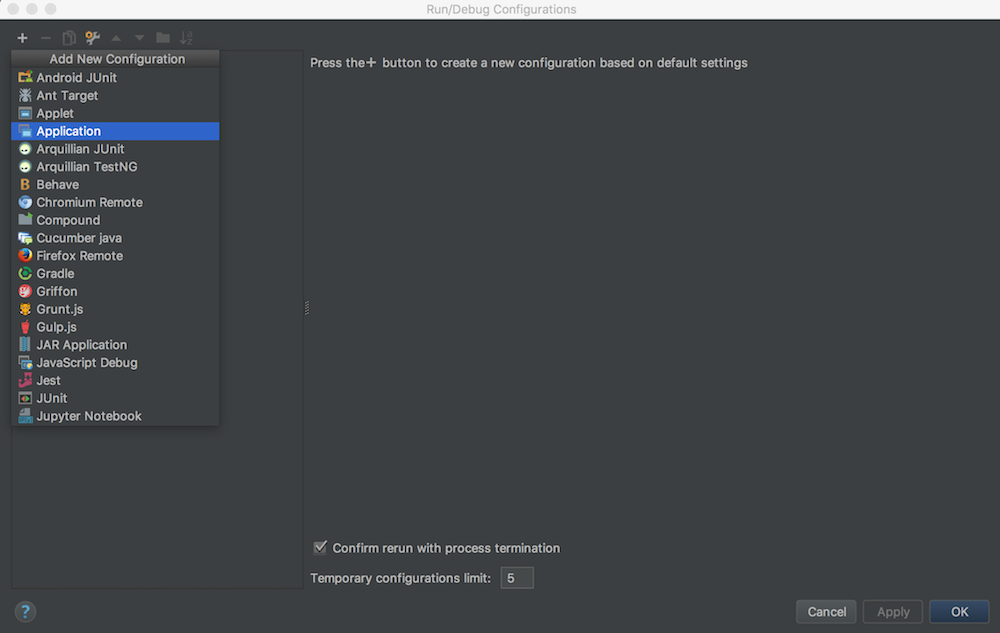
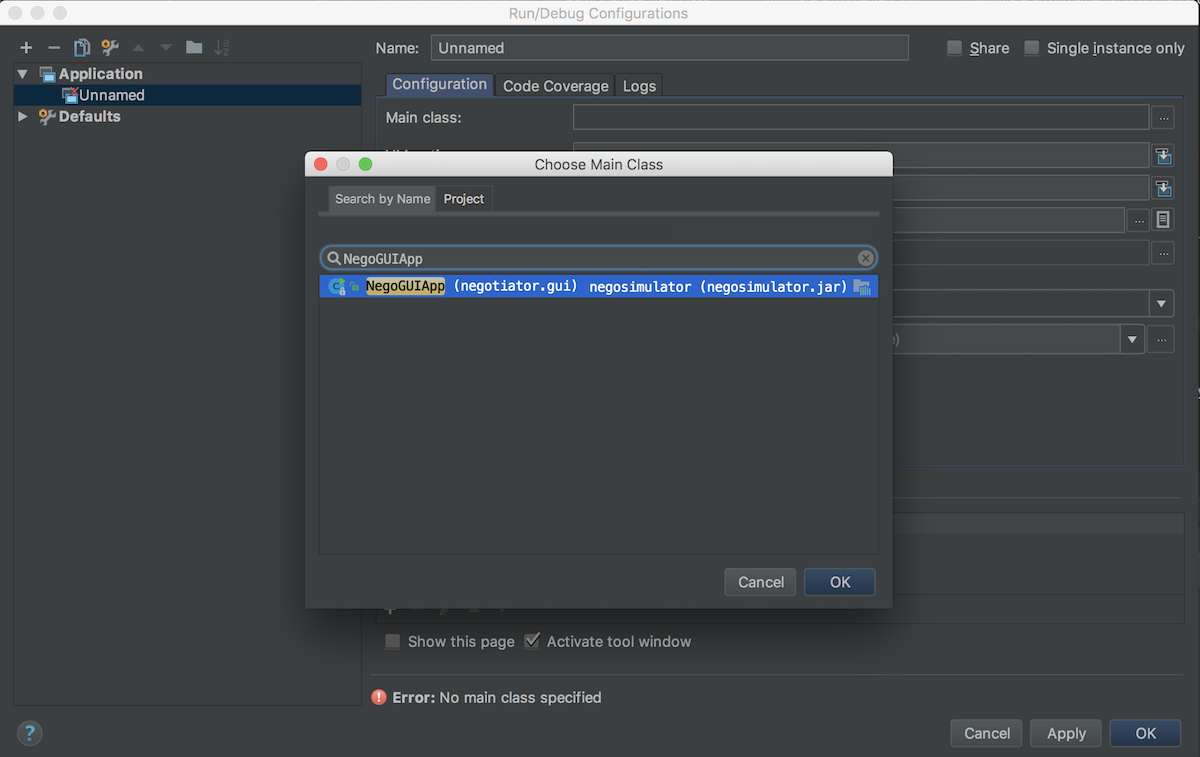
- You need to fill out
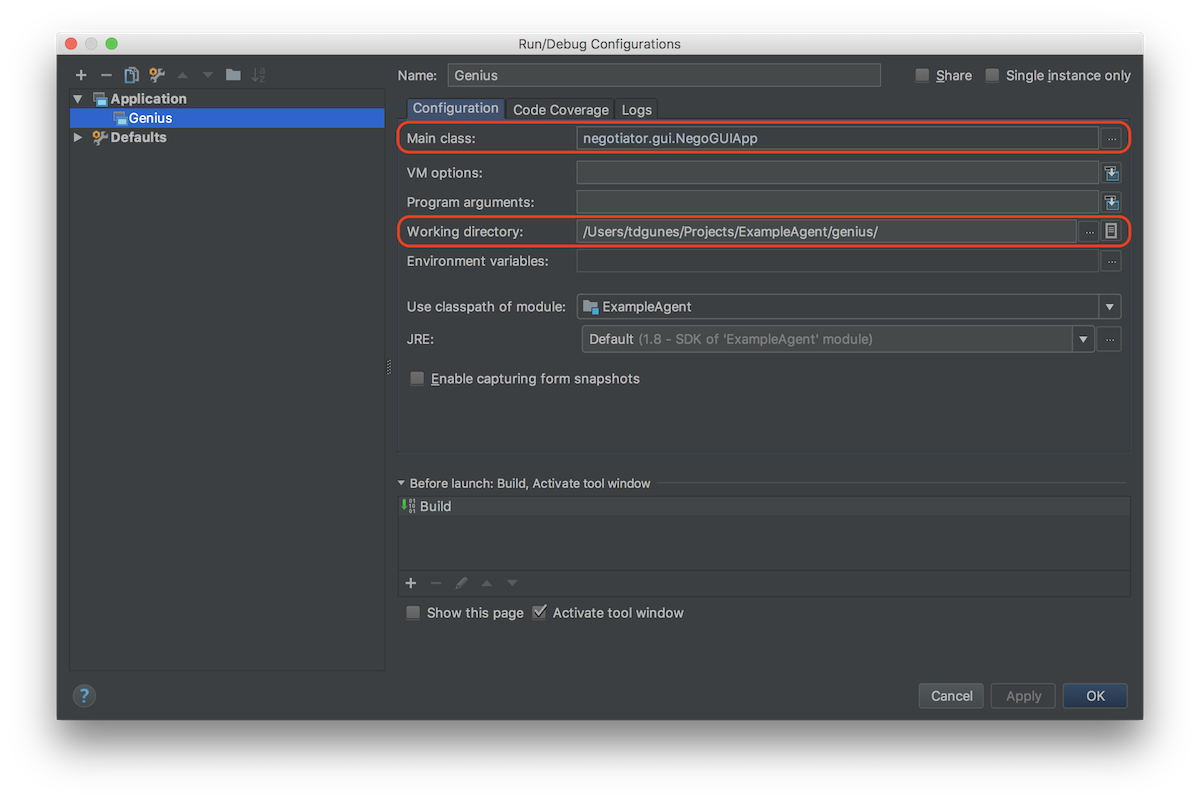
Main classandWorking directoryfields. ForMain class, search forNegoGUIAppand pick main class.
- Working directory must be where your
negosimulator.jarfile is located at (i.e.geniusfolder).
- After adding breakpoints (or/and debugging rules), run Genius in debug mode as shown below:

You can find the steps in the official GENIUS manual in the appendix section.