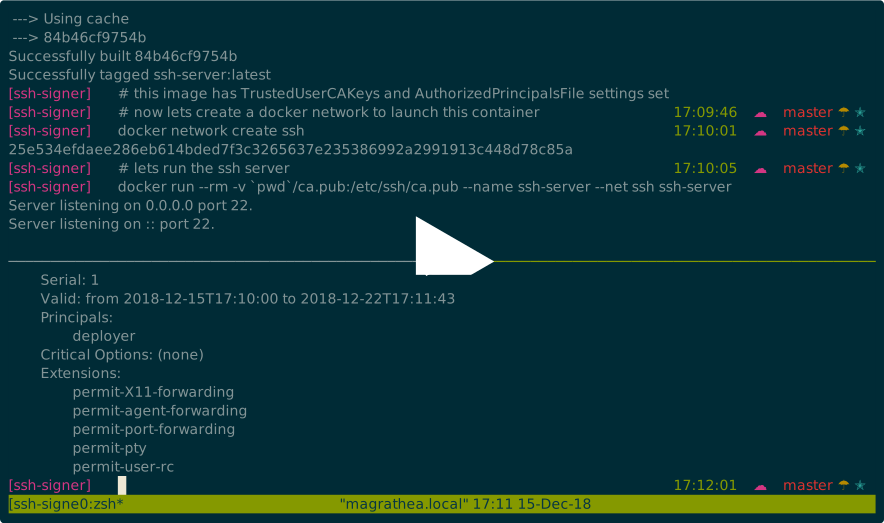
This repository is a source code companion to the post on medium. I have used docker to create a ssh server and to connect to it. This is how it looks like in action.
Let us create the ca
./generate_ca.sh
ls
This creates ca and ca.pub.
Now lets build the SSH server. This has the TrustedUserCAKeys and AuthorizedPrincipalsFile settings set
docker build -t ssh-server -f ssh-server.dockerfile .
Now lets create a docker network called ssh. I use this to make use of the docker embedded DNS. Though it is not recommended, its extremely convenient for the purposes of demonstration.
docker network create ssh
Lets now run the SSH server in the same network.
docker run --rm -v `pwd`/ca.pub:/etc/ssh/ca.pub --name ssh-server --net ssh ssh-server
Now that the server is running let us now build the client image. The client image is just a base ubuntu image with openssh-client installed.
docker build -f ssh-client.dockerfile -t ssh-client .
Now lets generate the SSH keypair and sign it with the ca key generated earlier.
./generate_key.sh
This creates a file userkey-cert.pub in the current directory. You can inspect it like so.
ssh-keygen -L -f userkey-cert.pub
Note that principal with name deployer is on the certificate. Lets launch into the client shell but just using the private key
docker run --rm -it --net ssh -v userkey:/ssh/userkey ssh-client /bin/bash
# ssh -i /ssh/userkey deploy@ssh-server
As you can see we cannot connect with just the private key. You would need both the certificate and the private key to connect.
docker run --rm -it --net ssh -v userkey:/ssh/userkey userkey-cert.pub:/ssh/userkey-cert.pub ssh-client /bin/bash
# ssh -i /ssh/userkey -i /ssh/userkey-cert.pub deploy@ssh-server
Voila ... we are now connected to the server with a signed certificate.