自分が作成した以外のサイトに脆弱性診断をすることは違法なので絶対にしないでください
このアプリはあえて脆弱性を残しています(そうでない箇所もありますが。。。)
手順がややこしかったり、アプリのバグもあるので不明点は私までご連絡ください
- 開発環境
- 初期ユーザー確認方法
- 診断用アプリのセットアップ方法
- firefox@http://web:3030 で画面の表示が確認できるまで
- 脆弱性診断ツールのセットアップ方法
- chome@http://localhost:8081/zap/ で画面の表示ができるまで
- 脆弱性診断ツール(OWASP)の使い方
- スキャン方法
- レポート出力方法
- 使用している技術について
- docker関連のファイルについて
- プロキシやネットワーク関連
- 脆弱性診断ツールの詳細
- 各項目で何ができるとか
- Docker
- TypeScript
- mysql:5.7
- node:LTS
- npm:7.7.5
- express
- express-session
- routing-controller
- class-validator
- typeorm
- etc...
moduleについては/src/package.jsonをご確認ください。
以下がPCにinstallされていること
- npm:7.7.5
- node:LTS
- docker
- docker-compose
- dockerをinstallすればついてくるはず
- firefoxのinstall
- こちらからinstallerをdownloadしてinstallしてください
- firefoxのプロキシ設定
- 設定>ネットワーク設定>接続設定...>手動でプロキシを設定する>HTTPプロキシ を
localhost、ポート8090で設定してOKをクリックしてください - 以下の画像の用になっていれば設定完了です。
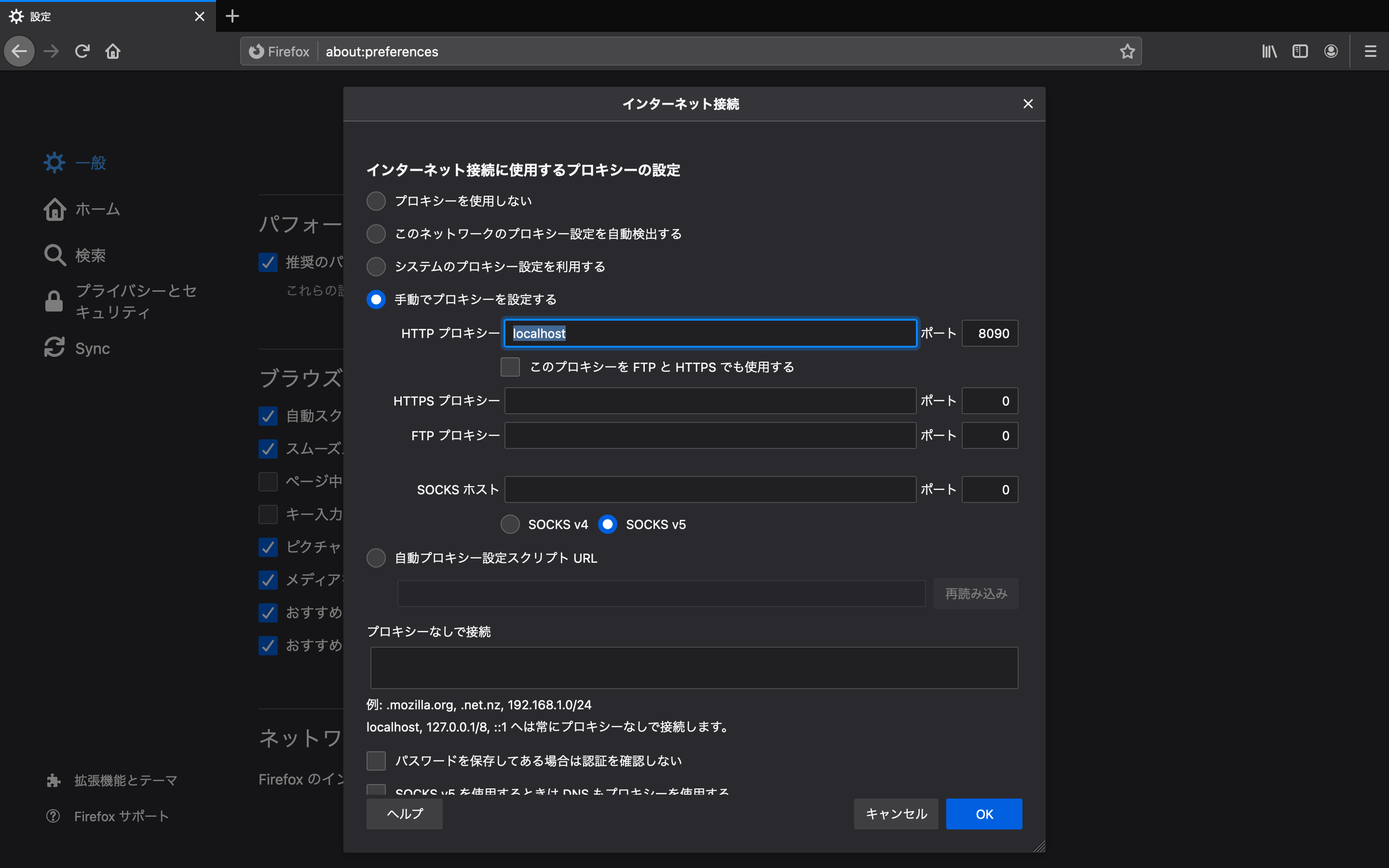 > 参考:https://qiita.com/sangi/items/ba7e3d39237045c9be36
- 設定>ネットワーク設定>接続設定...>手動でプロキシを設定する>HTTPプロキシ を
- firefoxのキャッシュを無効化
- 検証ツールを開き
キャッシュを無効化にチェックしてください(アプリ側の不備のため)
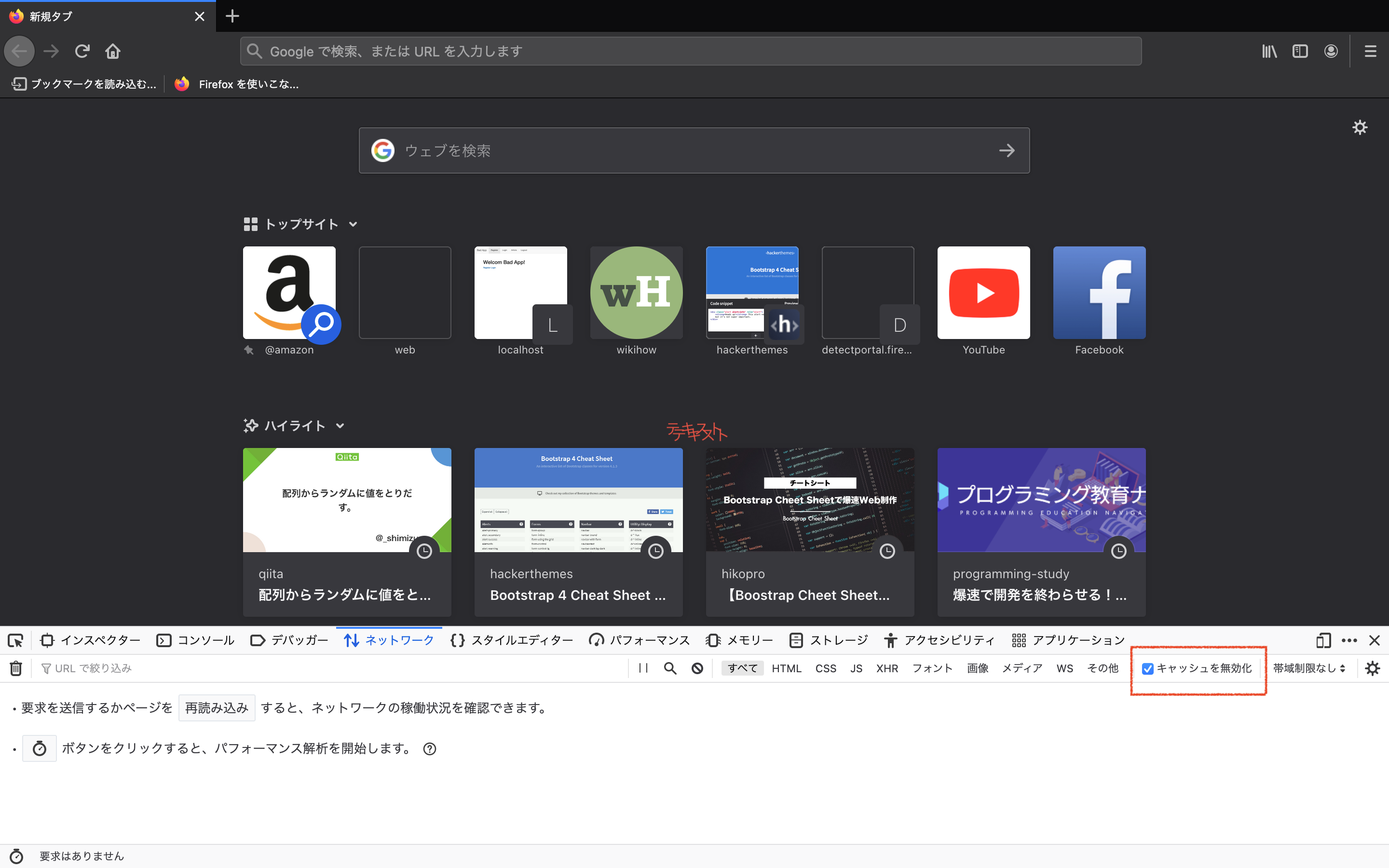
- 検証ツールを開き
- appのbuild
- 以下コマンド実行でdockerコンテナ作成~アプリの起動までやってくれます
# `Makefile`が存在する階層

make setup

> vulnerability@1.0.0 dev /var/www/html
> nodemon index.ts

・・・
[nodemon] 2.0.7
[nodemon] to restart at any time, enter `rs`
[nodemon] watching path(s): *.*
[nodemon] watching extensions: ts,json
[nodemon] starting `ts-node index.ts`
こんな感じのが出力されればOKです
- それぞれ接続が遅いので500,502エラーの画面の場合は何回かリロードしてください。
-
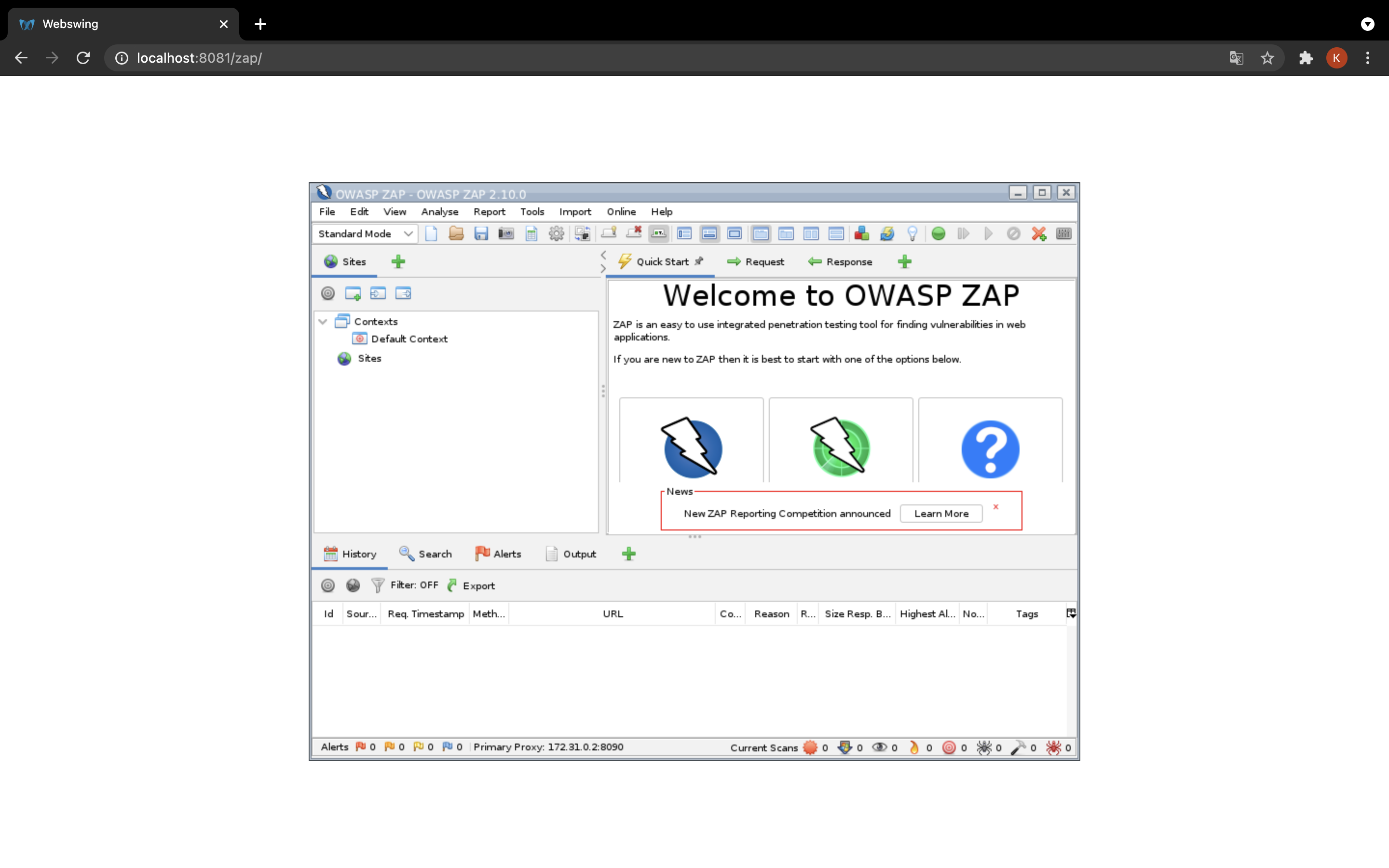
chome@http://localhost:8081/zap/
- OWASPの画面が出た後リロードすると落ちるので注意してください。その場合、
make down && make up && make run-devを行ってください。 - 以下の順でロードが進みます
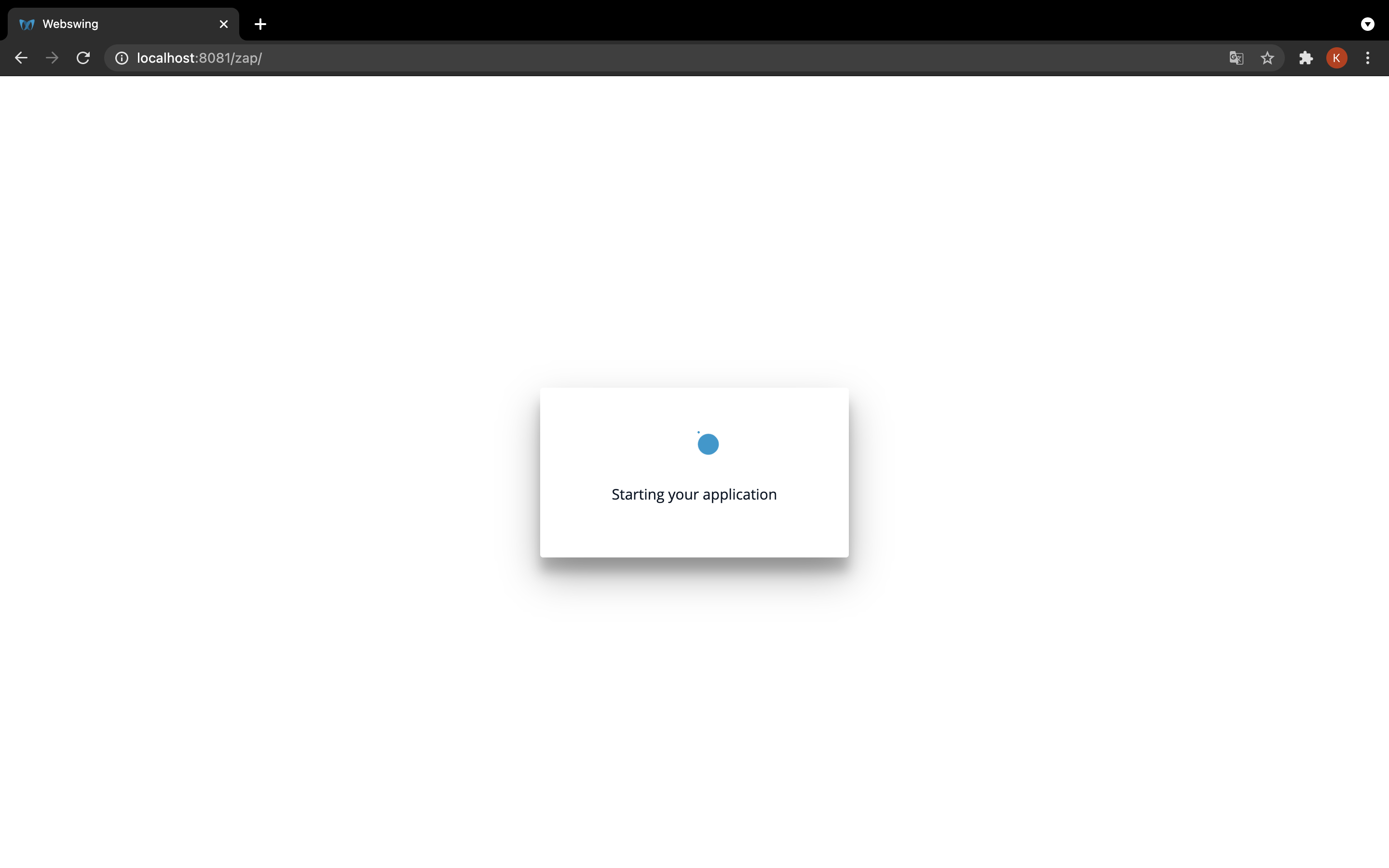
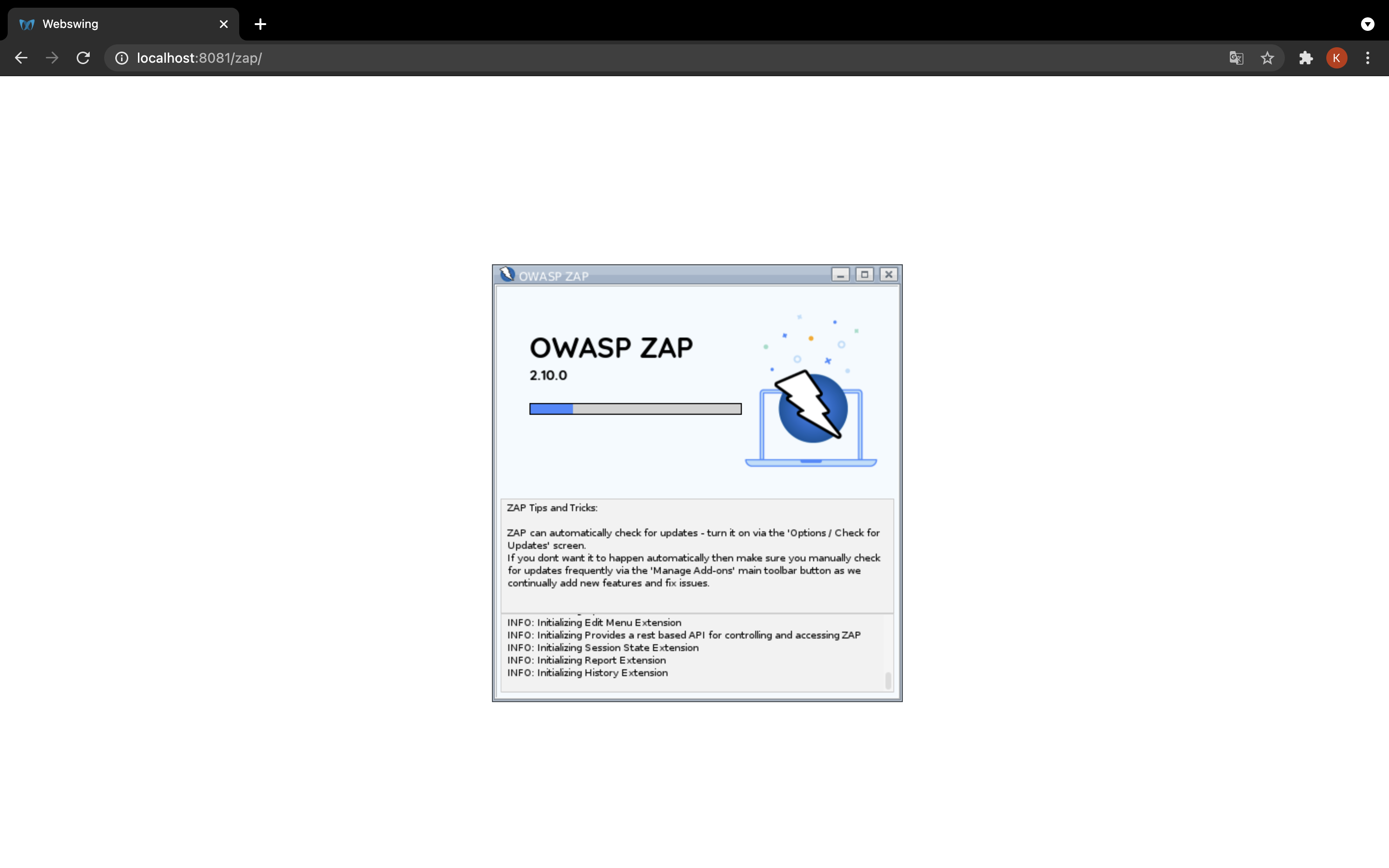
- OWASPの画面が出た後リロードすると落ちるので注意してください。その場合、
-
firefox@http://web:3030
- OWASPの画面が確認できたら firefoxで
http://web:3030にアクセスします。
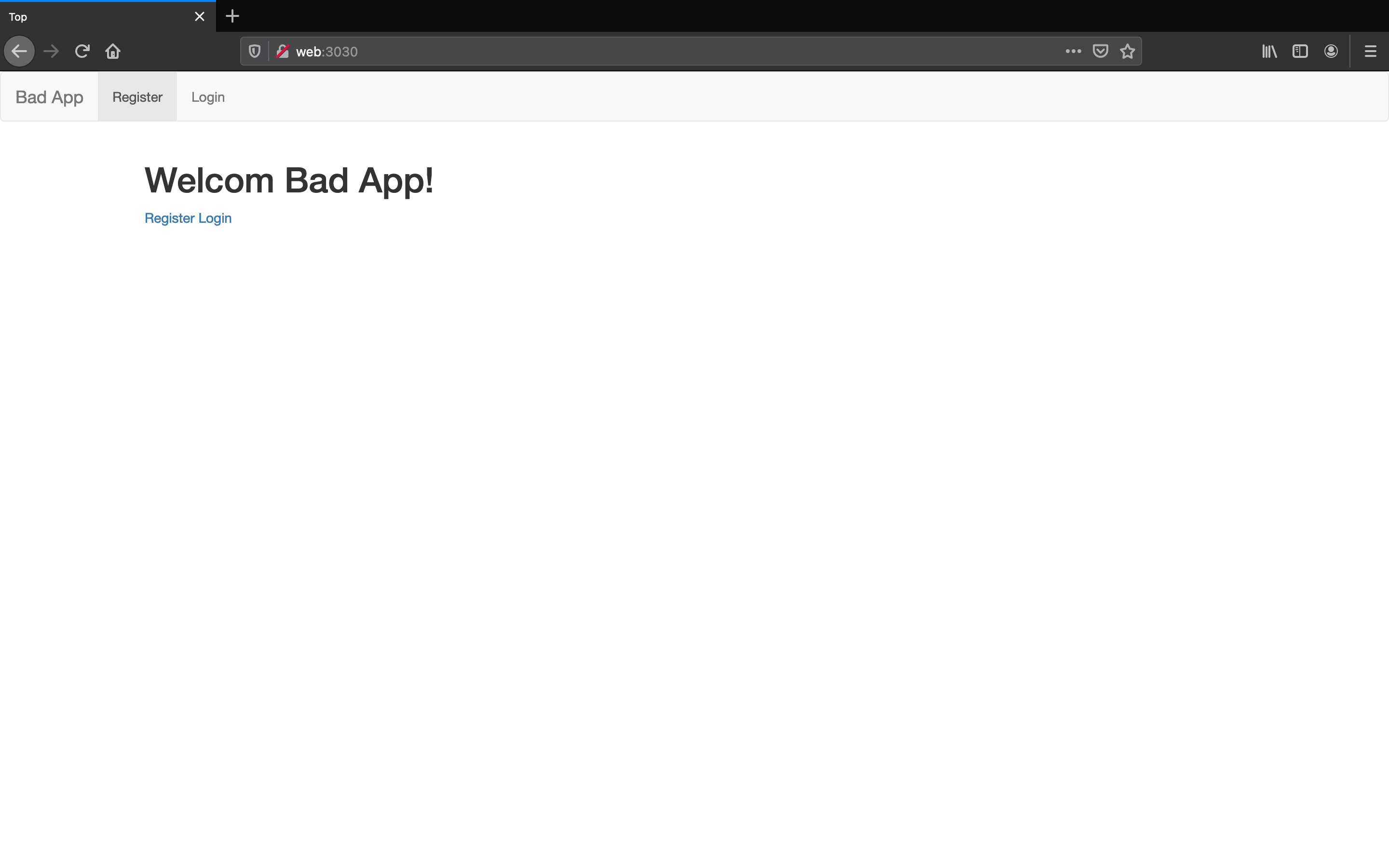
- 上記画面が出ず、エラー画面の場合は
make run-devを実行後アクセスしてください。- ※画面は変わる可能性があります。
- OWASPの画面が確認できたら firefoxで
-
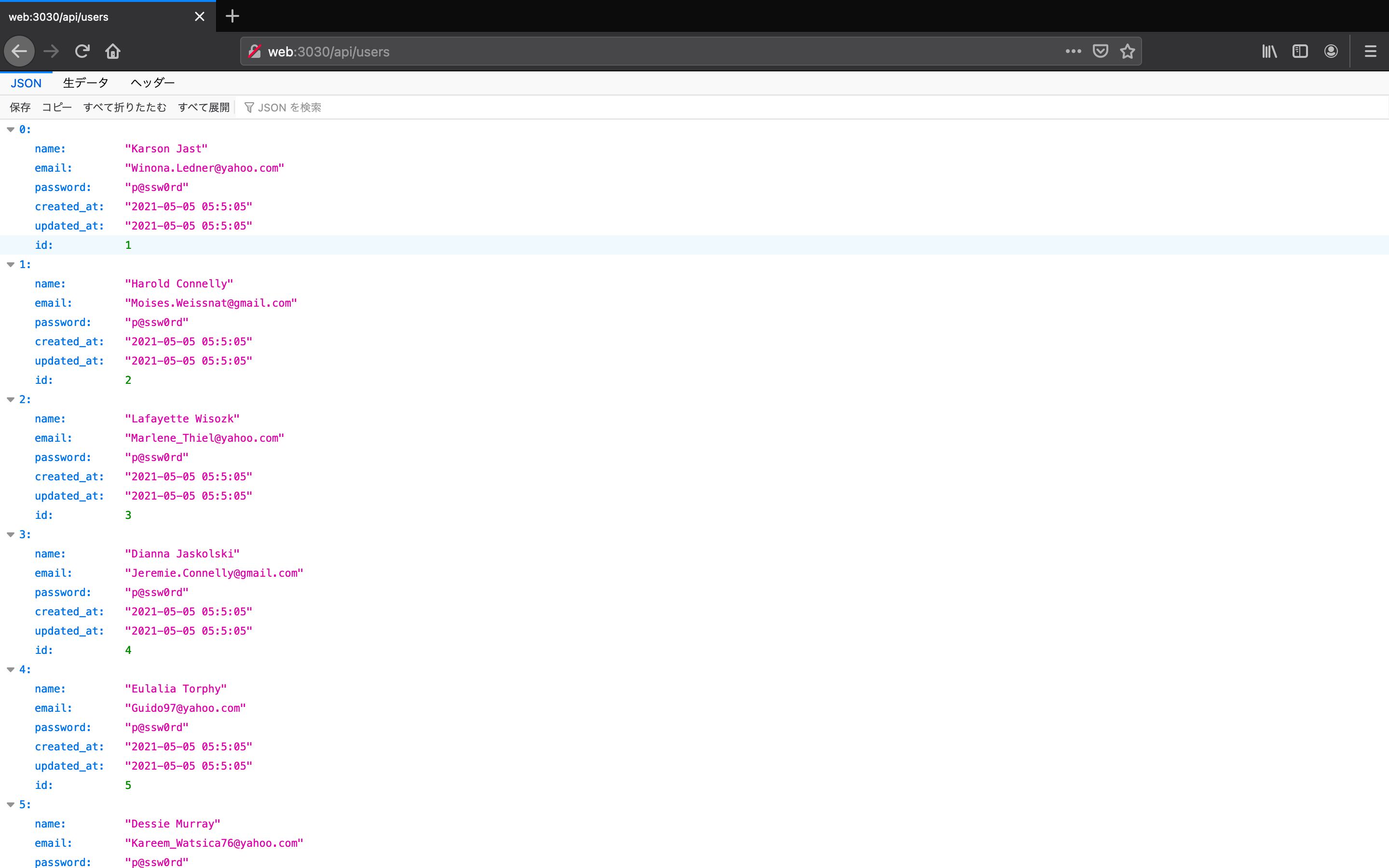
- ユーザー登録もできますが、以下のエンドポイントから初期ユーザーを確認できます。 firefox@http://web:3030/api/users
-
http://web:3030/login から初期ユーザーでログインをしてください
-
http://web:3030/articles にアクセスしてください
- OWASPにアクセスした画面が登録されます
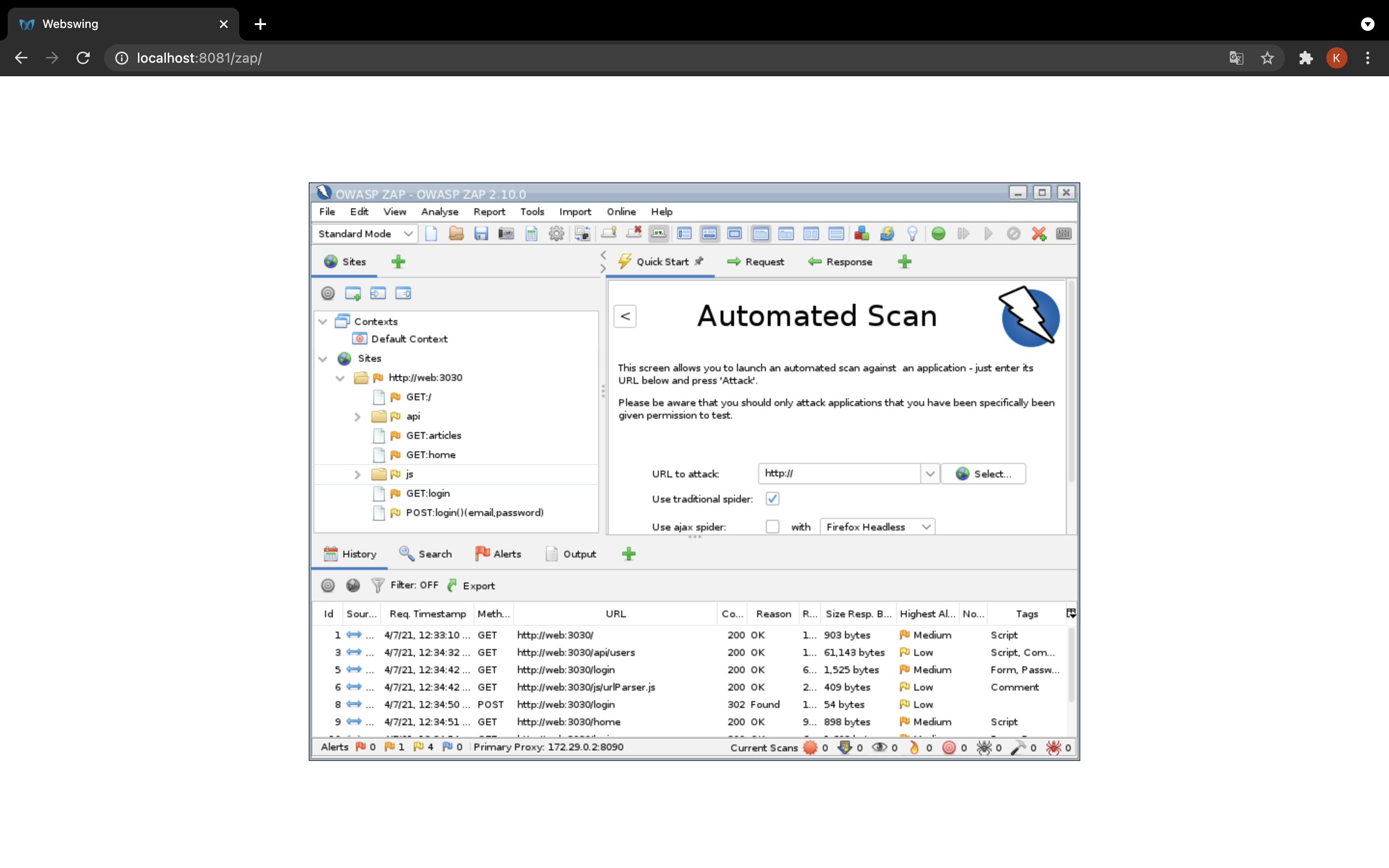
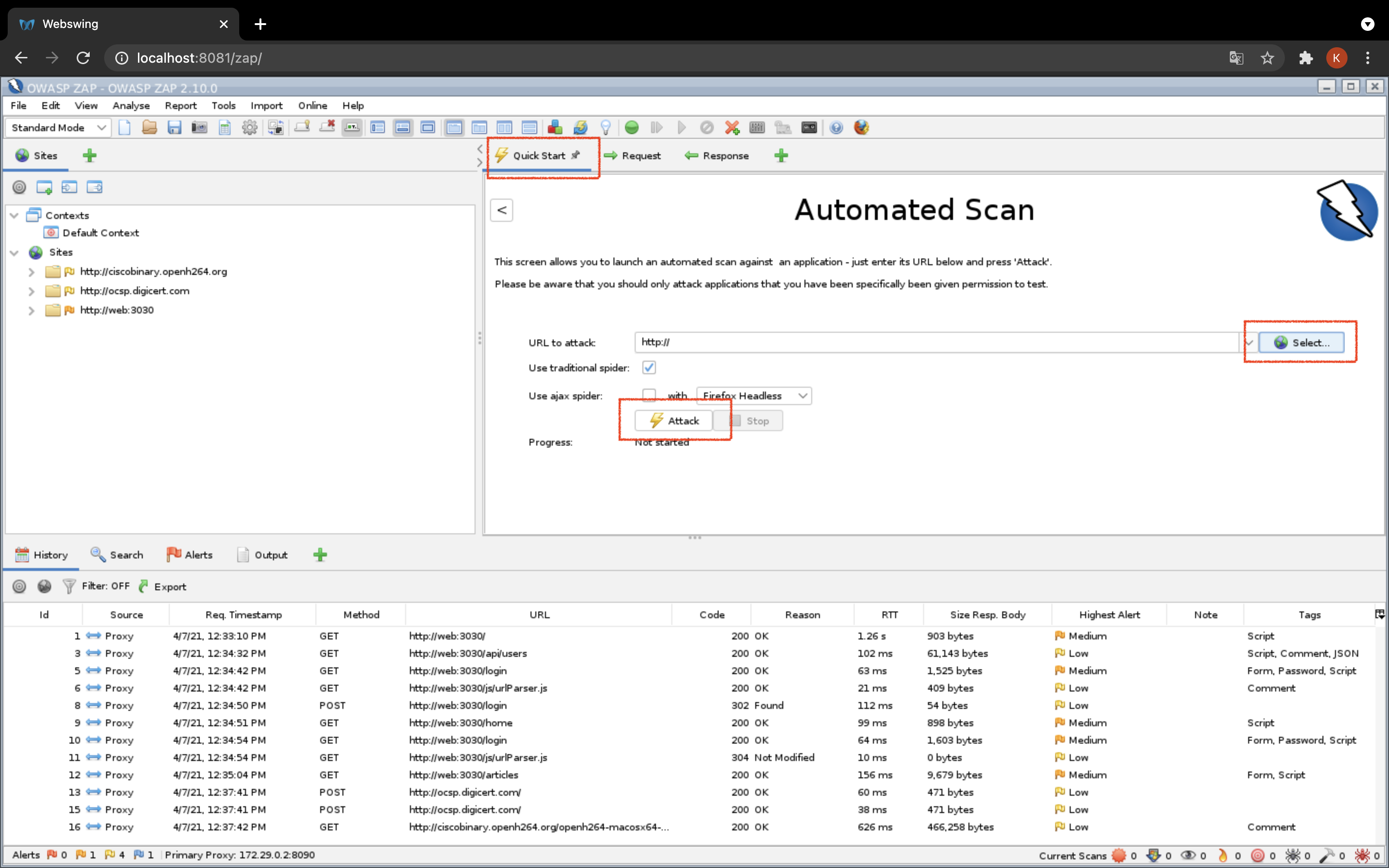
- 赤枠の部分をクリックしてください
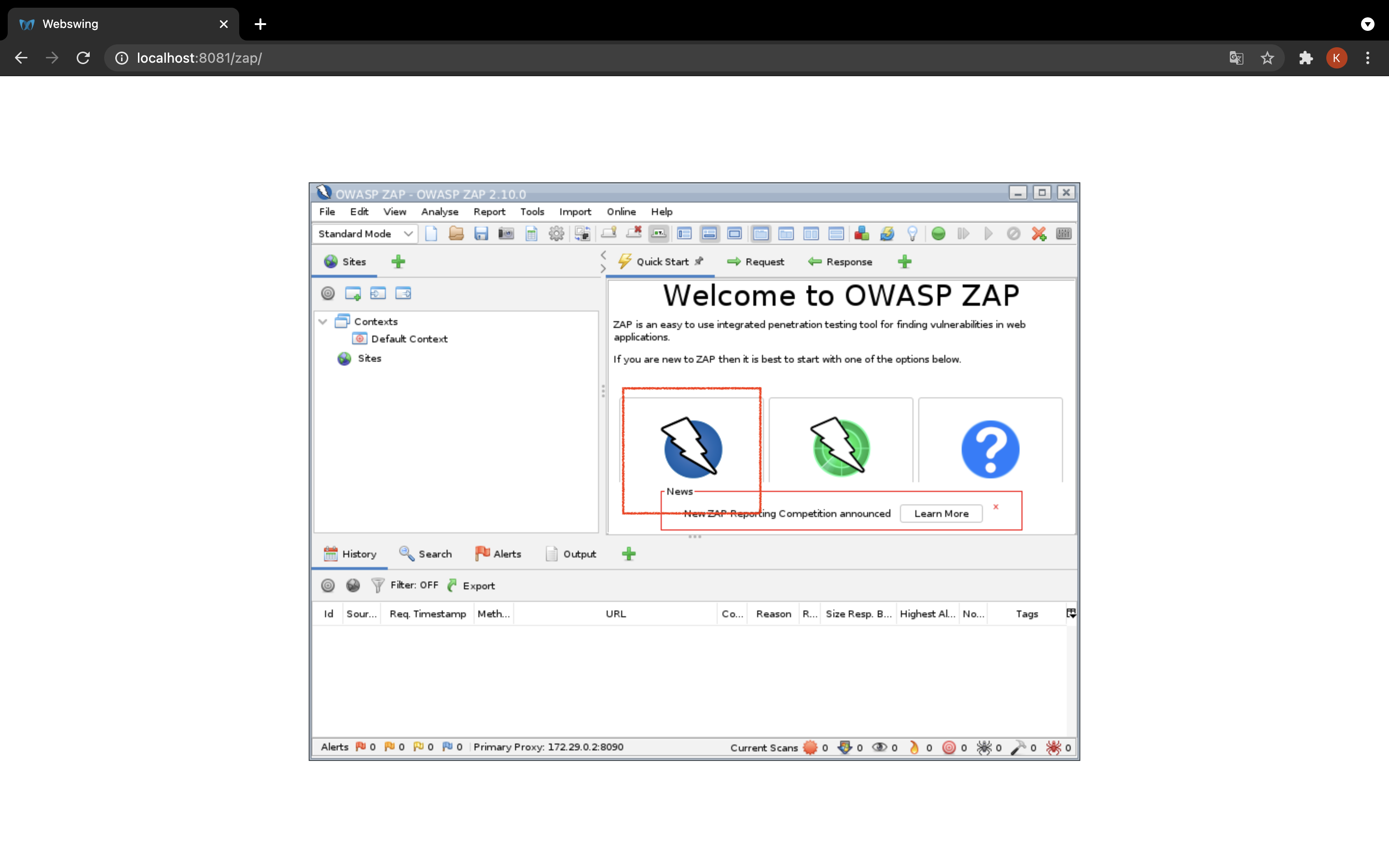
- selectで http://web3030 を選択>Attack でスキャン(攻撃)が始まります。
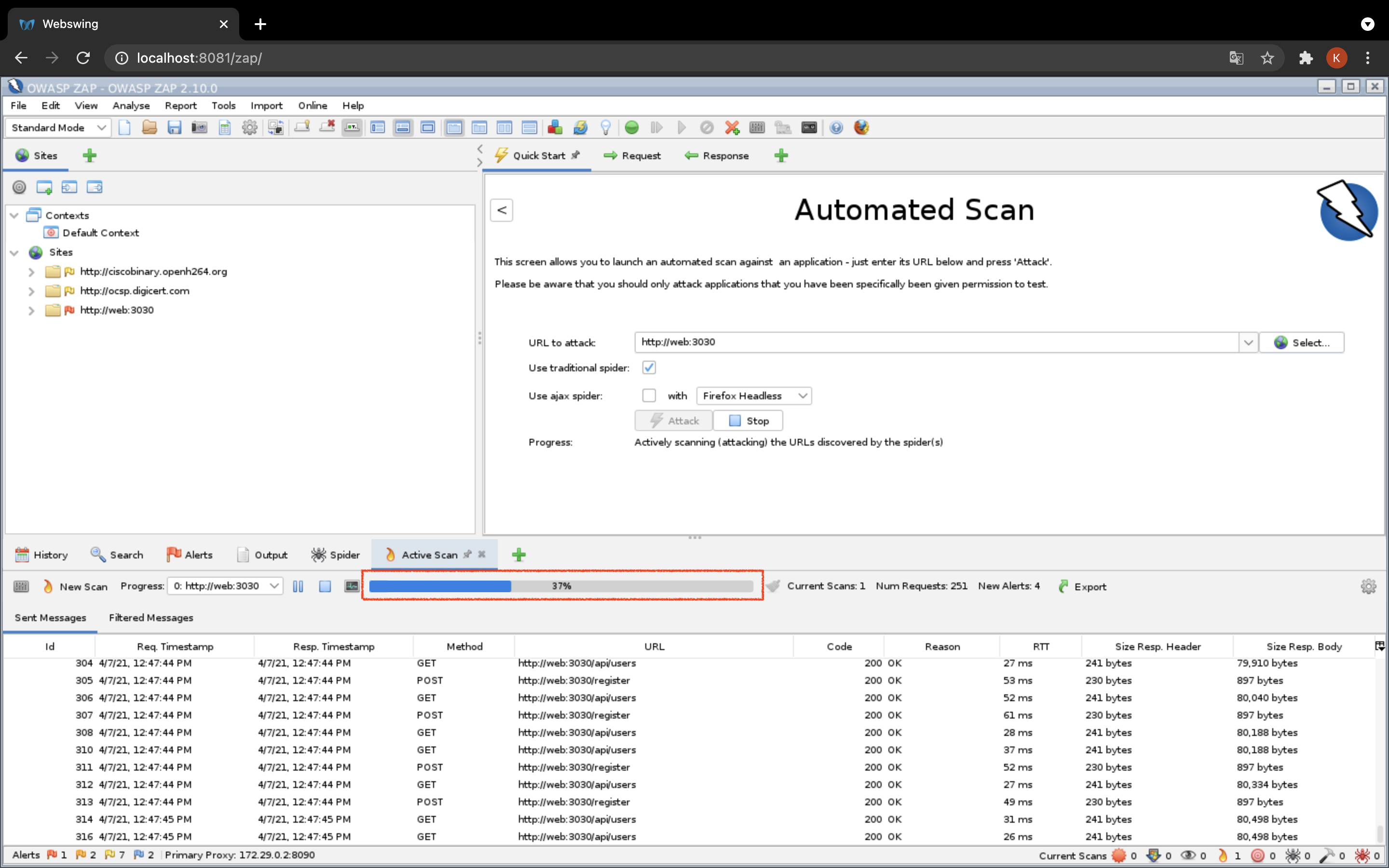
- ゲージが100%になったらスキャン完了です
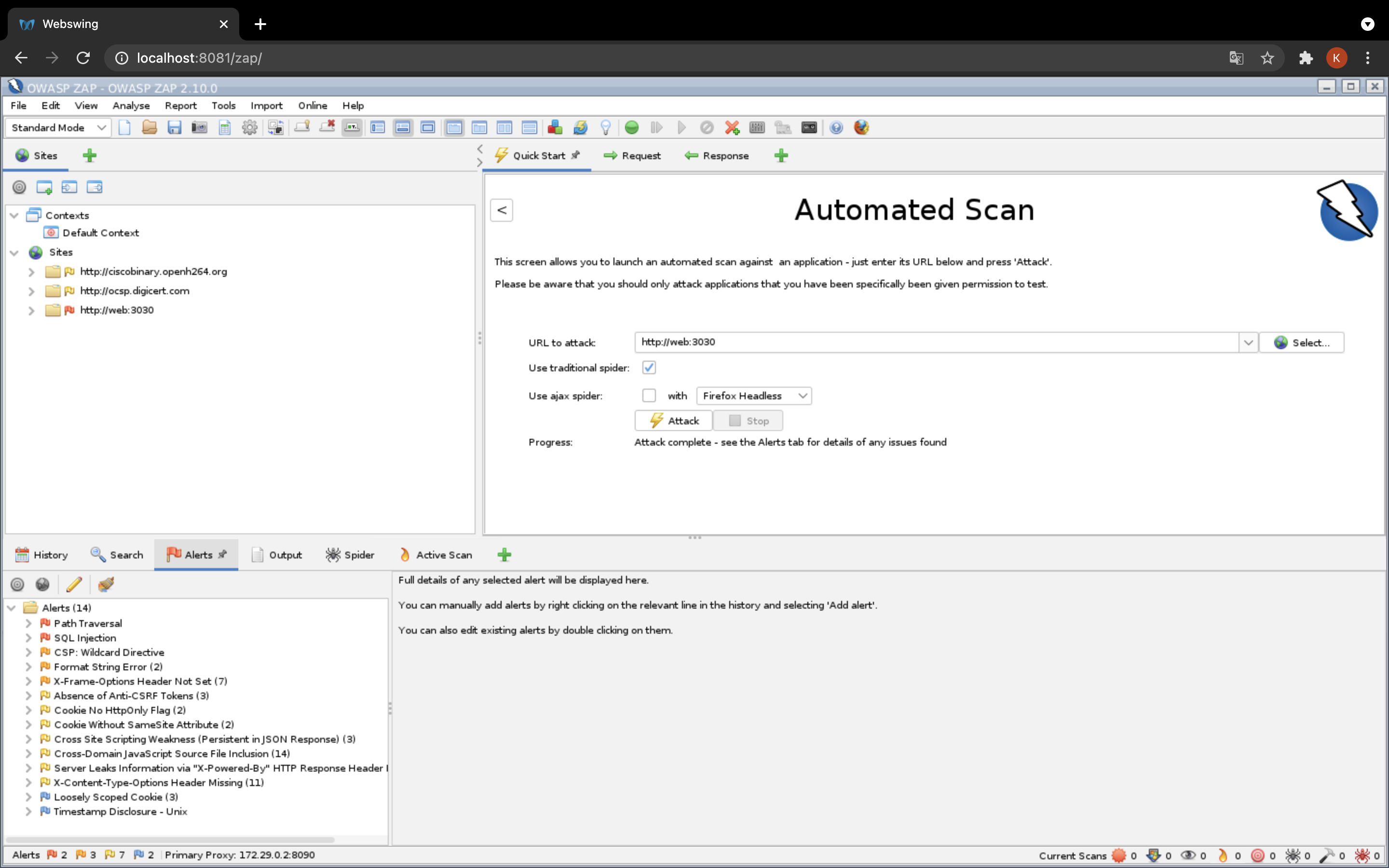
- スキャンが完了すると
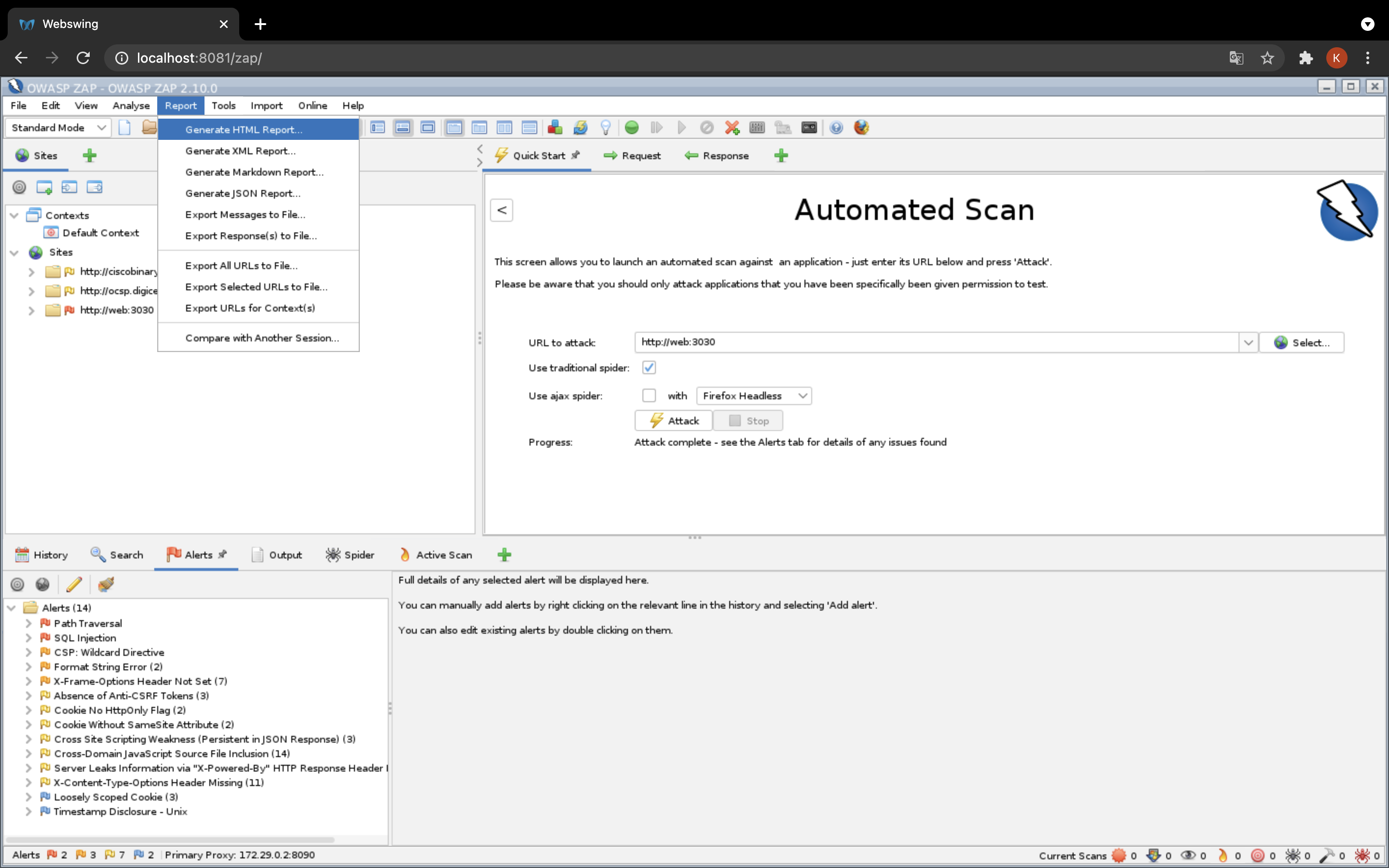
Alertが出ます
Reportから出力形式を選択してください(今回はhtmlで出力します)
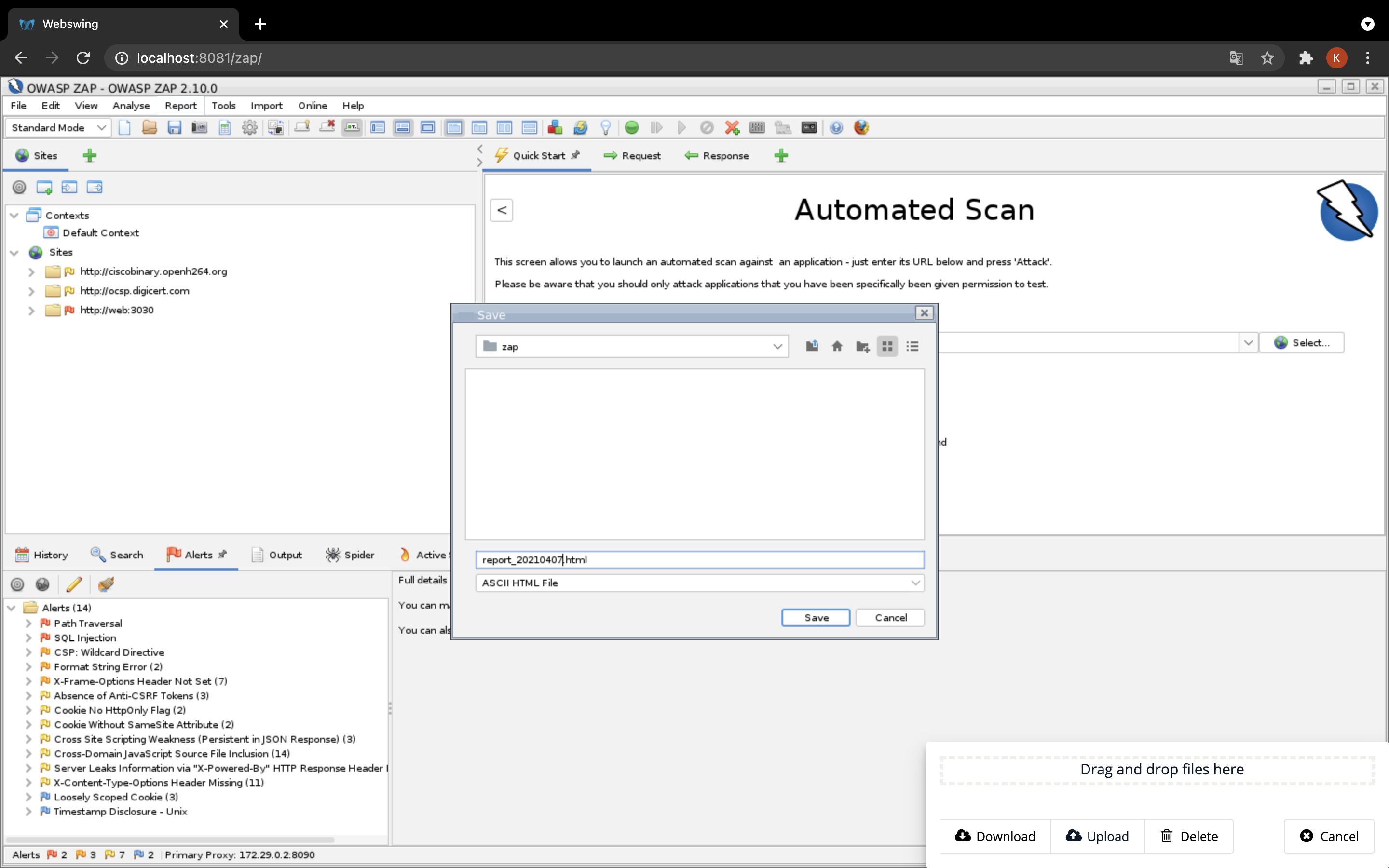
- 出力ファイル名を決めて、
saveをクリックしてください
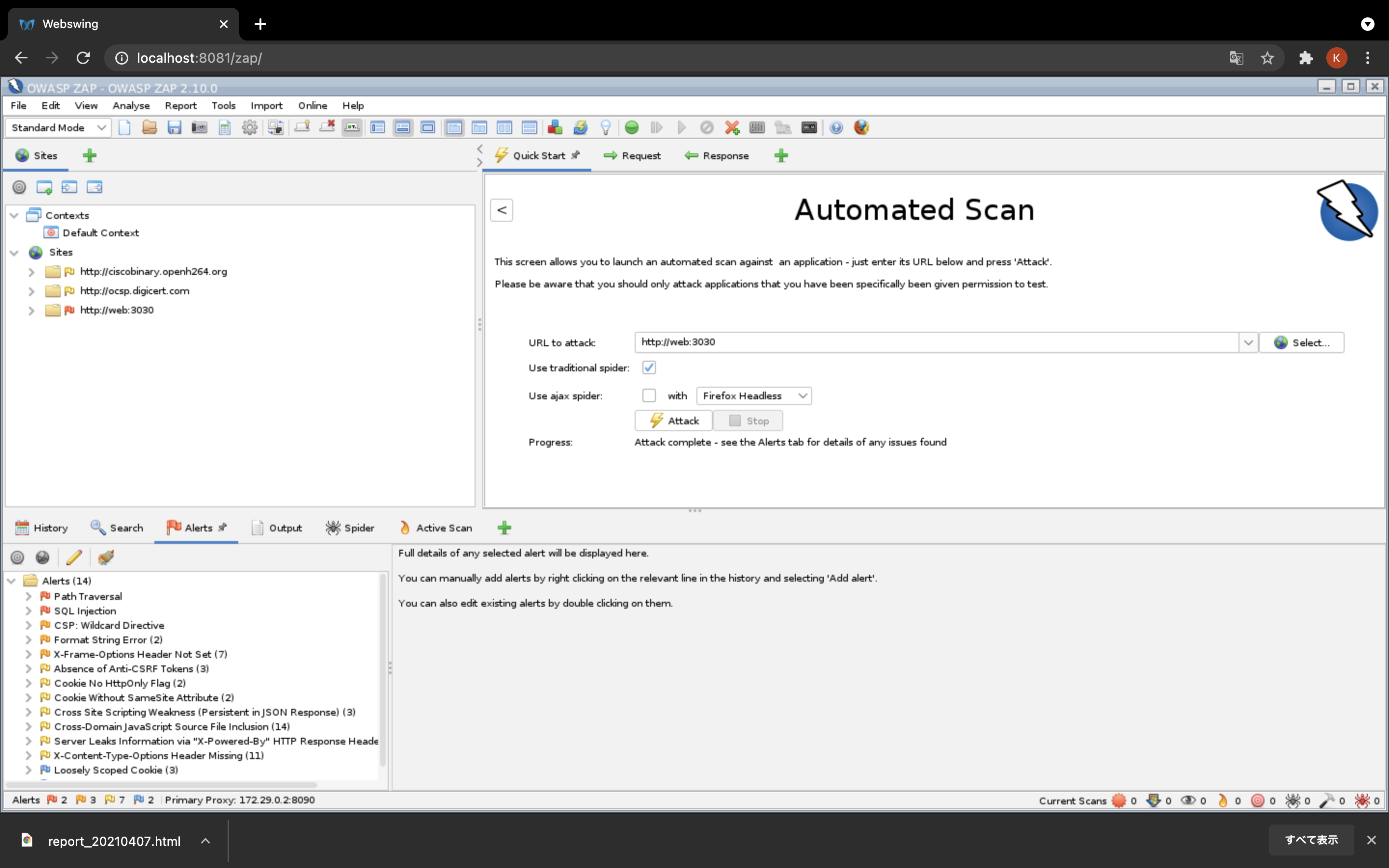
- 数秒後にブラウザからdownloadされます。
- クリックするとレポートが確認できます
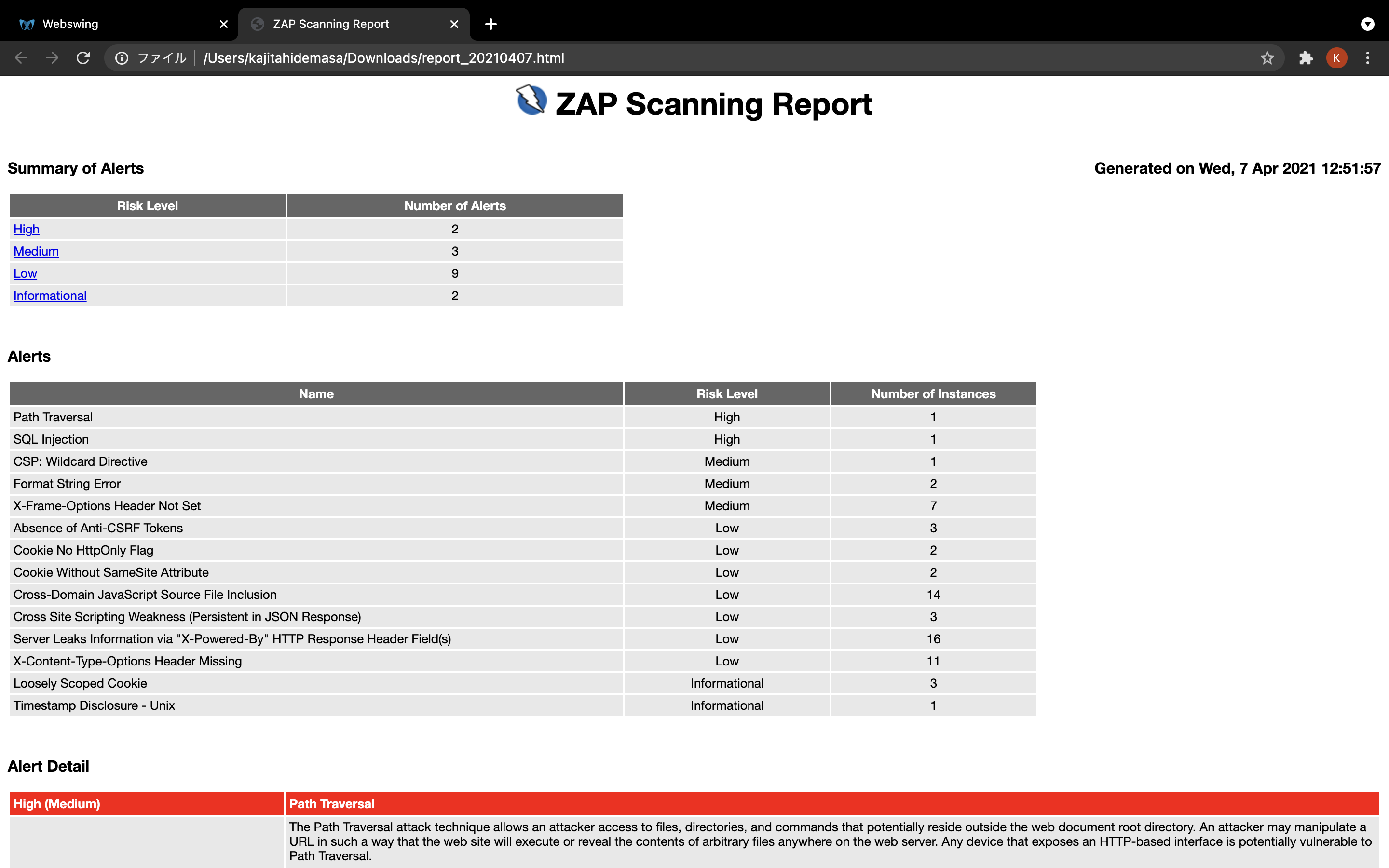
Generated on Tue, 6 Apr 2021 11:41:24
| Risk Level | Number of Alerts |
|---|---|
| High | 2 |
| Medium | 3 |
| Low | 7 |
| Informational | 1 |
| Name | Risk Level | Number of Instances |
|---|---|---|
| Path Traversal | High | 1 |
| SQL Injection | High | 1 |
| CSP: Wildcard Directive | Medium | 1 |
| Format String Error | Medium | 2 |
| X-Frame-Options Header Not Set | Medium | 6 |
| Absence of Anti-CSRF Tokens | Low | 3 |
| Cookie No HttpOnly Flag | Low | 2 |
| Cookie Without SameSite Attribute | Low | 2 |
| Cross-Domain JavaScript Source File Inclusion | Low | 12 |
| Server Leaks Information via "X-Powered-By" HTTP Response Header Field(s) | Low | 13 |
| X-Content-Type-Options Header Missing | Low | 10 |
| Loosely Scoped Cookie | Informational | 3 |
The Path Traversal attack technique allows an attacker access to files, directories, and commands that potentially reside outside the web document root directory. An attacker may manipulate a URL in such a way that the web site will execute or reveal the contents of arbitrary files anywhere on the web server. Any device that exposes an HTTP-based interface is potentially vulnerable to Path Traversal.
Most web sites restrict user access to a specific portion of the file-system, typically called the "web document root" or "CGI root" directory. These directories contain the files intended for user access and the executable necessary to drive web application functionality. To access files or execute commands anywhere on the file-system, Path Traversal attacks will utilize the ability of special-characters sequences.
The most basic Path Traversal attack uses the "../" special-character sequence to alter the resource location requested in the URL. Although most popular web servers will prevent this technique from escaping the web document root, alternate encodings of the "../" sequence may help bypass the security filters. These method variations include valid and invalid Unicode-encoding ("..%u2216" or "..%c0%af") of the forward slash character, backslash characters ("..\") on Windows-based servers, URL encoded characters "%2e%2e%2f"), and double URL encoding ("..%255c") of the backslash character.
Even if the web server properly restricts Path Traversal attempts in the URL path, a web application itself may still be vulnerable due to improper handling of user-supplied input. This is a common problem of web applications that use template mechanisms or load static text from files. In variations of the attack, the original URL parameter value is substituted with the file name of one of the web application's dynamic scripts. Consequently, the results can reveal source code because the file is interpreted as text instead of an executable script. These techniques often employ additional special characters such as the dot (".") to reveal the listing of the current working directory, or "%00" NULL characters in order to bypass rudimentary file extension checks.
-
-
Method:
POST -
Parameter:
password -
Attack:
register
-
Instances: 1
Assume all input is malicious. Use an "accept known good" input validation strategy, i.e., use an allow list of acceptable inputs that strictly conform to specifications. Reject any input that does not strictly conform to specifications, or transform it into something that does. Do not rely exclusively on looking for malicious or malformed inputs (i.e., do not rely on a deny list). However, deny lists can be useful for detecting potential attacks or determining which inputs are so malformed that they should be rejected outright.
When performing input validation, consider all potentially relevant properties, including length, type of input, the full range of acceptable values, missing or extra inputs, syntax, consistency across related fields, and conformance to business rules. As an example of business rule logic, "boat" may be syntactically valid because it only contains alphanumeric characters, but it is not valid if you are expecting colors such as "red" or "blue."
For filenames, use stringent allow lists that limit the character set to be used. If feasible, only allow a single "." character in the filename to avoid weaknesses, and exclude directory separators such as "/". Use an allow list of allowable file extensions.
Warning: if you attempt to cleanse your data, then do so that the end result is not in the form that can be dangerous. A sanitizing mechanism can remove characters such as '.' and ';' which may be required for some exploits. An attacker can try to fool the sanitizing mechanism into "cleaning" data into a dangerous form. Suppose the attacker injects a '.' inside a filename (e.g. "sensi.tiveFile") and the sanitizing mechanism removes the character resulting in the valid filename, "sensitiveFile". If the input data are now assumed to be safe, then the file may be compromised.
Inputs should be decoded and canonicalized to the application's current internal representation before being validated. Make sure that your application does not decode the same input twice. Such errors could be used to bypass allow list schemes by introducing dangerous inputs after they have been checked.
Use a built-in path canonicalization function (such as realpath() in C) that produces the canonical version of the pathname, which effectively removes ".." sequences and symbolic links.
Run your code using the lowest privileges that are required to accomplish the necessary tasks. If possible, create isolated accounts with limited privileges that are only used for a single task. That way, a successful attack will not immediately give the attacker access to the rest of the software or its environment. For example, database applications rarely need to run as the database administrator, especially in day-to-day operations.
When the set of acceptable objects, such as filenames or URLs, is limited or known, create a mapping from a set of fixed input values (such as numeric IDs) to the actual filenames or URLs, and reject all other inputs.
Run your code in a "jail" or similar sandbox environment that enforces strict boundaries between the process and the operating system. This may effectively restrict which files can be accessed in a particular directory or which commands can be executed by your software.
OS-level examples include the Unix chroot jail, AppArmor, and SELinux. In general, managed code may provide some protection. For example, java.io.FilePermission in the Java SecurityManager allows you to specify restrictions on file operations.
This may not be a feasible solution, and it only limits the impact to the operating system; the rest of your application may still be subject to compromise.
SQL injection may be possible.
-
-
Method:
POST -
Parameter:
password -
Attack:
ZAP" AND "1"="1" --
-
Instances: 1
Do not trust client side input, even if there is client side validation in place.
In general, type check all data on the server side.
If the application uses JDBC, use PreparedStatement or CallableStatement, with parameters passed by '?'
If the application uses ASP, use ADO Command Objects with strong type checking and parameterized queries.
If database Stored Procedures can be used, use them.
Do *not* concatenate strings into queries in the stored procedure, or use 'exec', 'exec immediate', or equivalent functionality!
Do not create dynamic SQL queries using simple string concatenation.
Escape all data received from the client.
Apply an 'allow list' of allowed characters, or a 'deny list' of disallowed characters in user input.
Apply the principle of least privilege by using the least privileged database user possible.
In particular, avoid using the 'sa' or 'db-owner' database users. This does not eliminate SQL injection, but minimizes its impact.
Grant the minimum database access that is necessary for the application.
The page results were successfully manipulated using the boolean conditions [ZAP" AND "1"="1" -- ] and [ZAP" AND "1"="2" -- ]
The parameter value being modified was NOT stripped from the HTML output for the purposes of the comparison
Data was returned for the original parameter.
The vulnerability was detected by successfully restricting the data originally returned, by manipulating the parameter
The following directives either allow wildcard sources (or ancestors), are not defined, or are overly broadly defined:
frame-ancestors, form-action
The directive(s): frame-ancestors, form-action are among the directives that do not fallback to default-src, missing/excluding them is the same as allowing anything.
-
URL: http://web:3030/js
-
Method:
GET -
Parameter:
Content-Security-Policy -
Evidence:
default-src 'none'
-
Instances: 1
Ensure that your web server, application server, load balancer, etc. is properly configured to set the Content-Security-Policy header.
- http://www.w3.org/TR/CSP2/
- http://www.w3.org/TR/CSP/
- http://caniuse.com/#search=content+security+policy
- http://content-security-policy.com/
- https://github.com/shapesecurity/salvation
- https://developers.google.com/web/fundamentals/security/csp#policy_applies_to_a_wide_variety_of_resources
A Format String error occurs when the submitted data of an input string is evaluated as a command by the application.
-
-
Method:
POST -
Parameter:
name -
Attack:
ZAP %1!s%2!s%3!s%4!s%5!s%6!s%7!s%8!s%9!s%10!s%11!s%12!s%13!s%14!s%15!s%16!s%17!s%18!s%19!s%20!s%21!n%22!n%23!n%24!n%25!n%26!n%27!n%28!n%29!n%30!n%31!n%32!n%33!n%34!n%35!n%36!n%37!n%38!n%39!n%40!n
-
-
-
Method:
POST -
Parameter:
password -
Attack:
ZAP%n%s%n%s%n%s%n%s%n%s%n%s%n%s%n%s%n%s%n%s%n%s%n%s%n%s%n%s%n%s%n%s%n%s%n%s%n%s%n%s
-
Instances: 2
Rewrite the background program using proper deletion of bad character strings. This will require a recompile of the background executable.
Potential Format String Error. The script closed the connection on a microsoft format string error
X-Frame-Options header is not included in the HTTP response to protect against 'ClickJacking' attacks.
-
URL: http://web:3030/register/complete
-
Method:
GET -
Parameter:
X-Frame-Options
-
-
URL: http://web:3030/login?is_error=true
-
Method:
GET -
Parameter:
X-Frame-Options
-
-
URL: http://web:3030
-
Method:
GET -
Parameter:
X-Frame-Options
-
-
-
Method:
GET -
Parameter:
X-Frame-Options
-
-
-
Method:
GET -
Parameter:
X-Frame-Options
-
-
URL: http://web:3030/
-
Method:
GET -
Parameter:
X-Frame-Options
-
Instances: 6
Most modern Web browsers support the X-Frame-Options HTTP header. Ensure it's set on all web pages returned by your site (if you expect the page to be framed only by pages on your server (e.g. it's part of a FRAMESET) then you'll want to use SAMEORIGIN, otherwise if you never expect the page to be framed, you should use DENY. ALLOW-FROM allows specific websites to frame the web page in supported web browsers).
No Anti-CSRF tokens were found in a HTML submission form.
A cross-site request forgery is an attack that involves forcing a victim to send an HTTP request to a target destination without their knowledge or intent in order to perform an action as the victim. The underlying cause is application functionality using predictable URL/form actions in a repeatable way. The nature of the attack is that CSRF exploits the trust that a web site has for a user. By contrast, cross-site scripting (XSS) exploits the trust that a user has for a web site. Like XSS, CSRF attacks are not necessarily cross-site, but they can be. Cross-site request forgery is also known as CSRF, XSRF, one-click attack, session riding, confused deputy, and sea surf.
CSRF attacks are effective in a number of situations, including:
* The victim has an active session on the target site.
* The victim is authenticated via HTTP auth on the target site.
* The victim is on the same local network as the target site.
CSRF has primarily been used to perform an action against a target site using the victim's privileges, but recent techniques have been discovered to disclose information by gaining access to the response. The risk of information disclosure is dramatically increased when the target site is vulnerable to XSS, because XSS can be used as a platform for CSRF, allowing the attack to operate within the bounds of the same-origin policy.
-
URL: http://web:3030/login?is_error=true
-
Method:
GET -
Evidence:
<form action="/login" method="post">
-
-
-
Method:
GET -
Evidence:
<form action="/register" method="post">
-
-
-
Method:
GET -
Evidence:
<form action="/login" method="post">
-
Instances: 3
Phase: Architecture and Design
Use a vetted library or framework that does not allow this weakness to occur or provides constructs that make this weakness easier to avoid.
For example, use anti-CSRF packages such as the OWASP CSRFGuard.
Phase: Implementation
Ensure that your application is free of cross-site scripting issues, because most CSRF defenses can be bypassed using attacker-controlled script.
Phase: Architecture and Design
Generate a unique nonce for each form, place the nonce into the form, and verify the nonce upon receipt of the form. Be sure that the nonce is not predictable (CWE-330).
Note that this can be bypassed using XSS.
Identify especially dangerous operations. When the user performs a dangerous operation, send a separate confirmation request to ensure that the user intended to perform that operation.
Note that this can be bypassed using XSS.
Use the ESAPI Session Management control.
This control includes a component for CSRF.
Do not use the GET method for any request that triggers a state change.
Phase: Implementation
Check the HTTP Referer header to see if the request originated from an expected page. This could break legitimate functionality, because users or proxies may have disabled sending the Referer for privacy reasons.
No known Anti-CSRF token [anticsrf, CSRFToken, __RequestVerificationToken, csrfmiddlewaretoken, authenticity_token, OWASP_CSRFTOKEN, anoncsrf, csrf_token, _csrf, _csrfSecret, __csrf_magic, CSRF] was found in the following HTML form: [Form 1: "email" "password" ].
- http://projects.webappsec.org/Cross-Site-Request-Forgery
- http://cwe.mitre.org/data/definitions/352.html
A cookie has been set without the HttpOnly flag, which means that the cookie can be accessed by JavaScript. If a malicious script can be run on this page then the cookie will be accessible and can be transmitted to another site. If this is a session cookie then session hijacking may be possible.
-
URL: http://web:3030
-
Method:
GET -
Parameter:
connect.sid -
Evidence:
Set-Cookie: connect.sid
-
-
URL: http://web:3030/robots.txt
-
Method:
GET -
Parameter:
connect.sid -
Evidence:
Set-Cookie: connect.sid
-
Instances: 2
Ensure that the HttpOnly flag is set for all cookies.
A cookie has been set without the SameSite attribute, which means that the cookie can be sent as a result of a 'cross-site' request. The SameSite attribute is an effective counter measure to cross-site request forgery, cross-site script inclusion, and timing attacks.
-
URL: http://web:3030/robots.txt
-
Method:
GET -
Parameter:
connect.sid -
Evidence:
Set-Cookie: connect.sid
-
-
URL: http://web:3030
-
Method:
GET -
Parameter:
connect.sid -
Evidence:
Set-Cookie: connect.sid
-
Instances: 2
Ensure that the SameSite attribute is set to either 'lax' or ideally 'strict' for all cookies.
The page includes one or more script files from a third-party domain.
-
-
Method:
GET -
Parameter:
https://ajax.googleapis.com/ajax/libs/jquery/3.5.1/jquery.min.js -
Evidence:
<script src="https://ajax.googleapis.com/ajax/libs/jquery/3.5.1/jquery.min.js"></script>
-
-
URL: http://web:3030/register/complete
-
Method:
GET -
Parameter:
https://ajax.googleapis.com/ajax/libs/jquery/3.5.1/jquery.min.js -
Evidence:
<script src="https://ajax.googleapis.com/ajax/libs/jquery/3.5.1/jquery.min.js"></script>
-
-
URL: http://web:3030/login?is_error=true
-
Method:
GET -
Parameter:
https://ajax.googleapis.com/ajax/libs/jquery/3.5.1/jquery.min.js -
Evidence:
<script src="https://ajax.googleapis.com/ajax/libs/jquery/3.5.1/jquery.min.js"></script>
-
-
URL: http://web:3030/login?is_error=true
-
Method:
GET -
Parameter:
https://maxcdn.bootstrapcdn.com/bootstrap/3.4.1/js/bootstrap.min.js -
Evidence:
<script src="https://maxcdn.bootstrapcdn.com/bootstrap/3.4.1/js/bootstrap.min.js"></script>
-
-
-
Method:
GET -
Parameter:
https://maxcdn.bootstrapcdn.com/bootstrap/3.4.1/js/bootstrap.min.js -
Evidence:
<script src="https://maxcdn.bootstrapcdn.com/bootstrap/3.4.1/js/bootstrap.min.js"></script>
-
-
URL: http://web:3030/register/complete
-
Method:
GET -
Parameter:
https://maxcdn.bootstrapcdn.com/bootstrap/3.4.1/js/bootstrap.min.js -
Evidence:
<script src="https://maxcdn.bootstrapcdn.com/bootstrap/3.4.1/js/bootstrap.min.js"></script>
-
-
URL: http://web:3030/
-
Method:
GET -
Parameter:
https://ajax.googleapis.com/ajax/libs/jquery/3.5.1/jquery.min.js -
Evidence:
<script src="https://ajax.googleapis.com/ajax/libs/jquery/3.5.1/jquery.min.js"></script>
-
-
-
Method:
GET -
Parameter:
https://ajax.googleapis.com/ajax/libs/jquery/3.5.1/jquery.min.js -
Evidence:
<script src="https://ajax.googleapis.com/ajax/libs/jquery/3.5.1/jquery.min.js"></script>
-
-
-
Method:
GET -
Parameter:
https://maxcdn.bootstrapcdn.com/bootstrap/3.4.1/js/bootstrap.min.js -
Evidence:
<script src="https://maxcdn.bootstrapcdn.com/bootstrap/3.4.1/js/bootstrap.min.js"></script>
-
-
URL: http://web:3030
-
Method:
GET -
Parameter:
https://ajax.googleapis.com/ajax/libs/jquery/3.5.1/jquery.min.js -
Evidence:
<script src="https://ajax.googleapis.com/ajax/libs/jquery/3.5.1/jquery.min.js"></script>
-
-
URL: http://web:3030
-
Method:
GET -
Parameter:
https://maxcdn.bootstrapcdn.com/bootstrap/3.4.1/js/bootstrap.min.js -
Evidence:
<script src="https://maxcdn.bootstrapcdn.com/bootstrap/3.4.1/js/bootstrap.min.js"></script>
-
-
URL: http://web:3030/
-
Method:
GET -
Parameter:
https://maxcdn.bootstrapcdn.com/bootstrap/3.4.1/js/bootstrap.min.js -
Evidence:
<script src="https://maxcdn.bootstrapcdn.com/bootstrap/3.4.1/js/bootstrap.min.js"></script>
-
Instances: 12
Ensure JavaScript source files are loaded from only trusted sources, and the sources can't be controlled by end users of the application.
The web/application server is leaking information via one or more "X-Powered-By" HTTP response headers. Access to such information may facilitate attackers identifying other frameworks/components your web application is reliant upon and the vulnerabilities such components may be subject to.
-
-
Method:
GET -
Evidence:
X-Powered-By: Express
-
-
URL: http://web:3030/js
-
Method:
GET -
Evidence:
X-Powered-By: Express
-
-
-
Method:
POST -
Evidence:
X-Powered-By: Express
-
-
-
Method:
POST -
Evidence:
X-Powered-By: Express
-
-
URL: http://web:3030/register/complete
-
Method:
GET -
Evidence:
X-Powered-By: Express
-
-
URL: http://web:3030/login?is_error=true
-
Method:
GET -
Evidence:
X-Powered-By: Express
-
-
URL: http://web:3030/robots.txt
-
Method:
GET -
Evidence:
X-Powered-By: Express
-
-
-
Method:
GET -
Evidence:
X-Powered-By: Express
-
-
URL: http://web:3030/js/urlParser.js
-
Method:
GET -
Evidence:
X-Powered-By: Express
-
-
URL: http://web:3030/sitemap.xml
-
Method:
GET -
Evidence:
X-Powered-By: Express
-
-
URL: http://web:3030/js/
-
Method:
GET -
Evidence:
X-Powered-By: Express
-
-
URL: http://web:3030/
-
Method:
GET -
Evidence:
X-Powered-By: Express
-
-
URL: http://web:3030
-
Method:
GET -
Evidence:
X-Powered-By: Express
-
Instances: 13
Ensure that your web server, application server, load balancer, etc. is configured to suppress "X-Powered-By" headers.
- http://blogs.msdn.com/b/varunm/archive/2013/04/23/remove-unwanted-http-response-headers.aspx
- http://www.troyhunt.com/2012/02/shhh-dont-let-your-response-headers.html
The Anti-MIME-Sniffing header X-Content-Type-Options was not set to 'nosniff'. This allows older versions of Internet Explorer and Chrome to perform MIME-sniffing on the response body, potentially causing the response body to be interpreted and displayed as a content type other than the declared content type. Current (early 2014) and legacy versions of Firefox will use the declared content type (if one is set), rather than performing MIME-sniffing.
-
URL: http://detectportal.firefox.com/success.txt?ipv4
-
Method:
GET -
Parameter:
X-Content-Type-Options
-
-
URL: http://detectportal.firefox.com/success.txt?ipv6
-
Method:
GET -
Parameter:
X-Content-Type-Options
-
-
URL: http://detectportal.firefox.com/success.txt
-
Method:
GET -
Parameter:
X-Content-Type-Options
-
Instances: 3
Ensure that the application/web server sets the Content-Type header appropriately, and that it sets the X-Content-Type-Options header to 'nosniff' for all web pages.
If possible, ensure that the end user uses a standards-compliant and modern web browser that does not perform MIME-sniffing at all, or that can be directed by the web application/web server to not perform MIME-sniffing.
This issue still applies to error type pages (401, 403, 500, etc.) as those pages are often still affected by injection issues, in which case there is still concern for browsers sniffing pages away from their actual content type.
At "High" threshold this scan rule will not alert on client or server error responses.
- http://msdn.microsoft.com/en-us/library/ie/gg622941%28v=vs.85%29.aspx
- https://owasp.org/www-community/Security_Headers
The Anti-MIME-Sniffing header X-Content-Type-Options was not set to 'nosniff'. This allows older versions of Internet Explorer and Chrome to perform MIME-sniffing on the response body, potentially causing the response body to be interpreted and displayed as a content type other than the declared content type. Current (early 2014) and legacy versions of Firefox will use the declared content type (if one is set), rather than performing MIME-sniffing.
-
-
Method:
GET -
Parameter:
X-Content-Type-Options
-
-
URL: http://web:3030/login?is_error=true
-
Method:
GET -
Parameter:
X-Content-Type-Options
-
-
URL: http://web:3030/register/complete
-
Method:
GET -
Parameter:
X-Content-Type-Options
-
-
-
Method:
GET -
Parameter:
X-Content-Type-Options
-
-
URL: http://web:3030/js/urlParser.js
-
Method:
GET -
Parameter:
X-Content-Type-Options
-
-
URL: http://web:3030
-
Method:
GET -
Parameter:
X-Content-Type-Options
-
-
URL: http://web:3030/
-
Method:
GET -
Parameter:
X-Content-Type-Options
-
Instances: 7
Ensure that the application/web server sets the Content-Type header appropriately, and that it sets the X-Content-Type-Options header to 'nosniff' for all web pages.
If possible, ensure that the end user uses a standards-compliant and modern web browser that does not perform MIME-sniffing at all, or that can be directed by the web application/web server to not perform MIME-sniffing.
This issue still applies to error type pages (401, 403, 500, etc.) as those pages are often still affected by injection issues, in which case there is still concern for browsers sniffing pages away from their actual content type.
At "High" threshold this scan rule will not alert on client or server error responses.
- http://msdn.microsoft.com/en-us/library/ie/gg622941%28v=vs.85%29.aspx
- https://owasp.org/www-community/Security_Headers
Cookies can be scoped by domain or path. This check is only concerned with domain scope.The domain scope applied to a cookie determines which domains can access it. For example, a cookie can be scoped strictly to a subdomain e.g. www.nottrusted.com, or loosely scoped to a parent domain e.g. nottrusted.com. In the latter case, any subdomain of nottrusted.com can access the cookie. Loosely scoped cookies are common in mega-applications like google.com and live.com. Cookies set from a subdomain like app.foo.bar are transmitted only to that domain by the browser. However, cookies scoped to a parent-level domain may be transmitted to the parent, or any subdomain of the parent.
-
URL: http://web:3030
- Method:
GET
- Method:
-
URL: http://web:3030/robots.txt
- Method:
GET
- Method:
-
URL: http://web:3030
- Method:
GET
- Method:
Instances: 3
Always scope cookies to a FQDN (Fully Qualified Domain Name).
The origin domain used for comparison was:
web
connect.sid=s%3AYFl6cAAJn50LLn8vKmdvqCbrh7YxkiYi.BjCENuE%2F%2F%2FIDcW87bB4jm%2FJTUsvPfeWqIOQesbLHelE
- https://tools.ietf.org/html/rfc6265#section-4.1
- https://owasp.org/www-project-web-security-testing-guide/v41/4-Web_Application_Security_Testing/06-Session_Management_Testing/02-Testing_for_Cookies_Attributes.html
- http://code.google.com/p/browsersec/wiki/Part2#Same-origin_policy_for_cookies
https://qiita.com/asami-H-Ishi/items/9f7024f6e779ae215333 https://pc.atsuhiro-me.net/entry/2019/08/19/011324