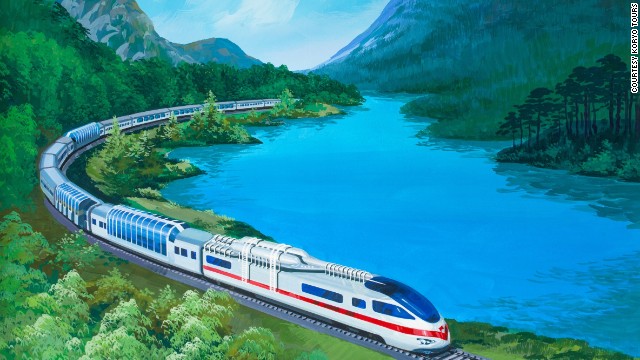
Project #3 train Simulation
SmartRail is a program used by choosing a starting station and a destination station for a train and having the train run using concurrency. To run SmartRail, click on the initial station, then click on the destination. After you have clicked your two stations, either hit the enter button on the keyboard or click the spawn button on the GUI. This will create a train that will run through that route if possible. If the route is not possible, the train will exit the system. Right now there is a bug with clicking on stations on the same side of the board however, there will be an error from the GUI interface. The train can test any station, even a non-existent station but the GUI interface gives an Exception when testing two station on the same side. Multiple trains can run at the same time. A train however will error if spawned in a destination station of a previous train or a station with a train still in it. Other than that a train can spawn anywhere and go anywhere. Multiple trains can go to the same destination. While the train is running, printouts will print stating the trains movements validating the internal code. The printouts also shows the path of messaging the trains do.
#Work Division
Vincent Huber worked on the internal structure such as the component interface and the
classes that implement that along with the message class and the train class.
Sarun Luitel worked on converting the config.txt file to a map and setting up neighbours and the GUI aspects of the project. The entire map is an array list of array lists and neighbours are set up in reference to each other. A Component by design only has knowledge of is adjacent neighbours and and can communicate with the train on top of it.
#Key features
User can input any number of layers in the resources/Config.txt file. (More Documentation on configuration
file is available as commented text on Config.txt.)
There can be any number of trains as specified by the user from the GUI input.
Underlying code is able to handle multiple instances of map layers and trains.
#Known bugs, Limitations
The Configuration files needs to be in a very specific format of tracks and Switches. (The Documentation
in the file explains the format with examples.)
Trains spawned on the same side as its destination results in throwing Exception.
Adding more than two switches per layer results in unstable configuration.
if there Spawns a train on a station without another station. This will cause null pointer exception.
as the algorithm searches for up paths first.
#Citation
https://www.lazerhorse.org/wp-content/uploads/2014/07/North-Korea-Futuristic-Architecture-futuristic-train.jpg
: Picture in the welcome Screen
https://openclipart.org/tags/train: Train and Track Pictures