Zone Sheets is a project focused on enhancing the functionality of Jspreadsheet CE, a lightweight Vanilla JavaScript data grid plugin, to enable direct interactions with databases. This customization facilitates seamless data management by allowing users to read, write, and update data directly from databases, making it easier to transfer data from Excel sheets or CSV files into databases.
Zone Sheets also provides a user-friendly web interface for manual data entry into databases, offering a streamlined workflow for data management. As the project is in its early stages, additional functionalities and improvements will be introduced based on user feedback and emerging issues.
- Direct database interaction for reading, writing, and updating data.
- Seamless transfer of data from Excel sheets and CSVs to databases.
- Intuitive web interface for manual data entry.
- Continuous development to introduce new features and resolve issues.
# Clone the repo
git clone https://github.com/saruni-spec/zone_sheet.git
# Navigate into the project directory
cd zone-sheets
# Install dependencies
npm install
# Start the development server
npm start
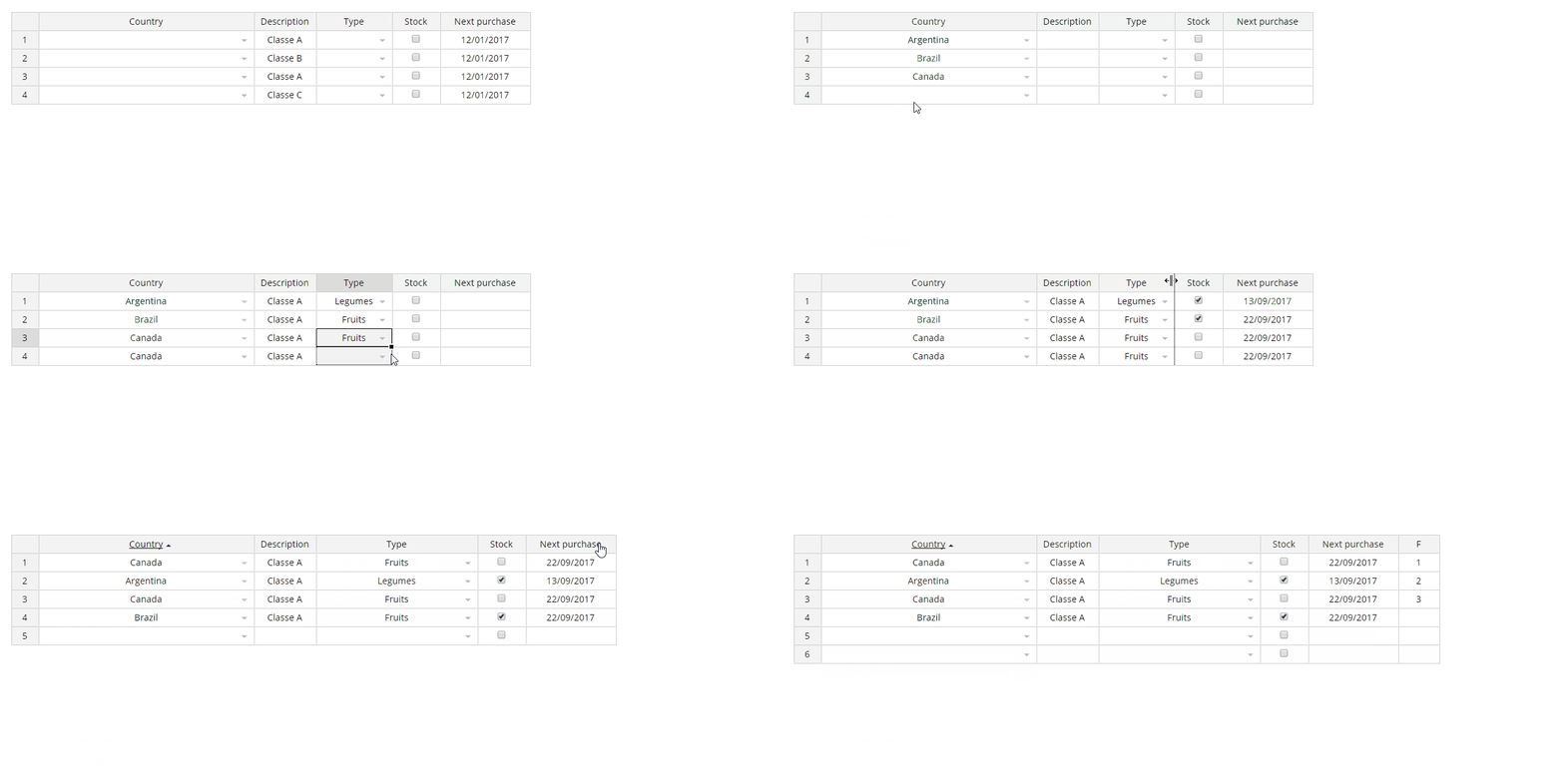
## Screenshot
<br>
## Installation
### As node package
`npm install jspreadsheet-ce`
### As standalone library/js plugin
[Download ZIP](https://github.com/jspreadsheet/ce/archive/master.zip)
put and use the files of `dist` folder in your project (js library and css files)
### With a framework
See examples section for code examples of jspreadsheets with popular frameworks
### Basic demo
A basic example to integrate the Jspreadsheet in your website to create your first rich data grid. <https://codepen.io/hchiam/pen/qBRzXKK>
#### Usage
Add jexcel/jspreadsheet and jsuites to your html file
```html
<script src="https://bossanova.uk/jspreadsheet/v4/jexcel.js"></script>
<script src="https://jsuites.net/docs/v4/jsuites.js"></script>
<link rel="stylesheet" href="https://jsuites.net/docs/v4/jsuites.css" type="text/css" />
<link rel="stylesheet" href="https://bossanova.uk/jspreadsheet/v4/jexcel.css" type="text/css" />You should initialize your table based on a div container, such as:
<div id="spreadsheet"></div>To initialize a Jspreadsheet CE table you should run JavaScript, such as:
var data = [
  ["Jazz", "Honda", "2019-02-12", "", true, "$ 2.000,00", "#777700"],
  ["Civic", "Honda", "2018-07-11", "", true, "$ 4.000,01", "#007777"],
];

jspreadsheet(document.getElementById("spreadsheet"), {
  data: data,
  columns: [
    { type: "text", title: "Car", width: 120 },
    {
      type: "dropdown",
      title: "Make",
      width: 200,
      source: ["Alfa Romeo", "Audi", "Bmw"],
    },
    { type: "calendar", title: "Available", width: 200 },
    { type: "image", title: "Photo", width: 120 },
    { type: "checkbox", title: "Stock", width: 80 },
    {
      type: "numeric",
      title: "Price",
      width: 100,
      mask: "$ #.##,00",
      decimal: ",",
    },
    { type: "color", width: 100, render: "square" },
  ],
});
Serve your html file and then you will get the rendered table in your browser

% npm run build
% npm run start
-
React Implementation
A full example on how to integrate Jspreadsheet CE with React. -
VUE Implementation
A full example on how to integrate Jspreadsheet CE with Vue. -
Search and pagination
Full spreadsheet example with search and pagination to bring great compatibility for those who love datatables. -
Column types
Learn more about the powerful column types. This example brings all native column types and how to create your own custom type. -
Javascript dropdown
Full examples on how to handle simple, advanced, multiple, autocomplete and conditional dropdowns. Create amazing JavaScript tables using categories and images in your dropdowns. -
Javascript calendar
Example from basic to advanced calendar usage, date and datetime picker. -
Image upload
This examples shows how to upload images to your spreadsheet. -
Programmatically updates
How to update your spreadsheet and its data by JavaScript. -
Table Style
Bring a very special touch to your applications customizing your JavaScript spreadsheet. -
Events
Learn how to handle events on Jspreadsheet CE. -
Importing data
How to import data from an external CSV, json file or XLSX. -
Formulas
Unleash the power of your tables bringing formulas and custom JavaScript methods on your Jspreadsheet spreadsheet. -
Custom toolbars
Full example on how to enable nor customize your JavaScript spreadsheet toolbar. -
Column comments
Allow comments in your table spreadsheet. -
Headers
Enabled nested headers in your spreadsheet and learn how to set or get header values. -
Translations
How to translate the default messages from Jspreadsheet. -
Merged cells
Full example on how to handle merge cells in your JavaScript tables. -
Sorting columns
Example how to sort the table by a column via JavaScript. -
Lazy loading
This example brings a very nice feature to deal with large table datasets.
- Paste on larger and proportional areas
- New webpack development ENV.
- npm run test
- FormulaJS integration
- Webpack integration
Jexcel has been renamed to Jspreadsheet
A special thank to the FDL - Fonds de Dotation du Libre support and sponsorship that make this version possible with so many nice features.
- Support workbooks/tabs
- Create a dymic jexcel table from a HTML static element
- Highlight the border from cells after CTRL+C
- Footer with formula support
- Multiple columns resize
- JSON update support (Helpers to update a remote server)
- Global super event (centralized method to dispatch all events in one)
- Custom helpers: =PROGRESS (progressbar), =RATING (5 star rating)
- Custom helpers: =COLUMN, =ROW, =CELL, =TABLE, =VALUE information to be used on formula execution
- Dynamic nested header updates
- A new column type for HTML editing
- New flags such as: includeHeadersOnCopy, persistance, filters, autoCasting, freezeColumns
- New events such as: onevent, onchangepage, onbeforesave, onsave
- More examples and documentation
- New methods
- General fixes
- Better formula parsing
- New events
- New initialization options
- General fixes
- getMeta, setMeta methods
- Npm package with jSuites
- General fixes
Jspreadsheet CE v3 is a complete rebuilt JavaScript Vanilla version. For that reason it was not possible to keep a complete compatibility with the previous version. If you are upgrading you might need to implement a few updates in your code. If you have questions, you can review the article upgrading from Jspreadsheet CE v2 or Handsontable.
The Jspreadsheet CE v3 brings lot of great new features:
- Drag and drop columns.
- Resizable rows.
- Merge columns.
- Search.
- Pagination.
- Lazy loading.
- Full screen flag.
- Image upload.
- Native color picker.
- Better mobile compatibility.
- Better nested headers compatibility.
- Amazing keyboard navigation support.
- Better hidden column management.
- Great data picker: dropdown, autocomplete, multiple, group options and icons.
- Importing from XLSX (experimental).
Big improvements are included, such as:
- Complete new formula engine with no external dependencies with much faster results.
- Absolutely no selectors, means a much faster application.
- New native columns.
- jQuery is not required anymore.
- React, Vue and Angular examples.
- XLSX support using a custom sheetjs (experimental).
We are glad to bring you the latest jQuery plugin version, with the following improvements:
- Mobile touch fixes.
- Paste fixes & New CSV parser.
- New radio column.
- New dropdown with autocomplete and multiple selection options.
- Header/body separation for a better scroll/column resize behavior and compatibility.
- Better text-wrap including alt+enter excel compatibility.
- New set/get meta information.
- New set/get config parameters.
- New set/get programmatically cell style.
- New set/get cell comments.
- New table custom toolbar.
- New responsive calendar picker.
- Checkbox column type improvements.
- Destroy jQuery table updates.
- Spreadsheet data overflow and fixed headers. See an example.
- Navigation improvements.
- Relative insertRow, deleteRow, insertColumn, deleteColumn.
- Redo, Undo action tracker for insertRow, deleteRow, insertColumn, deleteColumn, moveRow.
- New formula column recursive chain.
- New alternative design option bootstrap-like.
updateSettingsupdates.
- Jspreadsheet CE v4 - Javascript Spreadsheet
- Jspreadsheet CE v3 - Vanilla JavaScript
- Jspreadsheet CE v2 - jQuery Plugin
- Jspreadsheet Pro v10 - Javascript Spreadsheet
- Jspreadsheet Pro v9 - Javascript Spreadsheet
- Jspreadsheet Pro v8 - Javascript Spreadsheet
- Jspreadsheet Pro v7 - Javascript Spreadsheet
See contributing
Jspreadsheet CE is released under the [MIT license]. Contact contact@jspreadsheet.com
- Basic
- Multiple options
- Large sample
- Remote search
- Add new option
- Images
- Colors
- Countries
- Grouping elements
- Events
- Methods
- Mobile rendering