Extension for Visual Studio Code / Cursor that makes developing applications for Sanity.io that much more awesome.
Syntax highlighting for the GROQ query language is available in the following situations:
- Files with the
.groqextension - Fenced code blocks in Markdown with the
groqtag - Tagged template literals with the
groqtag - Queries using the
defineQuerymethod - Template literals prefixed with the
/* groq */comment - Template literals starting with a
// groqcomment
When GROQ-queries are detected, the extension will allow you to run the query and displays the result as JSON in a separate tab.
The project ID and dataset used is determined by finding sanity.cli.ts in the workspace. If multiple files are found, the extension will prompt you to select one.
If the GROQ file/query has any variables, then extension asks for a relative filename of a JSON-file containing an object of key-value mappings. It autofills the param filename based on the current file with a .json extension, if it exists.
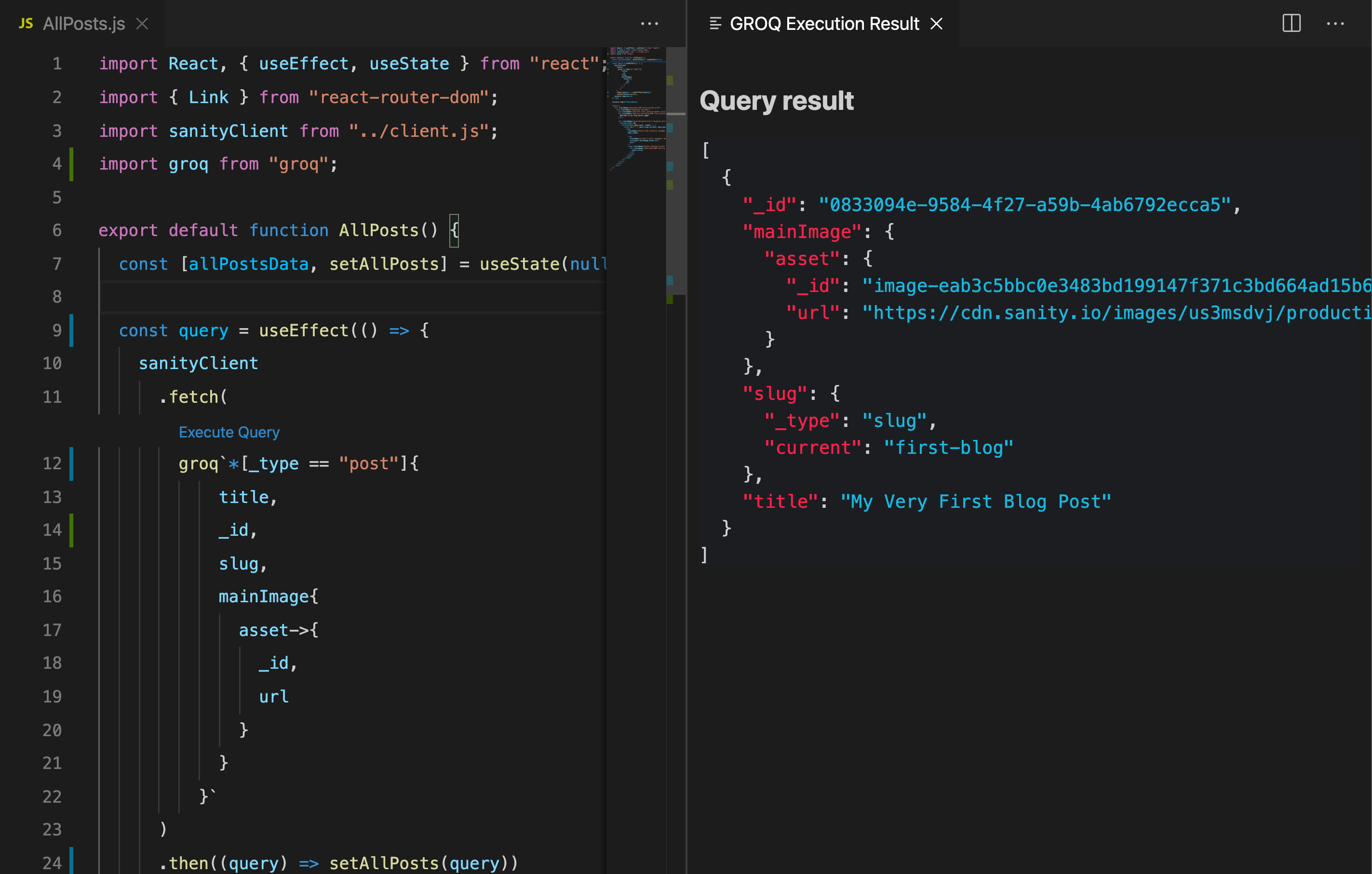
Install the extension for VSCode or Cursor by searching for sanity. This extension adds syntax highlighting for GROQ-files and groq tags.
- Clone the repository - https://github.com/sanity-io/vscode-sanity
npm install- Open it in VSCode
- Go to the debugging section and run the launch program "Extension"
- This will open another VSCode instance with extension enabled
- Open a file that should be syntax highlighted
- Make changes to the extension code, then press (
Ctrl+RorCmd+Ron Mac) in the syntax highlighted file to test the changes
We follow the principles of semantic versioning and conventional commits, meaning that the commits are used as the basis for determining if it's a patch/minor/major when building and releasing new version, as well as for generating the release notes. A good explanation of what commit messages translate to what version bumps can be found in the
semantic releasedocs.
If you want to build/inspect the vsix file, you can do npm run package. It can then be "installed from location" in either Cursor or VS Code.
The extension is built whenever new code is pushed to the main branch of the repo. The release notes and tagging is done automatically in CI by semantic-release and the extension is pushed to Open VSX registry and Visual Studio marketplace.
If you want to dry run the release, you can do 👇 to have semantic-release parse the git history and see if everything is ok. Since you're running locally it'll skip the actual steps of packaging and pushing etc. You need to set GITHUB_TOKEN + OVSX_PAT and/or VSCE_PAT env vars for the dry run release to complete.
# you can dry-run using
npm run release:dryrun

# and when all is good you do
npm run release
⚠️ Thereleasescript will not publish from your local machine (unless you do--no-ci). The publishing should be handled in CI – if you need to do it, see the workflow file for details on what ENV vars you need to provide.
MIT


