🌐 Website: https://installnothing.xyz
The perfect coffee break companion for IT professionals ☕
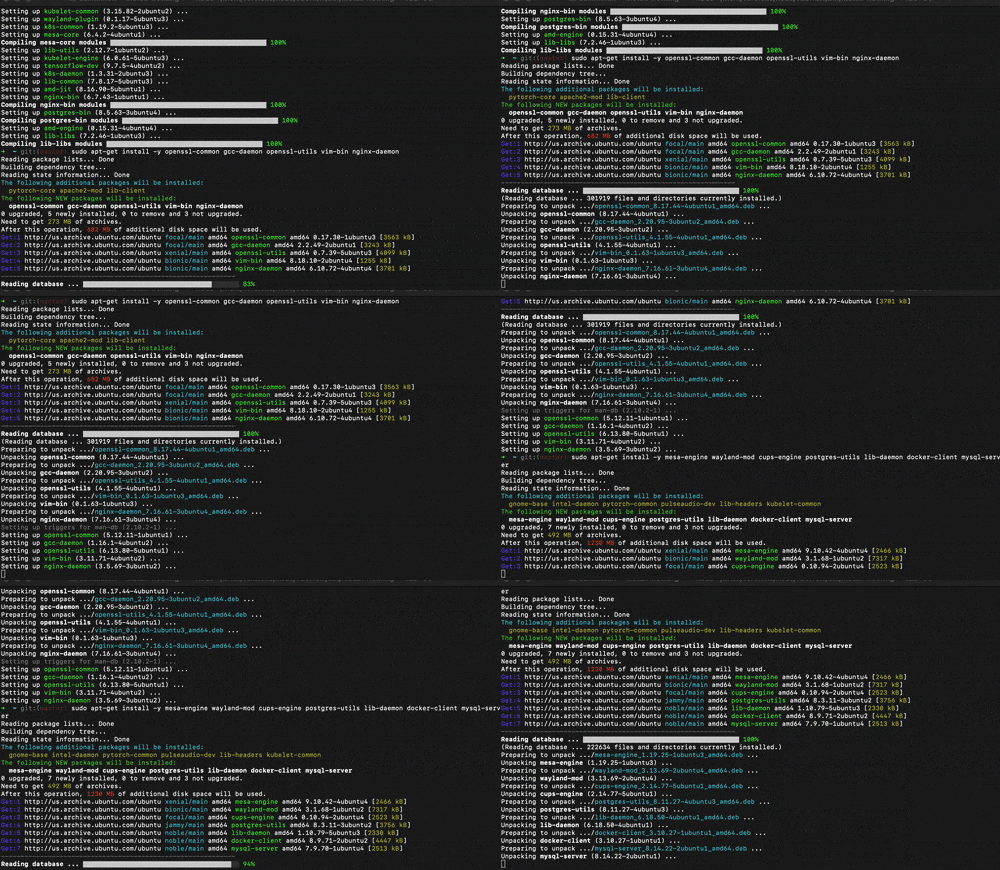
install-nothing is an endless, realistic Linux terminal installation simulator that makes it look like you're installing critical system packages, compiling code, running tests, and optimizing assets. In reality, it installs absolutely nothing. Perfect for when you need a coffee break but want to look productive!
- 🎨 Professional Terminal Output - Realistic apt/dpkg style package installation
- 🔄 Endless Loop - Runs indefinitely until you stop it
- 🌈 Color-Coded Output - Authentic ANSI colors for maximum realism
- 📦 Multiple Installation Phases:
- Package downloads with progress bars
- Dependency resolution
- Source code compilation
- Test suite execution
- Cache building
- Asset optimization
- 🚀 Pure JavaScript - Zero dependencies, works anywhere Node.js runs
- 💾 Installs Nothing - 100% safe, zero side effects
npm install -g install-nothingOr use it directly with npx:
npx install-nothingGitHub Repository: https://github.com/salimhankurul/install-nothing
Simply run:
install-nothingThen walk away and enjoy your coffee break! ☕
Press Ctrl+C to stop the simulation when you're back.
Every IT professional knows that feeling when you need a break but don't want to look idle. Now you can:
- Take that well-deserved coffee break
- Step away for a quick snack
- Have a brief meditation moment
- Discuss important matters with colleagues
All while your terminal displays an impressively realistic installation process that would make any DevOps engineer proud.
The simulator cycles through various realistic installation scenarios:
- APT Package Installation: Downloads and installs packages from mirrors with progress bars
- Source Compilation: Compiles modules with detailed progress
- Test Execution: Runs comprehensive test suites with passing tests
- Cache Building: Builds application caches for routes, views, services
- Asset Optimization: Minifies JavaScript, CSS, images with size savings
All with authentic colors, progress indicators, and realistic timing!
- Position your screen where others can see it
- Leave your IDE open in another window for extra authenticity
- Keep a serious, concentrated expression
- Occasionally nod thoughtfully when you return
Feel free to contribute more realistic installation scenarios, package names, or terminal output patterns!
MIT License - Use it, share it, enjoy your coffee with it!
This package literally does nothing except display text in your terminal. It doesn't install any packages, modify any files, or make any system changes. It's purely for entertainment and coffee break purposes.
Made with ❤️ and ☕ by IT professionals, for IT professionals