by Jenny Bryan
🗓️ September 16, 2025
⏰ 09:00 - 17:00
🏨 Grand Hall East B
✍️ pos.it/pkg-dev-conf25
| Time | Topics | Slides | Prompts |
|---|---|---|---|
| 09:00 - 10:30 | Kick the tires of your setup Core workflows Let me GitHub search that for you |
slides | prompts |
| 10:30 - 11:00 | Coffee break | ||
| 11:00 - 12:30 | Testing | slides | prompts |
| 12:30 - 13:30 | Lunch break | ||
| 13:30 - 15:00 | Documentation | slides | prompts |
| 15:00 - 15:30 | Coffee break | ||
| 15:30 - 17:00 | GitHub Actions Beautiful UI with cli Topic by popular request? |
slides | GHA prompts cli prompts Air prompts |
In R, the fundamental unit of reusable and shareable code is a package, containing helpful functions, documentation, and sometimes sample data. Putting R code in a package is the best way to share our code with others or to share code across different projects.
This workshop assumes you've already dipped your toe in package development, i.e. that you've managed to create a basic package and pass R CMD check.
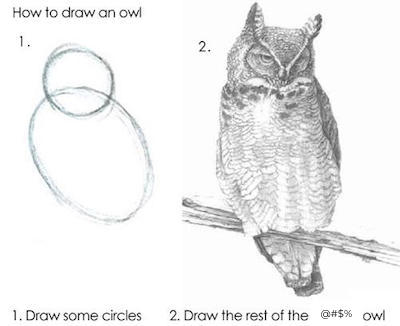
In terms of "How to draw an owl", you've definitely drawn some circles.
But now it's time to draw the rest of the owl!
You will learn workflows and skills that are (a) very important for package development and (b) very different from writing R scripts. We will lean heavily on the tools and principles used by the tidyverse team, embodied in the devtools family of packages, including usethis, testthat, and roxygen2.
This list of topics is indicative of what we will cover:
- Fundamental daily workflows:
devtools::load_all()andcheck() - Self-help: the power of GitHub code search and small experiments
- Testing: the testthat package and the philosophy of writing tests as you go (vs. "later")
- Documentation: function documentation, vignettes, and website
- GitHub Actions for automatically checking your package and building/deploying a pkgdown website
- User interface: how to provide beautiful, informative messages with the cli package
There will be chunks of time for you to do exercises throughout the day. We will make sure there are good options that allow all participants to engage with the material. But if you have your own package(s), you are welcome to use these times to apply what we're learning, e.g. about testing or documentation, in your personal packages.
This will be an interactive 1-day workshop. The instructor will mostly be using Positron to work through the materials, but you'll probably also see some use of RStudio. You are welcome to use a different development environment, but the instructor and TA likely won't be able to provide support for alternative IDEs.
This course is for you if you:
- Are very comfortable writing R scripts and functions.
- Have already created a basic package, e.g., you've successfully worked through The Whole Game chapter from R Packages or have equivalent experience. You should also be able to follow the story in The package within chapter.
- Have concrete plans for one or more specific packages you want to create. You might have even started implementing these plans.
- Are interested in using devtools + Positron for package development.
- Are at least curious about Git/GitHub. We won't have time to teach this explicitly, but you will certainly see Git/GitHub through out the day.
We expect most participants will have more package development and Git/GitHub experience than the minimum described above. We typically see a real mix of backgrounds in workshops such as this. Participants at either extreme (very new or very experienced) should anticipate that they'll hear questions and discussion aimed at the other end of the experience spectrum and that's OK.
Each participant needs to bring their own laptop, with functioning wifi. You should be able to install software (R packages, really) and download files onto it. History shows that Windows laptops that are very locked-down by corporate IT can be extremely challenging in workshops. If you encounter permission problems while doing the setup below, that is a big red flag. Try to solve those problems in advance or bring a different computer. As a last resort, it is possible to work on Posit Cloud. If you fear this might happen to you, go ahead and set up your Posit Cloud account in advance (it's free!).
System setup: work through the System setup chapter. Main TODOs:
- Install several R packages related to package development (devtools and friends).
- Optional but recommended: do what is described for your operating system to be able to build and install R packages that contain compiled code. We will not use any C/C++ in the workshop! But anyone who is taking this workshop is likely to want this general capability in the near future.
Personal devtools/usethis setup: work through the usethis setup article Main TODOs:
-
Consider adding a snippet to your
.Rprofilethat attaches devtools in all interactive R sessions. -
Consider setting some options in
.Rprofileto customize usethis's behaviour:usethis.descriptionto pre-fill DESCRIPTION fieldsusethis.destdirto designate a preferred home for local projects
-
Run
git_sitrep()to get a situation report on your Git/GitHub setup. Use of Git/GitHub is not mandatory, but it is likely to enhance your workshop experience.In particular, configuring a GitHub personal access token will have a huge payoff, in the workshop and beyond.
Here are a few small challenges that should test whether your system is ready to go:
library(devtools)

# Git/GitHub "situation report"
git_sitrep()

# clones the Git repo holding the source of the usethis package
# if your GitHub PAT is set up correctly, it will FORK and clone
create_from_github("r-lib/usethis")

# if you want to test whether you can install packages, from source, that have
# compiled code, try this:
install.packages("cli", type = "source")- Jenny Bryan (instructor) is a software engineer at Posit. Lately she's been working a lot on Positron, Posit's new data science IDE, but historically she's been focused on the tidyverse packages or its supporting ecosystem. Jenny is a member of the R Foundation. She co-authored the second edition of the R Packages book and is the maintainer of the devtools and usethis packages (among others).
- Lionel Henry (TA) is a software engineer at Posit. Lately he's been working on the Positron team and, especially, on the ark R kernel and the Air formatter. Like Jenny, before Positron, Lionel spent years focused on the tidyverse ecosystem and is the maintainer of rlang (among others).
- Gender-neutral bathrooms: LL2 - Next to Chicago A
- Meditation/Prayer room: LL2 - Chicago A
- Mother’s Room / Lactation Room: LL2 - Chicago B
- Code of conduct: https://posit.co/code-of-conduct/
