Guide
Virtual Olympiad (VO) is a platform for hosting multiplayer practice math contests in a competitive style using problems from past contests!
→ Check out the Virtual Olympiad website
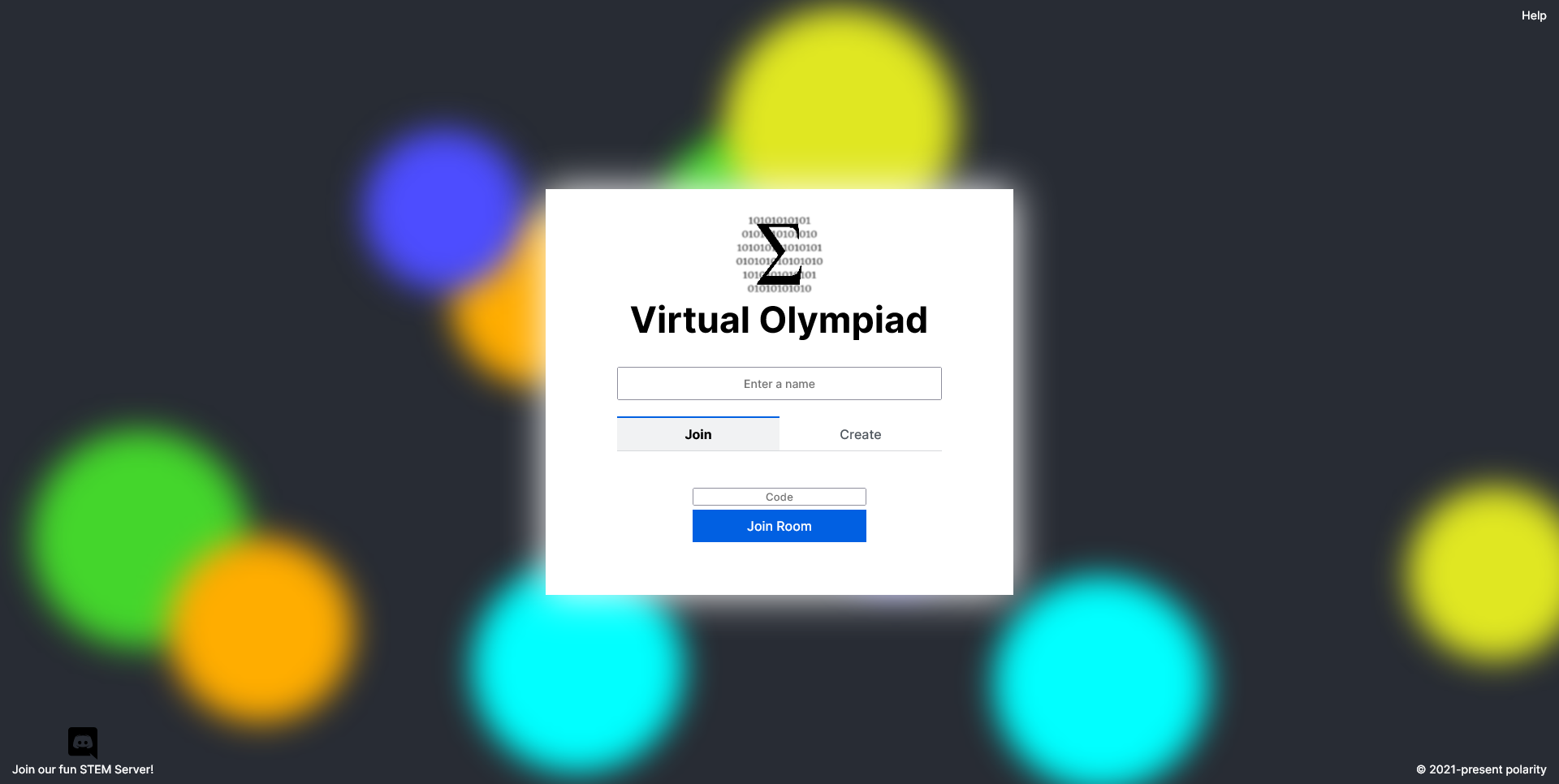
Enter a name in the designated input box. You can then create/join rooms using the panels below.
To create a room, select a mode and you will be taken to the room lobby to configure settings.
To join a room, you will need the room code which is available to the owner of the room.
Currently only Normal mode is available but more modes like Team vs Team or Relay are planned to arrive in the future.
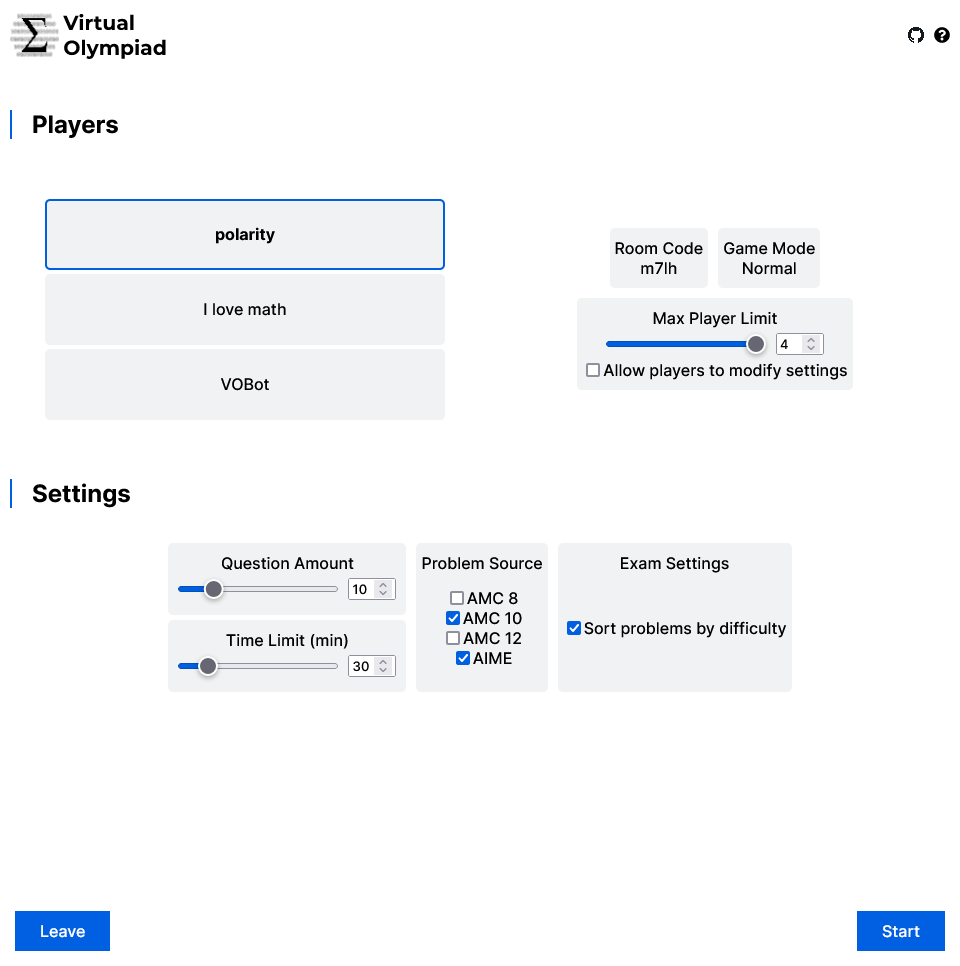
You are able to choose the time limit, question amount, problem sources, and additional settings for the exam. You can select Allow Players to Modify Settings as the Room Owner to allow other players to choose as well (could get chaotic), but they are still not able to configure admin settings like Allow Players to Modify Settings or starting the exam.
- Question Amount: 1-50 problems
- Time Limit: 5-180 minutes
- Problem Sources: AMC 8, AMC 10, AMC 12, AIME (more to come!)
Once you have finished configuring exam details, click Start. Once you have finished configuring exam details, click Start to start the exam. Click Leave at any time to leave the room. If the room owner leaves, ownership of the room will be passed to the second player.
It will take around 3-5 seconds for the server to generate your exam.
VO generates roughly equal amount of problems from each source selected. For example, if you chose AMC 8, AMC 10, and AIME with 14 problems total, it will generate ~4 problems from each source with some sources having a bit more.
Only applies if you enable Sort problems by difficulty
The problems are sorted by a difficulty algorithm that takes into account the test (AIME > AMC 10), problem number (Q13 > Q2), and year (2020 > 2002). This difficulty algorithm follows the estimated difficulty provided by AoPS, just linearly interpolated and with consideration to the year of the problem. It's obviously unable to be perfect but it's good enough.
During a exam, you will see the Timer on the top left, the Submit button on the top right, the Player Status Bar between them.
The problems will be shown below. For multiple choice problems, simply input the character of the answer (case does not matter).
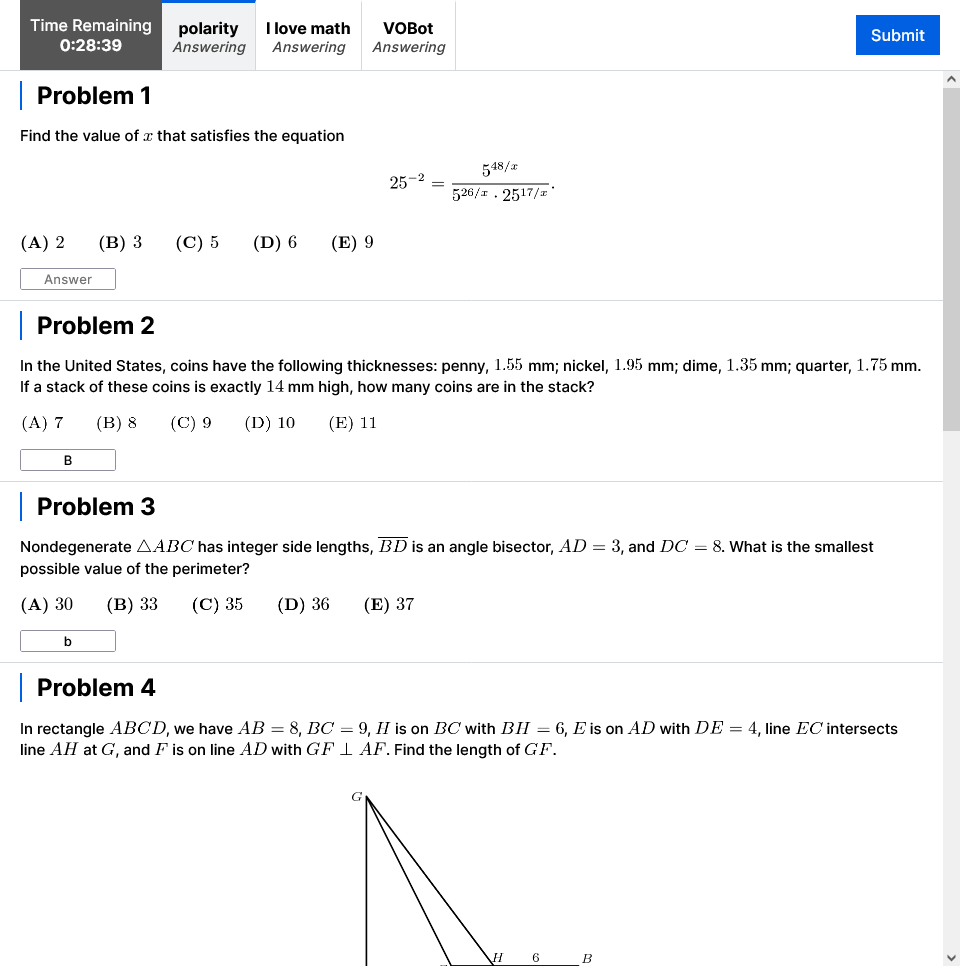
For integer answer (such as AIME) problems, input the integer answer (leading zeroes don't matter).

To submit your answers, simply click the Submit button. Once the timer hits 0, your answers will be automatically submitted.

Once you submit your answers, the status bar will display your Time Used and Score. Your status will also change to Submitted.
The correct answer will be displayed on the bottom right of each problem. On the top right will be a info circle which when hovered over will display the problem source. You can click the info circle to get linked (on a new page) to the AoPS page of the problem.

Once the timer is up or everyone has submitted, the exam will be finished.
You will be able to see the rankings of the players, sorted by Score, and then by Time Used. There are no penalties for wrong answers (more configuration for this to come).
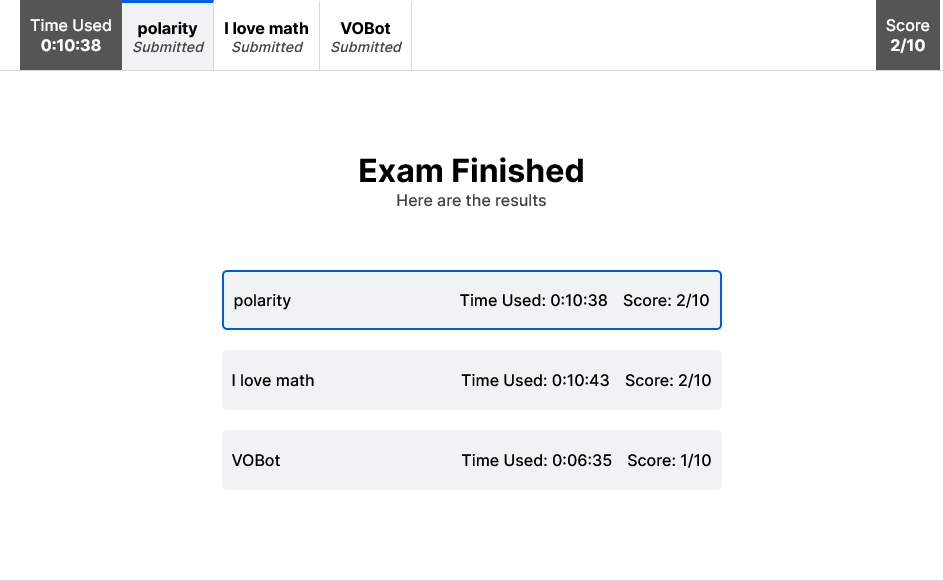
Below that you will still have access to the problems and solutions.