


A small command-line tool that checks whether a project has the basic files people expect from an open-source repository.
It is designed for developers who are publishing an open-source project for the first time and want a simple checklist.
OSS として公開したいフォルダに、基本的なファイルがそろっているかを 100 点満点で確認するツールです。インストールせずに試せます。
Windows の PowerShell:
npx.cmd oss-readiness-checker check .macOS または Linux:
npx oss-readiness-checker check .Node.js 20 以上が必要です。詳しい説明は、このあとの英語版をご覧ください。
The first version checks for:
READMELICENSECONTRIBUTINGSECURITY- A common project manifest such as
package.json,pyproject.toml,Cargo.toml, orgo.mod
Each item is worth 20 points.
The checker also suggests adding a Usage, Getting Started, or Quick Start
section when a README does not explain how to begin. Suggestions do not affect
the score or exit code.
- Node.js 20 or later
Run the checker against the current folder without installing it:
npx oss-readiness-checker check .Check another project:
npx oss-readiness-checker check ../my-projectOutput machine-readable JSON for CI:
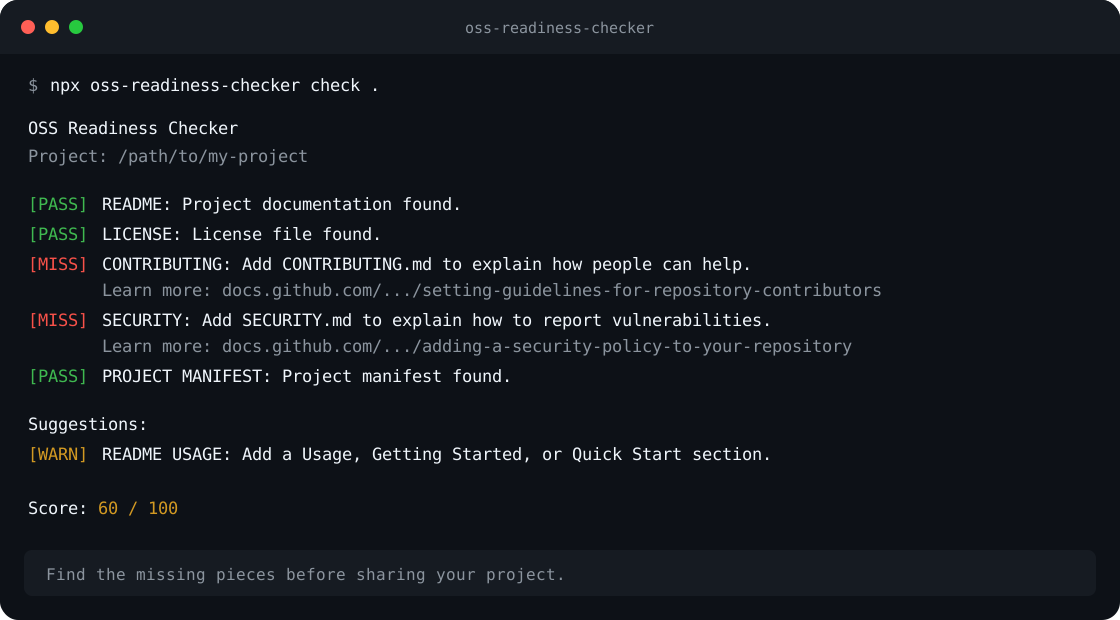
npx oss-readiness-checker check . --jsonExample:
OSS Readiness Checker
Project: /path/to/my-project

[PASS] README: Project documentation found.
[PASS] LICENSE: License file found.
[MISS] CONTRIBUTING: Add CONTRIBUTING.md to explain how people can help.
       Learn more: https://docs.github.com/communities/setting-up-your-project-for-healthy-contributions/setting-guidelines-for-repository-contributors
[MISS] SECURITY: Add SECURITY.md to explain how to report vulnerabilities.
       Learn more: https://docs.github.com/code-security/getting-started/adding-a-security-policy-to-your-repository
[PASS] PROJECT MANIFEST: Project manifest found.

Suggestions:
[WARN] README USAGE: Add a Usage, Getting Started, or Quick Start section so people know how to begin.
       Learn more: https://docs.github.com/repositories/managing-your-repositorys-settings-and-features/customizing-your-repository/about-readmes

Score: 60 / 100
The command exits with status code 0 when all checks pass and 1 when
something is missing. This makes it useful in automated workflows.
When a missing file has a relevant guide, the checker also prints a
Learn more link with practical next steps.
Run the checker automatically after each push and pull request by adding
.github/workflows/oss-readiness.yml to your repository:
View the action on GitHub Marketplace.
name: OSS Readiness

on:
  push:
    branches:
      - main
  pull_request:
    branches:
      - main

permissions:
  contents: read

jobs:
  check:
    runs-on: ubuntu-latest

    steps:
      - uses: actions/checkout@v6
      - uses: plainloop-jp/oss-readiness-checker-action@v0.3.1
By default, the action checks the repository root. Use the optional path
input when the project is inside a subdirectory.
This repository also uses the Marketplace action in its own CI. See the workflow file and workflow runs.
Run the local source code:
node ./src/cli.js check .Run the tests:
npm testRun the checker against this repository:
npm run check- Add more checks for README content quality
- Suggest fixes for missing files
- Add configurable rules
Contributions are welcome. See CONTRIBUTING.md.
For security reports, see SECURITY.md.