The SmartFactory_SorticRoboter_CommunicationHub is the communication module for the SmartFactory_SorticRoboter. It enables communication via Wifi based on the MQTT protocol amongts all participants in the SmartFactory project, for example with the SmartFactory_Box-Sortic. The connection to the SmartFactory_SorticRoboter is via i2c data bus. The received messages are serialized for simple and dynamic message management.
The programmed algorithm is based on the finite state machine design pattern. The design pattern allows to give the roboter a state and to change its state to another state by events. The robot is built by different nested state machines and thus executes its tasks.
- Tools and technologies
- Hardware
- Software
- ToDo's
- Contributors
- Changelog
- License
- Links to SmartFactory
The source code is implemented in the programming language C++. In the following, the tools for editing the project are listed.
The development environment used is Visual Studio Code with the PlatformIO extension. The development environment can be downloaded open sourced. For an installation guide look here.
Doxygen was used for documenting the source code. For using Doxygen in Visual Studio code, the Doxygen Documentation Generator extension is available.
For the creation of the electrical shema the software Fritzing was used. A link to the software can be found here.
The connection to the hub is via i2c. For an explanation of the technology and the library look here.
The communication protocol used to communicate via Wifi is MQTT. For an explanation of the technology look here.
The messages received via MQTT are stored in a Deque of shared pointers after serialization. A Deque is a Queue, which can be accessed from both sides. Here you can find an explanation about Deque.
Shared pointers are used to handke dynamically created objects. The advantage of shared pointers is that direct control over deleting dynamically created objects is not needed. As soon as no pointer points to the created object, the object is automatically deleted. This concept makes the factory design pattern very powerful. An explanation of shared pointer can be found here.
For the i2c connection between the Arduino Uno and the ESP32-DevKitC a Logic Level converter is required. This is necessary due to the different voltage levels of the microcontrollers, otherwise damage can occur or communication cannot be stable guaranteed.
The communication hub is structured with the following elements.
- ESP32-DevKitC
- Logic Level converter
The following illustrations show the electro shema of the SmartFactory_SorticRoboter. The connection to the SmartFactory_SorticRoboter_CommunicationHub is shown on it.

[Image: Breadboard SmartFactory_SorticRoboter with SmartFactory_SorticRoboter_CommunicationHub]

[Image: Electrical shematic SmartFactory_SorticRoboter with SmartFactory_SorticRoboter_CommunicationHub]
The microcontroller used for the communication hub is an Esp32-DevKitC. The microcontroller is very powerful and has a large memory and is very cheap compared to other microcontrollers. In addition, it has a Wifi chip which enables communication via MQTT.
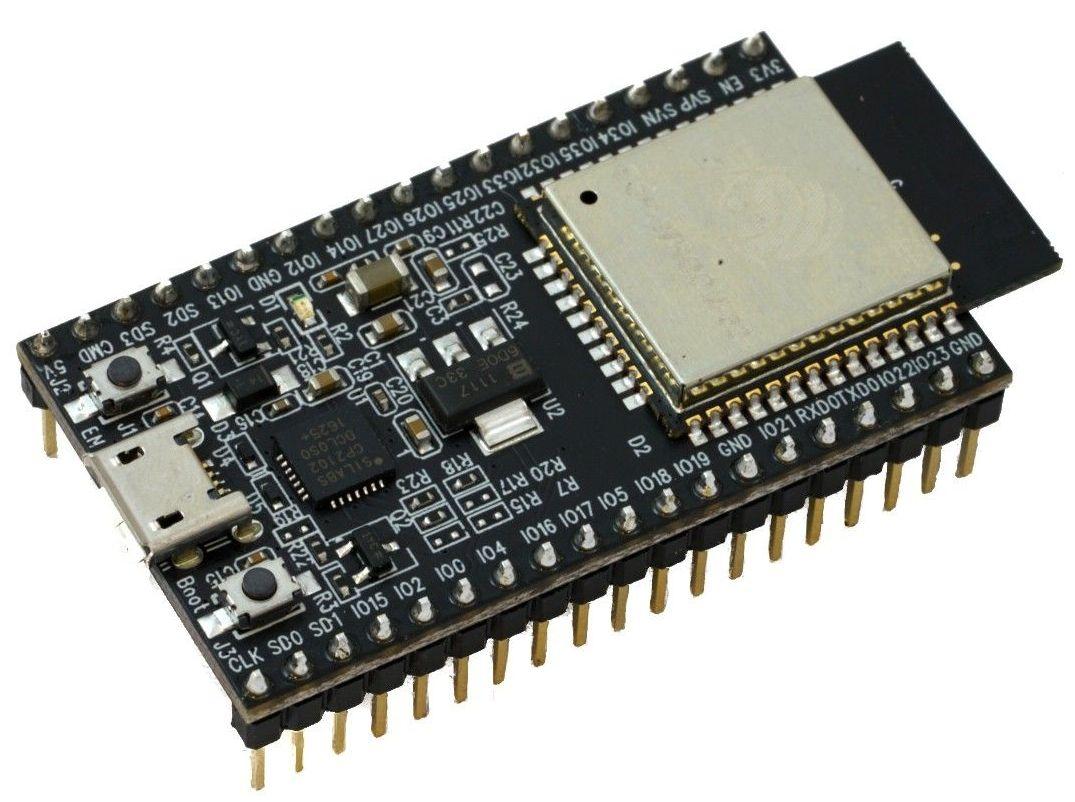
[Image: SOS electronic: Esp32 DevKitC]
A Logic Level converter is required for the i2c connection. The Logic Level converter transforms the signal voltage of the Arduino Uno from 5V to the signal voltage of the Esp32-DevKitC from 3.3V.

The design pattern used to implement the software is the Finite State Machine. The robot always has a state. The states are transformed into other states by events. The figure below shows the finite state machine of the SmartFactory_SorticRoboter_CommunicationHub seen in the read area. The SmartFactory_SorticRoboter_CommunicationHub has only one Finite State Machine

[Image: Finite State Machine SorticRoboter with SorticRoboter CommunicationHub]
Communication with the box via the MQTT protocol is done via the topics shown in the figure below. The messages with defined topics are sent to via the broker to to any opposite participant which subscribed to the defined topic.

[Image: Topic tree communication between SorticRoboter and SmartBox]
If an available package needs to be sorted in a SmartFactory_Box-Sortic a handshake with an available SmartFactory_Box-Sortic is performed. The process flow is shown in the graph below.

[Image: Process flow communication between SorticRoboter and SmartBox]
The figure below shows the data model in UML notation. The core of the communication hub is the serialization of the received messages. A library has been implemented for this purpose, which performs this serialization.

Click on the image to open doxygen-documentation.
The figure below shows the dependency tree of the main file of the CommunicationCtrl. The used extern libraries for the project:

Click on the image to open doxygen-documentation.
All the ToDo's are documented in the source code with Doxygen.
V 1.0 - Release SA HS20 - Philip Zellweger
MIT License
- SmartFactory-Sortic
- SmartFactory_Box-Sortic
- SmartFactory_Vehicle-Sortic
- SmartFactory_Vehicle-Basis
- SmartFactory_SorticRoboter
- SmartFactory_SorticRoboter_CommunicationHub
- SmartFactory_MQTTCommunication for Adafruit Feather M0 Wifi
- SmartFactory_MQTTCommunication for Esp32 DevKitC
- SmartFactory_I2cCommunication
- SmartFactory_Messages