The RegiSTORM project - To learn more about the project, please read our article (Link TBA).
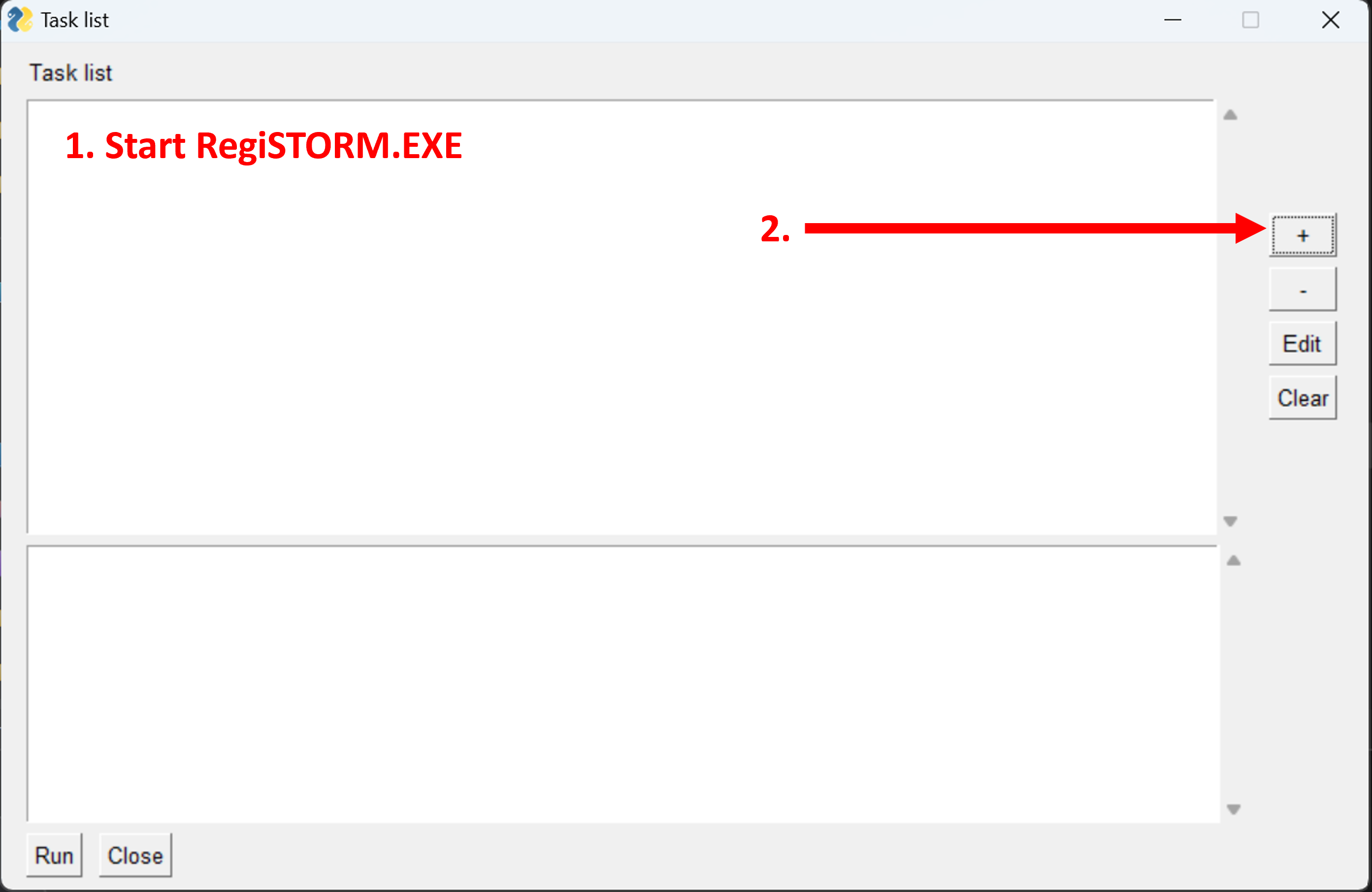
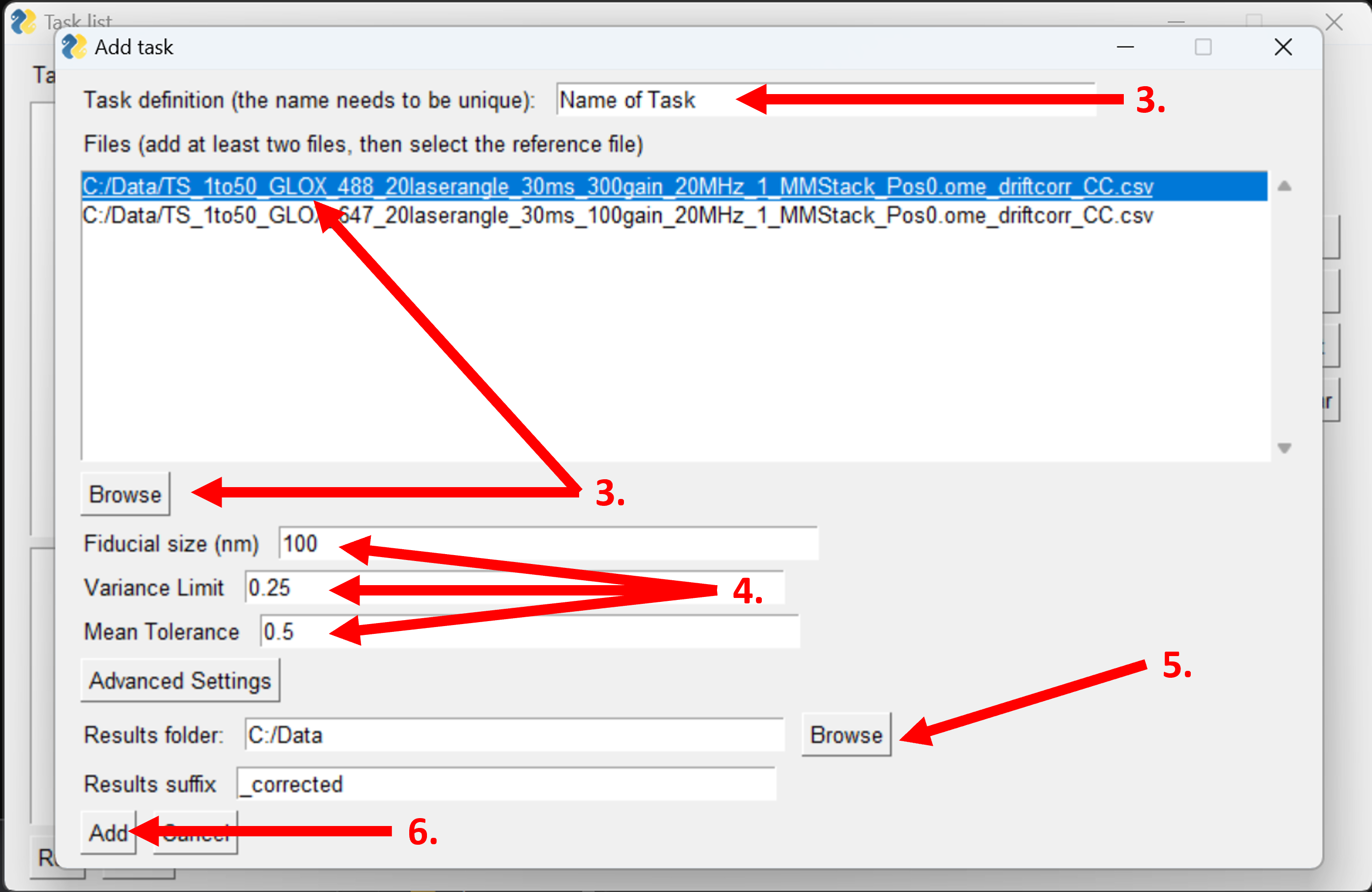
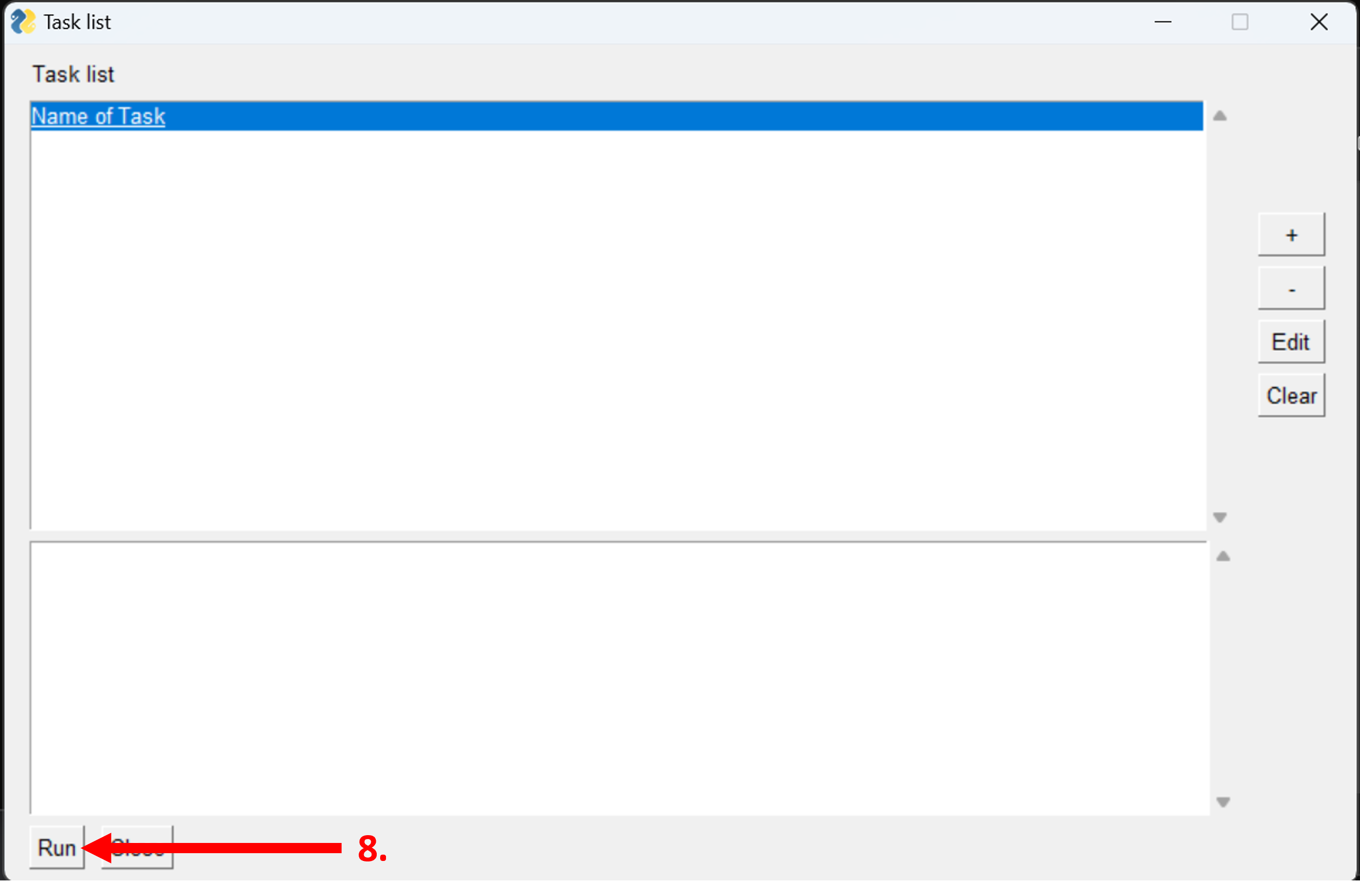
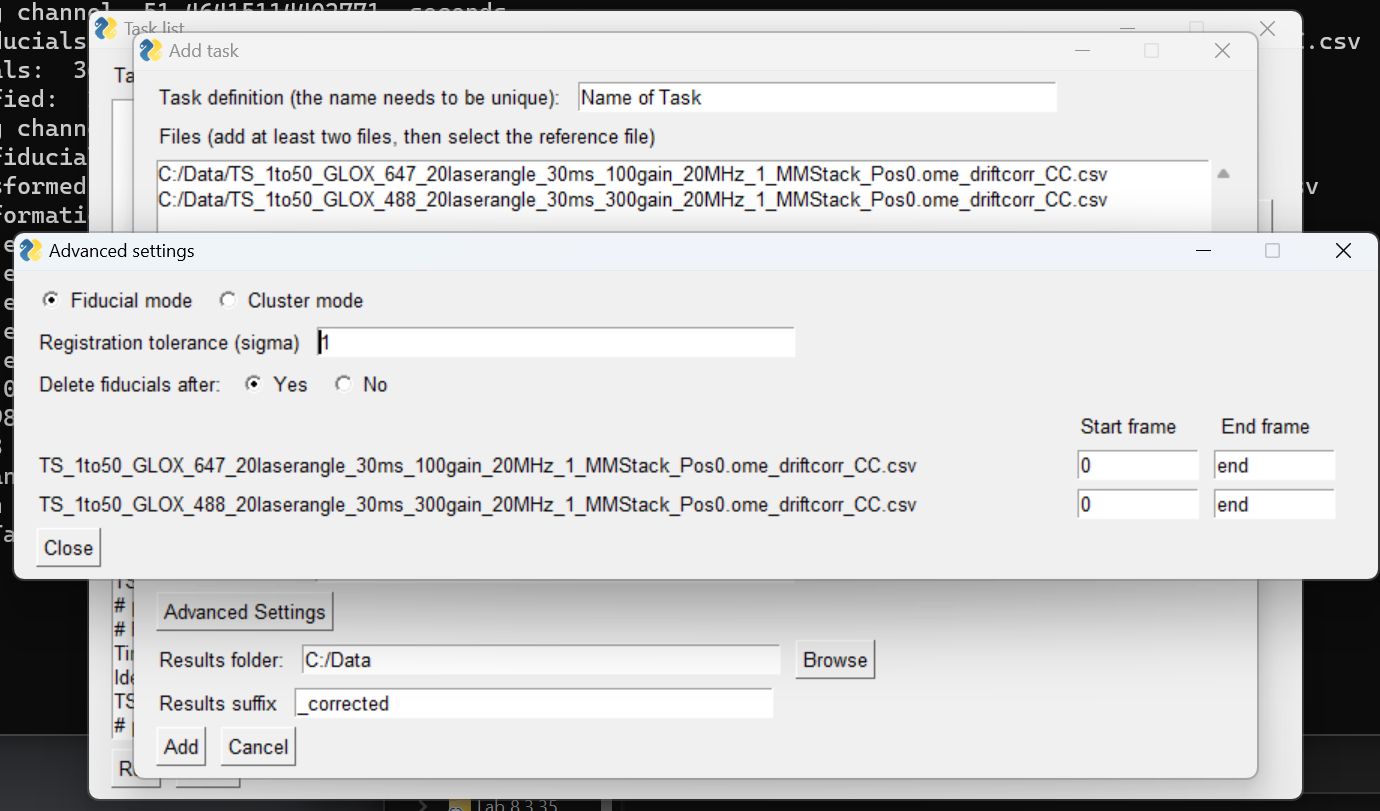
The GUI consists of three windows. In the first window, there is an overview listing of jobs, with the possibility to add or remove jobs, clear the list, and run the list of jobs. By clicking the ‘+’ button the user is led to the second window, where the user can browse for the .csv data files and choose the folder the results will be output to. Here the user can also define the main variables: fiducial size (diameter), variance limit and mean tolerance. In this window there is also a button ‘Advanced Settings’, which leads to the third window. Under the Advanced settings the user can decide whether to use Fiducial mode or Cluster mode, the registration tolerance for outliers and the channel-specific frame range to be considered in the registration. When the user has defined the job, they can click ‘add’, which leads to the job being added to the task list in the first window. When the user has defined all the jobs, they can click ‘run’ and the software will apply the algorithm to all the jobs defined in the task list.
Python needs to be installed on your computer to run the software.
- Run RegiSTORM.exe
- Start defining jobs by clicking '+'.
- In the job definition add the task name, the files of interest (by clicking 'browse' and selecting the .CSV-files) and select the file that is going to be used as the reference for the transformation.
- Define the Fiducial size (diameter), variance limit, and the mean tolerance.
- Define the output folder for the corrected files and the suffix that will be added to the corrected file.
- Click ‘add’ to add the defined job.
- Repeat for all jobs required.
- Once all jobs are defined, click ‘run’ to start the registration process
(the software will freeze between each job being processed).
Advanced settings: When defining a job, it is also possible to change the advanced settings. Under advanced settings there is the possibility to change:
- Between fiducial mode (tries to identify fiducials) and cluster mode (tries to identify clusters of localizations).
- The registration tolerance, sigma, which is the number of standard deviations away from the mean distance a distance between two nearest neighbors can be before they're considered an outlier.
- Whether or not the identified fiducial should be deleted after the corrections (Everything within the defined radius of the identified fiducial will be removed).
- Which frame range [start, stop] the algorithm will use when identifying the fiducials/cluster.
Variables:
- Fiducial Size - The diameter of the fiducial / the diameter of the cluster
- Variance Limit (Only applicable for fiducial mode) - The maximum variance in number of localizations per frame within the tolerance (2x the fiducial radius) before it is rejected as a fiducial.
- Mean tolerance (Only applicable for fiducial mode) - The minimum average of localizations per frame within the tolerance (2x the fiducial radius) before it is rejected as a fiducial.
- Fiducial mode/Cluster mode - Whether the algorithm should try to identify fiducials (using the variance limit and mean tolerance) or look for clusters of localizations.
- Registration Tolerance - In the ICP algorithm, pairs of identified fiducials are matched through a nearest neighbor algorithm. The registration tolerance is the number of standard deviations (sigmas) greater than the mean distance the distance between a pair could be before the pair is considered an outlier.
- Whether the fiducials should be deleted (Only applicable for fiducial mode) - Whether or not the algorithm should delete any localizations that are within the radius of the fiducial from the coordinate of an identified fiducial.
- The number of frames (per channel) - For which frame range [start, stop] the algorithm should use for a channel when trying to identify the fiducials or clusters.
- Acquire images using SMLM setup.
- Process data in ThunderSTORM or similar reconstruction software.
- Drift correct each channel separately e.g. in ThunderSTORM. Chromatic correction is also recommended (e.g. with ImageJ DoM plugin).
- Export the localizations in .CSV format.
- Register the files in the RegiSTORM software.
- Reconstruct the corrected .CSV-files in ThunderSTORM or similar software
Øvrebø, Ø., Ojansivu, M., Kartasalo, K. et al. RegiSTORM: channel registration for multi-color stochastic optical reconstruction microscopy. BMC Bioinformatics 24, 237 (2023). https://doi.org/10.1186/s12859-023-05320-1