A simple and powerful tool for lightning-fast video trimming across all formats with zero quality loss (no re-encoding).
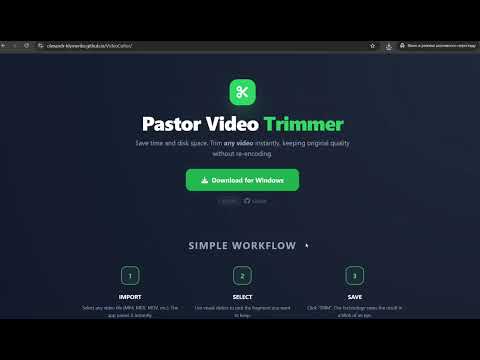


- Instant Trimming: Leverages FFmpeg power to cut segments without re-rendering (Stream Copy).
- User-Friendly UI: Built with Python (Tkinter) for maximum performance and native feel.
- Automatic Updates: Automatically checks for new versions via GitHub API on startup.
- Full Installer: Easy Windows installation process powered by Inno Setup.
You can always download the latest version of the installer here: 👉 Download Installer (.exe)
- Python 3.12+
- Inno Setup 6 (installed in the default path)
- FFmpeg (required for the application to run)
- git clone https://github.com/olexandr-klymenko/VideoCutter.git
- cd VideoCutter
- python -m venv .venv
- source .venv/Scripts/activate # On Windows: .venv\Scripts\activate
- pip install -r requirements.txt
The project uses Python Invoke to automate development tasks. This ensures consistent environments and handles Windows-specific encoding and paths automatically.
| Command | Description |
|---|---|
inv test |
Runs Unit Tests with forced UTF-8 and English locale. |
inv build |
Cleans artifacts, runs tests, builds EXE and creates a Setup installer. |
inv start-new-release |
Creates a release branch, bumps version, and adds -beta tag. |
inv finish-release |
Removes the beta tag and prepares the version for production. |
src/— Application source code (logic and UI).tests/— Unit tests for UI and engine logic.tasks.py— Automation scripts (replacing the old release.sh).version.txt— Single source of truth for the application version.main.spec— PyInstaller build configuration.setup_script.iss— Inno Setup packaging script.dist/— Compiled application files (generated after build).Output/— Ready-to-use Windows Installers (generated after build).
Distributed under the MIT License. See the LICENSE file for details.
Click the image above to watch the installation and usage guide.
Developed by Olexandr Klymenko aka Pastor (GitHub Profile)