Sidebar
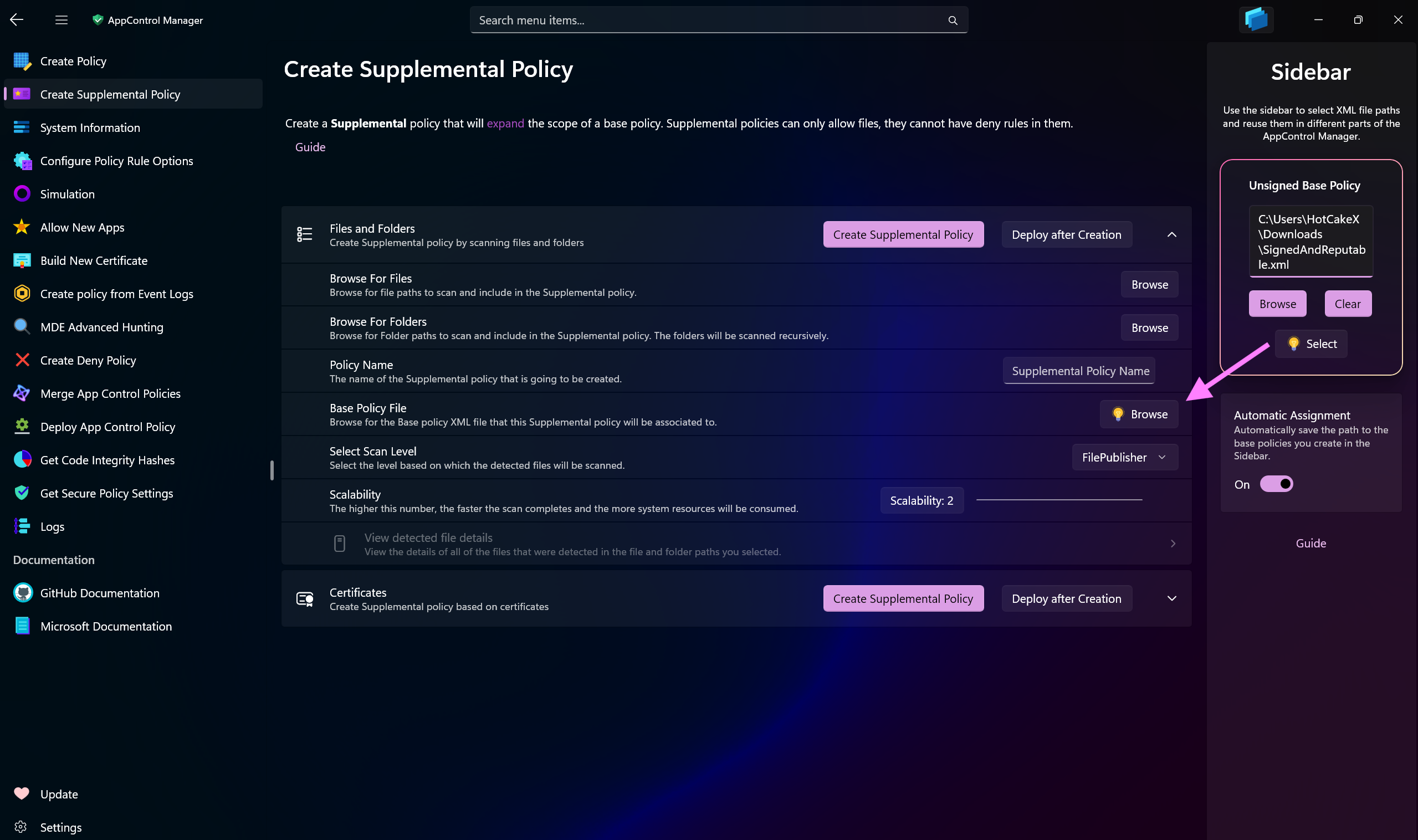
The App Control Studio features a versatile Sidebar designed to streamline user interactions and enhance productivity. With the Sidebar, you can select a base policy path once and seamlessly reuse it throughout the app, eliminating the need to repeatedly browse for the file.
Pages within App Control Studio that require an XML policy file automatically recognize when a path has been selected in the Sidebar. As you navigate to these pages, subtle indicators appear, prompting you to open the Sidebar and quickly access the pre-selected file path.
The Sidebar also includes a toggle switch that, when enabled, automatically assigns newly created base policy paths to the Sidebar. This feature further accelerates workflow and minimizes manual input.
By default, the Sidebar displays the XML policy path specified in the App settings, ensuring immediate access to the main policy you work with.
-
Sidebar Guide: Use this button to open this page in the browser.
-
Open User Config Directory: Use this button to open the User Configuration directory in File Explorer.
-
Use the Optimize Memory button to optimize memory usage of the app and try to reduce it. App Control Studio is already highly optimized but this gives users more control over its memory usage. The app will generate a detailed report in the Logs page that you can check out, showing the type and amount of memory changes.