This plugin for Obsidian automatically downloads online images in your notes and saves them locally for offline viewing. Never worry about broken image links or internet connectivity issues again!
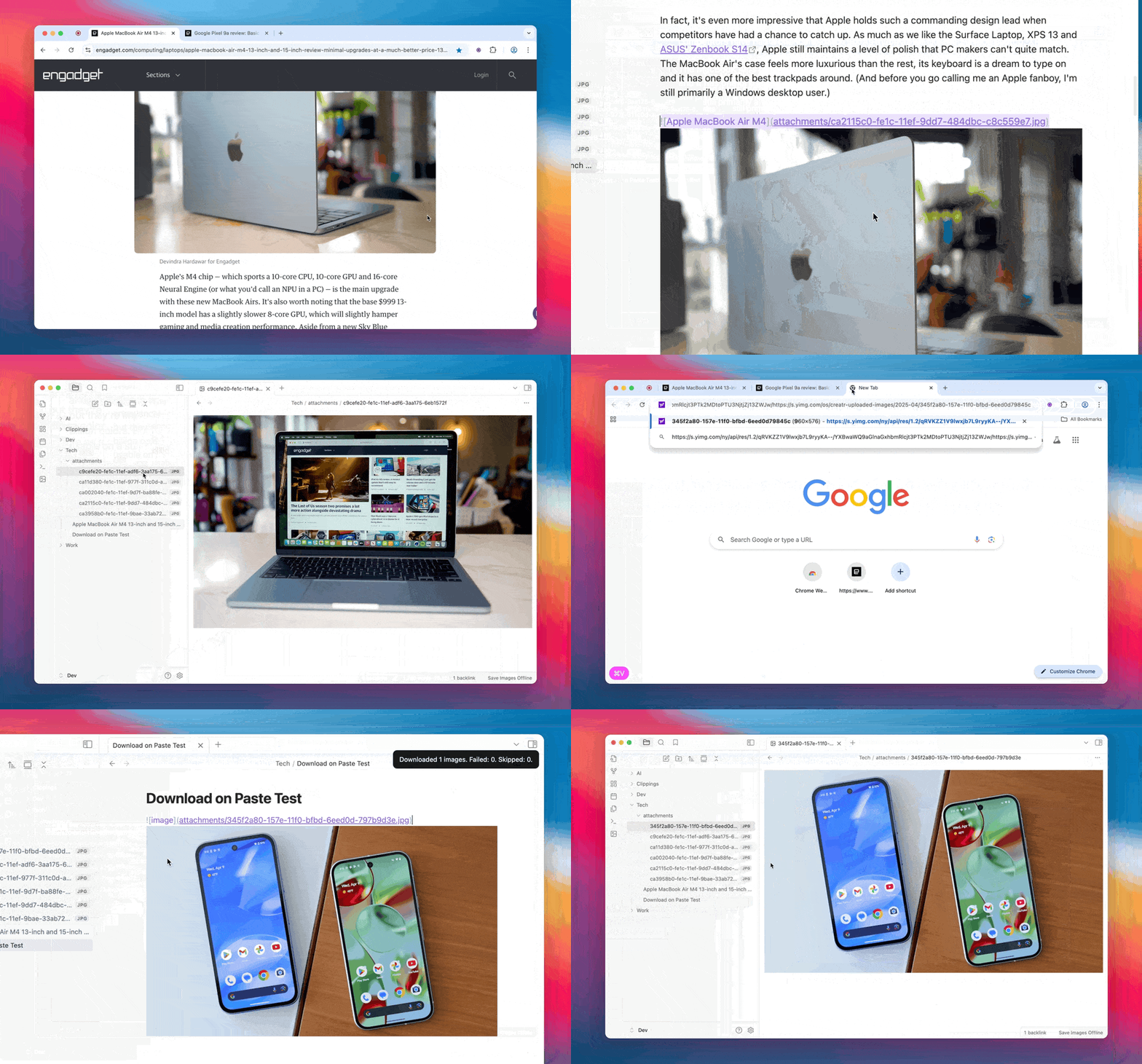
- Automatic Image Download: Automatically detects and downloads images from online URLs in your notes
- Paste Support: Downloads images when you paste content with image URLs
- Format Conversion: Option to convert PNG images to JPEG to save space
- Customizable Storage: Configure where and how images are stored
- Duplicate Prevention: Uses MD5 hashing to prevent duplicate images
- Manual Processing: Commands to manually process individual files or the entire vault
When enabled, the plugin:
- Scans your notes for image URLs (both Markdown and HTML formats)
- Downloads the images from those URLs
- Saves them to a subfolder within the note's folder
- Updates the links in your notes to point to the local files
This ensures that your notes with images will work even when you're offline.
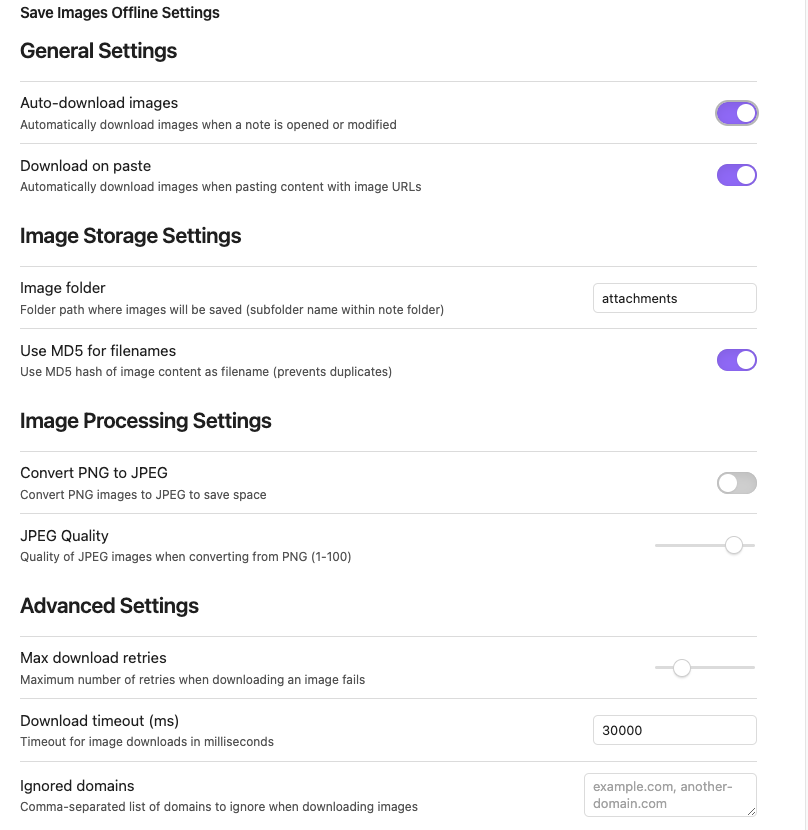
Plugin settings panel with various configuration options
- Auto-download images: Automatically download images when a note is opened or modified
- Download on paste: Automatically download images when pasting content with image URLs
- Image folder: Folder path where images will be saved (subfolder name within note folder)
- Use MD5 for filenames: Use MD5 hash of image content as filename (prevents duplicates)
- Convert PNG to JPEG: Convert PNG images to JPEG to save space
- JPEG Quality: Quality of JPEG images when converting from PNG (1-100)
- Max download retries: Maximum number of retries when downloading an image fails
- Download timeout: Timeout for image downloads in milliseconds
- Ignored domains: Comma-separated list of domains to ignore when downloading images
- Save images offline for current file: Process the currently active file
- Save images offline for all files: Process all markdown files in the vault
- Open Obsidian Settings
- Go to Community Plugins
- Search for "Save Images Offline"
- Click Install, then Enable
If you find this plugin useful, consider supporting me:

or


