A simple to use bookmarklet for saving all your favorite URL's to a MySQL database. Only tested with Safari and Chrome browsers
Copy the files to your webserver.
- Create a new MySQL database and import the schema you'll find in database directory :
table.sql - Update the
connect.phpfile in the include directory, to reflect your database configuration - Visit the
index.phppage, it will provide the necessary instructions to add the bookmarklet to your Favorites bar (Safari) or the Bookmarks bar (Chrome) depending on which browser you choose
The following screenshot illustrates the message displayed when visiting index.php:
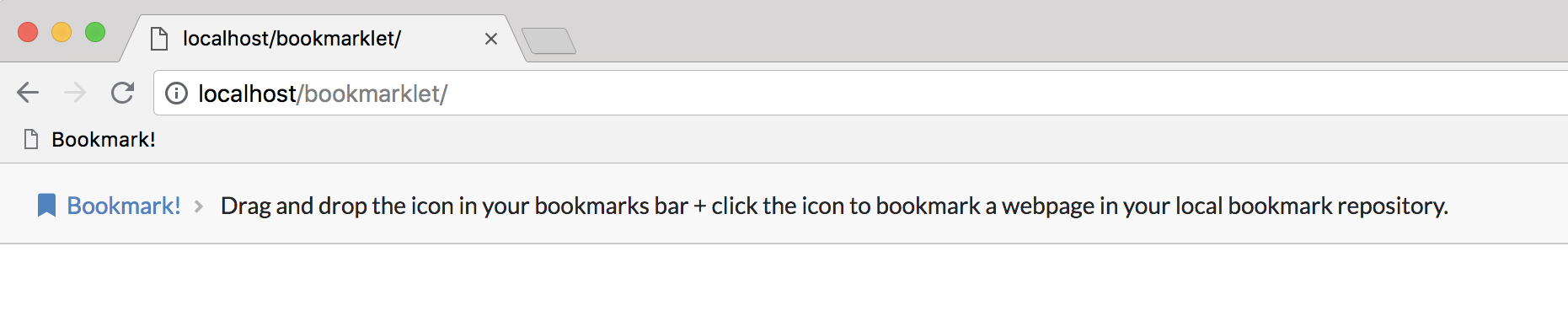
Simply drag and drop the link using the icon in your Bookmarks bar. It will appear as Bookmark!
- Visit a website you wish to save to your local database
- Click the
Bookmark!link in your Bookmarks bar and you'll be redirected to theload.phppage, which will display thetitleandurlof the website you wish to add. Review and click Submit to add to the database. - Upon success, you'll be redirected once more, this time to
bookmarks.phpwhich lists all bookmarks you've added to the database so far..
This project is licensed under the MIT License - see the LICENSE.md file for details