

Synopsis: A Python-based API for device lookup in Apple Business Manager and Apple School Manager, providing endpoints for querying device information by serial number.
Description: This script runs a web server that exposes endpoints for searching device information in Apple Business Manager and Apple School Manager. It uses basic authentication and returns device details in JSON format. The API is designed to not having to login to several portals to find where a device is located.
Setup: Sign up for fontawesome free kit, change
<script src="" crossorigin="anonymous"></script> in app.pyDownload a pem key from Apple Business Manager, edit abm.py, add key id and client id.
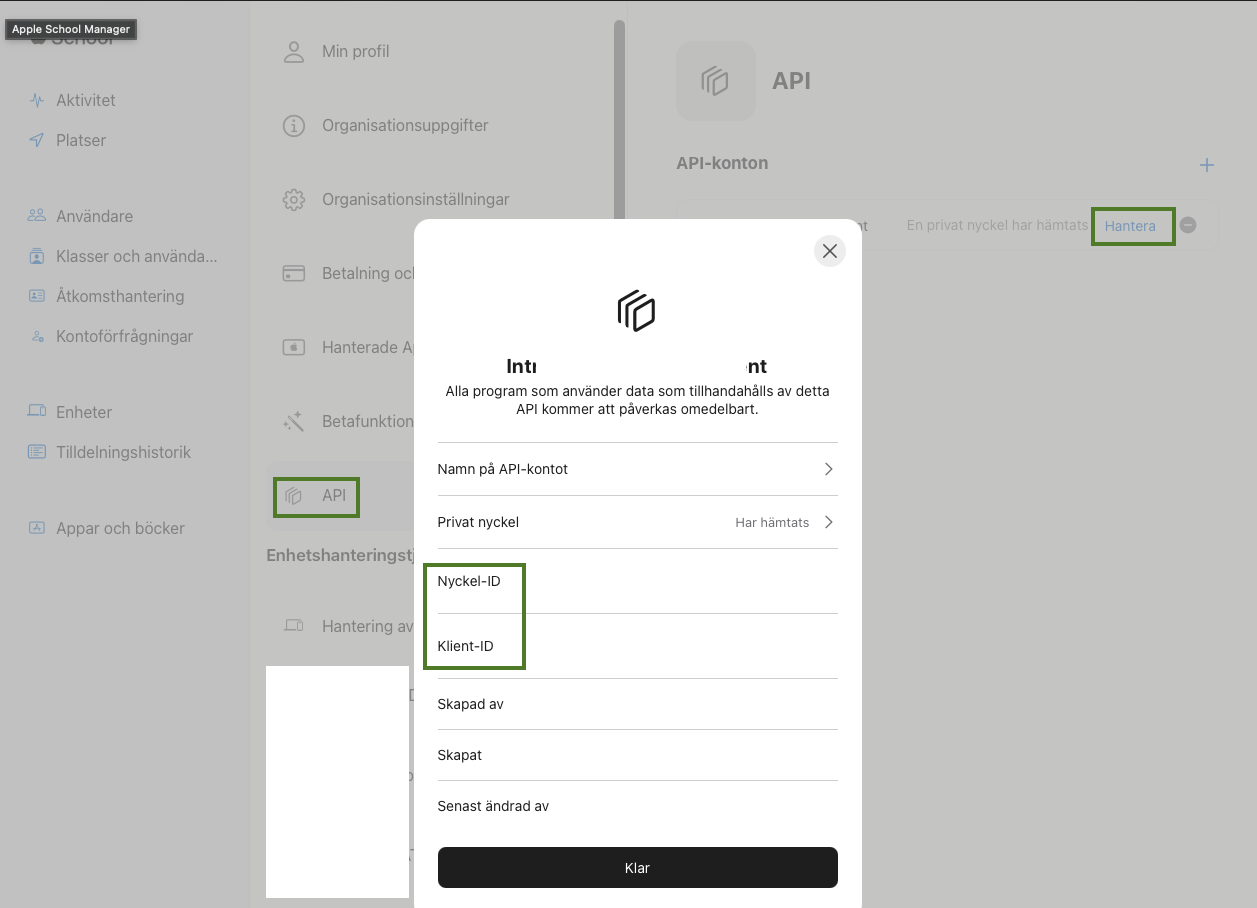
Example:
- Start the server: Run the script with Python to launch the API.
- Vist the server, http://localhost:8080
- Query a device: Send a GET request to /abm/SerialNumber or /asm/SerialNumber with valid credentials to retrieve device information.
- Access Swagger UI: Open the /apidocs/ endpoint in a browser to view and interact with the API documentation.
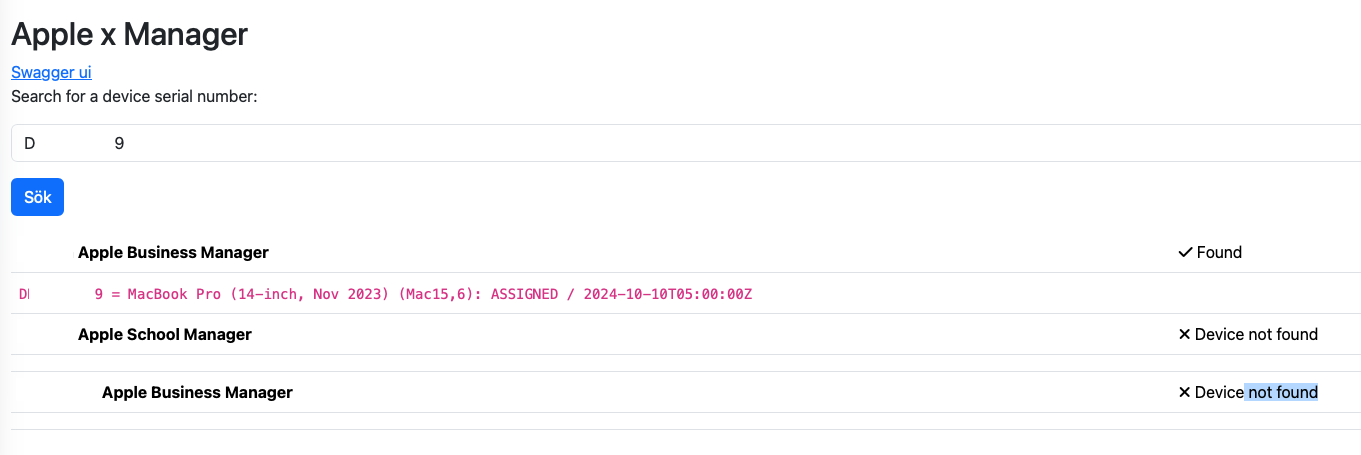
Notes:
- Requires Python and the listed dependencies in requirements.txt.
- Needs valid credentials and private key files for Apple API access.
- The ABM/ASM configuration must be completed with correct client ID, key ID, and private key path.
- The server uses basic authentication; default credentials can be overridden with environment variables.
- Device lookup may fail if credentials or keys are incorrect, or if the device is not found.
Parameters:
- BASIC_AUTH_USERNAME: Environment variable for the basic auth username.
- BASIC_AUTH_PASSWORD: Environment variable for the basic auth password.
- FLASK_PORT: Environment variable to set the server port (default is 8080).
Basic idea:
- Start the Flask server.
- User accesses the root endpoint for the HTML interface or Swagger UI.
- User sends a GET request to /abm/SerialNumber or /asm/SerialNumber with basic authentication.
- The server validates credentials and parameters.
- The server calls the appropriate function to fetch device information from Apple APIs.
- The server returns device information or error messages in JSON format.