




Open Mercato is a new‑era, AI‑supportive platform for shipping enterprise‑grade CRMs, ERPs, and commerce backends. It’s modular, extensible, and designed so teams can mix their own modules, entities, and workflows while keeping the guardrails of a production-ready stack.
- 💼 CRM – model customers, opportunities, and bespoke workflows with infinitely flexible data definitions.
- 🏭 ERP – manage orders, production, and service delivery while tailoring modules to match your operational reality.
- 🛒 Commerce – launch CPQ flows, B2B ordering portals, or full commerce backends with reusable modules.
- 🤝 Self-service system – spin up customer or partner portals with configurable forms, guided flows, and granular permissions.
- 🔄 Workflows – orchestrate custom data lifecycles and document workflows per tenant or team.
- 🧵 Production – coordinate production management with modular entities, automation hooks, and reporting.
- 🌐 Headless/API platform – expose rich, well-typed APIs for mobile and web apps using the same extensible data model.
- 🧩 Modular architecture – drop in your own modules, pages, APIs, and entities with auto-discovery and overlay overrides.
- 🧬 Custom entities & dynamic forms – declare fields, validators, and UI widgets per module and manage them live from the admin.
- 🏢 Multi-tenant by default – SaaS-ready tenancy with strict organization/tenant scoping for every entity and API.
- 🏛️ Multi-hierarchical organizations – built-in organization trees with role- and user-level visibility controls.
- 🛡️ Feature-based RBAC – combine per-role and per-user feature flags with organization scoping to gate any page or API.
- ⚡ Data indexing & caching – hybrid JSONB indexing and smart caching for blazing-fast queries across base and custom fields.
- 🔔 Event subscribers & workflows – publish domain events and process them via persistent subscribers (local or Redis).
- ✅ Growing test coverage – expanding unit and integration tests ensure modules stay reliable as you extend them.
- 🧠 AI-supportive foundation – structured for assistive workflows, automation, and conversational interfaces.
- ⚙️ Modern stack – Next.js App Router, TypeScript, zod, Awilix DI, MikroORM, and bcryptjs out of the box.
 |
 |
 |
| Order Shipments | Organizations | Users |
 |
 |
 |
| Roles & ACL | Custom Fields | Custom Entity Records |
 |
 |
 |
| Add New Customer | Deals Pipeline | Customer Notes |
 |
|
 |
| Sales Pipeline | Order Shipments | Order Totals |
 |
 |
 |
| Catalog Products | Sales Channels | Channel Offers |

|
||
| Home overview with enabled modules list | ||
- 🧩 Modules: Each feature lives under
src/modules/<module>with auto‑discovered frontend/backend pages, APIs, CLI, i18n, and DB entities. - 🗃️ Database: MikroORM with per‑module entities and migrations; no global schema. Migrations are generated and applied per module.
- 🧰 Dependency Injection: Awilix container constructed per request. Modules can register and override services/components via
di.ts. - 🏢 Multi‑tenant: Core
directorymodule definestenantsandorganizations. Most entities carrytenant_id+organization_id. - 🔐 Security: RBAC roles, zod validation, bcryptjs hashing, JWT sessions, role‑based access in routes and APIs.
Read more on the Open Mercato Architecture
Open Mercato ships with tenant-scoped, field-level data encryption so PII and sensitive business data stay protected while you keep the flexibility of custom entities and fields. Encryption maps live in the admin UI/database, letting you pick which system and custom columns are encrypted; MikroORM hooks automatically encrypt on write and decrypt on read while keeping deterministic hashes (e.g., email_hash) for lookups.
Architecture in two lines: Vault/KMS (or a derived-key fallback) issues per-tenant DEKs and caches them so performance stays snappy; AES-GCM wrappers sit in the ORM lifecycle, storing ciphertext at rest while CRUD and APIs keep working with plaintext. Read the docs to dive deeper: docs.openmercato.com/user-guide/encryption.
We have migrated Open Mercato to a monorepo structure. If you're upgrading from a previous version, please note the following changes:
The codebase is now organized into:
packages/- Shared libraries and modules (@open-mercato/core,@open-mercato/ui,@open-mercato/shared,@open-mercato/cli,@open-mercato/cache,@open-mercato/events,@open-mercato/queue,@open-mercato/content,@open-mercato/onboarding,@open-mercato/search)apps/- Applications (main app inapps/mercato, docs inapps/docs)
Important note on storage: The storage folder has been moved to the apps/mercato folder as well. If you instance has got any attachments uploaded, please make sure you run:
mv storage apps/mercato/storage... from the root Open Mercato folder.
Import aliases have changed from path-based to package-based imports:
- Before:
@/lib/...,@/components/...,@/modules/... - After:
@open-mercato/shared/lib/...,@open-mercato/ui/components/...,@open-mercato/core/modules/..., etc.
The .env file now must live in apps/mercato instead of the project root.
The fastest way to start is to copy the example file:
cp apps/mercato/.env.example apps/mercato/.envAt minimum, set DATABASE_URL, JWT_SECRET, and REDIS_URL (or EVENTS_REDIS_URL) before bootstrapping.
Yarn 4 is now required. Ensure you have Yarn 4+ installed before proceeding.
This is a quickest way to get Open Mercato up and running on your localhost / server - ready for testing / demoing or for Core development!
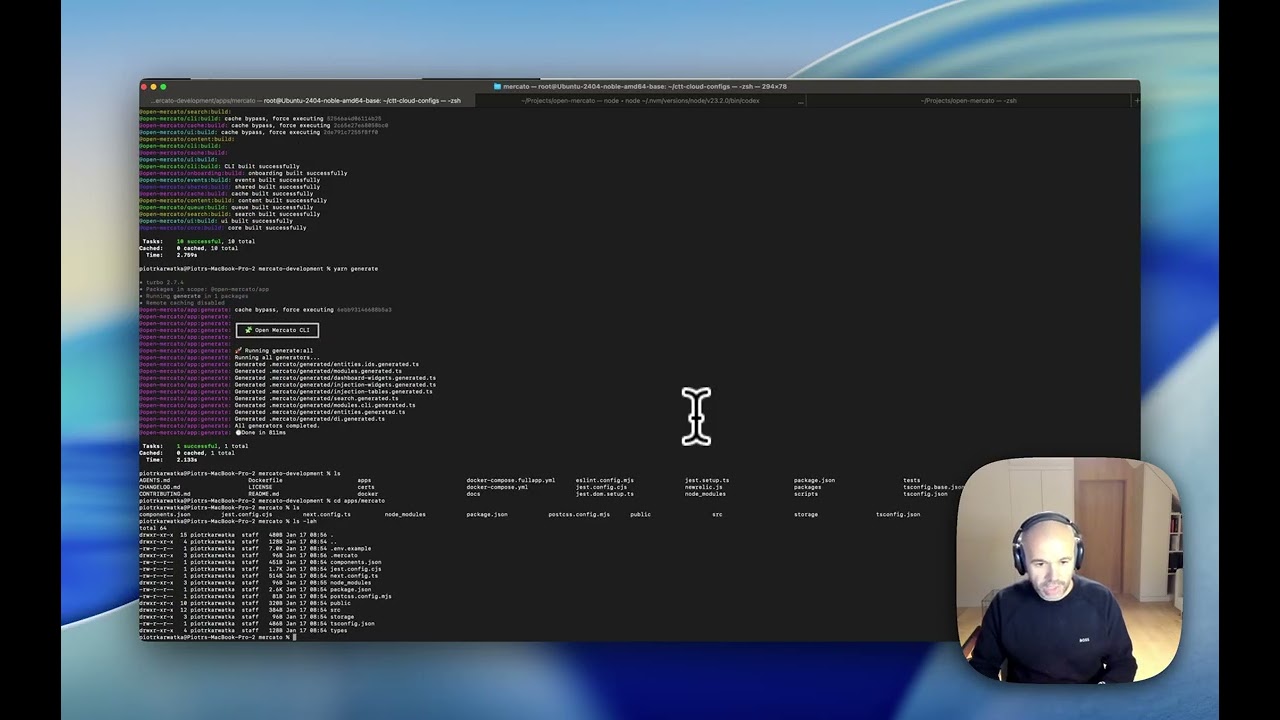
Prerequisites: Yarn 4+
git clone https://github.com/open-mercato/open-mercato.git
cd open-mercato
git checkout develop
yarn install

cp apps/mercato/.env.example apps/mercato/.env # EDIT this file to set up your specific files
#At minimum, set `DATABASE_URL`, `JWT_SECRET`, and `REDIS_URL` (or `EVENTS_REDIS_URL`) before bootstrapping.

yarn generate
yarn initialize # or yarn reinstall
yarn devgit clone https://github.com/open-mercato/open-mercato.git
cd open-mercato
yarn install
cp apps/mercato/.env.example apps/mercato/.env
yarn mercato init
yarn devThis script prepares module registries, generates/applies migrations, seeds default roles, provisions an admin user, and loads sample CRM data (companies, people, deals, activities, todos) unless you pass --no-examples. Add --stresstest to preload a high-volume dataset (6,000 contacts by default) complete with additional companies, pipeline deals, activities, and timeline notes — all with custom fields populated. Override the volume with -n <amount> or --count=<amount>, and append --lite to skip the heavier extras when you just need raw contacts. A progress bar keeps you updated while the stress-test data is generated.
Navigate to http://localhost:3000/backend and sign in with the credentials printed by yarn mercato init.
If you plan to use the self-service onboarding flow or send transactional emails, opt-in by setting the following environment variables in your .env file before starting the server (the onboarding toggle defaults to false):
RESEND_API_KEY=your_resend_api_key
APP_URL=http://localhost:3000
EMAIL_FROM=no-reply@your-domain.com
SELF_SERVICE_ONBOARDING_ENABLED=true
ADMIN_EMAIL=ops@your-domain.com
💡 Need a clean slate? Run yarn mercato init --reinstall. It wipes module migrations and drops the database, so only use it when you intentionally want to reset everything. Prefer yarn mercato init --no-examples if you simply want to skip demo CRM data while keeping core roles and users. Reach for yarn mercato init --stresstest (optionally with -n 12000) when you want to benchmark full CRM flows with thousands of contacts, companies, deals, activities, and notes — or yarn mercato init --stresstest --lite when you mainly need raw contact volume at high throughput.
Full installation guide (including prerequisites and cloud deployment): docs.openmercato.com/installation/setup
Run the complete Open Mercato stack (app + PostgreSQL + Redis + Meilisearch) with Docker Compose:
# Clone and configure
git clone https://github.com/open-mercato/open-mercato.git
cd open-mercato

# Build and start all services
docker compose -f docker-compose.fullapp.yml up --buildBefore starting, you may want to configure the following environment variables. Create a .env file in the project root or export them in your shell:
| Variable | Required | Default | Description |
|---|---|---|---|
JWT_SECRET |
JWT |
Secret key for JWT token signing. Use a strong, unique value in production. | |
POSTGRES_PASSWORD |
postgres |
PostgreSQL database password. Use a strong password in production. | |
POSTGRES_USER |
No | postgres |
PostgreSQL database user |
POSTGRES_DB |
No | open-mercato |
PostgreSQL database name |
POSTGRES_PORT |
No | 5432 |
PostgreSQL exposed port |
REDIS_PORT |
No | 6379 |
Redis exposed port |
MEILISEARCH_MASTER_KEY |
meilisearch-dev-key |
Meilisearch API key. Use a strong key in production. | |
MEILISEARCH_PORT |
No | 7700 |
Meilisearch exposed port |
OPENAI_API_KEY |
No | - | OpenAI API key (enables AI features) |
ANTHROPIC_API_KEY |
No | - | Anthropic API key (for opencode service) |
OPENCODE_PORT |
No | 4096 |
Opencode service exposed port |
Example .env file for production:
JWT_SECRET=your-strong-secret-key-here
POSTGRES_PASSWORD=your-strong-db-password
MEILISEARCH_MASTER_KEY=your-strong-meilisearch-key
OPENAI_API_KEY=sk-...  # Optional, for AI features
Navigate to http://localhost:3000/backend and sign in with the default credentials (admin@example.com).
Common operations:
- Start:
docker compose -f docker-compose.fullapp.yml up -d - Logs:
docker compose -f docker-compose.fullapp.yml logs -f app - Stop:
docker compose -f docker-compose.fullapp.yml down - Rebuild:
docker compose -f docker-compose.fullapp.yml up --build
For production deployments, ensure strong JWT_SECRET, secure database credentials, and consider managed database services. See the full Docker deployment guide for detailed configuration and production tips.

Browse the full documentation at docs.openmercato.com.
- Introduction
- Installation
- User Guide
- Tutorials
- Customization
- Architecture
- Framework
- API Reference
- CLI Reference
- Appendix
Open Mercato follows a spec-first development approach. Before implementing new features or making significant changes, we document the design in the .ai/specs/ folder.
- Clarity: Specs ensure everyone understands the feature before coding starts
- Consistency: Design decisions are documented and can be referenced by humans and AI agents
- Traceability: Each spec maintains a changelog tracking the evolution of the feature
- Before coding: Check if a spec exists at
.ai/specs/<module-name>.md - New features: Create or update the spec with your design before implementation
- After changes: Update the spec's changelog with a dated summary
Example specs: notifications-module.md, messages-module.md, ui-reusable-components.md
See .ai/specs/AGENTS.md for detailed guidelines on maintaining specs.
Connect with the team and other builders in our Discord community: https://discord.gg/f4qwPtJ3qA.
We welcome contributions of all sizes—from fixes and docs updates to new modules. Start by reading CONTRIBUTING.md for branching conventions (main, develop, feat/<feature>), release flow, and the full PR checklist. Then check the open issues or propose an idea in a discussion, and:
- Fork the repository and create a branch that reflects your change.
- Install dependencies with
yarn installand bootstrap viayarn mercato init(add--no-examplesto skip demo CRM content;--stresstestfor thousands of synthetic contacts, companies, deals, and timeline interactions; or--stresstest --litefor high-volume contacts without the heavier extras). - Develop and validate your changes (
yarn lint,yarn test, or the relevant module scripts). - Open a pull request referencing any related issues and outlining the testing you performed.
Refer to AGENTS.md for deeper guidance on architecture and conventions when extending modules.
Open Mercato is proudly supported by Catch The Tornado.

Open Mercato let the module developers to expose the custom CLI commands for variouse maintenance tasks. Read more on the CLI documentation
- MIT — see
LICENSEfor details.