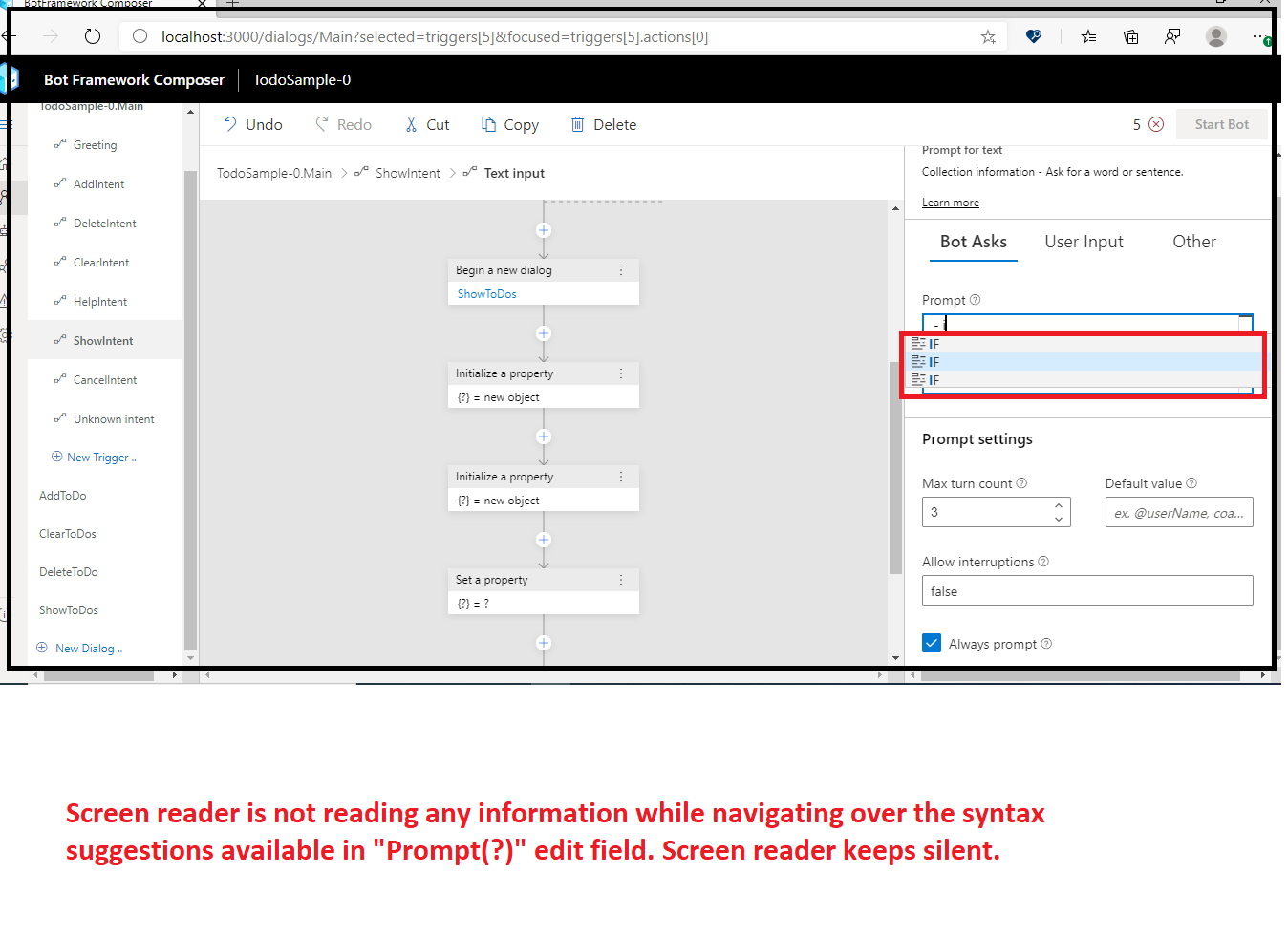
[Accessibility][Screen reader - Property Pane_Ask a question]: Screen reader is not reading any information while navigating over the syntax suggestions available in "Prompt(?)" edit field. #2078


Description

User Experience
If a screen reader will not provide any information about the syntax suggestions available in "Prompt(?)" edit field, then screen reader dependent users will never get to know about code creation ideas.
Test Environment
Browser: Microsoft Edge Canary Version: 82.0.425.0 (Official build)
OS build: 2004 (19564.1005)
Screen Reader: Narrator
URL: Bot Framework Composer
Prerequisite Here
Repro Steps:
- Open the above mentioned URL in EDGE and turn on narrator.
- Navigate to already created dialog tree item and activate it. Such as- Greetings, Actions, EndDialog etc.
- Click on "+" and select 'Ask a question'. Then select any of the available options except Oauth login.
- Navigate to property pane appeared at right side of the screen and navigate t"Prompt(?)" edit field.
5 .After '-' type "if" and navigate over the syntax suggestions. - Observer the issue.
Actual:
Screen reader is not reading any information while navigating over the syntax suggestions available in "Prompt(?)" edit field. Screen reader keeps silent.
Expected:
Screen reader should announce the syntax suggestions available in "Prompt(?)" edit field as "If suggestion 1 of 3"
MAS Impacted: MAS1.3.1
Attachment:
MAS1.3.1_Syntax suggestions.zip