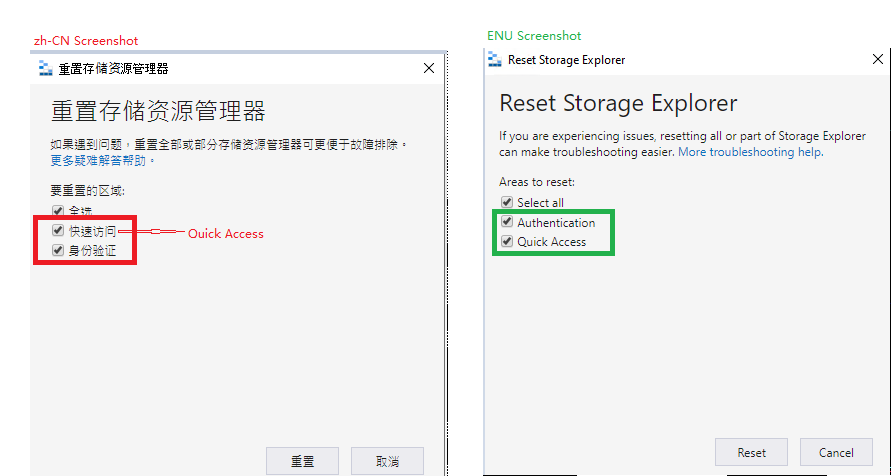
Keep a consistent order of the options in 'Rest Storage Explorer' dialog between ENU and non-ENU #3287

Description

Storage Explorer Version: 1.15.0-dev
Build: 20200723.3
Branch: master
Language: All
Platform/OS: Windows 10/ Linux Ubuntu 18.04/ macOS Catalina
Architecture: ia32/x64
Regression From: Not a regression
Steps to reproduce:
- Launch Storage Explorer.
- Open 'Settings' -> Application (Regional Settings) -> Select '中文(简体)' -> Restart Storage Explorer.
- Click localized 'Help' -> Click localized 'Reset'.
- Check the order of the options in the localized 'Reset Storage Explorer' dialog.
Expect Experience:
Keep a consistent order between ENU and non-ENU.
Actual Experience:
Show an inconsistent order between ENU and non-ENU.