A blazingly simple, pragmatic, store agnostic, fully decentralized file system that runs over HTTP.
Warning
This is very experimental. Always expect data loss, especially in a large network.
null.fs - An experimental distributed File System
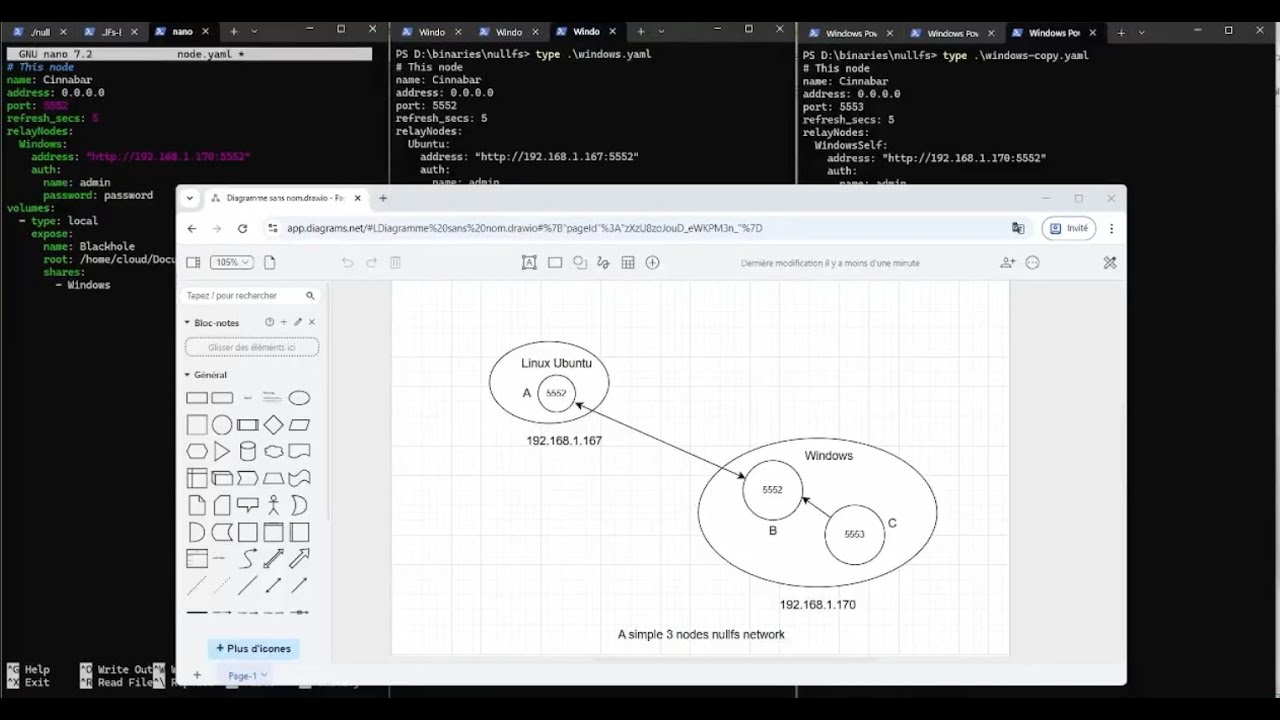
null.fs is a virtual file system represented as the consensus of a network of nodes.
A basic use-case is for periodic backups and/or file sharing.
It is designed to be store agnostic. Support for other stores, such as s3 is on the roadmap.
- File sharing
- Automatic backups
- Simple deployment, it runs over HTTP!
- Async synchronization
- Configurable user level access per volume/share
- Fully decentralized, no central authority
- Works as long as a node is alive
- Authentication works in pair of nodes, which allows secure access propagation
A <--> B <--> C: Node C can see changes from A without even knowing if Node A is part of the network as long as B is alive.
- Google Drive, Mega, Steam Saves, .etc support is implicit, just map a volume to the synchronized local folder.
For example, let's suppose you want to synchronize a folder accross 2 machines
on a local network, each machine/node will refer to it as the virtual null.fs
volume Screenshots.
  AAA, Windows  <-------------------->  BBB, Ubuntu
Store: NTFS folder                    Store: ext4 folder
- Node AAA (Windows, 192.168.1.11)
# PS> .\nullfs .\aaa.yaml

name: AAA # this node's name, only relevant to this node
address: 0.0.0.0
port: 5552
refresh_secs: 5 # Period at which we share updates
users:
  - name: bbb
    password: bbb
relayNodes:
  BBB: # Relay node aliases are also only relevant to this node
    address: "http://192.168.1.22:5552"
    auth:
      name: iama
      password: iama
# How volumes are duplicated accross relay nodes
volumes:
  Screenshots:
    store:
      type: local
      root: D:\Stuff\Screenshots
    allow: # incoming
      - bbb
    pullFrom: # outgoing
- BBB- Node BBB (Ubuntu Linux, 192.168.1.22)
# $ ./nullfs bbb.yaml

name: BBB
address: 0.0.0.0
port: 5552
refresh_secs: 7
users:
  - name: iama
    password: iama
relayNodes:
  AAA: # let's keep names consistent for this example
    address: "http://192.168.1.11:5552"
    auth:
      name: bbb
      password: bbb
volumes:
  Screenshots:
    store:
      type: local
      root: /home/bbb/Pictures
    allow: # incoming
      - iama
    pullFrom: # outgoing
- AAA- Working proof of concept
- Working authentication
- Resume non-commited commands on interrupt after pulling state
- Stores
- Local file system
- s3