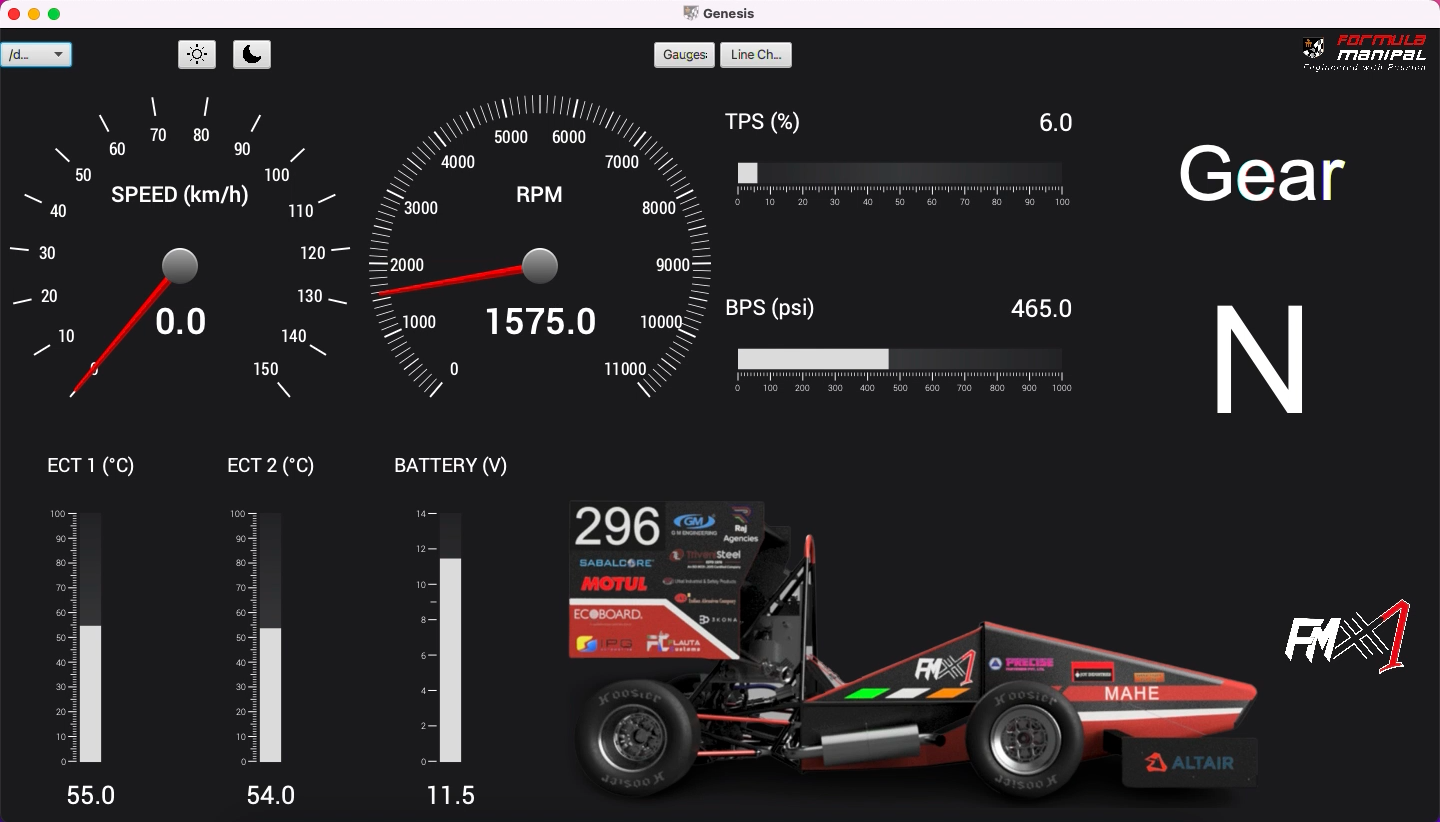
Display real time data from multiple potentiometers simultaneously in a Graphical User Interface (GUI).
- Arduino Uno (SMD preferrable)
- USB A to USB B Cable
- Breadboard
- Jumper Wires
- Potentiometers (multiple)
- Light Dependent Resistor (optional)
- Arduino IDE
- IntelliJ Idea
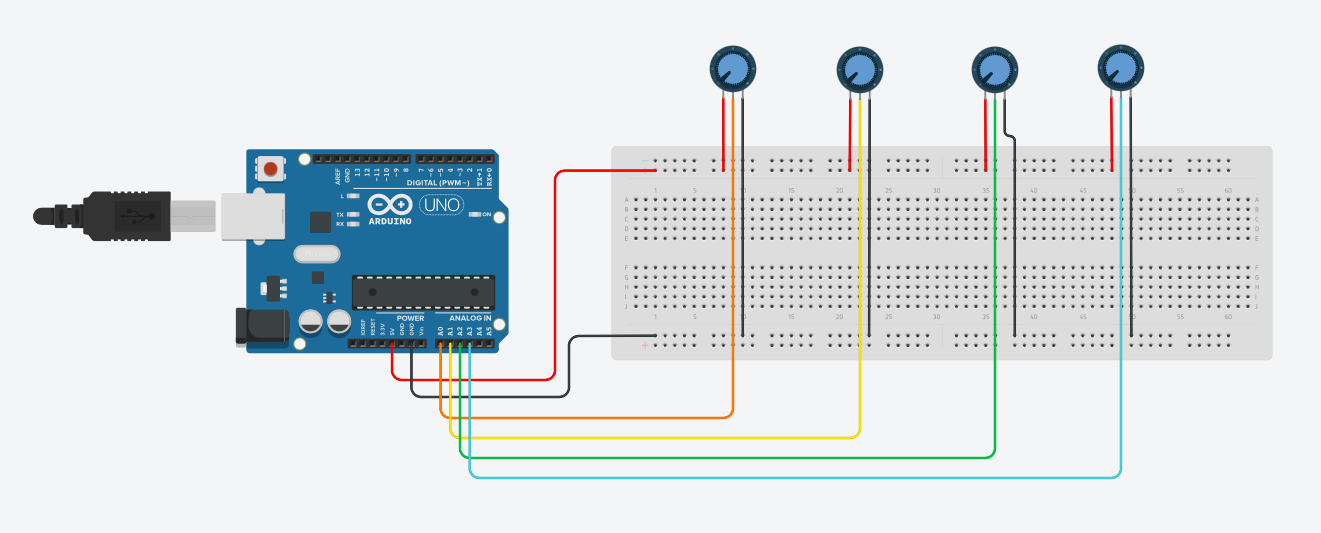
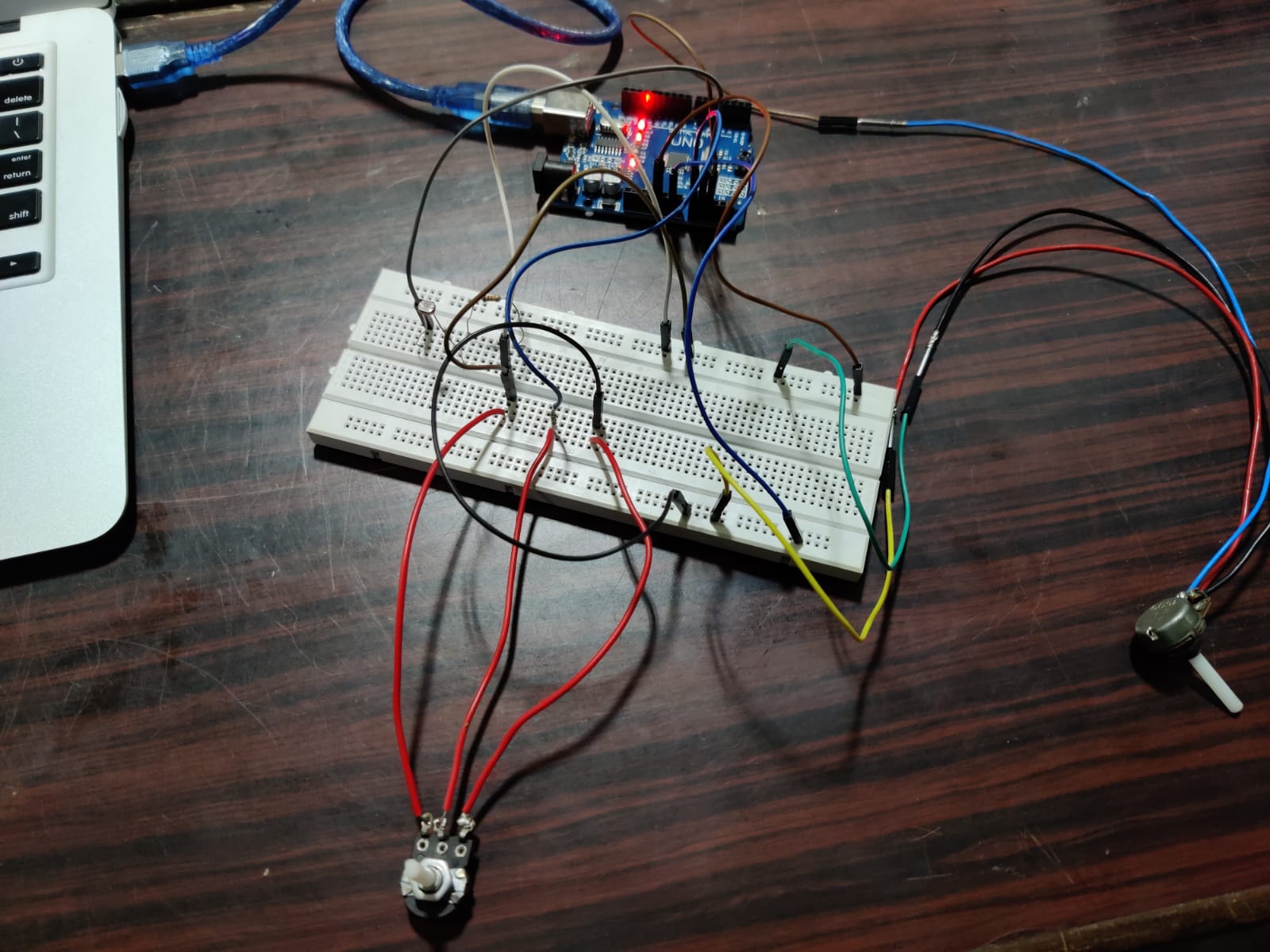
- Connect a jumper wire from the 5V pin of the Arduino to the breadboard. This will act as the main 5V supply to all the potentiometers.
- Connect a jumper wire from the GND pin of the Arduino to the breadboard. This will act as the common ground to all the potentiometers.
- Connect one extreme end of all the potentiometers to the 5V supply line.
- Connect the other extreme end of all the potentiometers to the GND line.
- Connect the signal terminal of all the potentiometers to the Analog Pins (A0, A1, A2, etc.) of the Arduino.
- Connect the Arduino to your laptop.
- Open Arduino IDE, and paste the Arduino code from this repository (depends on the number of potentiometers used).
- Open IntelliJ Idea, create a new JavaFX project with the name 'JavaFX_Arduino_Live'.
- Download the 'jssc' and 'Medusa' jar files from this repository.
- Go to 'File - Project Structure - Libraries'.
- Click on the '+' and add both these jar files.
- Click on 'Apply', then 'OK'.
- Paste the JavaFX code from this repository (again depends on the number of potentiometers used).
- Build and run the project.