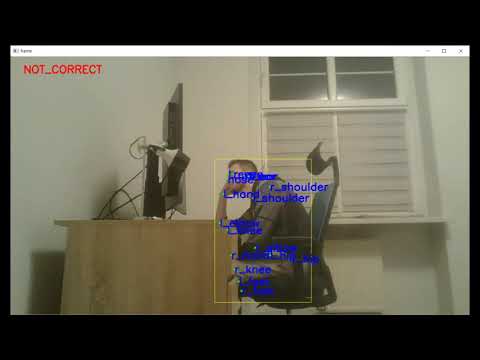
Realtime detection of incorrect sitting posture
- Build CenterNet project included in 3rd_party directory. Instructions can be found here (https://github.com/lukaszkepka/CenterNet)
- Download keypoint detection model for CenterNet (prefered model: multi_pose_dla_3x)
- Download posture detection model and copy its contents to src/posture_detection/models/default_model
- Run demo.py. Example usage
demo.py --keypoint_detector_model_path ../../3rd_party/CenterNet/models/multi_pose_dla_3x.pth --video_file_path C:/videos/video.mp4 --posture_detector_model_path ./models/default_model- Gather images representing sitting people from side view. Images should be divided into two classes 'correct', 'not_correct'. Images can be also extracted from video files by using data_preparation/extract_images_from_video.py Recommended structure for dataset organisation: dataset/images/<class_name> (class_name ∈ {'correct', 'not_correct'})
- Extract keypoints from images and save them to csv file by using data_preparation/extract_and_save_keypoints.py. Example usage:
extract_and_save_keypoints.py --images_directory D:\Datasets\images\ --model_path ..\..\3rd_party\CenterNet\models\multi_pose_dla_3x.pth- [Optional] Inspect generated keypoints with data_preparation/display_annotations.py
- Run training with posture_detection/train_model.py. Example usage:
train_model.py --annotations_file_path D:\Datasets\images\annotations.csv --model_name default_model- [Optional] Inspect trained model with posture_detection/inspect_model.py