








This project aims to automatically synchronize and archive the latest Tencent QQ installation packages for Linux users.
This project uses automated workflows to ensure that users can obtain the latest version of the QQ Linux client directly through GitHub in a timely manner.
- Automated Update Monitoring: Monitors version changes on the official Tencent QQ page around the clock.
- Full Architecture Support: Automatically collects all officially supported architectures, including x86 (deb/rpm/AppImage), arm64, loongarch64, and mips64el.
- Reliable Archive Downloads: Automatically publishes all installation packages to GitHub Releases. Downloading via GitHub's CDN effectively avoids issues where official download links may be slow or inaccessible, and also provides a convenient way to trace back historical versions.
- Multi-Instance Support: Provides a powerful Docker image that supports running multiple QQ accounts simultaneously with full data isolation and noVNC web access.
You can download the latest installer using curl or wget. Replace <VERSION> and <ARCH_EXT> with the current version and your preferred package format.
Example (x86_64 .deb):
# Using curl (follow redirects with -L)
curl -L -O https://github.com/libzonda/Linux-QQ-release/releases/latest/download/QQ_latest_amd64_01.deb

# Using wget
wget https://github.com/libzonda/Linux-QQ-Release/releases/latest/download/QQ_latest_amd64_01.debRun Tencent QQ for Linux in a Docker container with a web-accessible GUI (noVNC).
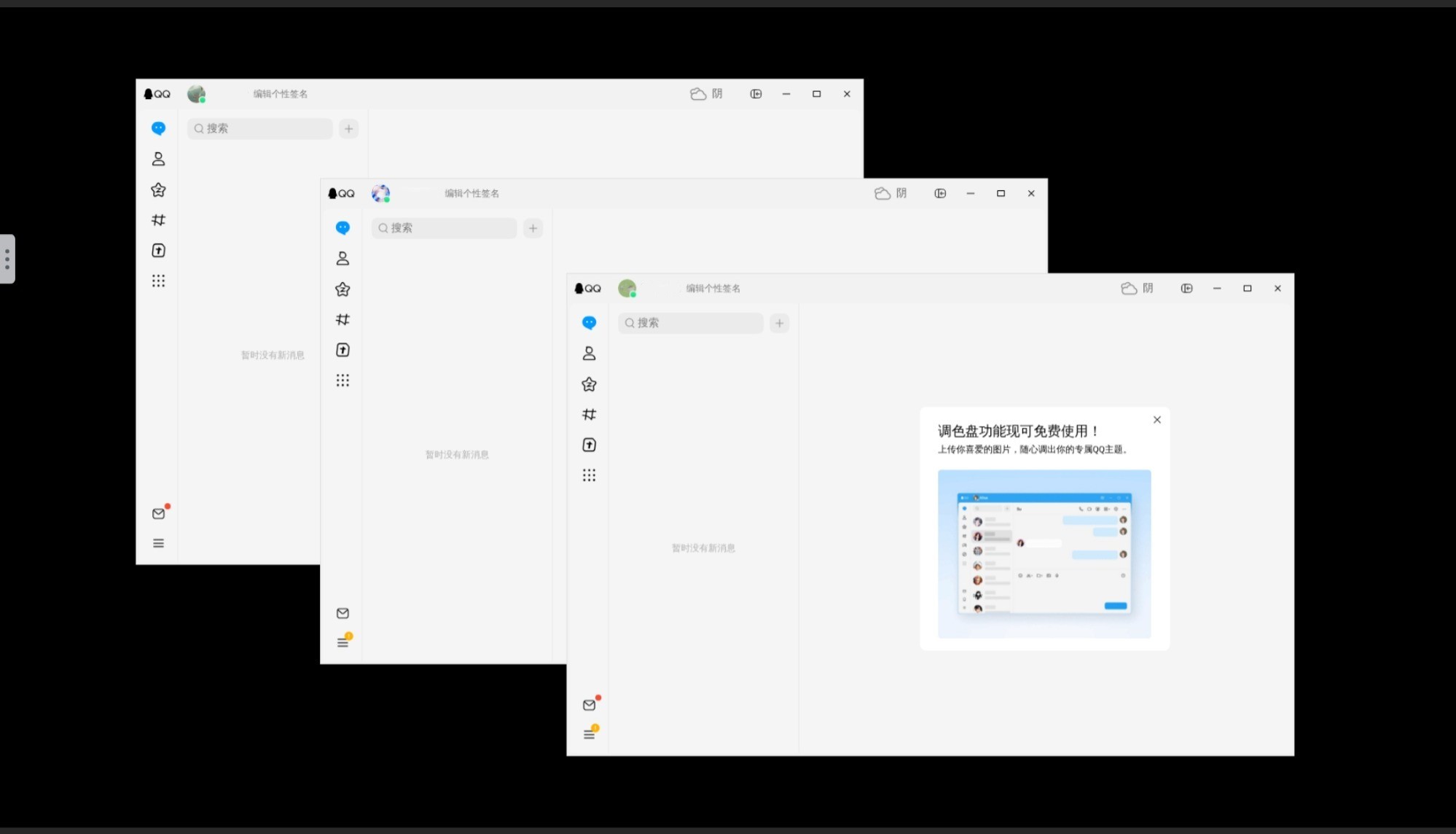
- Web GUI: Access QQ via browser at
http://localhost:5800. - Integrated Firefox: Built-in browser for link redirection.
- Docker Multi-Instance: Run multiple accounts in one container.
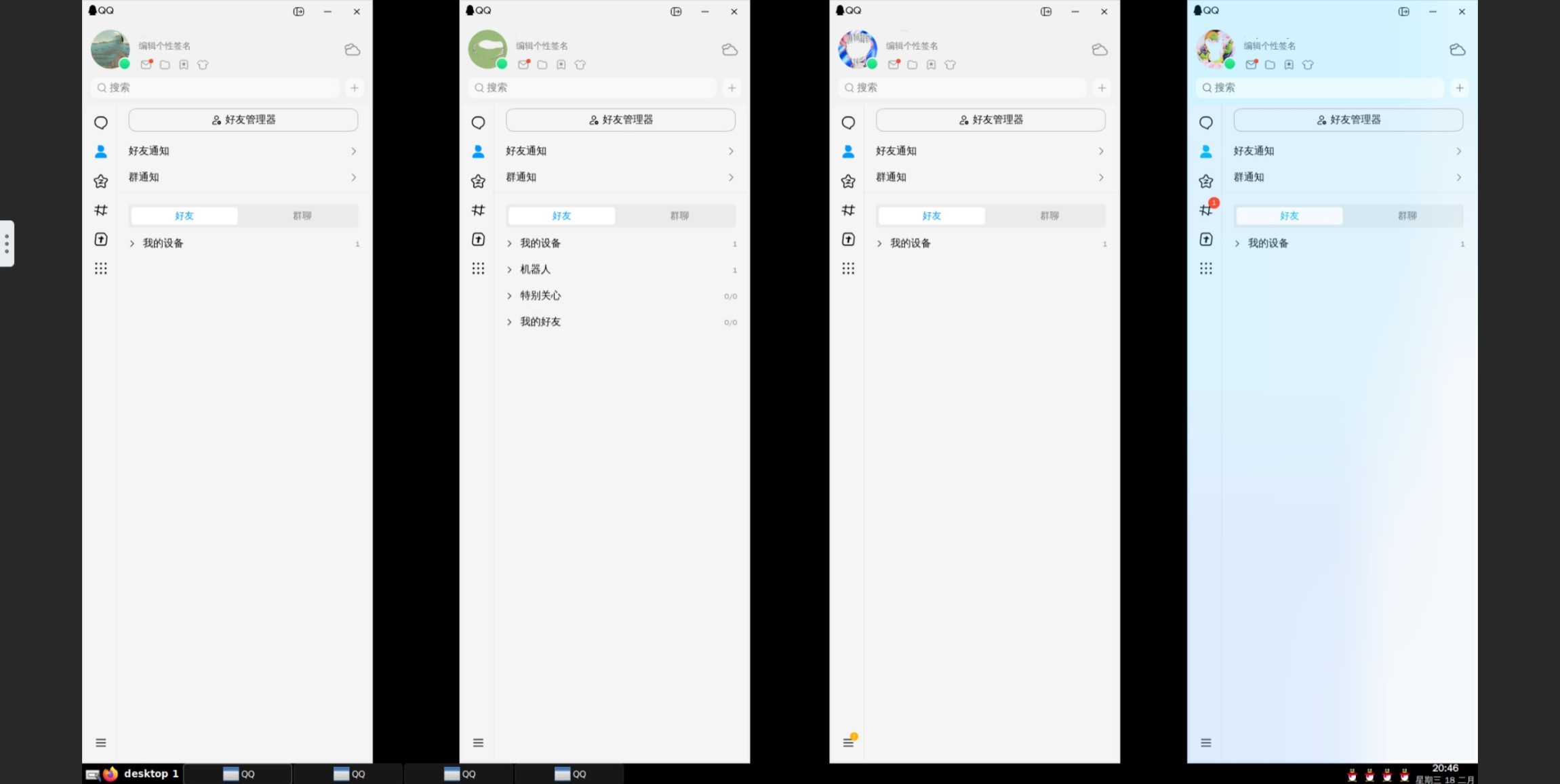
- Optional Taskbar: Integrated
tint2to manage minimized windows.
By setting the QQ_INSTANCE_COUNT environment variable, you can launch multiple QQ instances. Each instance has an isolated data directory.
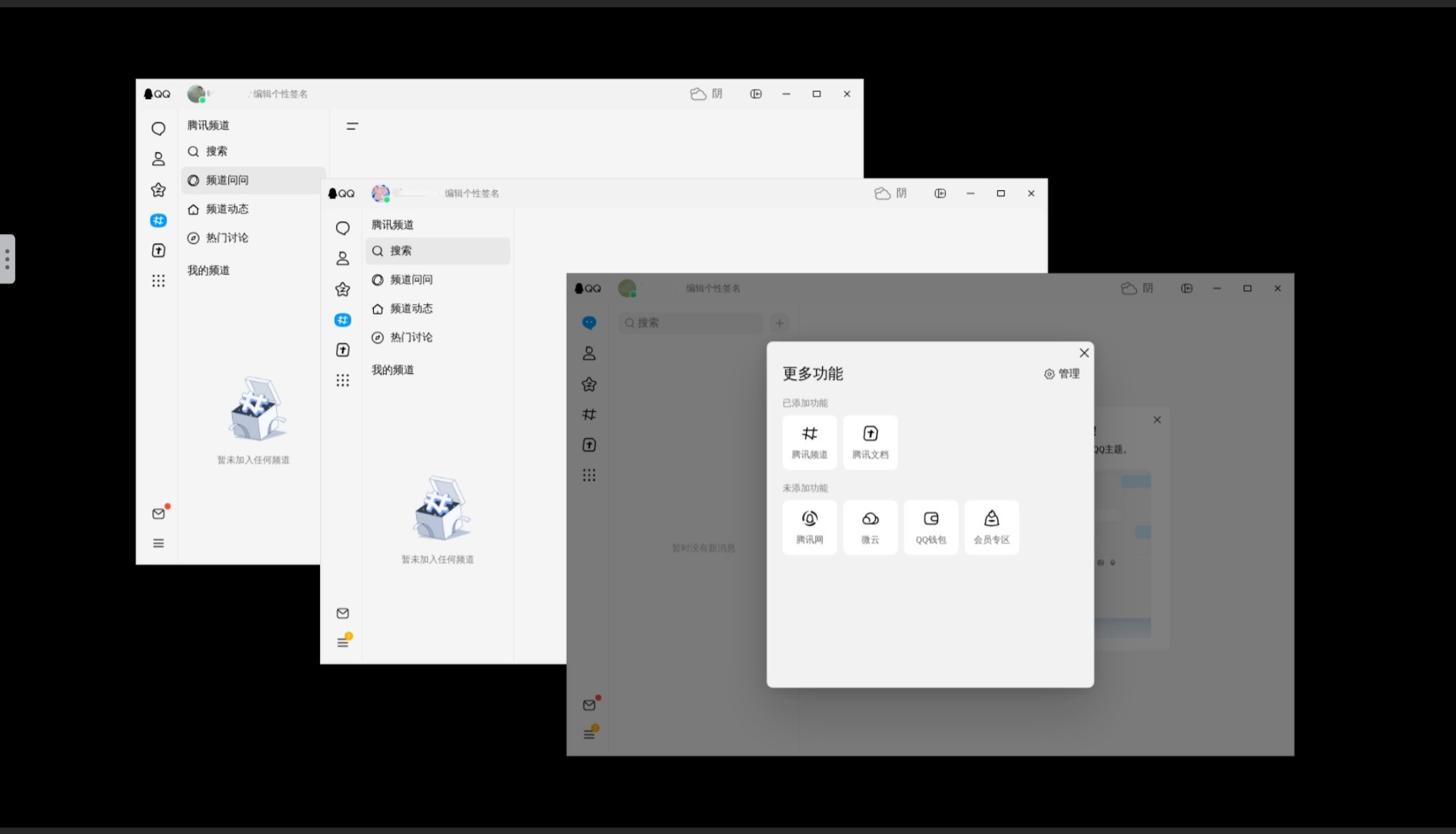
Set ENABLE_TASKBAR=1 to enable the bottom tint2 taskbar. This is extremely helpful for restoring minimized windows.
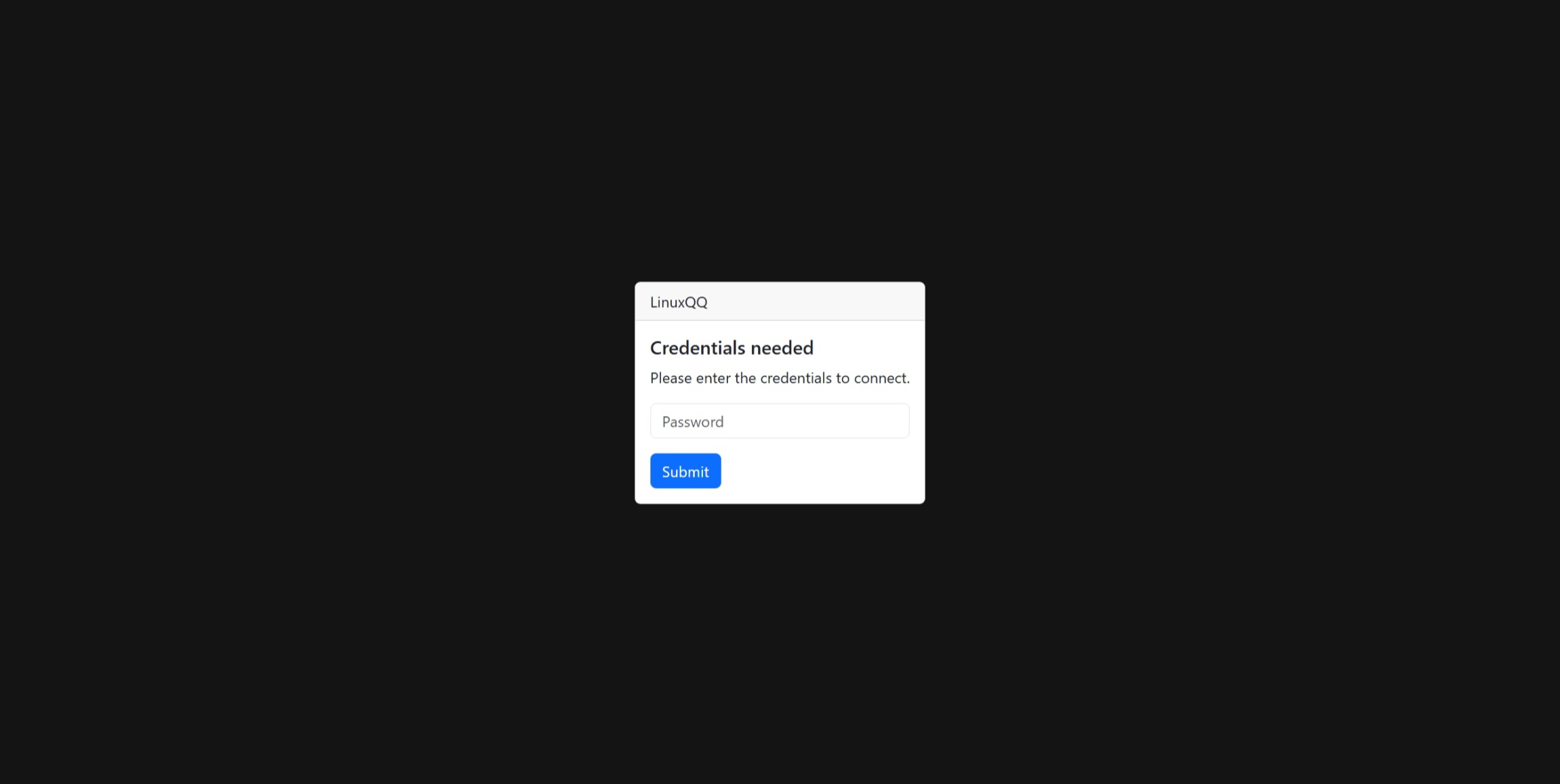
We strongly recommend setting the VNC_PASSWORD environment variable. This ensures your web GUI is protected by a password, keeping your sessions secure.
- Web GUI: Access QQ via browser at
http://localhost:5800. - Integrated Browser: Built-in Firefox (non-Snap) ensures external links (Email, Qzone) open correctly.
- Multi-Instance: Support running multiple QQ accounts simultaneously via
QQ_INSTANCE_COUNT. - Chinese Support: Pre-configured
zh_CN.UTF-8locale and fonts (Noto Sans CJK,WenQuanYi). - Multi-Arch: Supports
amd64andarm64.
Run from Docker Hub:
docker run -d \
  --name=linuxqq \
  -p 5800:5800 \
  -v /path/to/config:/config \
  -e QQ_INSTANCE_COUNT=1 \
  libzonda/linux-qq-release:latest-amd64
Run from GHCR:
docker run -d \
  --name=linuxqq \
  -p 5800:5800 \
  -v /path/to/config:/config \
  -e QQ_INSTANCE_COUNT=1 \
  ghcr.io/libzonda/linux-qq-release:latest-amd64
Open your browser and visit http://localhost:5800.
services:
  linuxqq:
    image: ghcr.io/libzonda/linux-qq-release:latest-amd64
    container_name: linuxqq
    restart: unless-stopped
    ports:
      - "5800:5800"
    volumes:
      - ./config:/config
    environment:
      - TZ=Asia/Shanghai
      - QQ_INSTANCE_COUNT=1
      - KEEP_APP_RUNNING=1
# - VNC_PASSWORD=secret| Variable | Default | Description |
|---|---|---|
TZ |
UTC |
Time zone (e.g., Asia/Shanghai). |
QQ_INSTANCE_COUNT |
1 |
Number of QQ instances to run. |
KEEP_APP_RUNNING |
0 |
Set to 1 to restart application if it crashes. |
VNC_PASSWORD |
(unset) | Password for accessing the GUI. Highly recommended to set this for security. |
ENABLE_CJK_FONT |
1 |
Enable Chinese fonts (default: 1). |
ENABLE_TASKBAR |
0 |
Set to 1 to enable a lightweight taskbar (tint2) for managing minimized windows. |
| Volume | Description |
|---|---|
/config |
Application data storage. Supports multi-instance isolation (/config/.config/QQ, /config/.config/QQ_2, etc.). |
Disclaimer: This project is for automated archiving purposes only. The copyright of the installation packages belongs to Tencent.