Exercise > Edit Details page > Assessment options - incorrect order of options in the drop-down #2797


Description

Summary
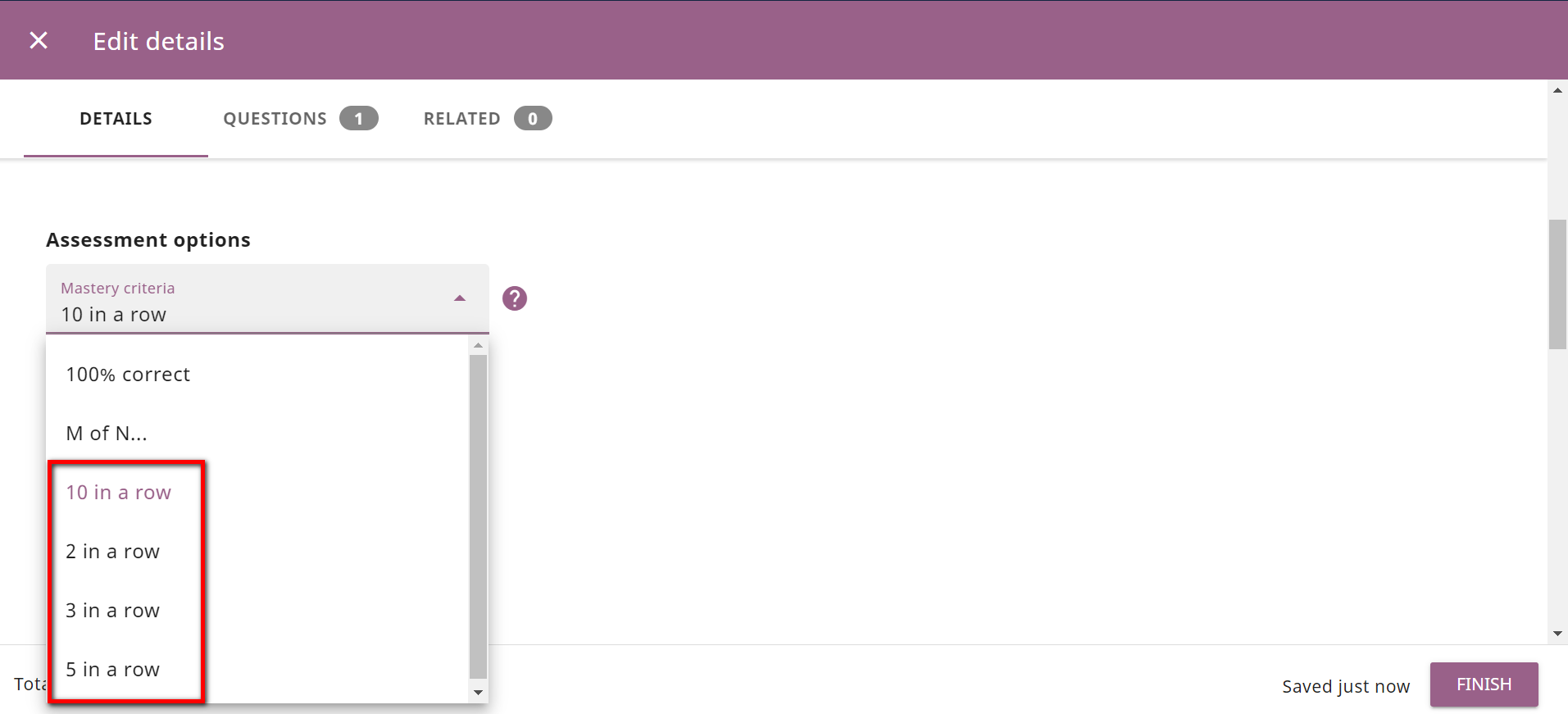
On the Exercise > Edit Details page the Assessment options drop-down has some options with inconsistent order in terms of UI.
Category
BUG | Low priority
Usage Details
Tested at: https://hotfixes.studio.learningequality.org/
- Windows 10
- Browser: Chrome, Firefox, Edge (latest versions)
How to reproduce
- Login to Studio
- Click a channel with an existing exercise
- Click the Edit details icon
- Scroll down to Assessment options drop-down and click it
- See the order of the options - 10 in a row, 2 in a row, 3 in a row, 5 in a row
These options must be in logical sequence: 2 in a row, 3 in a row, 5 in a row, 10 in a row
Screenshots