


It is a chat client to support 1-to-1 chat and groupchat. And it is optimized to ensure the operation of webchat server.
$ docker build -t webclient:v1 .
$ docker run -d -p 8080:80 webclient:v1
Then, run it using chrom browser.
This design was inspired from "FilipRastovic" as described in reference. I appended java script to make a chat service. Also, several compoents were added such as display/delivery notification and presence features.
This pciture shows a snap shot for group conversation where the call log is left side and chat conversation is right side.

The left side shows the call logs and right side shows message logs. For this calllist and msglist are used with msgHistory which saves all call and message history.
Since message and notification are using a type of event, there are several event types: "message", "delivery" and "display" for message and "notify", "restart", "join" and "depart" for notification. The notificaton closes to the operation of groupchat where "notify" is similar to full notification in RCS. "restart" is a little bit special since the message client is based on a message driven event. since a group message can come from the server before "notify" which has a essential information for groupchat, the client can request the groupchat information from the client. It is an edge case but can happen in real mobile or wire network. The detail call flow for chatting is described in webchat server github: https://github.com/kyopark2014/webchat
(function(index, name) {
            list[index].addEventListener("click", function() {
                if(name != callee) {
                    callee = name;

                    callLog = msgHistory.get(callee);
                    for(i=callLog.length-1;i>=0;i--) {
                        if(callLog[i].logType==0) {  // receive
                            if(callLog[i].status==1) { // If display notification needs to send
                                sendDisplayNoti(callLog[i].msg);
                                callLog[i].status = 2;
                            }
                            else break;
                        }
                    }

                    if(closedGroup.get(callee) == 1) {
                        console.log(callee+' was closed previously');
                        setConveration(name);
                    }
                    else {
                        setConveration(name);
                    }

                    updateChatWindow(name);
                }
            })
})(listIDX.get(from),from);(function(index) {
msglist[index].addEventListener("click", function() {
callLog = msgHistory.get(callee);
if(callLog.length < maxMsgItems) i = index;
else i = index + maxMsgItems;
})
})(i);Call Log shws the name of participants in chat room and the last message and received time.
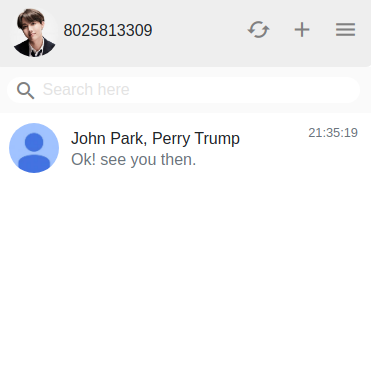
Chat Profile shows the name and numbers of participants in the groupchat. Also, there are three buttons, refresh, add new member and left groupchat.

The profile from participants is loaded from profile server which is based on REST API.
// load all profiles
function loadProfiles() {
    console.log("Get all profiles");
    var xmlHttp = new XMLHttpRequest();
    xmlHttp.open( 'GET', 'http://'+host+':4040/getall', false );
    xmlHttp.send( null );

    const jsonObject = JSON.parse(xmlHttp.responseText)

    members = new HashMap();
    memberSize = jsonObject.length;

    for(i=0;i<jsonObject.length;i++) {
        const profile = JSON.parse(jsonObject[i]);

        members.put(profile.UID, profile.Name);
    }

    return members
}
In order to sharing profiles, the user also needs to upload the profile as bellow.
function SetProfile(id, name) {
    var xmlHttp = new XMLHttpRequest();
    xmlHttp.open( 'POST', 'http://'+host+':4040/add', false ); // false for synchronous request

    const profile = {
        UID: id,
        Name: name
    }

    const profileJSON = JSON.stringify(profile);
    console.log(profileJSON);

    xmlHttp.send(profileJSON);

    console.log(xmlHttp.responseText);
}The received message needs to show the sender name and the sent time where the time is based on sent time which is reached in the server.
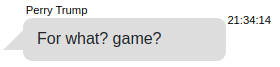
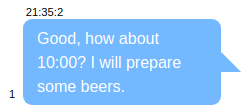
The sent message bubble can shows how many members in the groupchat read the message but the sender name doesn't need to display.

If one of participants receives the message, then there is a read notification icon in the left of chat bubble.
Message id is an unique identification for message history. It is generated by the client.
function uuidv4() {
    return ([1e7]+-1e3+-4e3+-8e3+-1e11).replace(/[018]/g, c =>
      (c ^ crypto.getRandomValues(new Uint8Array(1))[0] & 15 >> c / 4).toString(16)
    );
}In order to simple management of message and notification, the body of event should use for message and notification which have different structure.
For groupchat, "Originated" is used to identify the sender since the sender is also a particiant in group participant. So, "From" is always the id of groupchat.
const chatmsg = {
            EvtType: "message",
            From: From,
            Originated: Originaterd,
            To: callee,
            MsgID: uuidv4(),
            Timestamp: timestamp,
            Body: message.value
        };
The body of notification is required to marsharing as bellow. This code shows the notification for "create" in a groupchat.
const chatmsg = {
            EvtType: 'create',
            From: grpID,
            Originated: uid,
            To: grpID,
            MsgID: '',
            Timestamp: timestamp,
            Body: JSON.stringify(participantList)
        };