
🍭 My blog built with Astro + TypeScript. Neat.


The whole blog is a statically exported site built with Astro and TypeScript. Almost all components are Astro or native Web Components, with some React components.
Styling happens through a combination of basic global styles and on components level either through CSS modules or CSS in <style> tags within Astro components.
The high-level tech stack in a convenient buzzword list:
Content lives under content/ and Astro creates a content collection for each subfolder, which are then queried in components. Every post is a folder with a markdown file and all respective post assets co-located inside.
Retrieving content collections enriches every post's frontmatter metadata, like extracting date and slug from the post folder name, or exif extraction for photos.
Uses Astro's native astro:assets feature, all required image sizes are automatically generated from source images, working in combination with my own custom <picture> component. Making heavy use of Astro's getImage() and custom markup results in full image sizing control and properly object-fit images with varying aspect ratios.
Astro's sharp-based image service is extended as a custom image service to keep all image metadata intact when doing sharp transforms, making use of the keepMetadata output option.
Teaser images are all defined in a post's frontmatter image key, which is then passed to the <Picture /> component for display.
If you want to know how this works, have a look at the respective files:
src/components/ui/Picture/index.astrosrc/components/ui/Picture/index.module.csssrc/features/posts/lib/image-service.ts
Automatically extracts EXIF & IPTC & GPS metadata from my photos and adds it to markdown frontmatter of respective photo posts during build time. Utilizing exifr to extract all image metadata.
In the end looks like this, including location display with pigeon-maps:

If you want to know how this works, have a look at the respective files:
- EXIF extraction with
readImageMetadata()helper insrc/features/posts/lib/exif/read-image-metadata.ts - the
getCollectionEnhanced()helper insrc/features/posts/lib/get-collection-enhanced.ts - output through
src/features/posts/components/Exif/
Lets visitors say thanks with Ether, any ERC-20, or Bitcoin. The Web3 wallet integration uses RainbowKit for wallet connection, my own custom web3 API to fetch wallet token balances and metadata, and wagmi for sending transactions.


If you want to know how this works, have a look at the respective feature under
A global search is provided with fuse.js. Whenever search is opened, all posts metadata is fetched, which is then queried against when the search field is used. This prevents a huge search index from being bundled in the site build.
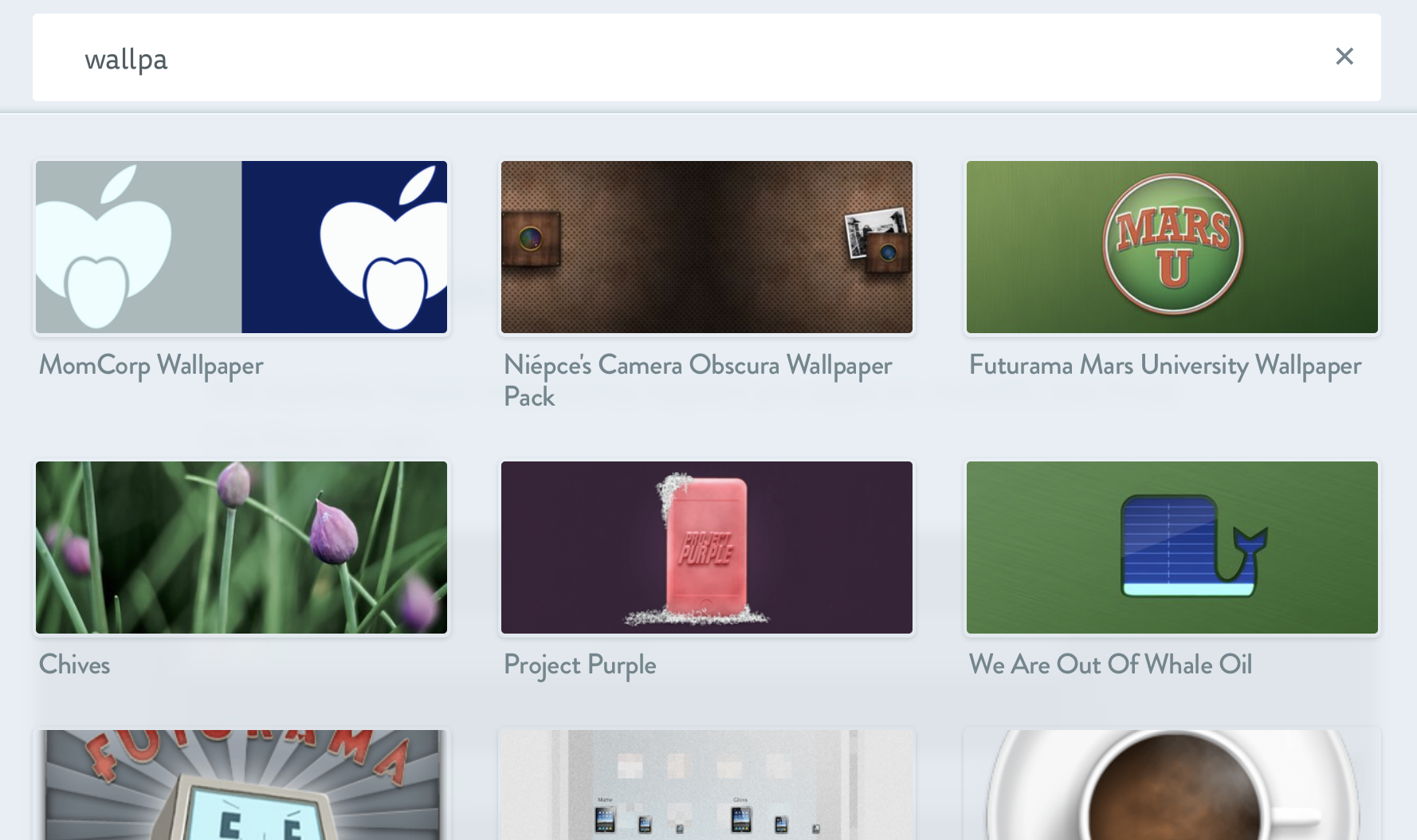
If you want to know how this works, have a look at the respective feature under
Under each post a list of related posts is displayed which are based on the tags and other metadata of the currently viewed post, also done with fuse.js.
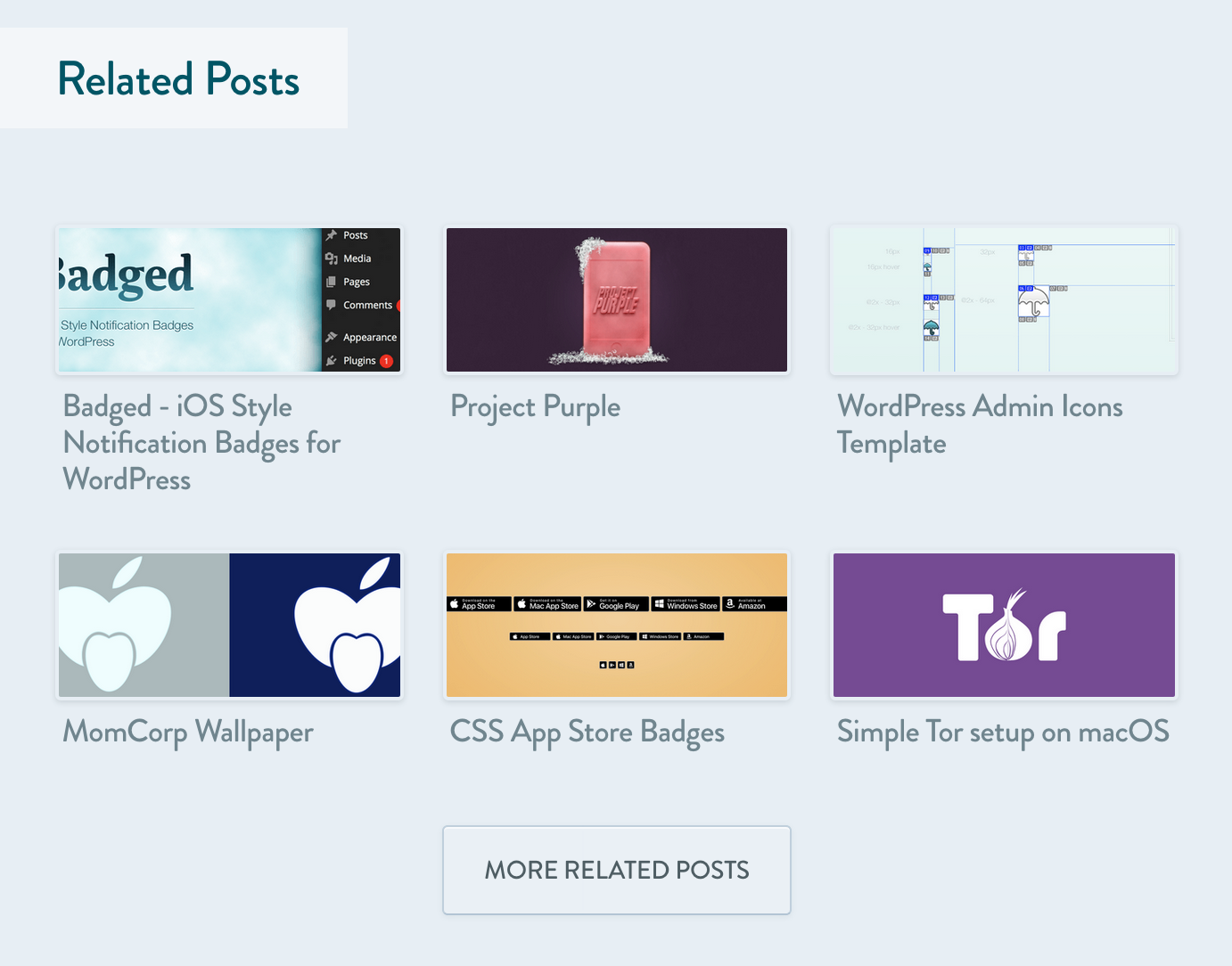
If you want to know how this works, have a look at the respective component under
Adds ability to show contents of a changelog, rendered from a CHANGELOG.md on GitHub from the given repository. The use case is to enhance release posts about projects hosted on GitHub. Makes use of the GitHub GraphQL API.
Adding this to a post's YAML frontmatter:
changelog: kremalicious/gatsby-plugin-matomowill render this at the end of the post:
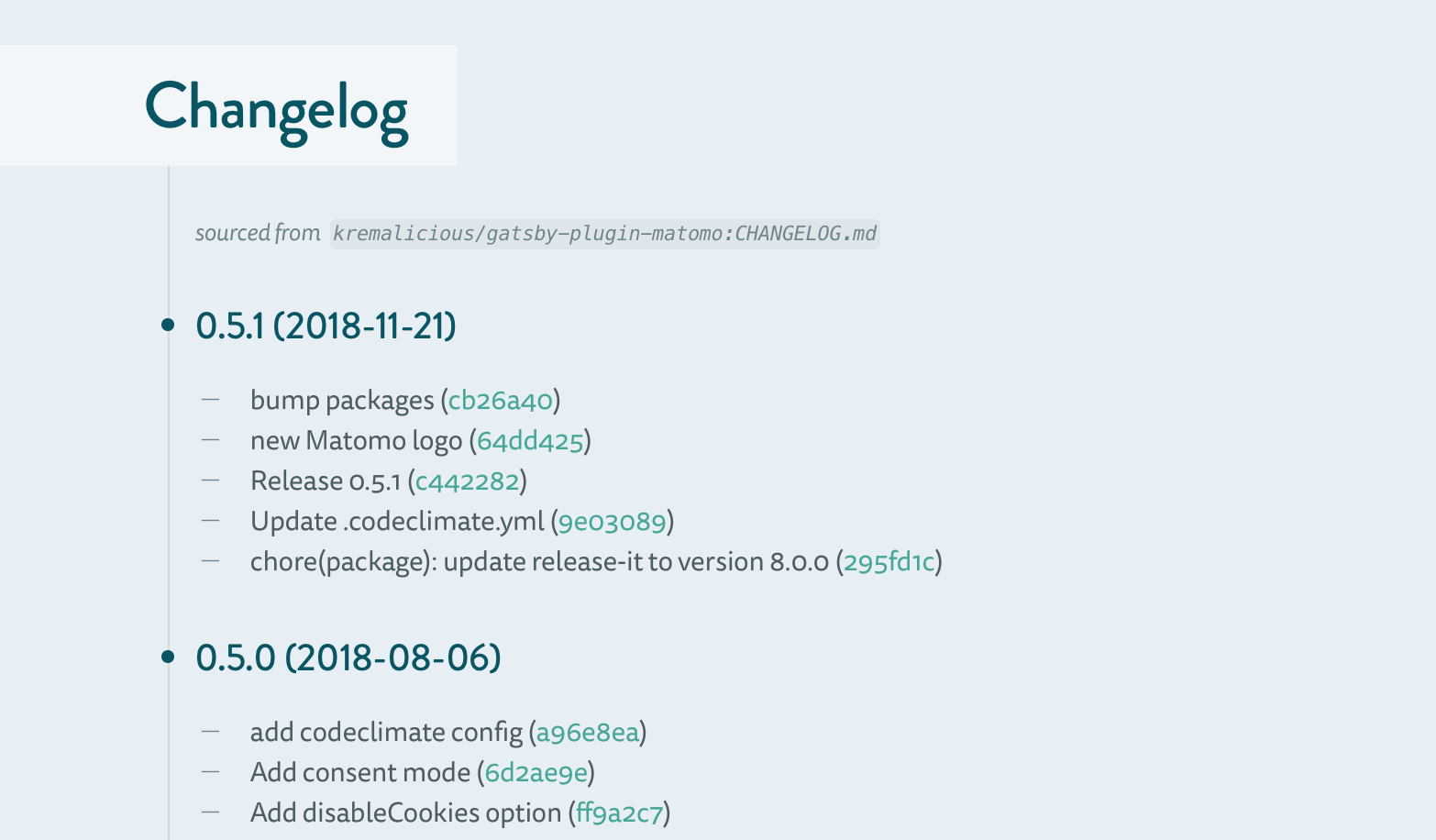
See it live e.g. on Matomo plugin for Gatsby.
If you want to know how this works, have a look at the respective component under
src/features/posts/components/Changelog/- the
getGitHubRepo()helper insrc/features/posts/lib/get-github-repo.ts
Includes a theme switcher which allows to toggle between a light and a dark theme. Done without any dependencies:
- before document renders, the theme is set based on system preference or session storage user preference in the
<head> - the theme switch web component then listens/dispatches a custom event to sync its UI
If you want to know how this works in detail, have a look at the respective files:
Still a remnant of the old Jekyll days, which survived in gatsby-redirect-from and now works in Astro with astro-redirect-from.
For all post slugs defined in a redirect_from frontmatter key, redirects will be put in place by Astro.
Generates rss & json feeds upon build time.
If you want to know how this works, have a look at the respective files:
git clone git@github.com:kremalicious/blog.git
cd blog/

# required env vars
cp .env.sample .env
vi .env

# exiftool required, for macOS
brew install exiftool

bun i
bun run devBiome is setup for all linting and formatting purposes:
bun run lintType checking can be invoked to check all TypeScript code, including within .astro files:
bun run typecheckTest suite is setup with Vitest, react-testing-library, and Playwright.
All unit test files live beside the respective component with naming pattern *.test.ts(x). Integration test files live under ./test/e2e/ exclusively, with naming pattern *.spec.ts.
Testing setup, fixtures, and mocks shared between unit & integration tests can be found in ./test folder.
To run all unit tests:
bun run test:unit

# watch mode
bun run test:unit:watch
For End-to-End integration testing, ideally run against the production build:
bun run build && bun run preview

# mapping `playwright` command
bun run test:e2e
bun run test:e2e --ui
bun run test:e2e path/to/file.spec.ts.
bun run test:e2e --update-snapshotsbun run new "Hello World"
bun run new "Hello World" 2017-12-27Create a new photo post with date, title & description pre-filled from EXIF/IPTC data of a given image file:
bun run new photo /path/to/photo.jpg
bun run new photo /path/to/photo.jpg "Hello Photo Post"
You can also create multiple photo posts at once by providing multiple photo paths:
bun run new photo /path/to/photo1.jpg /path/to/photo2.jpg /path/to/photo3.jpg
bun run new photo /path/to/photo1.jpg /path/to/photo2.jpg "Shared Title For Photos"The latest deployment of the main branch is automatically deployed to S3 from the GitHub Action as the production deployment, aliased to kremalicious.com. The deploy command calls the scripts/deploy-s3.sh script, syncing the contents of the dist/ folder to S3 with proper caching headers applied:
bun run deploy:s3The MIT License (MIT)
EXCEPT FOR:

All post content under ./content/articles & ./content/links is licensed under a Creative Commons Attribution-NonCommercial-ShareAlike 4.0 International License.
All photos & image assets are plain ol' copyright.
Copyright (c) 2008–2025 Matthias Kretschmann
Don't care if you fork & play with it, but you're not allowed to publish anything from it as a whole without my written permission. Also please be aware, the combination of typography, colors & layout makes up my brand identity. So please don't just clone everything, but rather do a remix!
