Stand-alone project that utilises public eCommerce data from Instacart to demonstrate how to schedule dbt models through Airflow.
For more Data & Analytics related reading, check https://analyticsmayhem.com
- Install Docker
- Install Docker Compose
- Download the Kaggle Instacart eCommerce dataset
- Clone the repository
- Extract the CSV files within ./sample_data directory (files are needed as seed data)
Change directory within the repository and run docker-compose up. This will perform the following:
- Based on the definition of
docker-compose.ymlwill download the necessary images to run the project. This includes the following services:- postgres-airflow: DB for Airflow to connect and store task execution information
- postgres-dbt: DB for the DBT seed data and SQL models to be stored
- airflow: Python-based image to execute Airflow scheduler and webserver
- adminer: a lightweight DB client
- Adminer UI: http://localhost:8080 Credentials as defined at
docker-compose.yml - Airflow UI: http://localhost:8000
Once everything is up and running, navigate to the Airflow UI (see connections above). You will be presented with the list of DAGs, all Off by default.
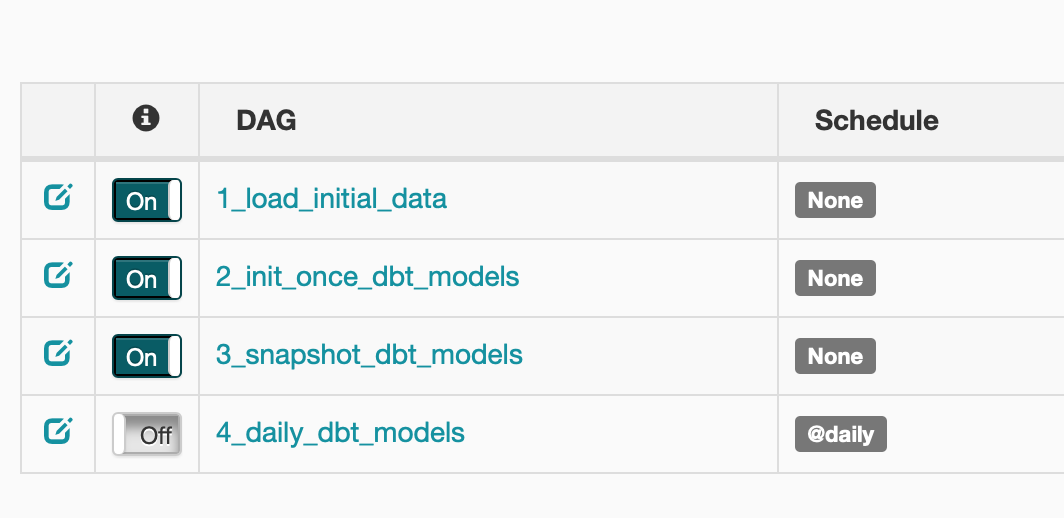
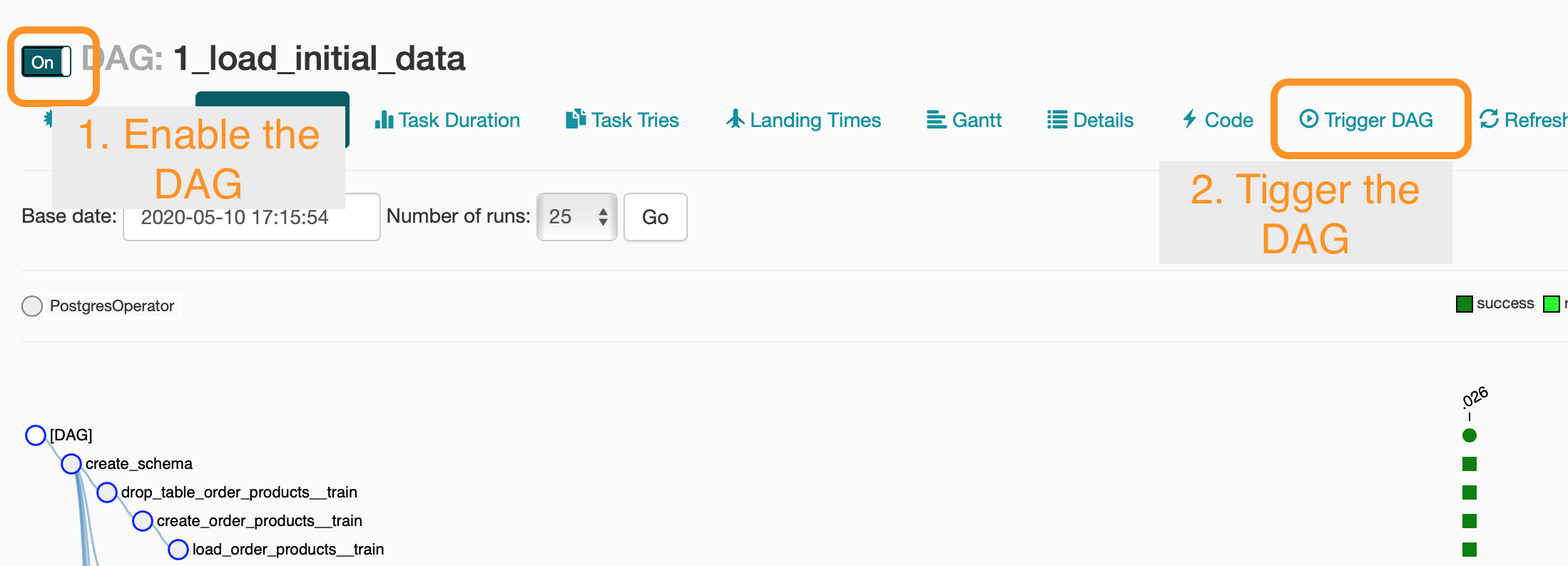
You will need to run to execute them in correct order.
- 1_load_initial_data: Load the raw Kaggle dataset
- 2_init_once_dbt_models: Perform some basic transformations (i.e. build an artificial date for the orders)
- 3_snapshot_dbt_models: Build the snapshot tables
- 4_daily_dbt_models: Schedule the daily models. The starting date is set on Jan 6th, 2019. This will force Ariflow to backfill all date for those dates. So leave that for last.
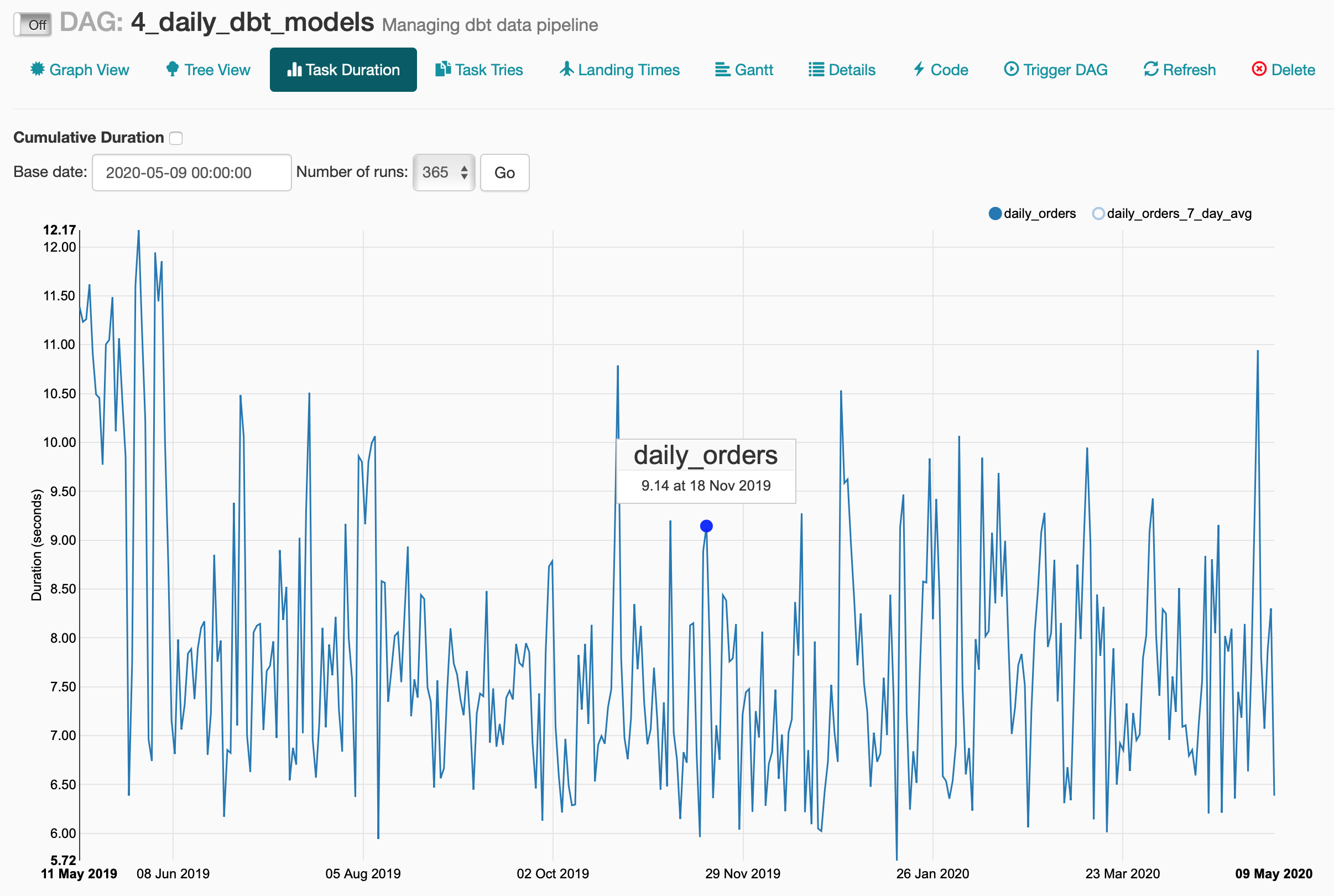
If everything goes well, you should have the daily model execute successfully and see similar task durations as per below.
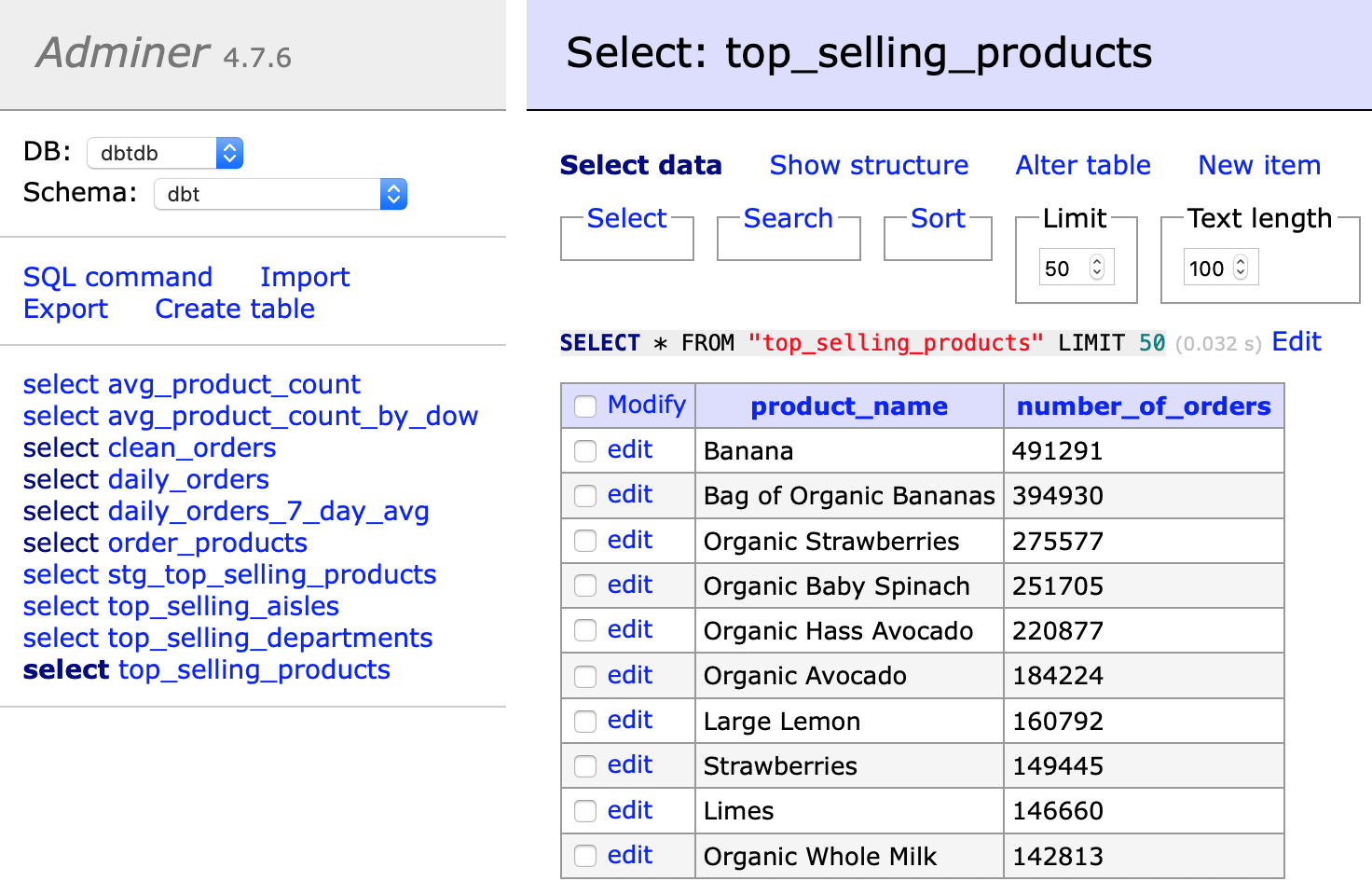
Finally, within Adminer you can view the final models.
- Enable the services:
docker-compose upordocker-compose up -d(detatches the terminal from the services' log) - Disable the services:
docker-compose downNon-destructive operation. - Delete the services:
docker-compose rmDdeletes all associated data. The database will be empty on next run. - Re-build the services:
docker-compose buildRe-builds the containers based on the docker-compose.yml definition. Since only the Airflow service is based on local files, this is the only image that is re-build (useful if you apply changes on the./scripts_airflow/init.shfile.
If you need to connect to the running containers, use docker-compose ps to view the running services.

For example, to connect to the Airflow service, you can execute docker exec -it dbt-airflow-docker_airflow_1 /bin/bash. This will attach your terminal to the selected container and activate a bash terminal.
Because the project directories (./scripts_postgres, ./sample_data, ./dbt and ./airflow) are defined as volumes in docker-compose.yml, they are directly accessible from within the containers. This means:
- On Airflow startup the existing models are compiled as part of the initialisation script. If you make changes to the models, you need to re-compile them. Two options:
- From the host machine navigate to
./dbtand thendbt compile - Attach to the container by
docker exec -it dbt-airflow-docker_airflow_1 /bin/bash. This will open a session directly in the container running Airflow. Then CD into/dbtanddbt compile. In general attaching to the container, helps a lot in debugging.
- From the host machine navigate to
- You can make changes to the dbt models from the host machine,
dbt compilethem and on the next DAG update they will be available (beware of changes that are major and require--full-refresh). It is suggested to connect to the container (docker exec ...) to run a full refresh of the models. Alternatively you candocker-compose down && docker-compose rm && docker-compose up. - The folder
./airflow/dagsstores the DAG files. Changes on them appear after a few seconds in the Airflow admin.- The
initialise_data.pyfile contains the upfront data loading operation of the seed data. - The
dag.pyfile contains all the handling of the DBT models. Keep aspect is the parsing ofmanifest.jsonwhich holdes the models' tree structure and tag details
- The
Credit to the very helpful repository: https://github.com/puckel/docker-airflow
