The REST API is implemented as JSON over HTTP using all four verbs (GET/POST/PUT/DELETE). Each resource, like Order, Product, or Collection, has a distinct URL and is manipulated in isolation. In other words, I’ve tried to make the API follow the REST principles as much as possible.
http://dev-s01edge.kihoon.lab.com/
| Method | URI | Middleware |
|---|---|---|
| POST | /register | guest |
| POST | /login | guest |
| POST | /logout | auth |
| GET|HEAD | /home | auth |
| GET|POST | /products | |
| GET|DELETE | /products/{:id} | |
| GET|POST | /orders | |
| GET|DELETE | /orders/{:id} | |
| POST | /email/verify | |
| POST | /email/resend | |
| POST | /password/email | |
| POST | /password/reset | |
| POST | /password/confirm | auth |
/*  CORS - Cross-Origin Resource Sharing
    Client = localhost:4000
    Server = localhost:3000
    -sending *headers* from the server to the client (to give access)
*/

// Before any Routes, we send headers
app.use((req, res, next) => {
    res.header('Access-Control-Allow-Origin', '*');
    res.header('Access-Control-Allow-Headers', 'Origin, X-Requested-With, Content-Type, Accept, Authorization')
    if (req.method === 'OPTIONS') {
        res.header('Access-Control-Allow-Methods', 'PUT, POST, PATCH, DELETE, GET');
        return res.status(200).json({});
    }
    next();
});- bcrypt (https://www.npmjs.com/package/bcrypt & https://github.com/kelektiv/node.bcrypt.js)
- jsonwebtoken (https://www.npmjs.com/package/jsonwebtoken)
- https://github.com/auth0/node-jsonwebtoken + https://jwt.io/
- JSON data + Signature = JSON Web Token (JWT)
- Signature can be verified as Server has Private Key
// users.js
// Hash Password vs. Compare Password
bcrypt.hash(req.body.password, 10, (err, hash) => { ... } // --> 10 rounds of adding salt to hashed password
bcrypt.compare(req.body.password, user[0].password, (err, result) => { ... }

// jwt token sign
// router.post('/login', (req, res, next) => { ...
if (result) {
    const token = jwt.sign({
        email: user[0].email,
        userId: user[0]._id
    },
    process.env.JWT_KEY,
    {
        expiresIn: "1h"
    });
    return res.status(200).json({
        message: 'Auth successful',
        token: token
    });

// check-auth.kjs
module.exports = (req, res, next) => {
    try {
        // check if we can access token from headers
        const token = req.headers.authorization.split(" ")[1];
        const decoded = jwt.verify(token, process.env.JWT_KEY)
        req.userData = decoded;
        next();
    } catch (error) {
        return res.status(401).json({message: 'Auth failed'})
    }
};
// then in products & orders.js
const checkAuth = require('../middleware/check-auth');
router.delete('/:orderId', checkAuth, (req, res, next) => { ... }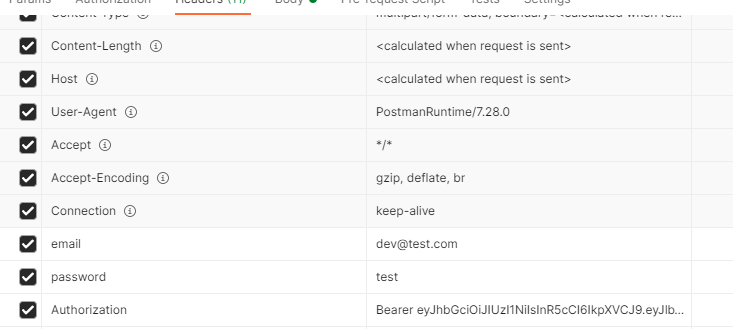
const productSchema = mongoose.Schema({
    _id: mongoose.Schema.Types.ObjectId,
    name: {type: String, required: true},
    price: {type: Number, required: true},
    productImage: {type: String, required: false}
});

module.exports = mongoose.model('Product', productSchema);const orderSchema = mongoose.Schema({
_id: mongoose.Schema.Types.ObjectId,
product: {type: mongoose.Schema.Types.ObjectId, ref: 'Product', required: true},
quantity: {type: Number, default: 1}
});
module.exports = mongoose.model('Order', orderSchema);const userSchema = mongoose.Schema({
_id: mongoose.Schema.Types.ObjectId,
email: {
type: String,
required: true,
unique: true,
match: /^([\w-\.]+@([\w-]+\.)+[\w-]{2,4})?$/
},
password: {type: String, required: true}
});
module.exports = mongoose.model('User', userSchema);// app.js
app.use('/uploads', express.static('uploads'))
// products.js
const multer = require('multer') // body parser for parsing form data
// multer config (storage[destination, filename], limits, fileFilter)
const storage = multer.diskStorage({
destination: function(req, file, cb) {
cb(null, './uploads/');
},
filename: function(req, file, cb) {
cb(null, Date.now() + file.originalname);
}
});
// fileFilter param for multer
const fileFilter = (req, file, cb) => {
if (file.mimetype === 'image/jpeg' || file.mimetype === 'image/png') {
cb(null, true); //accept file
} else {
cb(null, false); //reject file
}
}
const upload = multer({
storage: storage,
limits: {
fileSize: 1024 * 1024 * 5 //5mb
},
fileFilter: fileFilter
});
...
router.post('/', upload.single('productImage'), (req, res, next) => {...
productImage: req.file.path
}- morgan (https://www.npmjs.com/package/morgan)
- dotenv (https://www.npmjs.com/package/dotenv)

[ ] Create Users Model with restricted privilege (Admin vs Customer)