Quick browser helpers for Power Platform admins, makers, and power users. The repo now hosts both classic bookmarklets and richer Tampermonkey userscripts so everything lives in one place.
- Bookmarklets that you can drag straight to your bookmarks bar from the public site
- Tampermonkey / userscripts for scenarios where a side panel or heavier UI makes sense
- Documentation, screenshots, and install links so you (or future-you after a device reset) can rehydrate everything fast
Drag bookmarklets from that page to your browser's bookmarks bar. Don't use the raw .js files in the repo.
Extracts Dataverse table schema from a model-driven app view and copies it as a markdown table. Perfect for pasting into AI tools like Claude, Copilot, or ChatGPT.
Usage:
- Navigate to a table view in a model-driven app (
⚠️ IMPORTANT! This is where your get the auth.) - Click the bookmarklet
- Schema is copied to clipboard
Output example:
**Table: pre_mytablename**
| LogicalName | DisplayName | AttributeType |
|-------------|-------------|---------------|
| pre_name | Task Name | String |
| pre_notes | Notes | Memo |
| pre_stage | Stage | Picklist [1: Draft, 2: In Progress, 3: Complete] |
| pre_actualdate | Actual Date | DateTime |
| pre_year | Year | Integer |
| pre_parentrecordid | Parent Record | Uniqueidentifier |
| pre_displaysequence | Display Sequence | Decimal |
...
What it does:
- Filters out system fields (created, modified, owner, etc.)
- Uses Web API
v9.2(works on most environments) - Copies to clipboard automatically
See it in action:
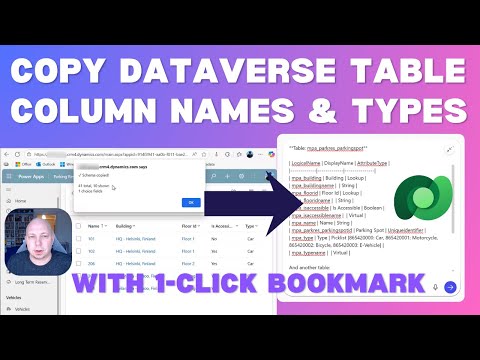
1-minute demo showing how to extract table schema and use it with AI tools
Source: bookmarklets/get-table-metadata.js
Extracts Power Automate cloud flow definition from Dataverse and displays it in a rich, formatted viewer. Perfect for analyzing flow structure, sharing with AI tools like Claude or ChatGPT, or creating documentation.
Usage:
- Navigate to a table view in a model-driven app (
⚠️ IMPORTANT! This is where you get the auth.) - Click the bookmarklet
- Enter a Flow ID (GUID) - either the Dataverse ID or Maker Portal ID
- Flow definition opens in a new window with formatted viewer
Key features:
- Recent flows history: Remembers the last 10 flows you've viewed for quick access
- Flow search: Can search flows by name if ID lookup fails (useful for flows in the Default Solution)
- Two export formats: Full JSON or AI-optimized minimized version
- Variable analysis: Shows all flow variables grouped by type with usage tracking
- Trigger details: Displays trigger type, schedule, table, and event information
- Connection references: Lists all connections used by the flow
- Both flow IDs shown: Displays both Dataverse ID (workflowid) and Maker Portal ID (workflowidunique)
Screenshot:

What it does:
- Fetches flow definition using Dataverse Web API
v9.2 - Parses the full flow JSON including triggers, actions, variables, and connections
- Opens a formatted viewer with syntax highlighting
- Tracks variable usage across all actions
- Provides AI-optimized export that reduces token count by ~70%
Source: bookmarklets/get-flow-json.js
Side panel experience for the Power Platform Admin Center Known Issues page with filtering, watchlists, keyboard shortcuts, and export.

Rapid install (what you need after a clean PC):
- Install the Tampermonkey extension for your browser.
- Open the raw script URL: https://raw.githubusercontent.com/jukkan/power-bookmarklets/main/tampermonkey/ppac-enhanced.user.js
- Tampermonkey prompts you to install/update the script. Confirm.
- Visit PPAC Known Issues, load any results with the native filters, and use the lightning button to open the panel.
See the full feature list, screenshots, and maintenance notes in tampermonkey/ppac-enhanced.user.md.