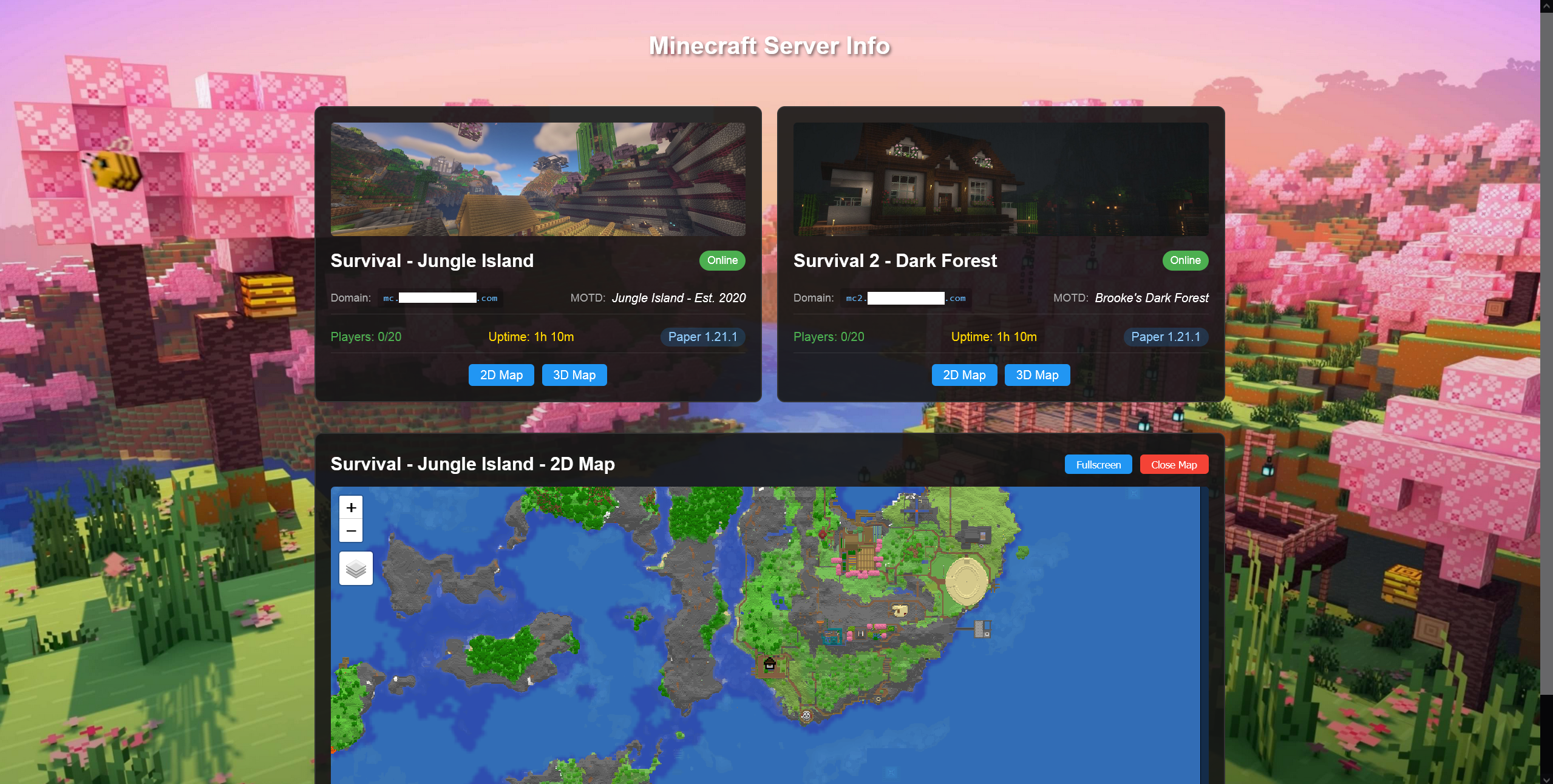
This is a simple Minecraft server status page that can show a number of servers and their info via cards, each with buttons for two maps that either display in-page or go fullscreen. Configuration is done via a servers.json file (no HTML editing needed). Pulls stats from the minecraft server itself along with the Crafty Controller API.
Install:
- Install dependacies:
npm install express minecraft-server-util cors dotenv node-fetch - Configure your environment variables: copy
.env.exampleto.envand fill in your values:
-
PORT=3000 -
FRONTEND_URL=your_frontend_url_here -
CRAFTY_API_KEY=crafty_api_here -
CRAFTY_API_URL=crafty_url_here(
.envis gitignored so your real credentials are never committed.)
- Configure your servers: copy
public/servers.example.jsontopublic/servers.jsonand edit it (an array of server objects:name,domain, optionalport(default 25565),craftyId,image, andmaps.dynmap/maps.bluemap). No HTML editing required. (public/servers.jsonis gitignored.)
Install using Docker:
docker pull idiosync000/mc-status-page- Pass through port 80 and /app/public/
- Place your
servers.json(copied fromservers.example.json) and images in thepublicfolder passed through on the host (a workingindex.htmlalready ships in the image)