
A lightweight, dependency-free Node.js Terminal User Interface (TUI) for browsing, toggling, and visualizing oxlint rules.
It automatically loads your local configuration (if one exists) to show you the current status of your project. You can then toggle rules on the fly to see how they affect your codebase without altering your actual configuration file.
It serves as a playground: Toggle rules in memory, run the linter, and see the results immediately.
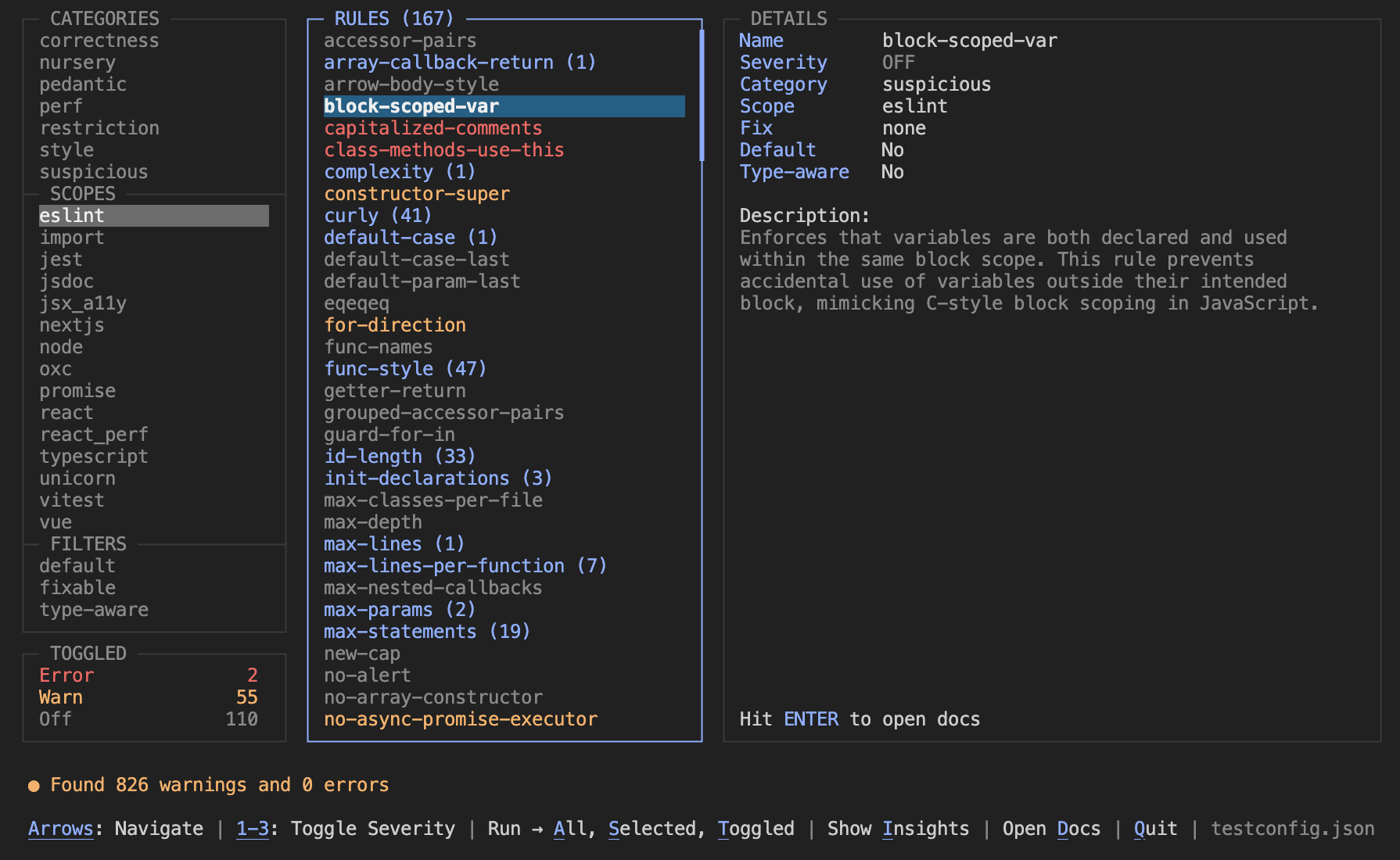
Configuring linters often involves jumping between your editor, a massive JSON file, and web documentation. oxlint-tui tries to make the process easier by giving you an interactive dashboard right in your terminal. It allows you to "try before you buy"—enabling strict rules temporarily to see how many errors they would produce.
- Non-Destructive: Toggling rules happens entirely in memory. No changes are written to disk, making it safe to experiment without messing up your config or comments.
- Config Aware: Automatically reads
.oxlintrc.jsonto initialize the state, but works perfectly even if no config file exists. - Details: View category, scope, fix, default, and type-aware rule parameters at a glance.
- Hit Counts: See exactly how many violations each rule triggers in your codebase. Hits are displayed next to the rule name (e.g.,
no-debugger (3)) and highlighted for clarity. - Run All: Quickly run every available rule (even those turned off) to see what else might be lurking in your code.
- View Docs: Press ENTER on any rule to open its official documentation in your browser.
- Zero Dependencies: Written in pure Node.js without any heavy TUI libraries.
Run it directly in your project folder (where your .oxlintrc.json is located):
npx oxlint-tuiIf you want to load an initial state from a specific config file:
npx oxlint-tui ./configs/oxlint.jsonIf you use oxlint frequently, you can install it globally:
npm install -g oxlint-tui

oxlint-tui| Key | Action |
|---|---|
| ↑ / k | Move selection Up |
| ↓ / j | Move selection Down |
| ← / h | Move focus Left (Categories <-> Rules) |
| → / l | Move focus Right (Categories <-> Rules) |
| 1 | Set selected rule to "off" |
| 2 | Set selected rule to "warn" |
| 3 | Set selected rule to "error" |
| x | Run linter with the selected rule only |
| r | Run linter with all activated rules |
| a | Run linter with ALL available rules |
| Enter | Open Rule Documentation in Browser |
| q / Esc | Quit |
- Node.js >= 16
oxlint(The tool runsnpx oxlint --rules --format=jsoninternally to fetch definitions)
If you're willing and able, please feel free to contribute to this project.
MIT